
ActivePresenter 10
An AI-powered eLearning authoring tool that streamlines your course creation. An all-in-one eLearning solution to create training videos, software simulations, educational games, and interactive slide-based lessons.

uPresenter
Next-Generation Interactive eLearning Platform
Create interactive presentations, quizzes, and dynamic learning experiences with real-time collaboration, seamless public sharing, and powerful reporting features.

Saola Animate 3
Create HTML5 animations and interactive content which run on any platform and device without coding skills.

Learn, share, and get support

Read latest tutorials and tips

Learn & ask our support experts

Connect & share with user community
Latest from our blog
Screencasting & eLearning
Best Quiz Software 2026: Top 8 Picks That Actually Improve Learning Outcomes
Searching for the best quiz software in 2026? We reviewed 8 top tools — from free quiz makers to enterprise-grade SCORM builders — so you can choose the right one for your training or classroom needs. Includes pros, cons, pricing, and expert recommendations.
OBS Studio vs ActivePresenter: Which Tool Wins for Screen Recording?
Whether you’re a solo educator building your first online course, a corporate trainer producing onboarding videos, or a freelance instructional designer juggling multiple clients, you’ll walk away knowing exactly which tool fits your workflow: OBS Studio vs ActivePresetner, and why.

Free Video Editing Software 2026: 5 No-Watermark Tools Every Creator Should Know
Tired of watermarks ruining your videos? Discover the 5 best free video editing software in 2026 — no watermarks, no hidden fees. From beginner-friendly tools to pro-grade editors, find the right fit for your workflow and start creating today.
HTML5 Animation
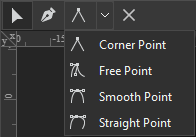
Edit Freeforms in Saola Animate 3
In the previous tutorial, you have learned how to draw vector graphics using seven freeform tools in Saola Animate 3.0. As you can see, the drawings in that tutorial are not perfect. We need to make some further edits to make them complete and look as desired. In detail, we will learn how to work with anchor points, control points, and paths in this article.
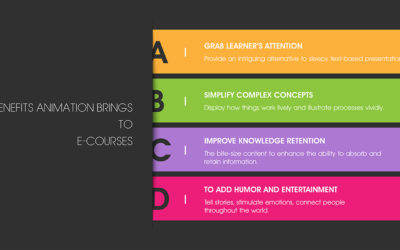
Benefits Animation Brings to E-courses (With Examples)
Ease of access is one of the online training advantages. This method allows learners to study anytime and anywhere. However, this benefit also comes with a disadvantage. That is, it is easy to become distracted during an online learning session. How can course creators keep learners focused and maintain their motivation during an e-course? Fortunately, animation in eLearning can help resolve this issue.
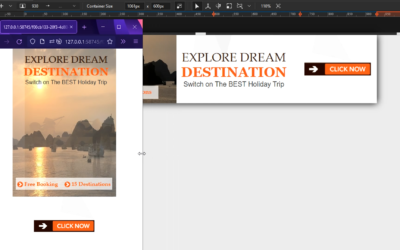
Basics of Responsive Layout in Saola Animate 3
Responsive layout is a truly responsive design method that allows you to create multiple different layouts for a single document. In this post, you’ll learn the basics of responsive layout in Saola Animate 3.