
You’ve built the course. You’ve recorded the videos. And then comes the part that quietly determines whether any of it actually worked: the quiz. Yet most instructional designers and educators spend 80% of their budget on content creation and almost no time choosing the right quiz tool. The result? Flat, forgettable assessments that learners click through on autopilot.
After nearly a decade of building eLearning content across industries, from banking compliance to enterprise IT onboarding, I’ve tested more quiz tools than I care to admit. This guide is the one I wish I’d had on day one: a no-fluff, real-world breakdown of the best quiz software in 2026, including who each tool is actually built for and which one belongs in your workflow.
If you’re tired of “click-next” fatigue, you need a tool that treats assessments as an experience, not a speed bump. ActivePresenter stands out in 2026 by blending professional video editing with 13 different interactive question types, from advanced drag-and-drops to high-fidelity software simulations. It’s the only tool that lets you move from a recorded demo to a graded, SCORM-compliant assessment in a single workflow

What Makes a Great Quiz Tool in 2026? (Evaluation Criteria)
Before we dive into the list, let’s establish what separates a genuinely useful quiz tool from a glorified Google Form. Here’s the framework I use when evaluating any assessment software:
1. Question Type Variety
A professional quiz tool should support more than multiple choice. Look for: drag-and-drop, fill-in-the-blank, hotspot, matching, sequence ordering, and essay responses. The wider the range, the more accurately you can measure different cognitive levels (Bloom’s Taxonomy, anyone?).
2. Branching & Adaptive Logic
Can the quiz respond to learner behavior? Can it route a struggling learner to remedial content, or skip ahead for someone who clearly already knows the material? This is the difference between assessment and adaptive assessment.
3. LMS Compatibility & Standards Support
If your quiz can’t report scores back to your LMS, it’s just a game. Non-negotiable standards in 2026:
- SCORM 1.2 / SCORM 2004: universal LMS compatibility
- xAPI (Tin Can): for tracking nuanced, real-world learning data
- HTML5 output: for device-agnostic delivery
4. Analytics & Reporting
Can you see which questions learners are failing? Can you track completion rates, average scores, and time-on-task? Granular data is what turns a quiz from a checkbox into a genuine performance improvement tool.
5. Total Cost of Ownership
Subscription pricing can be deceptive. A $49/month tool costs $1,764 over three years. Always calculate the 3-year TCO before signing anything.
Top 8 Best Quiz Software Tools in 2026
1. Quizizz (Wayground) — Best for Self-Paced Gamified Learning at Scale
Best for: Teachers, corporate trainers, and L&D teams who want gamified assessments that work just as well asynchronously as they do in a live classroom.
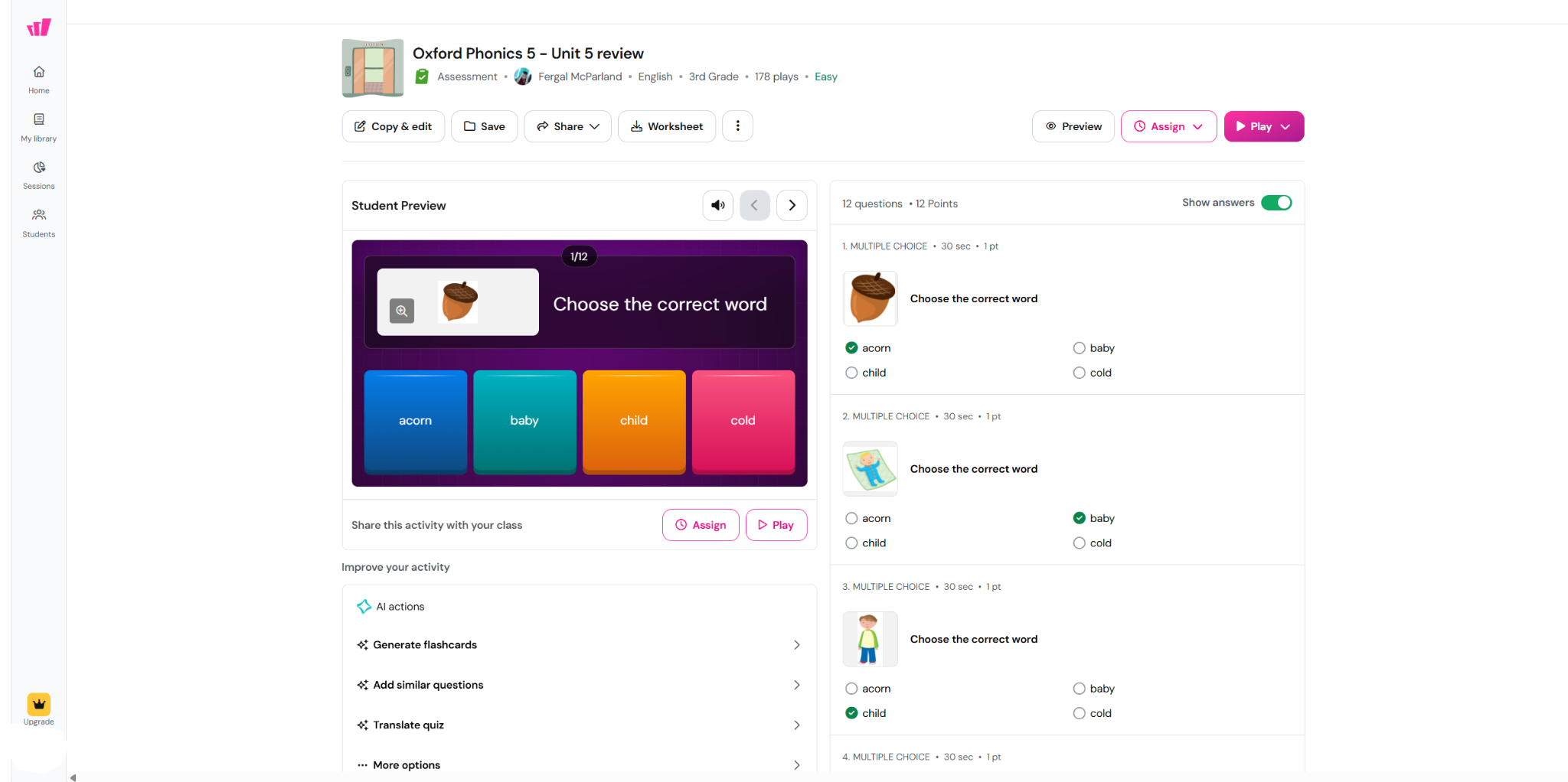
Quizizz has quietly grown from a classroom novelty into a genuinely capable assessment platform. Unlike Kahoot!, which lives and dies in the live session format, Quizizz shines in self-paced mode, learners can complete quizzes on their own schedule while the platform still delivers the dopamine hit of points, streaks, and memes. For blended learning environments where you need both live and async options from a single tool, it’s a smart pick.
Key Quiz Features:
- Multiple choice, fill-in-the-blank, poll, open-ended, and audio/video response question types
- Self-paced and live session modes from the same quiz
- Meme-based feedback and power-ups for gamification
- Detailed class-level and individual learner analytics
- Lesson mode for embedding instructional content between questions
- Basic LMS integration (Google Classroom, Canvas, Schoology)
Pricing:
- Free tier available (unlimited quizzes, basic features)
- Paid plans from ~$20/month (individual); team plans available
Pros:
- ✅ Flexible delivery, live and self-paced from one quiz
- ✅ Strong engagement mechanics without sacrificing data
- ✅ Generous free tier for individual educators
- ✅ Good analytics for identifying struggling learners
Cons:
- ❌ No SCORM/xAPI output — not suitable for formal LMS tracking
- ❌ Gamification elements can feel juvenile in senior corporate contexts
- ❌ Advanced branching and conditional logic not supported
2. Quizlet — Best for Vocabulary, Recall, and Spaced Repetition Learning
Best for: Educators, language trainers, and L&D teams focused on knowledge retention — particularly where memorization and recall are the primary learning objectives.
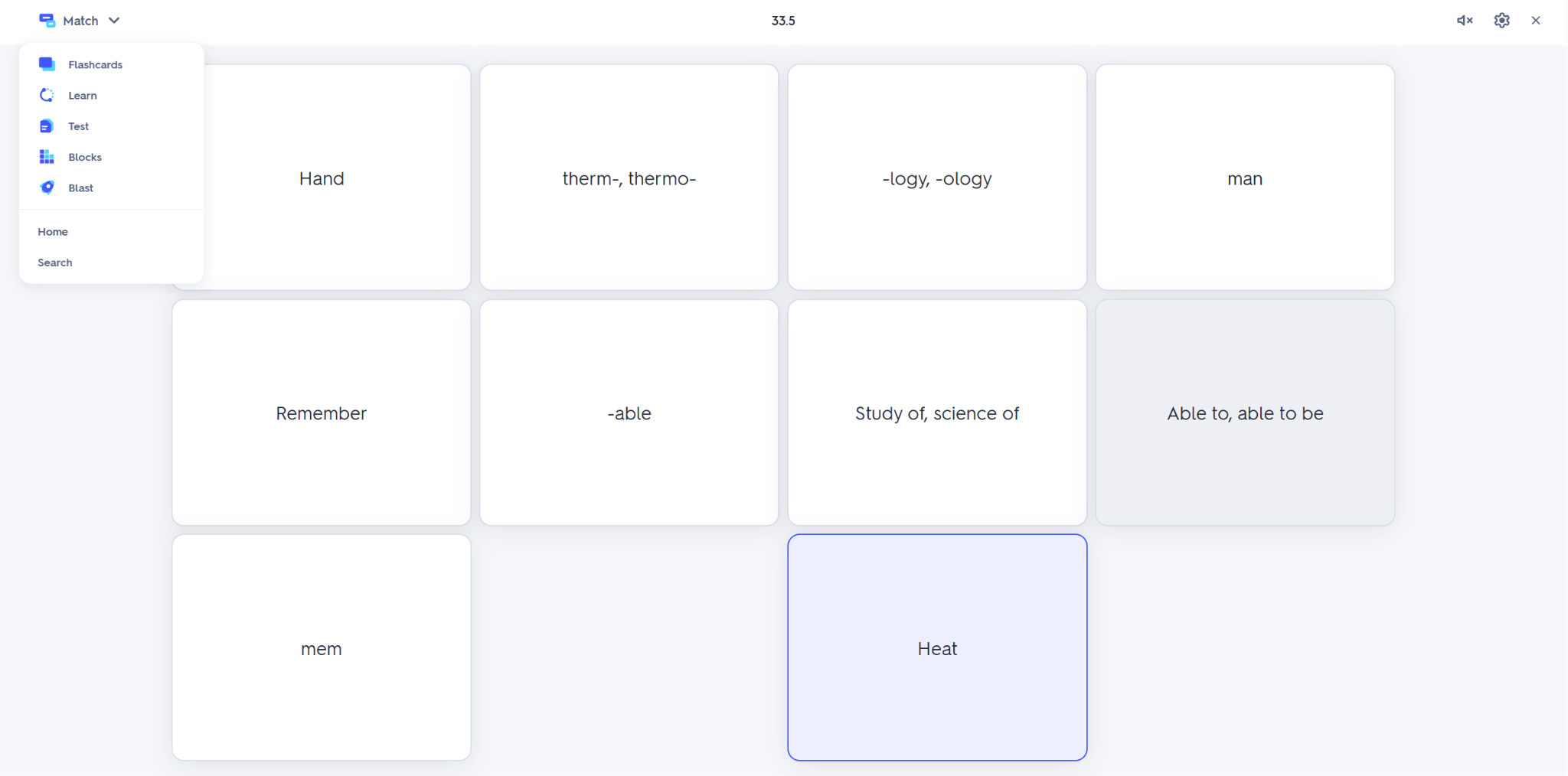
Quizlet has been a staple in academic settings for years, and in 2026 its AI-powered study tools have made it a legitimate contender for corporate microlearning programs too. It’s not a quiz builder in the traditional eLearning sense, you won’t be publishing SCORM packages from here, but for building the kind of low-stakes, high-frequency practice that actually drives long-term retention, nothing on this list comes close.
Key Quiz Features:
- Flashcard sets with spaced repetition algorithm (Quizlet Learn mode)
- Multiple quiz formats: written, multiple choice, matching, and true/false
- AI-generated practice questions from uploaded study material
- “Test” mode for more formal self-assessment
- Collaborative study sets for team-based learning
- Mobile app with offline access
Pricing:
- Free tier available (core flashcard and quiz features)
- Quizlet Plus from ~$7.99/month; Teacher plans available
Pros:
- ✅ Genuinely effective for recall and retention — backed by spaced repetition science
- ✅ AI content generation saves significant quiz-building time
- ✅ Learners actually use it voluntarily — high intrinsic engagement
- ✅ Strong mobile experience for on-the-go microlearning
Cons:
- ❌ No SCORM/xAPI support — not suitable for LMS compliance tracking
- ❌ Limited to recall-level assessment — not appropriate for higher-order evaluation
- ❌ Collaborative features require learners to create accounts
3. Mentimeter — Best for Real-Time Audience Interaction and Live Polling
Best for: Facilitators, trainers, and presenters who need to turn a passive audience into an active one — in the room or online.
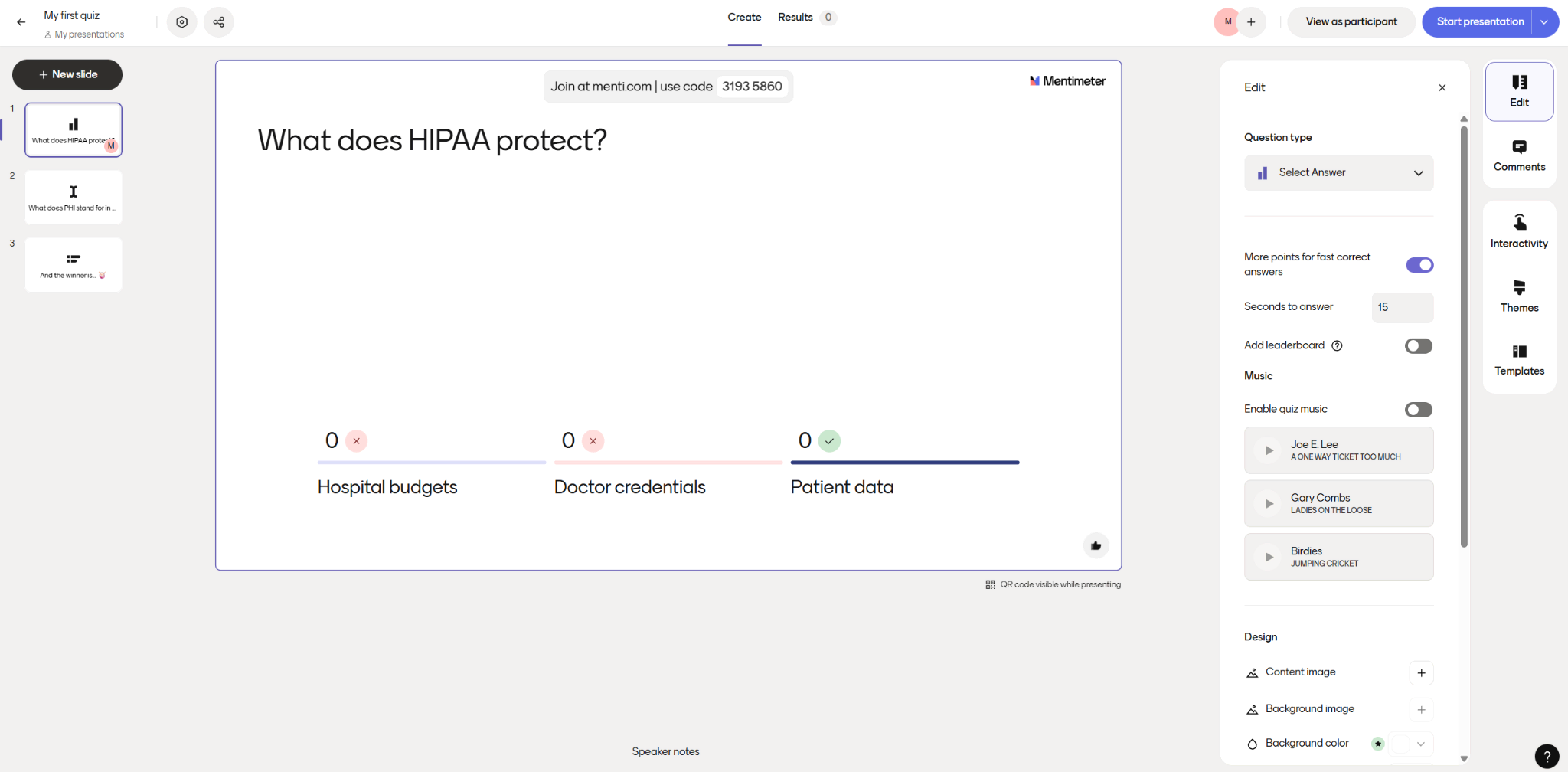
Mentimeter occupies a unique space on this list: it’s less a quiz tool and more a live interaction platform that happens to include quiz mechanics. Where Kahoot! leans into competition, Mentimeter leans into inclusion — its anonymous response format makes it particularly effective in settings where learners might hesitate to answer publicly. For opening a training session, checking prior knowledge, or running a post-module pulse check, it’s one of the most elegant tools available.
Key Quiz Features:
- Multiple choice, word cloud, open-ended, ranking, scales, and quiz competition formats
- Anonymous and named response options
- Real-time results displayed on a presenter screen
- Q&A module for live audience questions
- Presentation builder with quiz slides embedded alongside content slides
- Export results to Excel or PDF for post-session review
Pricing:
- Free tier available (limited slides and responses per month)
- Paid plans from ~$11.99/month (Basic); Team plans available
Pros:
- ✅ Anonymous responses unlock honest answers in sensitive training topics
- ✅ Polished, presenter-friendly interface — minimal setup time
- ✅ Word cloud and ranking formats offer insights no multiple-choice quiz can
- ✅ Works seamlessly in hybrid (in-person + remote) training environments
Cons:
- ❌ No SCORM/xAPI output — not designed for LMS tracking
- ❌ Free tier is restrictive for regular professional use
- ❌ Not suitable for formal, graded assessments or compliance certification
4. Kahoot! — Best for Live, Gamified Training Sessions
Best for: Facilitators running live workshops, onboarding sessions, or classroom instruction where engagement is the primary goal.
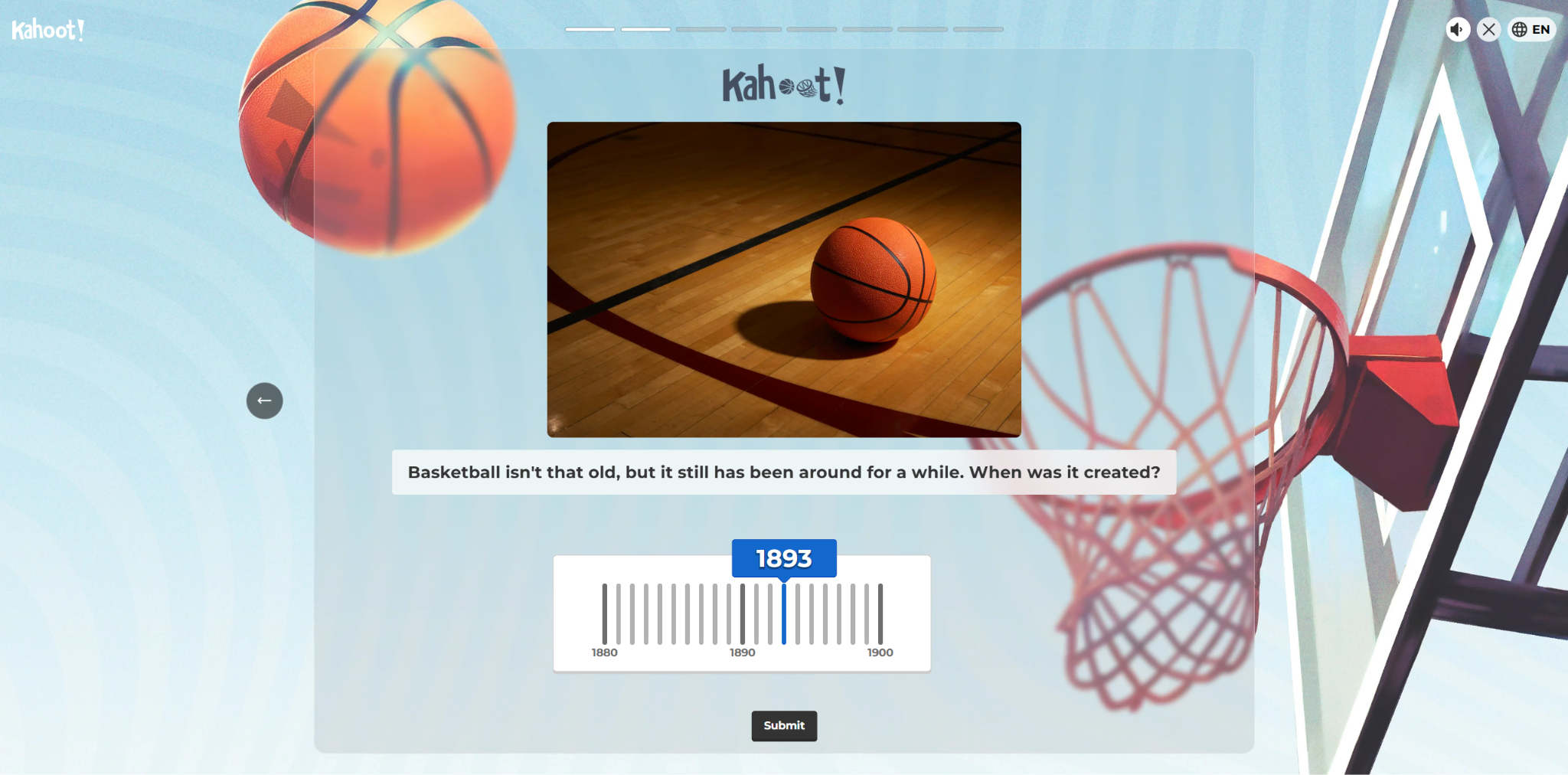
Kahoot! turned quiz-taking into a competitive sport, and it works. The live leaderboard format drives participation in ways that passive slide decks never will. It’s a legitimate engagement tool, just don’t mistake it for a formal assessment platform.
Key Quiz Features:
- Real-time multiplayer quiz format
- Leaderboard and point system for gamification
- Self-paced “challenge” mode for asynchronous use
- Basic reporting on group performance
Pricing:
- Free tier available
- Paid plans from ~$17/month (individual)
Pros:
- ✅ Unmatched engagement for live sessions
- ✅ Easy to set up and facilitate
- ✅ Learners genuinely enjoy it
Cons:
- ❌ Not suitable for formal, tracked assessments
- ❌ No SCORM/LMS integration
- ❌ Limited question depth — primarily multiple choice
5. Typeform — Best for Conversational Quizzes & Lead Generation
Best for: Marketers, educators, and HR teams who prioritize user experience over eLearning compliance standards.
Typeform pioneered the conversational quiz format — one question at a time, with smooth transitions that feel more like a dialogue than a test. Completion rates for Typeform quizzes are measurably higher than traditional grid-based forms.
Key Quiz Features:
- One-question-at-a-time format with high completion rates
- Logic jumps for basic branching
- Strong third-party integrations (Zapier, HubSpot, Slack)
- Clean, modern UI with minimal setup
Pricing:
- Free tier (limited responses)
- Paid plans from ~$29/month
Pros:
- ✅ Exceptional UX — learners actually enjoy completing these
- ✅ Fast setup, no technical knowledge required
- ✅ Great for surveys, knowledge checks, and lead qualification
Cons:
- ❌ No SCORM/xAPI support — not suitable for LMS deployment
- ❌ Limited question types for formal assessment
- ❌ Response caps on free and lower-tier plans
6. Google Forms — Best Free Quiz Tool for Classroom Use
Best for: Teachers, small training teams, and anyone who needs a zero-cost, zero-friction solution.
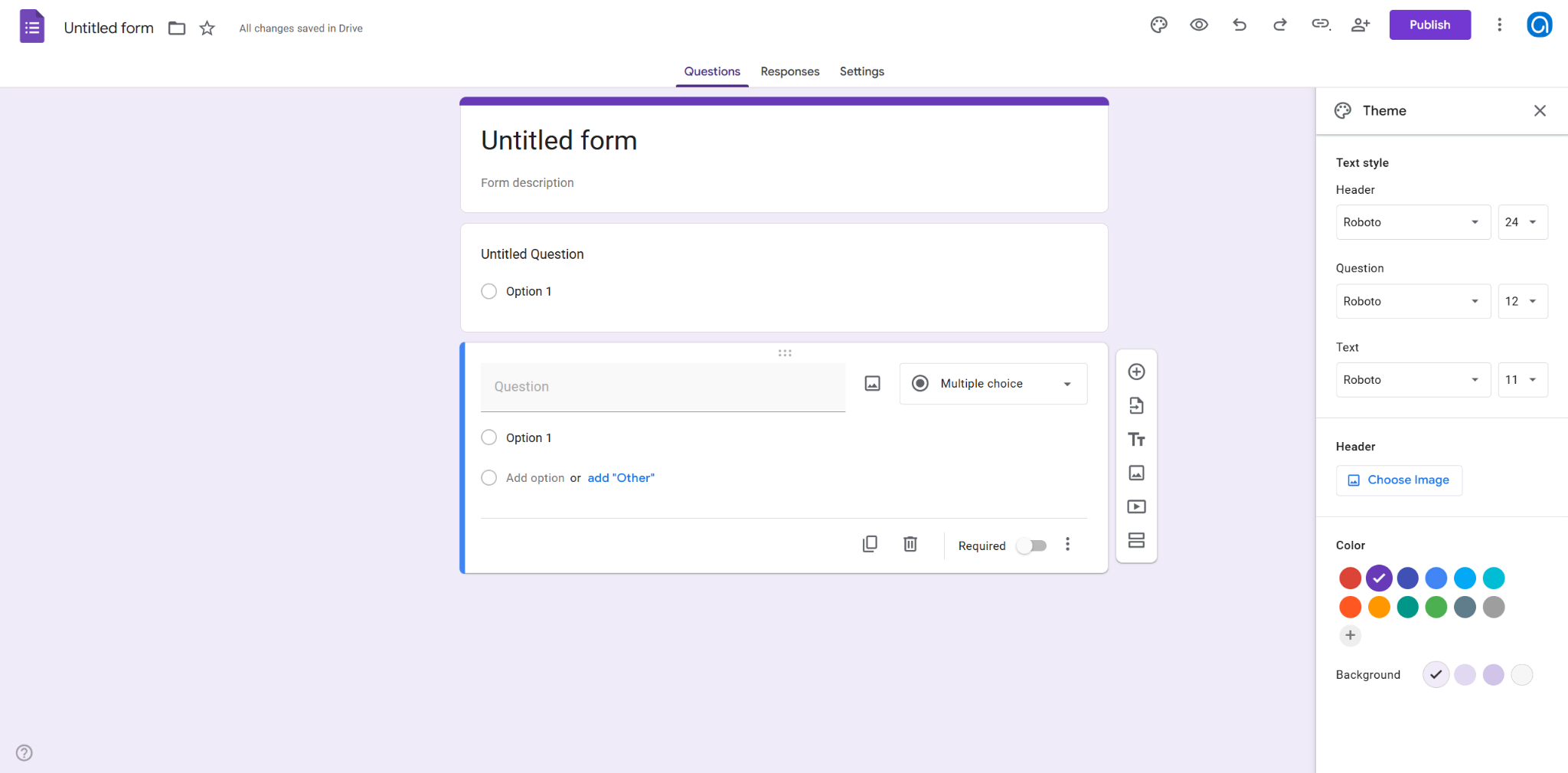
Google Forms is not glamorous, but it is everywhere. For basic knowledge checks, classroom quizzes, and internal surveys, it’s hard to beat free. The auto-grading feature and Google Classroom integration make it a practical choice for educators.
Key Quiz Features:
- Multiple choice, short answer, paragraph, checkboxes, dropdown
- Auto-grading with correct answer keys
- Response collection in Google Sheets
- Google Classroom integration
Pricing:
- Free (with Google account)
Pros:
- ✅ Completely free
- ✅ Zero setup — accessible from any browser
- ✅ Familiar interface for most users
Cons:
- ❌ No SCORM/xAPI output
- ❌ Very limited question types
- ❌ No advanced branching or adaptive logic
- ❌ Basic reporting only
7. uPresenter — Best AI-Powered Quiz Builder for Fast Course Creation
Best for: Educators, trainers, and instructional designers who want to create polished, quiz-rich courses quickly using AI assistance — without a steep learning curve.
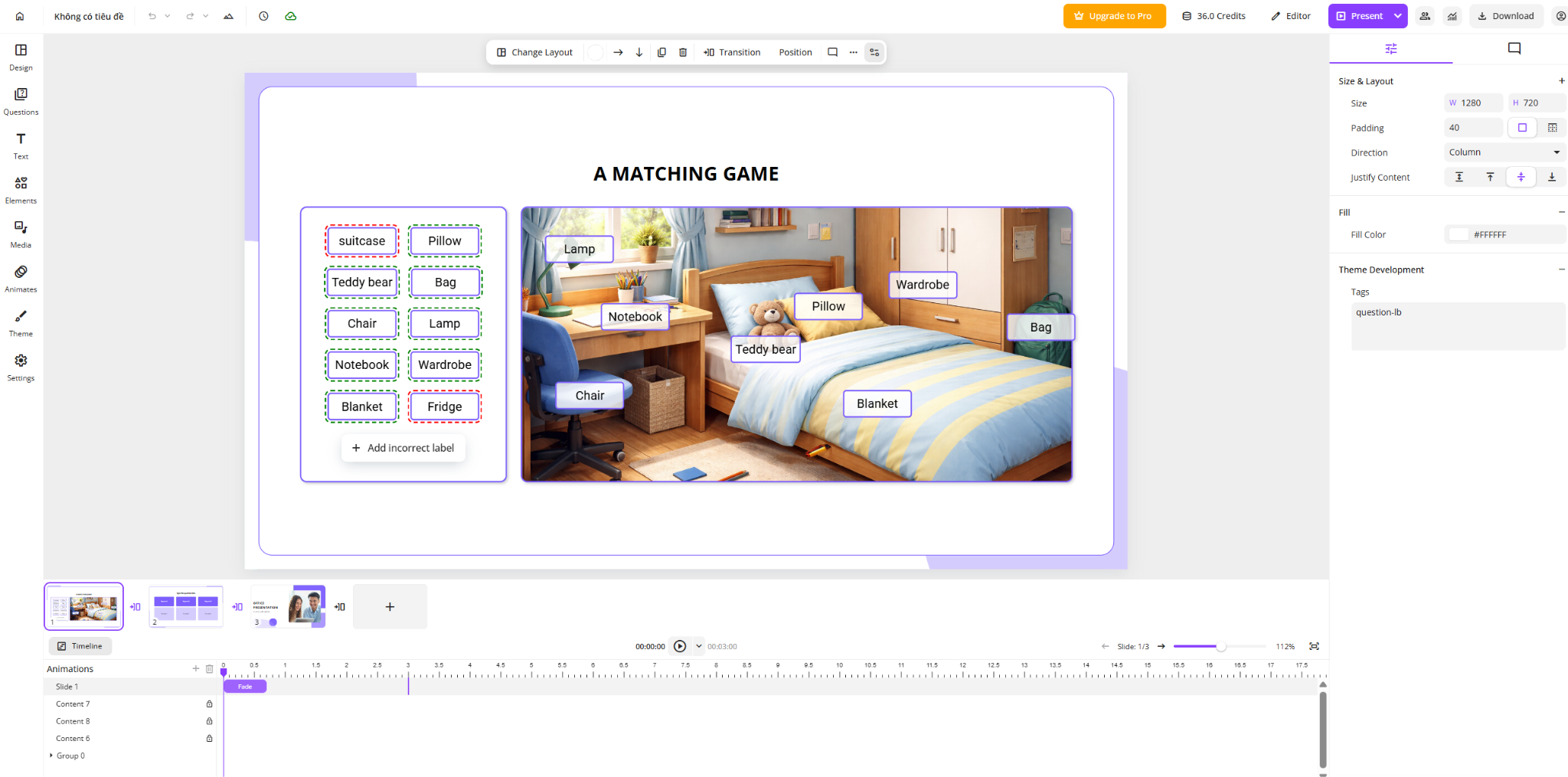
uPresenter by Atomi Systems is a cloud-based course authoring tool built around AI-accelerated content creation. Where other tools make you build every quiz question from scratch, uPresenter can generate question sets from your existing content — turning a topic outline or source document into a ready-to-edit quiz in seconds.
Key Quiz Features:
- AI question generation: Automatically generate multiple choice, true/false, and fill-in-the-blank questions from uploaded content or topic prompts
- Multiple question types: Multiple choice, true/false, fill-in-the-blank, and more
- Instant feedback configuration: Set correct/incorrect feedback at the question level with no coding required
- SCORM publishing: Export quiz packages compatible with major LMS platforms
- Cloud-based workflow: No installation required — build and publish from any browser
- Clean, modern UI: Minimal interface designed for speed, not complexity
Pricing:
- Free tier available
- Paid plans available for expanded features and publishing options
Pros:
- ✅ AI-powered question generation dramatically reduces build time
- ✅ No installation — fully cloud-based
- ✅ Clean, beginner-friendly interface
- ✅ SCORM output for LMS compatibility
- ✅ Free tier available for evaluation
Cons:
- ❌ Less advanced conditional branching compared to desktop authoring tools
- ❌ Fewer question types than ActivePresenter or Storyline
- ❌ Cloud-dependent — requires internet access to author and publish
8. ActivePresenter 10 — Best All-in-One Quiz Builder for eLearning Professionals
Best for: Instructional designers, corporate trainers, and educators who need professional-grade quiz functionality without a professional-grade price tag.
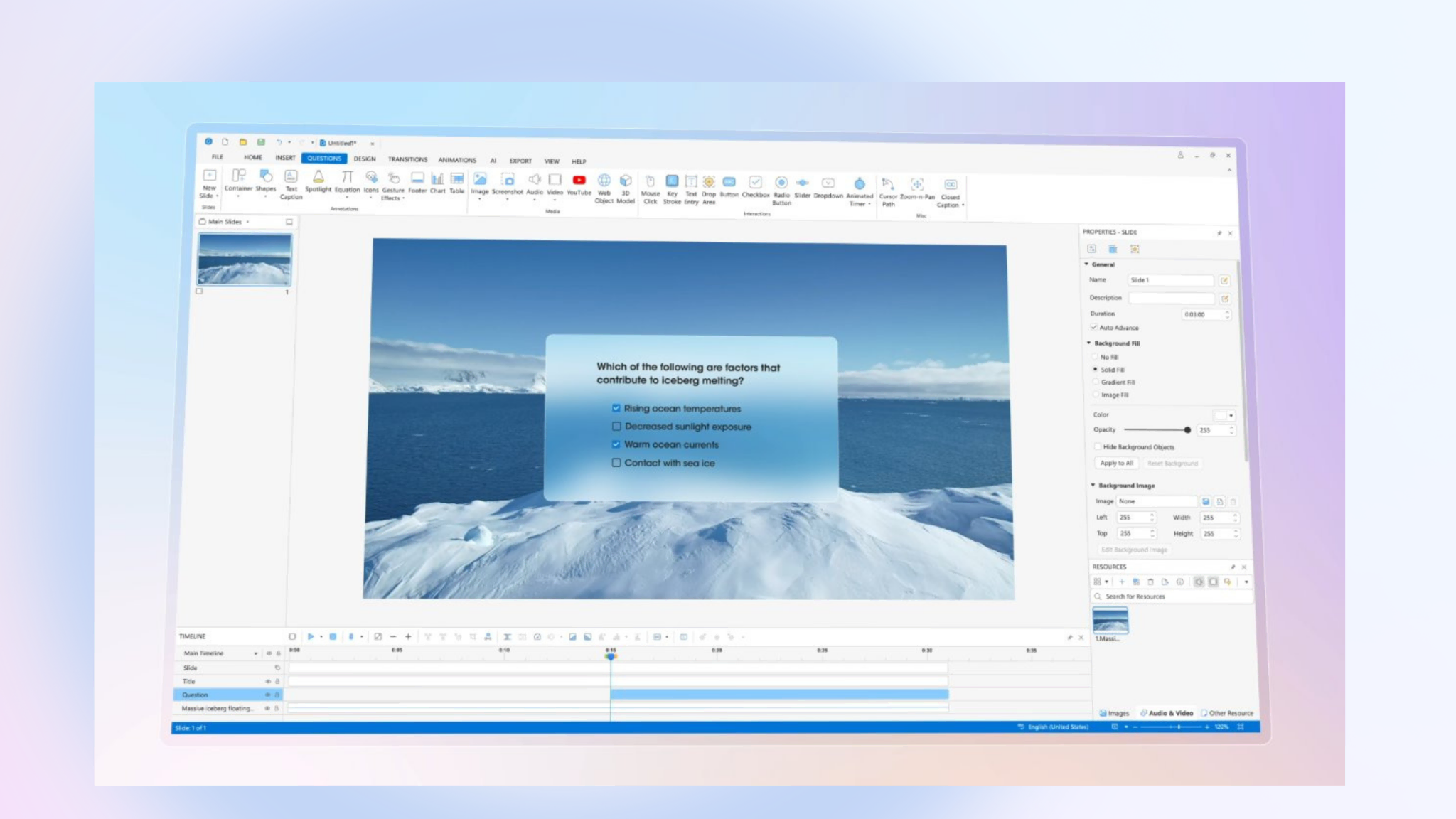
ActivePresenter 10 by Atomi Systems is the tool that consistently surprises people who discover it late. Most authoring tools treat quizzes as an afterthought, a basic module bolted onto a presentation tool. ActivePresenter treats assessment as a first-class feature.
Key Quiz Features:
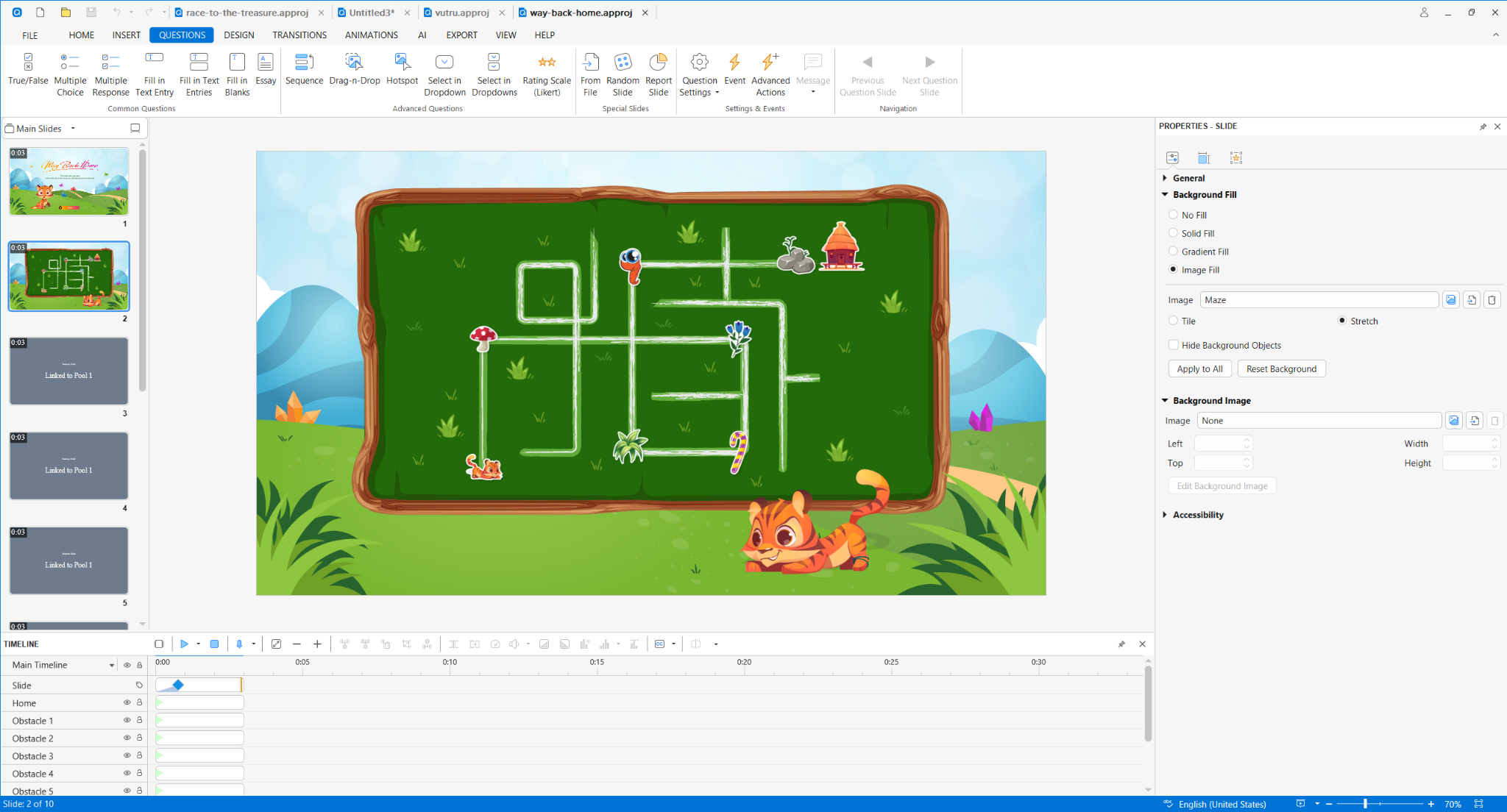
- 13 question types: Multiple choice, multiple response, fill-in-the-blank, drag-and-drop, hotspot, sequence, matching, essay, rating scale, and more
- Event-Action system: Build conditional logic without a single line of code — route learners based on score thresholds, number of attempts, or specific answer choices
- Slide pools & randomization: Pull questions randomly from a defined pool to prevent answer-sharing and create unique quiz experiences for every learner
- Instant feedback & remediation: Configure question-level, attempt-level, and quiz-level feedback with branching to review slides
- SCORM 1.2, SCORM 2004, xAPI, and HTML5 publishing: Full LMS compatibility out of the box
- Built-in TTS narration: Add AI-powered audio to quiz instructions and feedback without a separate tool
- Responsive design (Flex Box): Quizzes automatically reflow for desktop, tablet, and mobile: build once, publish everywhere
Pricing:
- Free version available (with core features)
- Standard license: One-time perpetual purchase no annual subscription trap
Pros:
- ✅ True all-in-one platform (screen recording + video editing + quiz building)
- ✅ Perpetual licensing: no recurring subscription cost
- ✅ Sophisticated conditional logic without coding
- ✅ Full SCORM/xAPI compliance
- ✅ Responsive output for all devices
Cons:
- ❌ Smaller community compared to Articulate
- ❌ Advanced features have a learning curve for complete beginners
- ❌ Less name recognition in enterprise procurement conversations
Side-by-Side Comparison: Best Quiz Software 2026
| Tool | SCORM/xAPI | Question Types | Adaptive Logic | Pricing Model | Best For |
| Quizizz | ❌ None | 6+ | ❌ None | Free/~$20/mo | Gamified self-paced learning |
| Quizlet | ❌ None | 4 | ❌ None | Free/~$7.99/mo | Recall & retention practice |
| Mentimeter | ❌ None | 6+ | ❌ None | Free/~$11.99/mo | Live audience interaction |
| Kahoot! | ❌ None | 3 | ❌ None | Free/~$17/mo | Live gamified sessions |
| Typeform | ❌ None | 8 | ⚠️ Basic | Subscription (~$29/mo) | Marketing/HR surveys |
| Google Forms | ❌ None | 6 | ❌ None | Free | Classroom basics |
| uPresenter | ✅ Full | 5+ | ⚠️ Basic | Free / Paid plans | AI-powered fast course creation |
| ActivePresenter 10 | ✅ Full | 10+ | ✅ Advanced | Perpetual (one-time) | eLearning professionals |
Which Quiz Software Should You Choose in 2026?
Here’s the honest answer: it depends on your use case, but not as much as vendors want you to think.
For most instructional designers and training professionals, ActivePresenter 10 delivers the best combination of professional-grade quiz features, full SCORM/xAPI compliance, and total cost of ownership. The perpetual licensing model alone saves thousands of dollars compared to annual subscriptions over a 3-year horizon — and the integrated platform means you’re not juggling three separate tools to build one course.
For live classroom engagement, Kahoot! is unbeatable. For zero-budget basics, Google Forms does the job. For teams focused purely on retention and recall, Quizlet’s spaced repetition engine is hard to beat. For facilitators who need to energize a live or hybrid audience, Mentimeter’s real-time interaction format delivers results that slide decks simply can’t.
But if you’re evaluating tools fresh in 2026, don’t overlook the quiet professional in the room. ActivePresenter 10 has been steadily earning its reputation as the best-kept secret in eLearning authoring – and its quiz engine is a significant part of why.
🚀 Ready to Build Smarter Quizzes?
ActivePresenter 10 offers a free version with core quiz-building features — no credit card, no trial period countdown, no pressure. Download it, build your first quiz, and see why instructional designers who switch rarely look back.