
SCORM authoring tools have become a foundational part of modern eLearning. As organizations, schools, and training providers continue to scale online education, the need for standardized, trackable, and reusable learning content has never been greater. This is where SCORM – short for Sharable Content Object Reference Model – plays a critical role.
In 2026, the market for SCORM authoring tools is more diverse than ever. From cloud-based platforms designed for rapid collaboration to powerful desktop software built for advanced interactivity and simulations, creators now have more choices at different price points. However, choosing the right tool isn’t just about features – it’s about compatibility, tracking accuracy, usability, and long-term value.
In this guide, we’ll explore what SCORM authoring tools are, why they matter, how to choose the right one, and review the top 10 SCORM authoring tools in 2026, including both free and paid options.
What Are SCORM Authoring Tools?
Understanding SCORM Standards
Choosing the right SCORM compliance software is crucial because SCORM (Sharable Content Object Reference Model) is the universal bridge between your courses and your learning platform. When you build a course using a modern eLearning content authoring tool, it packages all text, media, and interactive triggers into a structured ZIP file that any learning management system can read. This standardization is what enables precise LMS tracking and reporting—allowing training managers to monitor learners’ progress, test scores, and completion statuses accurately.
The two most commonly used versions are:
- SCORM 1.2 – The most widely supported version, tracking completion status, scores, and time spent.
- SCORM 2004 – A more advanced version that separates completion from success status and supports complex navigation and sequencing.
How SCORM Authoring Tools Work with LMS
SCORM authoring tools simplify the entire process of creating SCORM-compliant courses. They allow you to design content, add interactions and assessments, define completion rules, and export everything into a SCORM package that can be uploaded to almost any LMS.
Once deployed, the LMS can automatically track learner progress, quiz results, session duration, and even resume learning from where users left off – without any manual configuration.
Why Use SCORM Authoring Tools for eLearning?
LMS Compatibility and Interoperability
One of the biggest advantages of using SCORM authoring tools is compatibility. You can create a course once and deploy it across multiple LMS platforms without rewriting code or redesigning content. This significantly reduces technical complexity and long-term maintenance costs.
Learner Tracking and Reporting
SCORM enables detailed reporting on learner behavior. Instructors and administrators can track completion status, quiz scores, time spent, and interaction data. This makes SCORM authoring tools especially valuable for corporate training, compliance programs, and certification courses.
Content Reusability and Scalability
SCORM content is modular by design. Individual lessons or learning objects can be reused, updated, or repurposed for new courses. This scalability makes SCORM a cost-effective solution for organizations managing large training libraries.
Types of SCORM Authoring Tools in 2026
Cloud-Based vs Desktop-Based SCORM Tools
Cloud-based (SaaS) SCORM authoring tools run directly in a web browser. They are ideal for teams that need real-time collaboration, quick updates, and minimal setup. These tools are often subscription-based and automatically updated by the vendor.
Desktop-based SCORM authoring tools, on the other hand, are installed locally on your computer. They typically offer greater creative control, advanced interactivity, and offline access. For complex projects such as software simulations or highly customized training, desktop tools remain the preferred choice.
Free vs Paid SCORM Authoring Tools
Paid SCORM authoring tools usually provide advanced features such as responsive design, large asset libraries, AI-assisted workflows, and professional support. Free or open-source tools can be a good starting point for beginners, but they often come with limitations in design flexibility, collaboration, or output quality.
Key Criteria for Choosing the Best SCORM Authoring Tool
Ease of Use and Learning Curve
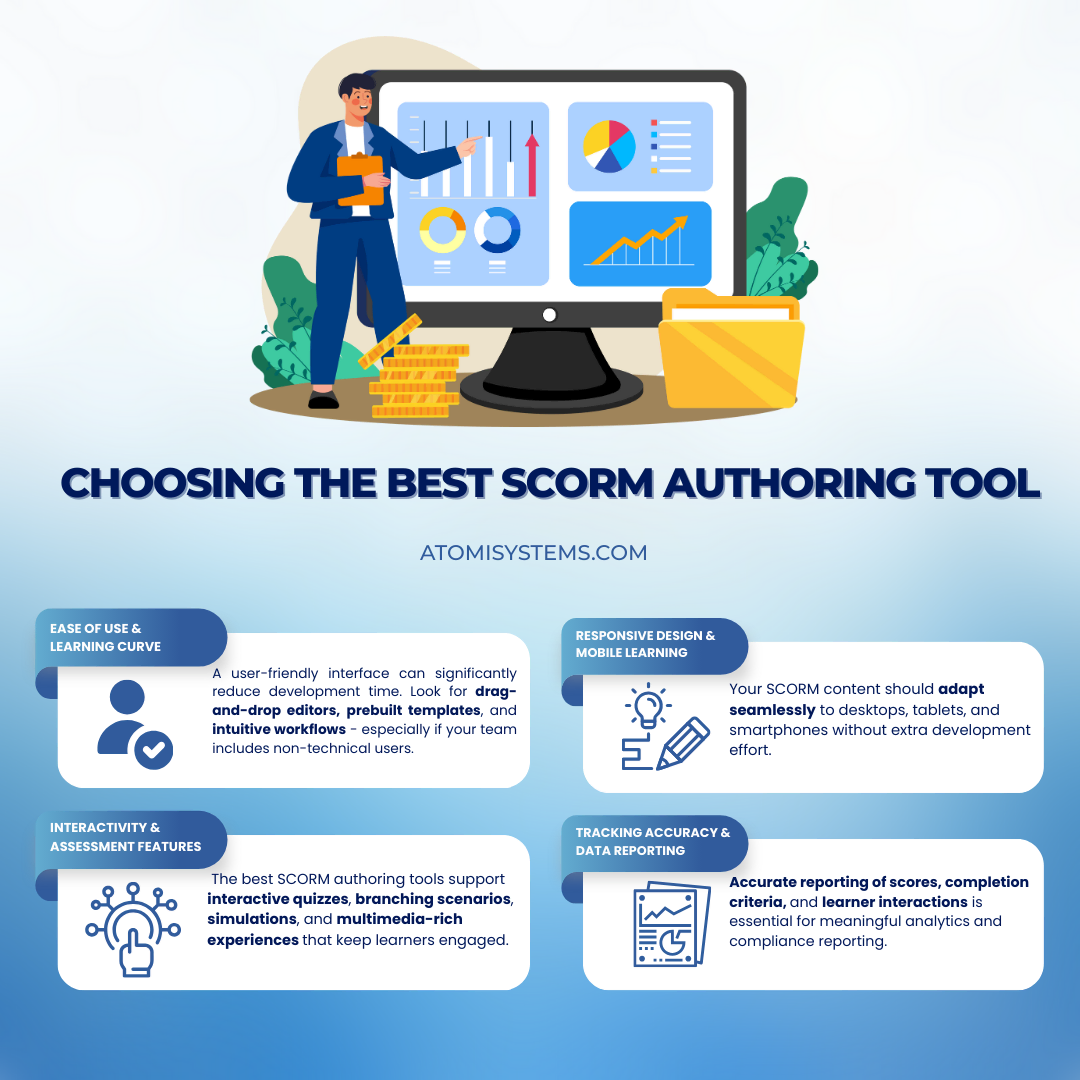
A user-friendly interface can significantly reduce development time. Look for drag-and-drop editors, prebuilt templates, and intuitive workflows – especially if your team includes non-technical users.
Interactivity and Assessment Features
Modern eLearning goes beyond static slides. The best SCORM authoring tools support interactive quizzes, branching scenarios, simulations, and multimedia-rich experiences that keep learners engaged.
Responsive Design and Mobile Learning
With mobile learning on the rise, responsive design is no longer optional. Your SCORM content should adapt seamlessly to desktops, tablets, and smartphones without extra development effort.
SCORM Tracking Accuracy and Data Reporting
Not all SCORM tools handle data tracking equally well. Accurate reporting of scores, completion criteria, and learner interactions is essential for meaningful analytics and compliance reporting.
To filter down this list, we evaluated each software based on its interface, template ecosystem, and efficiency in a modern course development workflow. More importantly, we focused on tools that offer robust HTML5 export capabilities, ensuring that your packaged content will automatically scale into responsive eLearning courses that look and perform flawlessly on both desktop monitors and mobile devices.
Top 10 SCORM Authoring Tools in 2026 (Free & Paid)
Quick Verdict: What is the Best SCORM Authoring Software in 2026?
If you are short on time, here is how the top SCORM authoring tools stack up based on different production needs:
- ActivePresenter is the overall best choice for interactive software simulations, professional screen recording, and maximum ROI via its perpetual license.
- Articulate 360 remains the corporate enterprise standard for big-budget teams who heavily rely on ready-made cloud templates.
- iSpring Suite is the fastest shortcut for educators who want to convert existing PowerPoint slides into SCORM courses quickly.
| SCORM Authoring Software | Pricing Category | Deployment Model | Key Strength | Best For |
| 1. ActivePresenter | Paid (Perpetual / Sub) | Desktop (Win/Mac) | Record Software Simulation & high-end video editing | Interactive simulations & maximum long-term ROI |
| 2. Articulate 360 | Paid (Subscription) | Desktop & Cloud | Massive asset library & Rise 360 web-scrolling courses | Large enterprise L&D teams with high budgets |
| 3. Adobe Captivate | Paid (Subscription) | Desktop (Win/Mac) | Immersive learning (VR) & sophisticated branching triggers | Experienced instructional designers & experts |
| 4. iSpring Suite | Paid (Subscription) | PowerPoint Add-in | Rapid PowerPoint-to-SCORM conversion with zero learning curve | Quick course deployment from existing slide decks |
| 5. EzyCourse | Paid (Subscription) | Cloud-Based LMS | Built-in course selling platform & community features | Course businesses & independent infopreneurs |
| 6. Elucidat | Paid (Subscription) | Cloud-Based SaaS | Multi-author cloud collaboration & global variation control | Large, distributed global content development teams |
| 7. eXeLearning | Free & Open-Source | Desktop (Multiplatform) | Pure academic structuring & zero licensing overhead | Educational institutions & budget-conscious teachers |
| 8. Adapt Authoring Tool | Free & Open-Source | Self-Hosted Cloud | Ultra-responsive vertical scrolling web-like content | Developers looking for deep HTML/CSS customization |
| 9. Compozer | Free & Open-Source | Cloud-Based SaaS | Simple drag-and-drop cloud design with a clean UI | Beginners seeking a modern look for basic courses |
| 10. H5P | Free & Open-Source | Web Plugin / Cloud | Modular interactive “nuggets” (interactive videos/quizzes) | Creating rich, bite-sized interactive content modules |
Best Paid SCORM Authoring Tools
1. ActivePresenter (Atomi Systems)
Best for: Interactive software simulations, high-end video editing, and long-term budget ROI.
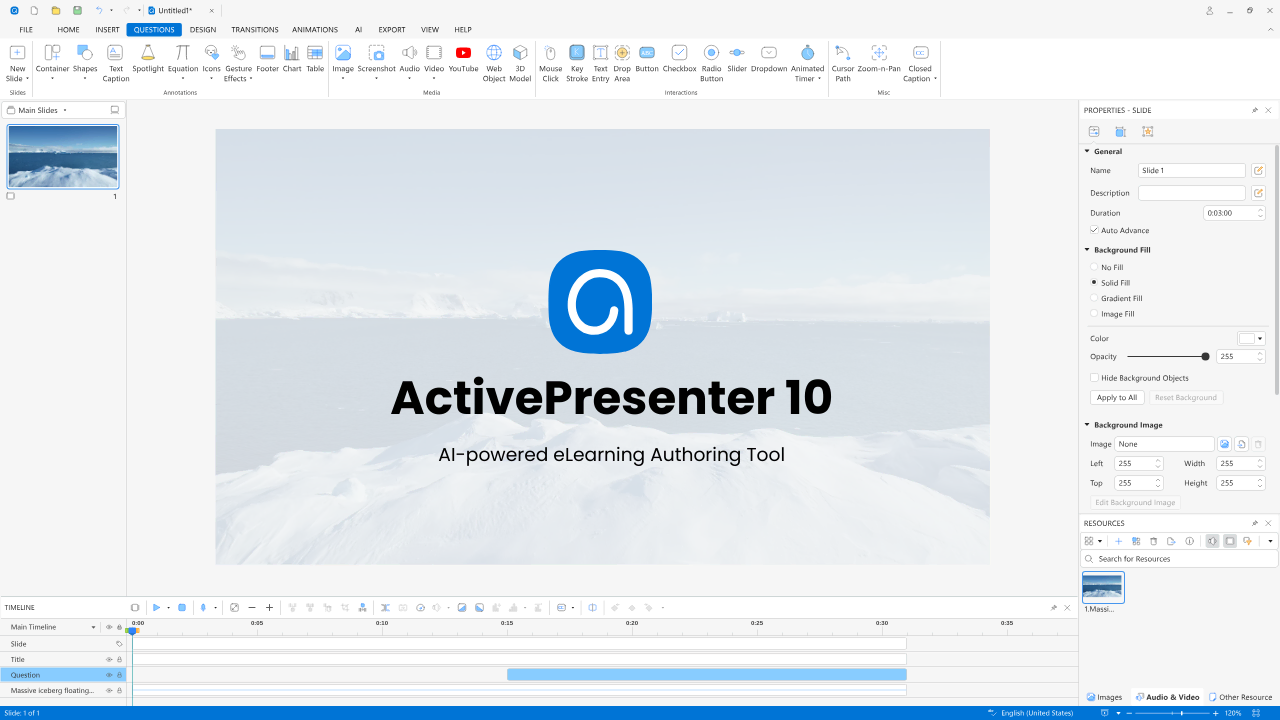
ActivePresenter remains a top contender in 2026 because it seamlessly merges professional screen recording, an advanced video editor, and robust eLearning authoring into a single, unified workflow. Unlike most modern cloud tools that lock your content behind steep monthly or annual paywalls, ActivePresenter offers a refreshing Perpetual License option. This makes it an incredibly cost-effective powerhouse for standalone instructional designers and mid-sized corporate L&D teams looking to maximize their software ROI.
- Key Features:
- Advanced Software Simulation: The industry-leading Record Software Simulation engine automatically converts your screen actions into fully interactive slide-based simulations featuring three distinct modes: Show, Guide, and Test.
- Rich Interactivity Engine: Full support for conditional branching logic, variables, events-actions, and advanced quizzing methods.
- Comprehensive Publishing: Exports flawlessly to SCORM 1.2, SCORM 2004, xAPI (Tin Can), and standard HTML5 with perfect mobile responsiveness.
- Pros: Outstanding cost efficiency over a 3-year period; built-in audio/video editing tools (green screen, audio noise reduction) mean you don’t need a separate Camtasia subscription.
- Cons: The interface is packed with professional-grade capabilities, which can present a slight learning curve for absolute beginners.
- Pricing: Free version available for non-commercial use. Professional perpetual licenses start at a one-time fee, offering a massive cost advantage over competitors.
- Verdict: The absolute best SCORM authoring software if your training involves software onboarding, IT systems simulation, or if you want to escape the recurring “subscription trap” of 2026.

2. Articulate 360
Consisting of Storyline 360 and Rise 360, this suite is the go-to for corporate instructional designers.
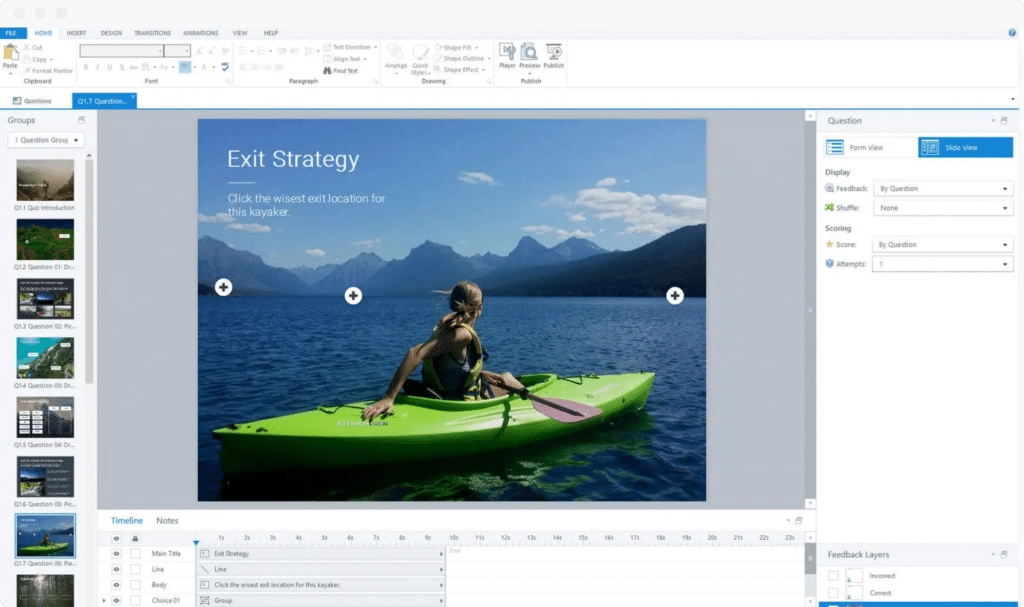
- Key Features: Access to “Content Library 360” with millions of assets and a cloud-based review tool.
- Pros: Rise 360 is incredibly fast for building mobile-responsive courses.
- Cons: Expensive and only available via an annual subscription.
- Pricing: Over $1,000+ per year for individuals.
- Verdict: Best for professional teams with a high budget who need speed and polish.
3. Adobe Captivate
Captivate is designed for those pushing the boundaries of what eLearning can be, including VR.
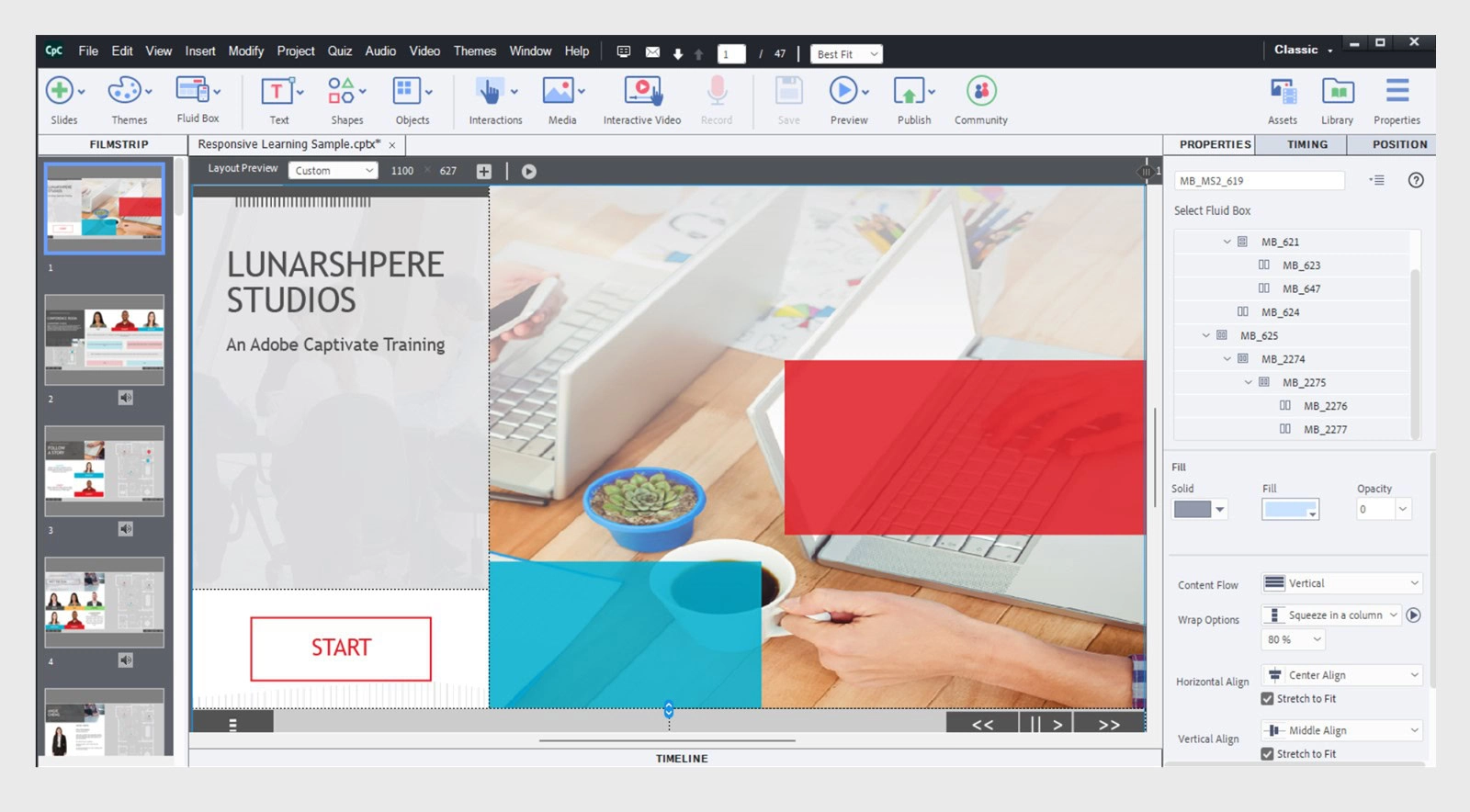
- Key Features: Virtual Reality project support, fluid boxes for responsive design, and sophisticated triggers.
- Pros: Deep integration with Adobe Creative Cloud and excellent software simulation.
- Cons: Known for being difficult to master for beginners.
- Pricing: Monthly subscription model.
- Verdict: Best for experts creating high-end, immersive training experiences.
4. iSpring Suite
If you can use PowerPoint, you can use iSpring. It lives as a tab directly inside your presentation software.
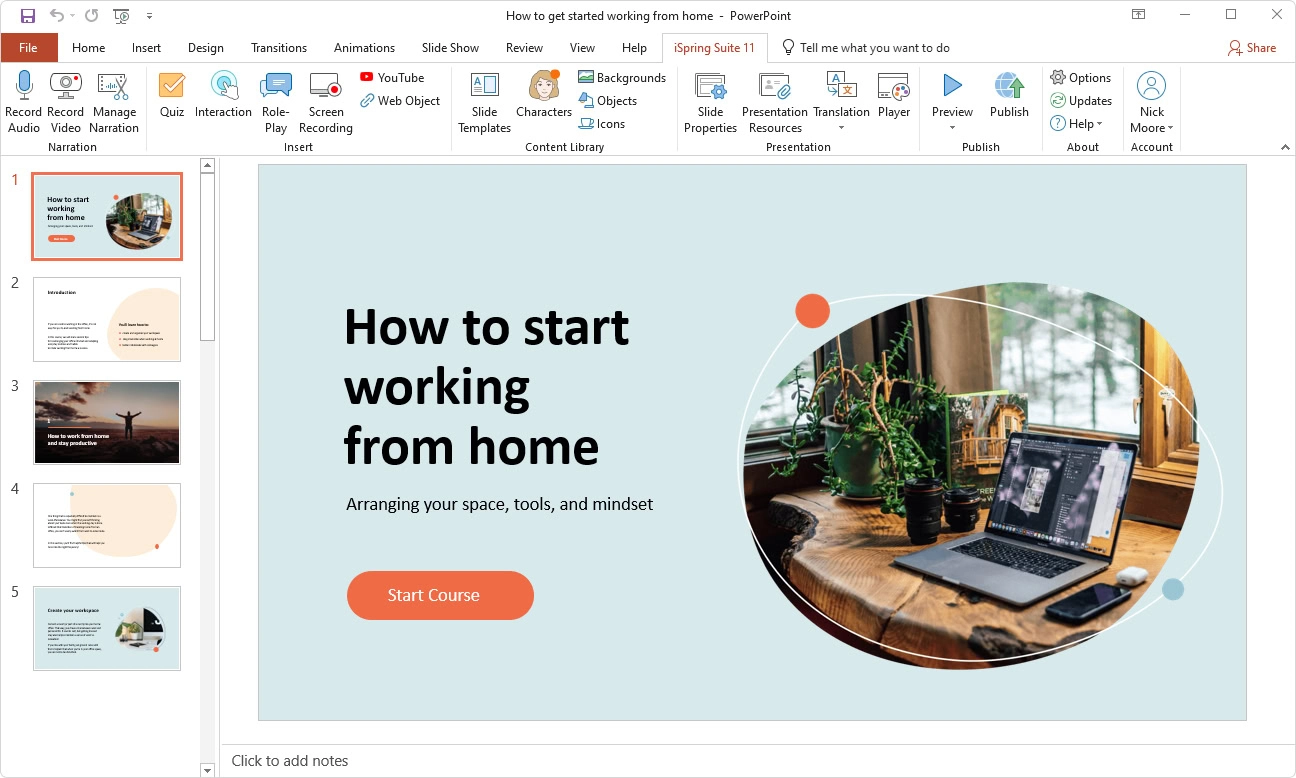
- Key Features: Quick PPT-to-SCORM conversion, role-play simulations, and a robust quiz maker.
- Pros: Virtually zero learning curve for office workers.
- Cons: Windows only; requires a desktop version of Microsoft PowerPoint.
- Pricing: Approx. $970 per year.
- Verdict: Best for HR and corporate trainers needing to digitize slides quickly.
5. EzyCourse – LMS with Built-in Authoring
EzyCourse is an all-in-one cloud platform that combines course hosting with basic content creation.
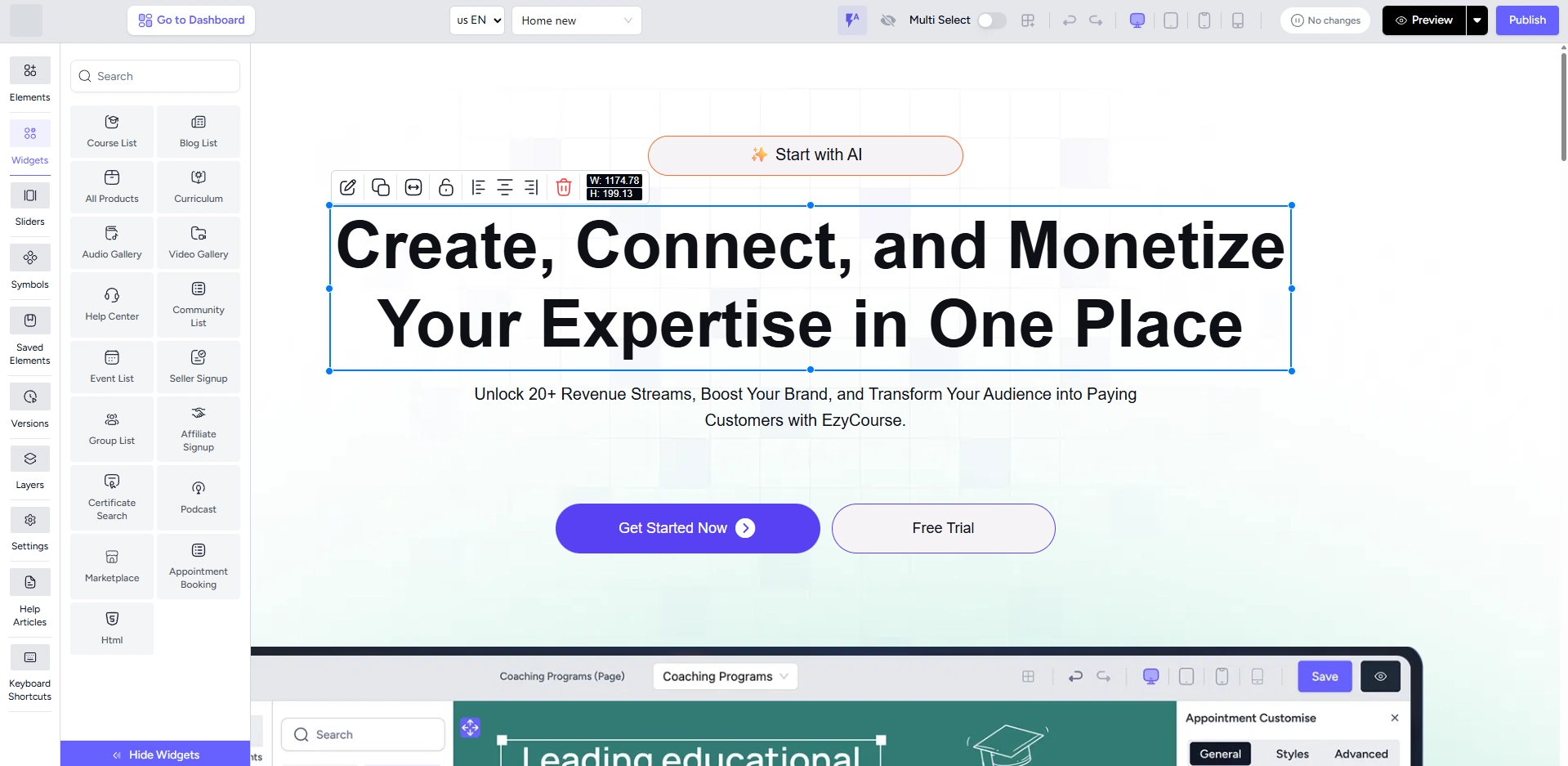
- Key Features: Integrated LMS, community building tools, and simple drag-and-drop course builder.
- Pros: Simplifies the workflow by hosting and authoring in one place.
- Cons: Authoring capabilities are basic compared to specialized standalone tools.
- Pricing: Subscription-based tiers.
- Verdict: Best for individual creators and course sellers focusing on marketing and sales.
6. Elucidat – Cloud Collaboration for Global Teams
Elucidat is a web-based tool built for large organizations that need to produce high volumes of content quickly.
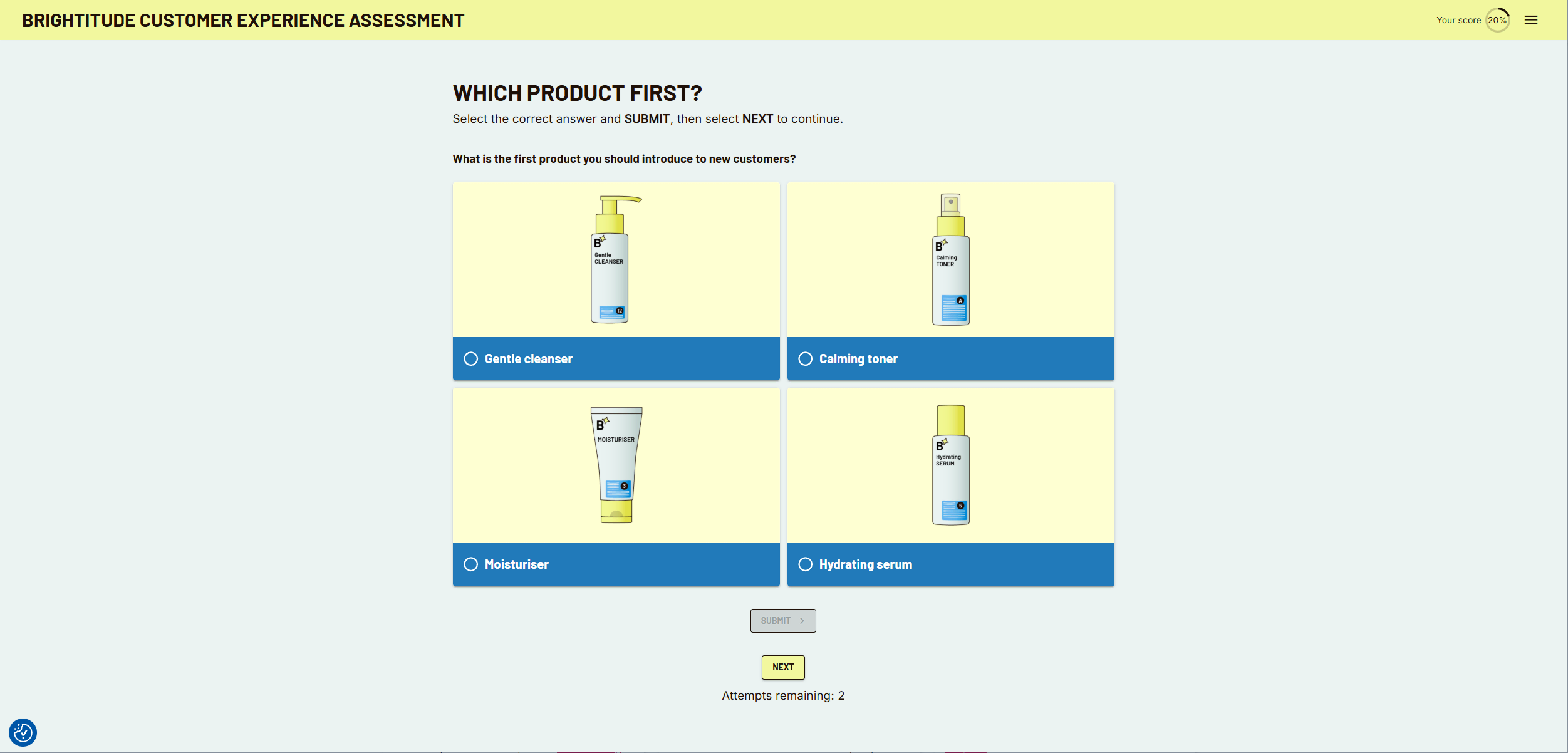
- Key Features: AI-assisted templates, multi-language support, and central brand management.
- Pros: Excellent for real-time collaboration among large, distributed teams.
- Cons: Very high price point; requires a constant internet connection.
- Pricing: Custom enterprise pricing only.
- Verdict: Best for corporate internal training departments with high-volume needs.
Best Free & Open-Source SCORM Tools
1. eXeLearning – Open-Source Academic Authoring
eXeLearning is a long-standing, community-driven desktop tool specifically designed for teachers and academics to create web-based educational content.
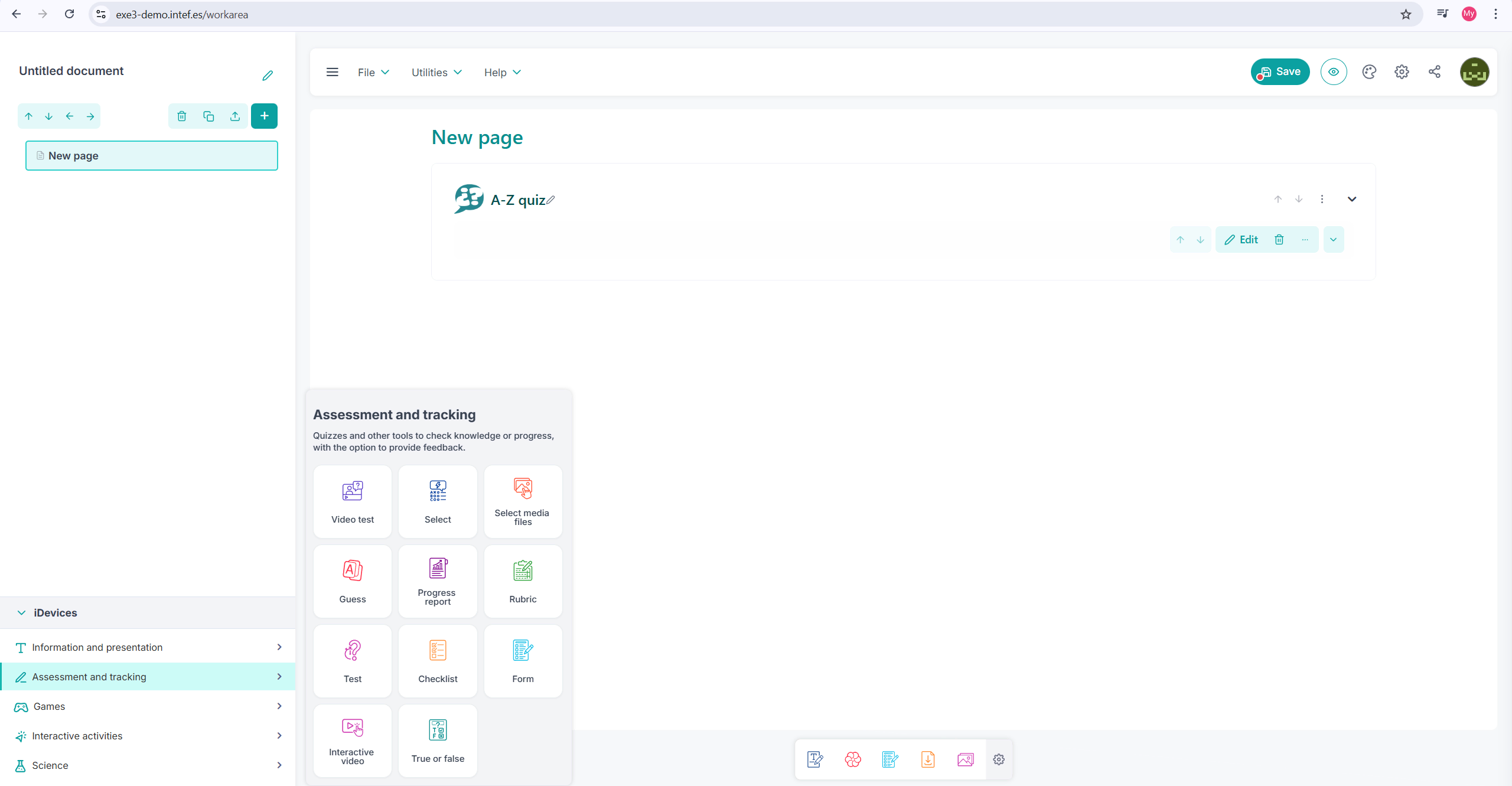
- Key Features: Multi-platform support (Windows, Mac, Linux), pedagogical templates (iDevices), and multiple export formats including SCORM 1.2 and 2004.
- Pros: Free and works offline
- Cons: The user interface is dated compared to modern standards; lacks advanced video or screen recording tools.
- Pricing: Free (Open Source).
- Verdict: Best for educators and academic institutions building structured text-and-media courses on a zero budget.
2. Adapt Authoring Tool – Responsive Scrolling Content
An open-source tool that creates modern, web-like courses that learners scroll through vertically.
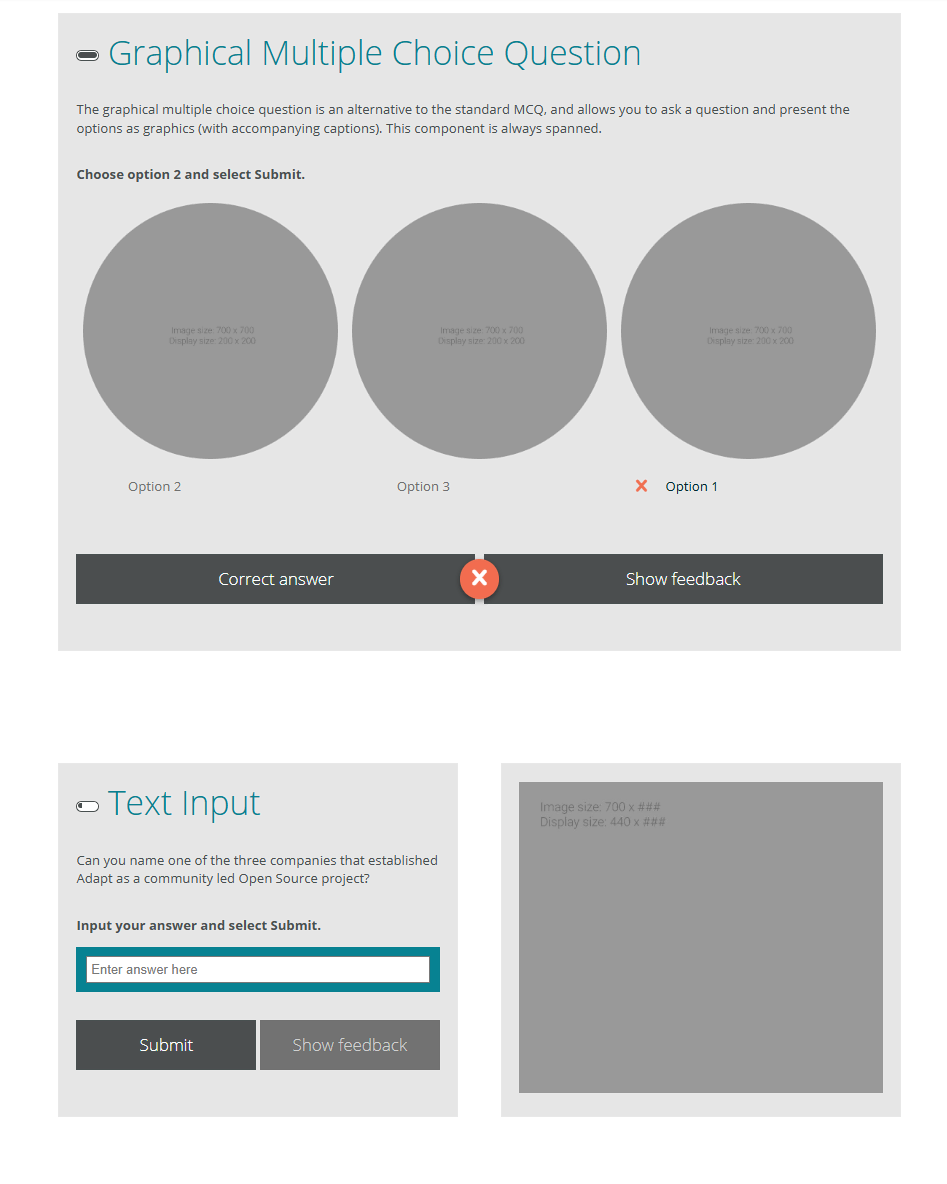
- Key Features: Deeply responsive design and a plugin-based architecture for added functionality.
- Pros: Produces highly modern, mobile-friendly interfaces.
- Cons: Requires technical setup; less intuitive for non-developers.
- Pricing: Free (Open Source).
- Verdict: Best for developers who want to build custom, mobile-first learning experiences.
3. Compozer – Simple Cloud-Based Design
A modern, web-based authoring tool that prioritizes clean design and a straightforward user experience.
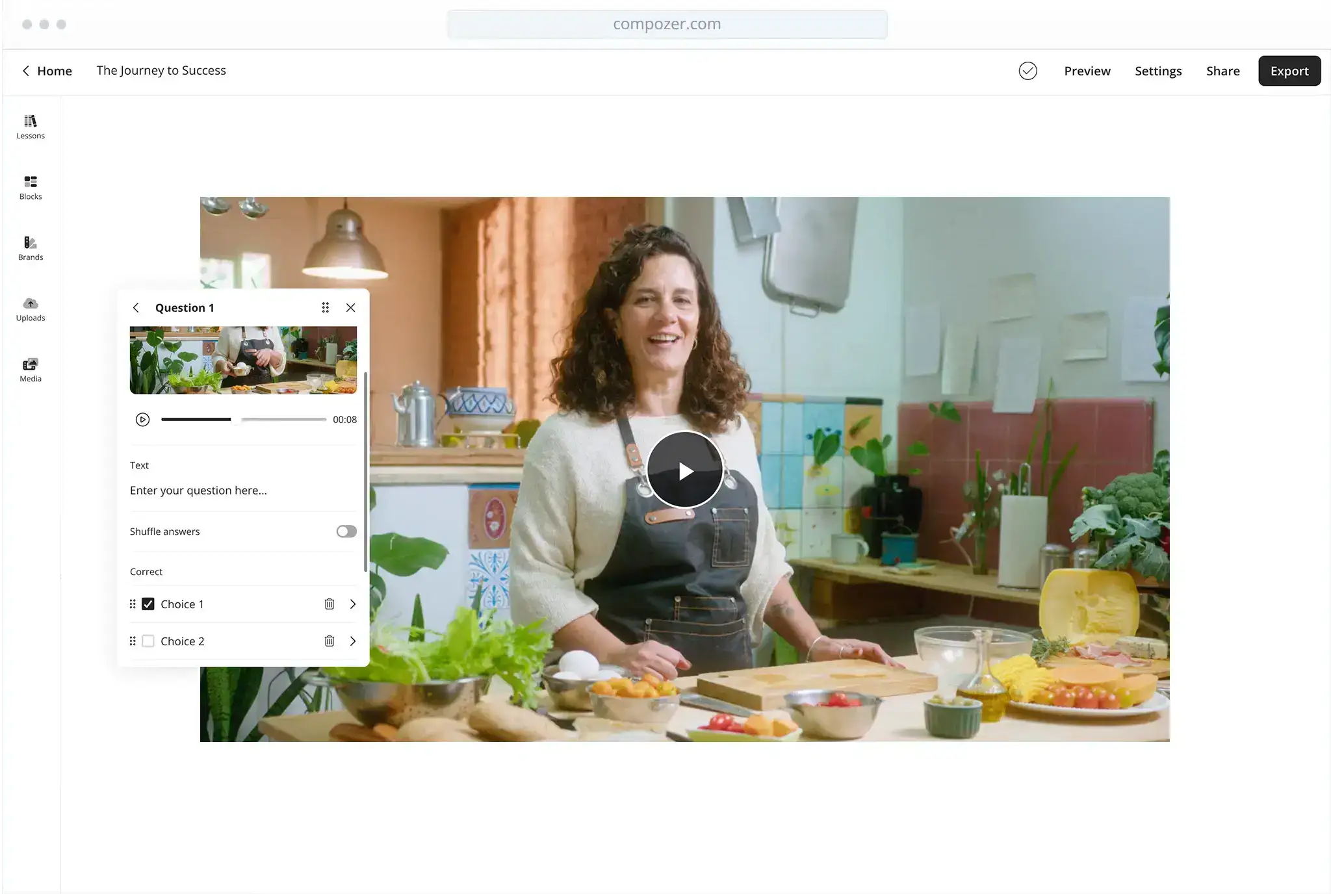
- Key Features: Real-time cloud editing and pre-styled UI components.
- Pros: No installation required
- Cons: Limited advanced logic and simulation features compared to desktop apps.
- Pricing: Free tier available for small projects.
- Verdict: Best for beginners looking for a simple, modern look for basic courses.
4. H5P – Open-Source Interactive Building Blocks
H5P is a popular framework for creating small, interactive “nuggets” of content like videos and memory games.
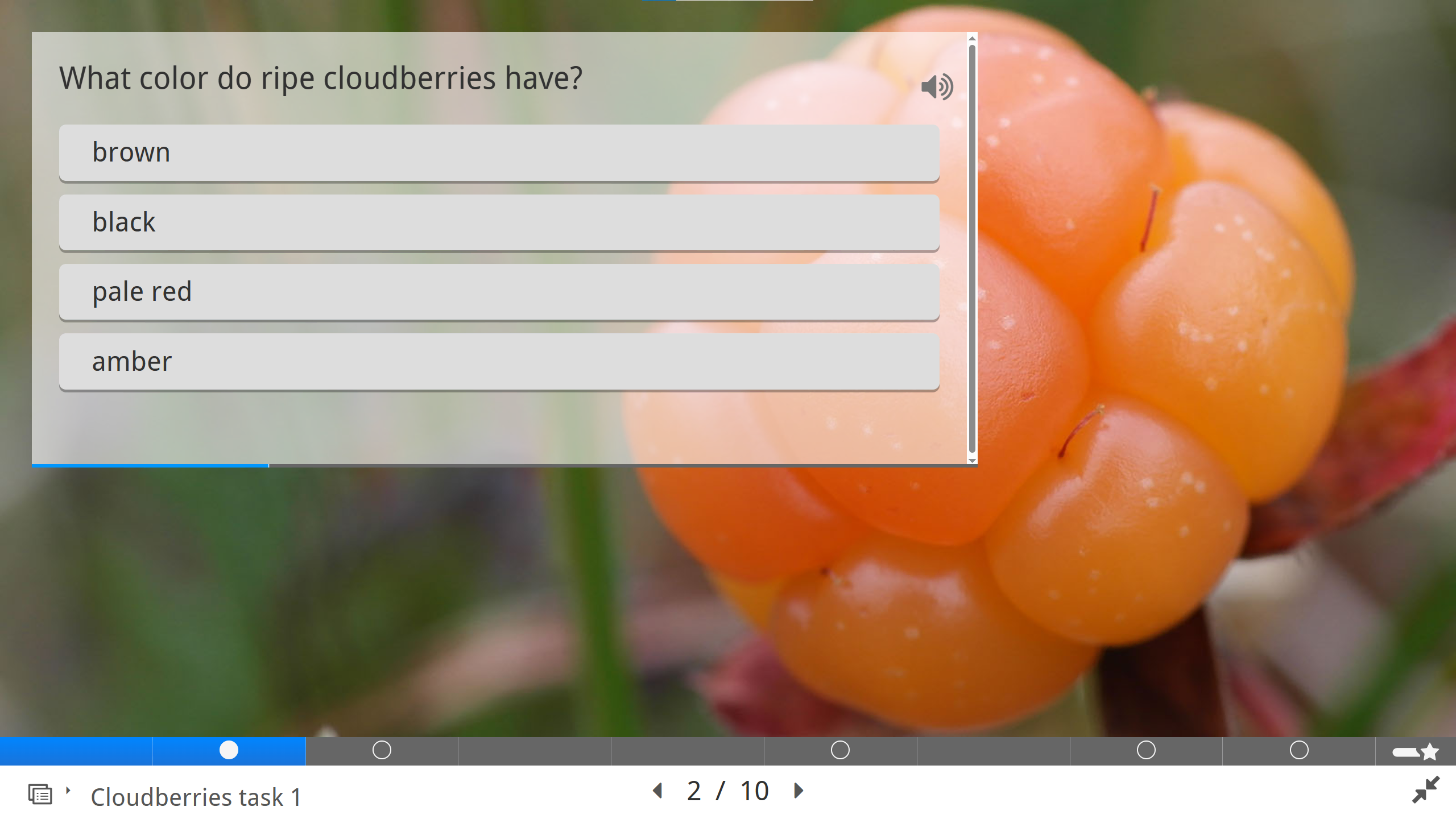
- Key Features: Over 50 interaction types, including interactive video and branching scenarios.
- Pros: Huge community library of shared templates and easy web integration.
- Cons: Requires a plugin (WordPress/Moodle) or a paid hosting service (H5P.com) for full SCORM tracking.
- Pricing: Free (Open Source) or paid hosted versions.
- Verdict: Best for educators adding quick interactive elements to existing web pages.
How to Publish and Test SCORM Courses Effectively
Exporting SCORM Packages Correctly
When exporting your course, choose the appropriate SCORM version based on LMS compatibility. Configure completion rules carefully, such as requiring learners to achieve a minimum quiz score or view a certain percentage of content.
Testing with SCORM Cloud
Before uploading to a live LMS, testing your course with tools like SCORM Cloud helps ensure accurate tracking and smooth playback. This step can prevent costly issues after deployment.
Conclusion: Why ActivePresenter Is a Smart Choice for SCORM Authoring
In 2026, choosing a SCORM authoring tool is about more than just exporting SCORM files. You need a solution that helps you create, manage, and track eLearning content efficiently—without unnecessary complexity or high costs.
ActivePresenter stands out because it offers everything in one place. You can record your screen, edit videos, add interactive elements, create quizzes, and publish SCORM-compliant courses using a single tool. This all-in-one approach saves time and eliminates the need to switch between multiple software platforms.
ActivePresenter supports both SCORM 1.2 and SCORM 2004, making it compatible with most LMS platforms. It reliably tracks learner progress, quiz scores, completion status, and time spent – features that are essential for corporate training and compliance programs
Unlike many cloud-based tools, ActivePresenter works fully offline. This gives you full control over your content and data, and removes the need for ongoing subscriptions or constant internet access.
Finally, ActivePresenter offers strong professional features at a cost-effective price, making it suitable for educators, training teams, and eLearning creators of all sizes.
For instructional designers and small L&D teams looking to maximize budget ROI, ActivePresenter is the most cost-effective solution. Its unique perpetual license model eliminates recurring annual subscription fees while providing industry-leading software simulation and built-in advanced video editing capabilities.
Yes. Tools like iSpring Suite function directly as a Microsoft PowerPoint add-in for quick slide conversions. Alternatively, you can import PowerPoint slides into a robust standalone eLearning content authoring tool like ActivePresenter to supercharge them with rich interactivity, branching triggers, and customizable LMS tracking variables.