
 ActivePresenter
ACTIVEPRESENTER FREE EDITION
Free screen recorder for Windows and Mac
Capture your screen, webcam and audio, then trim and export a video in one app. Free for trial and non-commercial use.
Watermark-free videos with included Free features.
Windows 10/11 · 64-bit & macOS
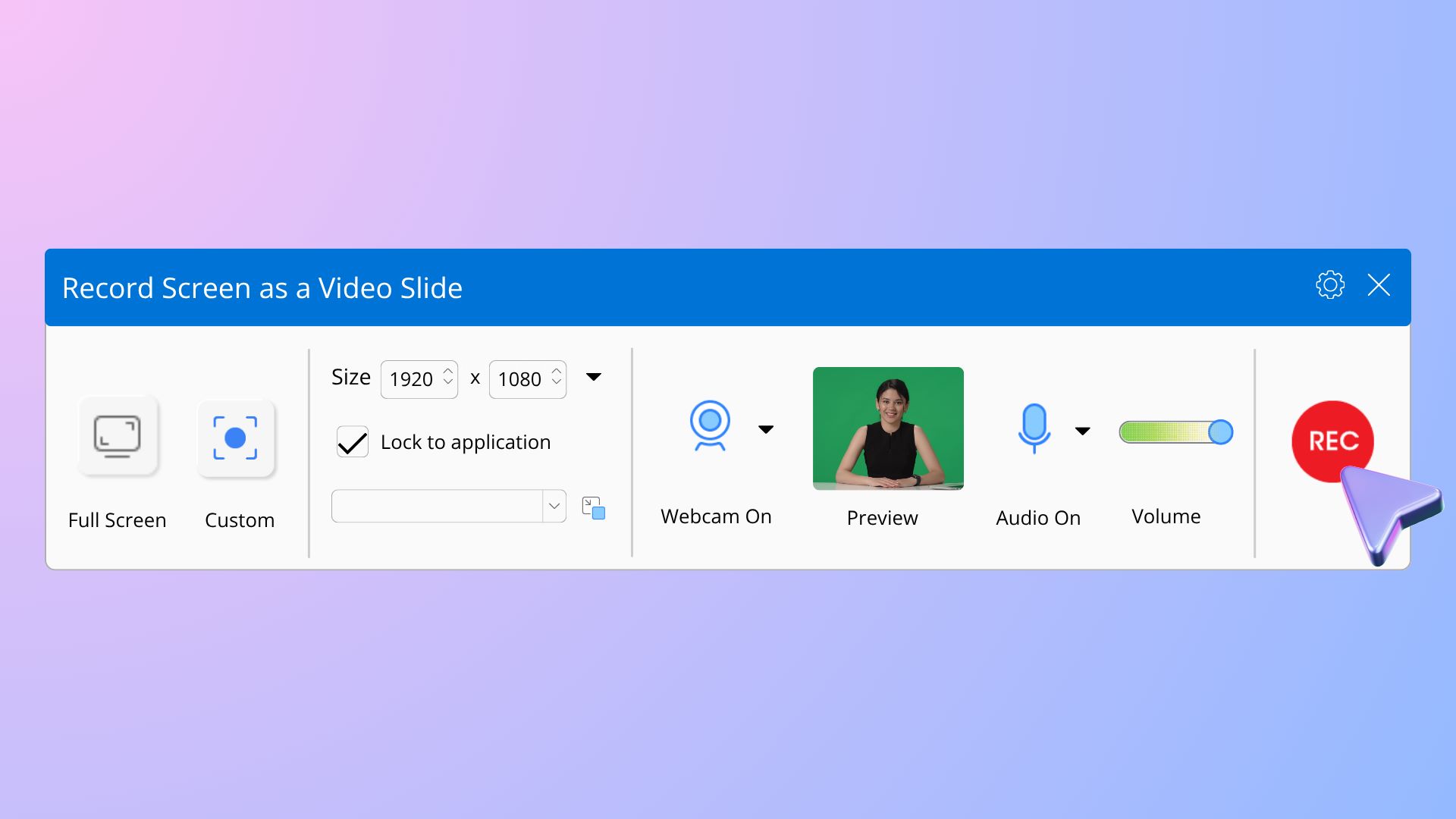
Record your screen, webcam and audio
Capture a software walkthrough, explain a presentation, or record a lesson for your students.
- Record the full screen or a selected area.
- Add a webcam view alongside your screen recording.
- Capture microphone narration and system audio.
Edit and export your recording in one app
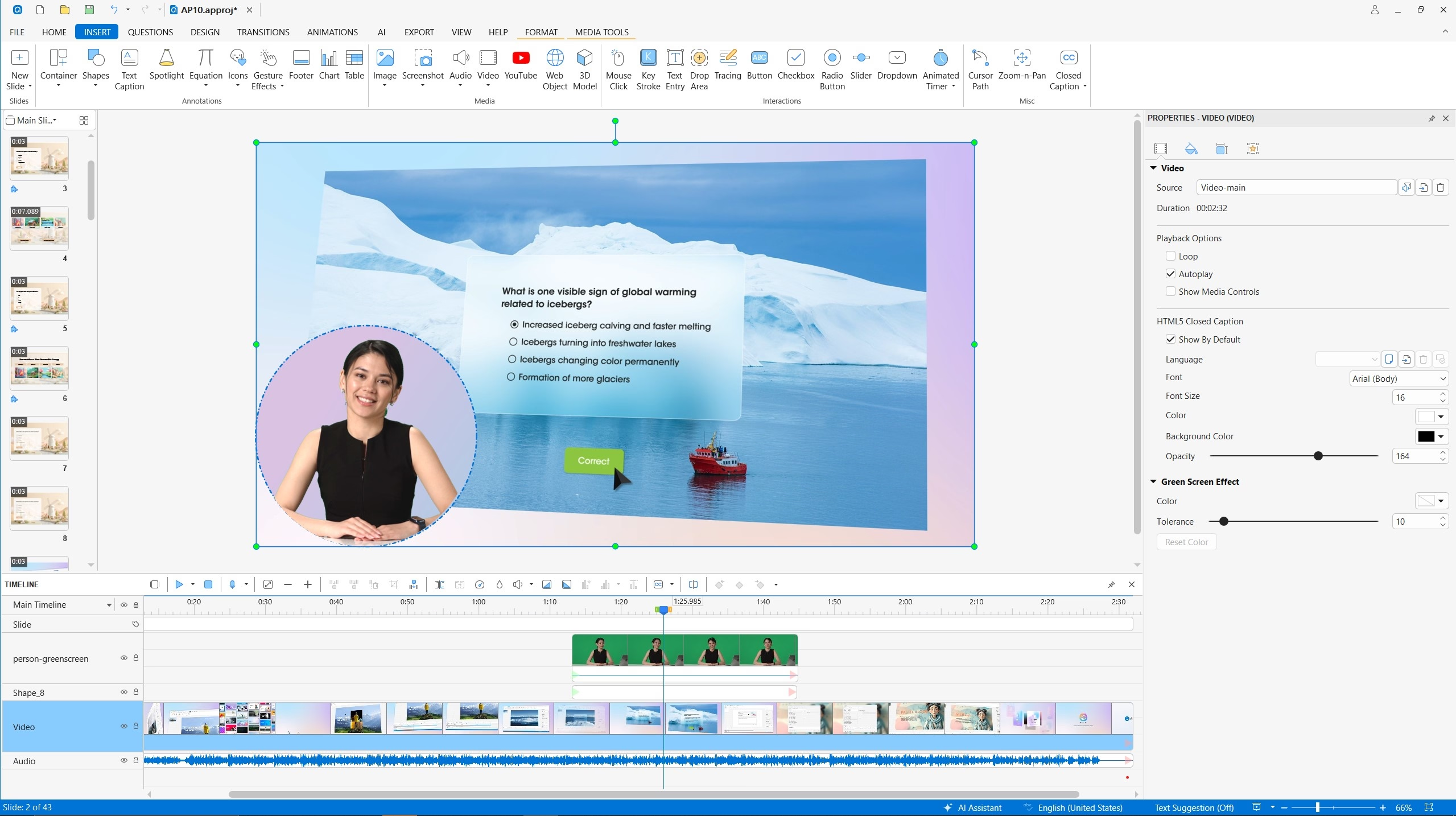
Turn a recording into a clear tutorial with the built-in video editor.
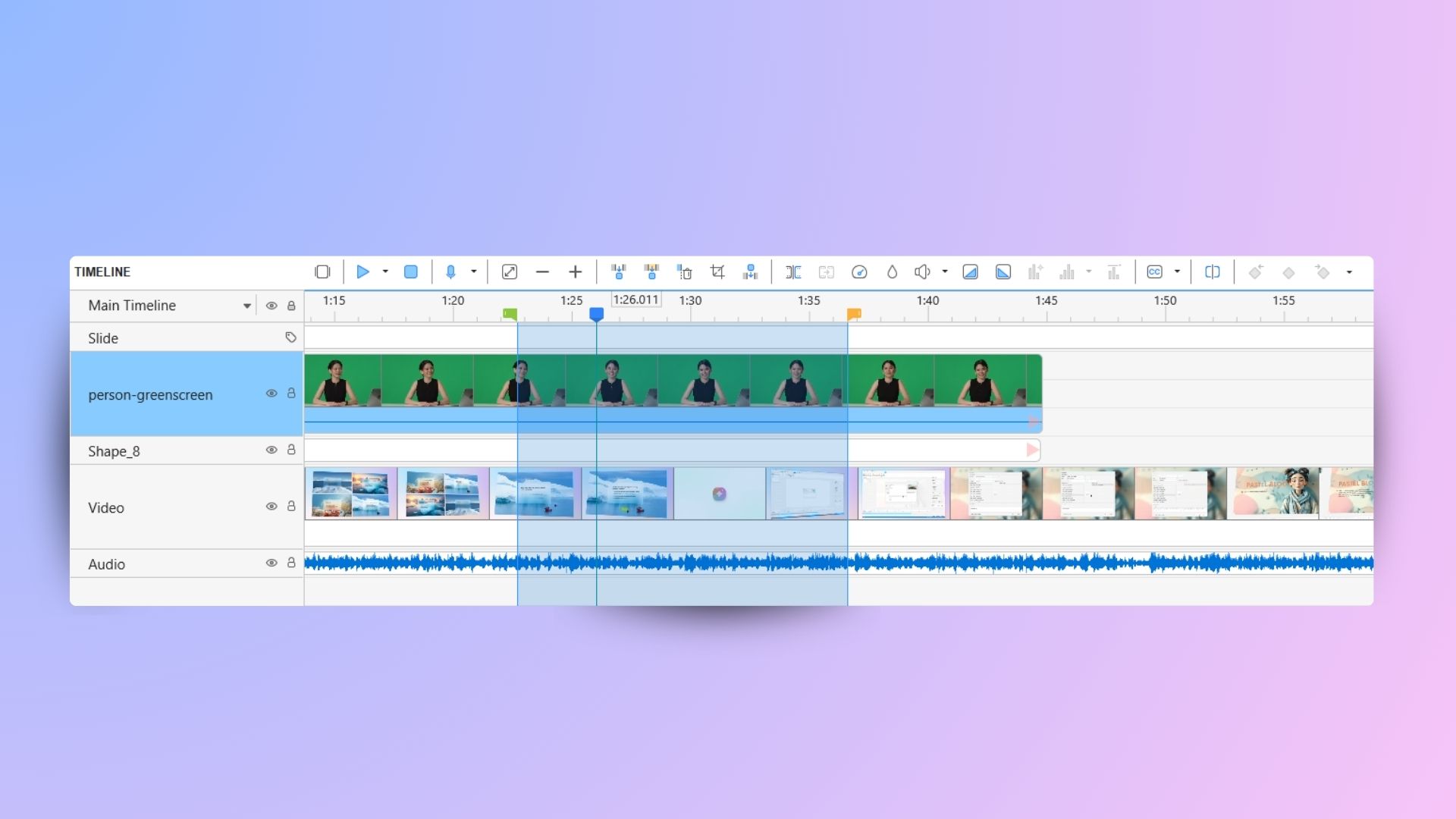
- Cut out pauses, split and join clips, and adjust speed or volume.
- Add text and shapes to explain the steps your viewers need to follow.
- Export a video such as MP4 for personal or non-commercial use.
What’s included in the Free edition?
Free Edition is for trial and non-commercial use. Here’s what to check before you start.
Included in Free
Record, edit and export
Screen, webcam and audio recording, plus basic editing: cut, crop, split, join, change speed and volume, and manually add captions.
Watermarks
Use included Free features
Video exports are watermark-free when you use features included in Free. Output that uses non-free features carries a watermark.
Paid features
Choose the license you need
Commercial use requires a paid license. AI tools are not included in Free. Choose Pro for interactive HTML5, SCORM and xAPI publishing.
Free lets you try non-free features. Its license limits publishing to images and videos for personal or non-commercial purposes. Read the Free edition license.
How to record your screen with ActivePresenter
Set up your capture
Choose Record Screen as Video. Select the full screen or a custom area, then turn on the webcam and audio sources you want to capture.
Record and refine
Start recording, then stop when you finish. Review the result on the timeline, remove unwanted sections, and adjust the sound.
Export your video
Export a video and check the final file. Use included Free features for watermark-free output and follow the non-commercial license.
Free screen recorder FAQs
Check the details before you download. For the full terms, read the Free edition license.
Is ActivePresenter Free Edition free to use?
Yes. Free Edition is available for trial and non-commercial use and has no expiry date. Check the Free edition license for the permitted use of your exported files.
Does ActivePresenter add a watermark to my video?
Video exports are watermark-free when your project uses features included in Free. Using non-free features adds a watermark to the exported output. See the feature comparison to check which features are included.
Can I record my microphone and system audio?
Yes. You can record microphone narration and system audio, with an optional webcam view. Follow the audio recording tutorial to choose and check your input sources.
Does this free screen recorder work on PC and Mac?
Yes. ActivePresenter is a desktop app for Windows and macOS. The current Windows version supports Windows 10 and 11, 64-bit. Check the download page for supported macOS versions and system requirements.
Can I use Free Edition for commercial projects?
Free Edition is for trial and non-commercial use. Choose Standard for commercial videos and documents, or Pro for interactive courses. See the edition comparison for the scope of each license.
Are AI captions and SCORM publishing included in Free?
AI tools, including automatic captions and translation, require a paid license. HTML5, SCORM and xAPI features can be tried in Free with watermarked output, but the Free license restricts publishing these outputs. Choose Pro for interactive course publishing.
Ready to record your next tutorial?
Download for Windows or Mac. Free for trial and non-commercial use; non-free features add a watermark.