
ActivePresenter 10
An AI-powered eLearning authoring tool that streamlines your course creation. An all-in-one eLearning solution to create training videos, software simulations, educational games, and interactive slide-based lessons.

uPresenter
Next-Generation Interactive eLearning Platform
Create interactive presentations, quizzes, and dynamic learning experiences with real-time collaboration, seamless public sharing, and powerful reporting features.

Saola Animate 3
Create HTML5 animations and interactive content which run on any platform and device without coding skills.

Learn, share, and get support

Read latest tutorials and tips

Learn & ask our support experts

Connect & share with user community
Latest from our blog
Screencasting & eLearning

The Ultimate Guide: Best Ways to Convert PPT to SCORM for Your LMS
Learn how to convert PPT to SCORM and make your PowerPoint presentations fully trackable on any LMS. Discover the best tools and a simple 5-step workflow.

The Ultimate Guide to Selecting Business Training Software (2026 Edition)
Selecting the right business training software is a critical 5-year financial decision. In this comprehensive guide, we compare top platforms like ActivePresenter, Articulate, and iSpring. Discover how to evaluate software simulation capabilities, publishing standards, and Total Cost of Ownership (TCO) to build a scalable and cost-effective enterprise learning ecosystem.

Stop Doing Basic Demos: 5 Steps to Enterprise-Grade Simulations in ActivePresenter
Master the record software simulation workflow in ActivePresenter with this 5-step enterprise guide. Learn how to capture, refine, and publish Try-It-Yourself training modules that deploy via SCORM/xAPI — and cut onboarding time by up to 60%.
HTML5 Animation
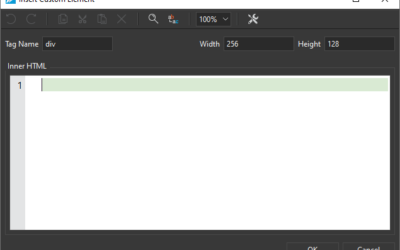
Use Custom Element in Saola Animate 3
Custom Element is one of the new features offered in Saola Animate 3. It allows you to create your own elements with HTML tags. In this tutorial, you will learn how to create, edit, rename and remove custom elements.
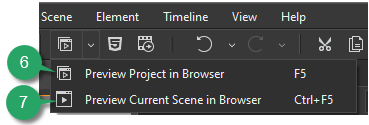
Preview Projects in Saola Animate 3
When building projects in Saola Animate 3, you can always preview how your animations and interactive content look and function when they are live. Moreover, previewing is crucial because it helps notice any required change, especially when your document has a great deal of interactivity. In this tutorial, you’ll learn how to preview projects in Saola Animate 3.
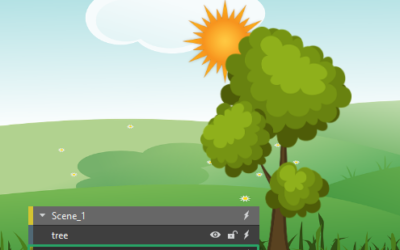
Reorder Elements in Saola Animate 3
Due to z-order, the newly-added elements are placed in front of others and may cover them partly or fully. Don’t worry, you can re-order elements with ease.