
ActivePresenter 10
An AI-powered eLearning authoring tool that streamlines your course creation. An all-in-one eLearning solution to create training videos, software simulations, educational games, and interactive slide-based lessons.

uPresenter
Next-Generation Interactive eLearning Platform
Create interactive presentations, quizzes, and dynamic learning experiences with real-time collaboration, seamless public sharing, and powerful reporting features.

Saola Animate 3
Create HTML5 animations and interactive content which run on any platform and device without coding skills.

Learn, share, and get support

Read latest tutorials and tips

Learn & ask our support experts

Connect & share with user community
Latest from our blog
Screencasting & eLearning

How to Create an Online Course for Beginners With a Pro Authoring Tool
Creating an online course as a beginner doesn’t have to be overwhelming or technical. When you follow a clear workflow Plan > Create > Interact > Publish, the entire process becomes structured, manageable, and repeatable.

Top 5 Best Free eLearning Authoring Tools (and When to Upgrade)
Choosing your first eLearning authoring tool can be overwhelming, especially when everything claims to be “free.” In this article, we break down the best free eLearning authoring tools, uncover their hidden limitations, and show you when it makes sense to upgrade for truly professional results.
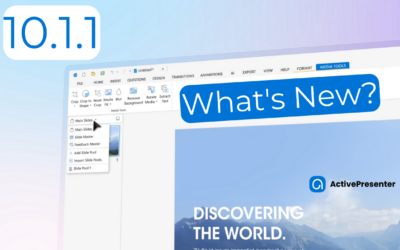
ActivePresenter 10.1.1 Update: Manage Your License(s) Better
As we step into 2026, we are thrilled to announce the release of ActivePresenter 10.1.1. This milestone update underscores our commitment to a "user-centric" development philosophy, prioritizing administrative flexibility, data security, and a seamless cross-platform...
HTML5 Animation
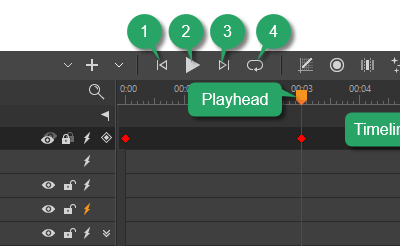
Use the Timeline Pane in Saola Animate 3
The Timeline pane plays an integral role in the animation-creating process. It gives you the capability to view and control all timing aspects of a project.
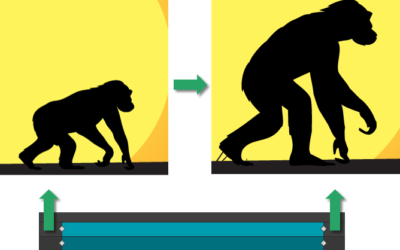
Create Morph Animations in Saola Animate 3
Morph Animations can be considered as a highlight in Saola Animate 3.0. This feature allows animating from one shape or freeform’s form to another through a seamless transition without coding skills required. Besides, it is possible to copy SVG paths from other vector graphic editors and paste them into the app as freeforms for further editing.
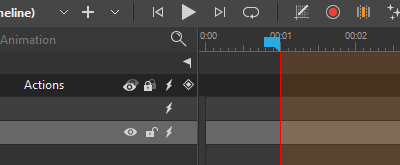
Use Auto-Keyframes in Saola Animate 3
Keyframes are the bread and butter in creating HTML5 animations. In the previous tutorials, you have learned how to add keyframes; adjust, move, copy, and remove keyframes. In this tutorial, let’s dive deep into how to use Auto-Keyframe – an automatic keyframing feature that allows you to generate keyframes in a flash.