
ActivePresenter 10
An AI-powered eLearning authoring tool that streamlines your course creation. An all-in-one eLearning solution to create training videos, software simulations, educational games, and interactive slide-based lessons.

uPresenter
Next-Generation Interactive eLearning Platform
Create interactive presentations, quizzes, and dynamic learning experiences with real-time collaboration, seamless public sharing, and powerful reporting features.

Saola Animate 3
Create HTML5 animations and interactive content which run on any platform and device without coding skills.

Learn, share, and get support

Read latest tutorials and tips

Learn & ask our support experts

Connect & share with user community
Latest from our blog
Screencasting & eLearning
OBS Studio Alternatives 2026: Top 4 Tools Creators Are Switching To
OBS was built for capturing and streaming, not for editing or learning video, so I tested and compared four tools that can genuinely replace OBS Studio for screen recording workflows, tools that let you record and edit in one place, without sacrificing capture quality. Let’s break them down.

Free Screen Recorder for PC No Time Limit: 3 Battle-Tested Tools That Won’t Waste Your Time in 2026
Tested 30+ tools over 9 years. These 3 free screen recorders for PC have no time limit, no watermarks, and no hidden catches. Here’s what actually works in 2026.

Best eLearning Authoring Tool for Corporate Training: Cut Costs & Scale in 2026
Discover why an eLearning authoring tool is essential for corporate training in 2026. Learn how to cut costs, scale programs, and create interactive courses with tools like ActivePresenter. Includes expert tips, real-world scenarios, and a free download.
HTML5 Animation
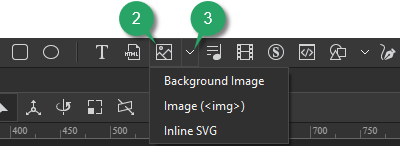
Add Image Elements in Saola Animate 3
Saola Animate lets you add six image formats to a project. Supported formats include JPG, JPEG, PNG, BMP, SVG, and GIF. It means that you can use both static and animated images as well as both raster and vector files. For the vector image format, it’s also possible to use predefined shapes or draw freeform ones.
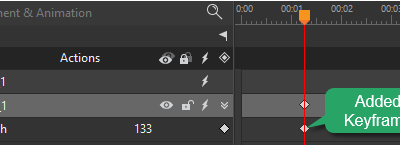
Add Animation Keyframes in Saola Animate 3
Keyframes define the value of a property at a specific time. They are available throughout the Properties pane to set parameters of any property that can be changed over time. To create animation with keyframes, you need at least two keyframes with different values of the same property. Keyframe animations are formed based on the property changing from the start position to the end position.

Add Audio Elements in Saola Animate 3
Let’s learn how to add and work with audio element which is an essential part when creating HTML5 documents in Saola Animate 3.