
ActivePresenter 10
An AI-powered eLearning authoring tool that streamlines your course creation. An all-in-one eLearning solution to create training videos, software simulations, educational games, and interactive slide-based lessons.

uPresenter
Next-Generation Interactive eLearning Platform
Create interactive presentations, quizzes, and dynamic learning experiences with real-time collaboration, seamless public sharing, and powerful reporting features.

Saola Animate 3
Create HTML5 animations and interactive content which run on any platform and device without coding skills.

Learn, share, and get support

Read latest tutorials and tips

Learn & ask our support experts

Connect & share with user community
Latest from our blog
Screencasting & eLearning

Why Choose ActivePresenter: A Cost-Effective Authoring Solution
Creating professional eLearning content doesn’t have to come with high subscription costs. ActivePresenter stands out as a cost-effective authoring solution by combining screen recording, video editing, interactive courses, quizzes, and AI-powered features into a single, affordable platform.

How to Choose the Right eLearning Authoring Tool for 2026: A Practical Checklist
This blog cuts straight to what matters when choosing an eLearning authoring tool for 2026. Instead of comparing endless features, it helps you identify what you already have, clarify what you truly need, and match your checklist to the right solution.

Host & Share eLearning Project Outside LMS (For Free)
If you’re looking for a simple way to host your eLearning project online, share it freely, and even embed it into your own website (using iframe html) without using a complex LMS, you’re in the right place.
HTML5 Animation
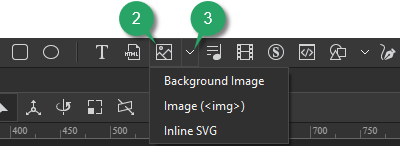
Add Image Elements in Saola Animate 3
Saola Animate lets you add six image formats to a project. Supported formats include JPG, JPEG, PNG, BMP, SVG, and GIF. It means that you can use both static and animated images as well as both raster and vector files. For the vector image format, it’s also possible to use predefined shapes or draw freeform ones.
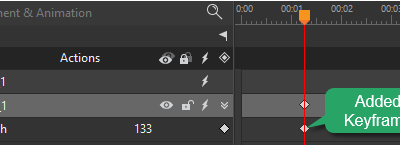
Add Animation Keyframes in Saola Animate 3
Keyframes define the value of a property at a specific time. They are available throughout the Properties pane to set parameters of any property that can be changed over time. To create animation with keyframes, you need at least two keyframes with different values of the same property. Keyframe animations are formed based on the property changing from the start position to the end position.

Add Audio Elements in Saola Animate 3
Let’s learn how to add and work with audio element which is an essential part when creating HTML5 documents in Saola Animate 3.