
Best Authoring Tools for Instructional Design: Top 4 Software 2026
The role of the instructional designer (ID) in 2026 demands tools that are not just feature-rich, but comprehensively integrated, cost-effective, and capable of generating truly interactive and media-rich content. The market is now saturated with options. But which ones are truly worth being in an instructional design software list?
In today’s post, let’s explore some outstanding names and find out the best eLearning software for instructional designers as of 2026. We’ll help you find the one for you to get started with your instructional designing journey!
Evaluation Criteria for Best Instructional Design Software
To select the most effective tool for 2026, we evaluate software based on five core pillars:
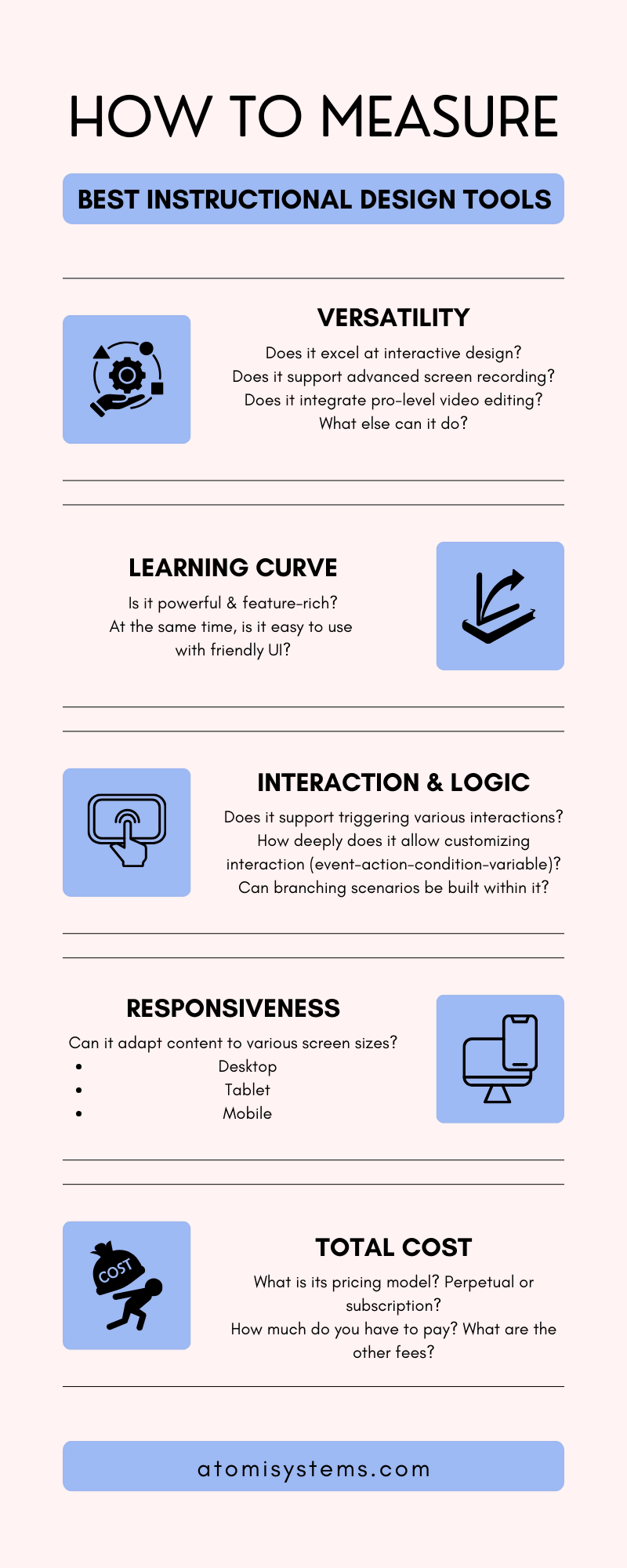
- Versatility: The ability to handle screen recording, pro-level video editing, and interactive authoring within a single workflow.
- Learning Curve: The balance between advanced power and an intuitive user interface (UI).
- Interactivity & Logic: The depth of variables, triggers, and branching scenarios available without requiring manual coding.
- Responsiveness: How efficiently the tool adapts content for various screen sizes (Desktop, Tablet, Mobile).
- Total Cost of Ownership: The long-term value, considering subscription models versus perpetual licensing.
Based on these considerations, here are the 4 outstanding names you should note down.
ActivePresenter: The All-in-One Solution for Modern Instructional Design
At the top of the list, ActivePresenter is the most value-for-money software with excellent quality.

Instructional designers definitely require a tool that can smoothly transition from video production to complex interactive course authoring. And ActivePresenter can deliver this powerful synergy in a single, intuitive application. The software is free to download and try with no limitation in time or functionality (except for AI features).

Pros:
- Unified Workflow: Combines a powerful screen recorder, a full-featured video editor, and an interactive authoring tool in one app.
- Smart Capture: Automatically generates interactive software simulations with text annotations based on user actions.
- AI-Enhanced: Built-in Cloud Text-to-Speech, auto-translation, and speech-to-text for captions.
- Responsive Design: Uses Flex Box technology to simplify the creation of mobile-first content.
Cons: The built-in asset library (characters/icons) is less extensive.
Pricing: Free version available (no time limit). Paid versions utilize a perpetual license, offering significant long-term savings. Visit the Pricing site and choose the suitable plan for your purpose.
Who it is for: IDs who need a high-performance, cost-effective tool that handles both video-heavy and interaction-heavy projects.
A simple sample course created in ActivePresenter
Articulate Storyline 360: The Industry Standard for Visuals
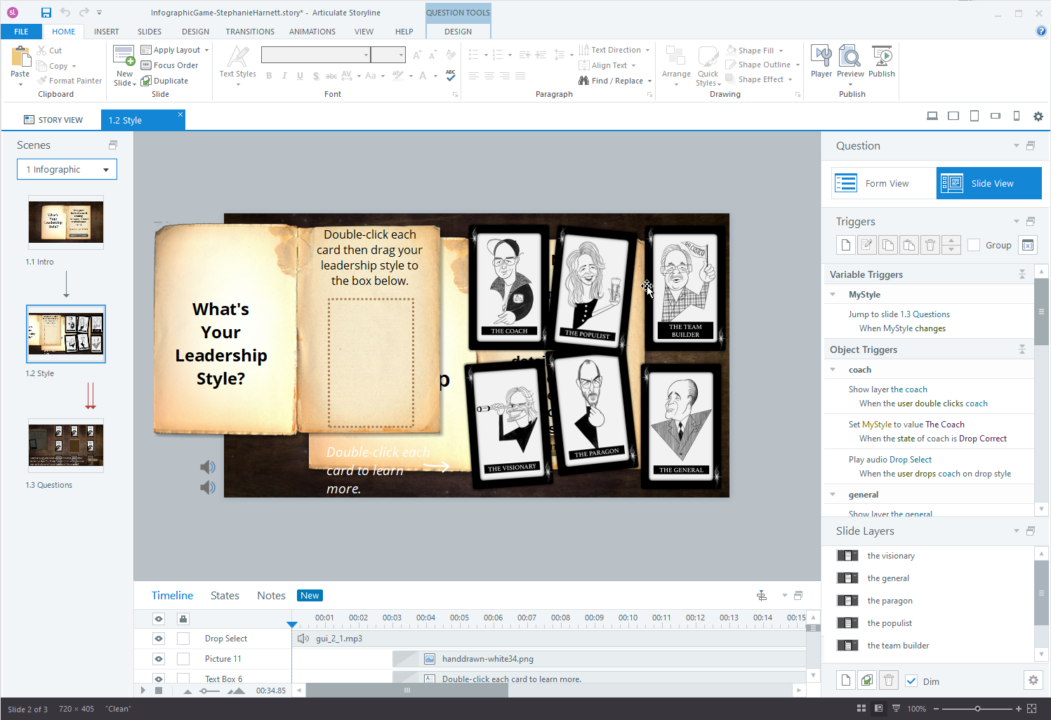
Storyline 360 is frequently chosen for its vast integrated content library, which provides designers with a variation of templates, characters, and icons to speed up the visual design process. Besides, as part of the Articulate 360 suite, Storyline is a long-standing industry standard, which makes it common for any instructional designer when he first gets started.
Pros:
- Content Library 360: Access to millions of high-quality templates, characters, and icons.
- High-level Customization of Interaction: Like ActivePresenter, Storyline has a variety of interactions, which helps users produce more customized and high-level interactive content.
Cons:
- Despite its popularity, Storyline 360 operates on a strict subscription-only model with a high annual cost, which can be a significant barrier for freelancers or small teams.
- Strategically, the workflow can become fragmented because the Articulate 360 suite splits functionality across different apps: users often have to jump between Storyline for custom slides and Rise for responsive web-based content.
- Furthermore, Storyline lacks robust built-in video editing. For any high-end video manipulation, designers are typically forced to export their media to third-party software like Adobe Premiere Pro, adding an extra layer of inefficiency to the development cycle.
Pricing: Subscription-only (annual) with a relatively high price point. Start purchasing here: https://www.articulate.com/360/pricing/
Who it is for: Corporate L&D teams with large budgets who prioritize visual variety and rapid slide assembly.
Adobe Captivate: The Technical Specialist
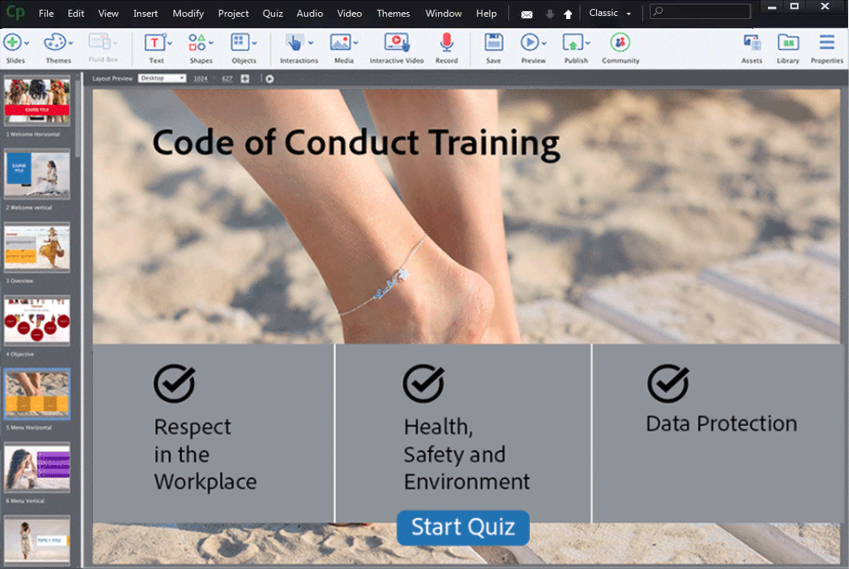
Adobe Captivate is a specialized tool favored for technical training, virtual reality (VR) experiences, and complex software simulations.
Pros:
- Immersive Learning: Strong support for VR and 360° media projects.
- Adobe Ecosystem: Connects well with other Adobe Creative Cloud assets.
Cons:
- The primary drawback of Adobe Captivate is its notoriously steep learning curve and an interface that many users find overwhelming. This complexity often requires a significant upfront investment in specialized training, which can slow down the initial phase of a project.
- Additionally, the software is known for being resource-intensive, requiring high-end hardware to run smoothly. Because it prioritizes depth over intuition, simple tasks can take longer to complete than in more streamlined environments, often trading development speed for features that the average instructional designer may rarely utilize.
Pricing: Subscription-based. Buy at https://www.adobe.com/vn_en/products/captivate/buying-guide.html
Who it is for: Advanced designers building high-end technical simulations or VR-based training.
iSpring Suite: The PowerPoint Accelerator
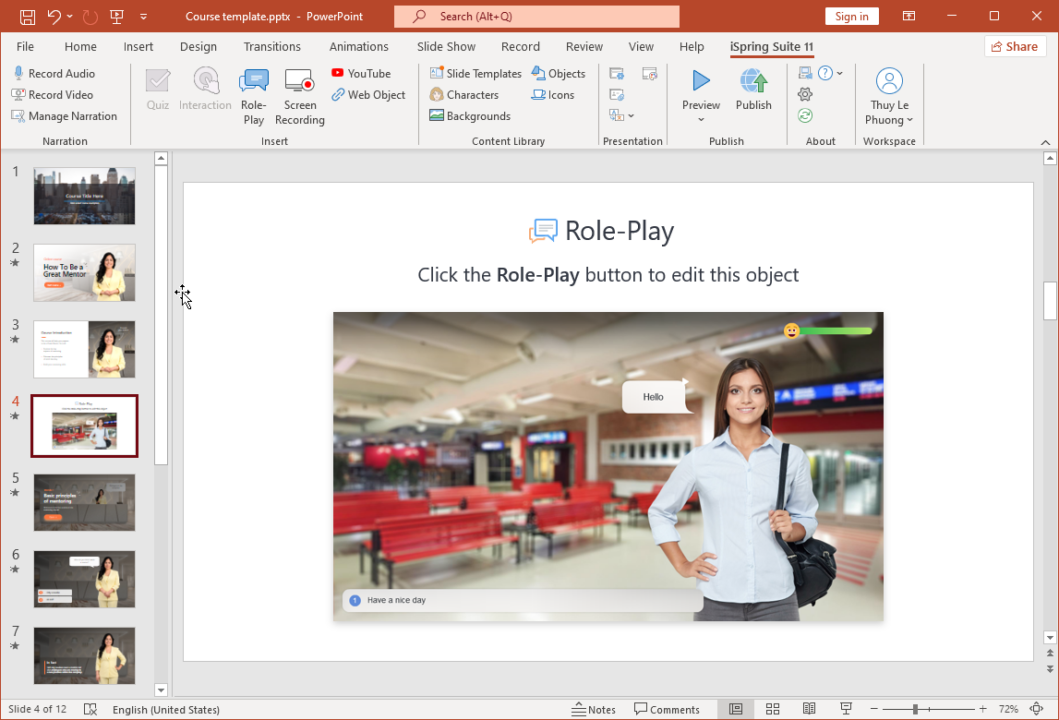
iSpring Suite functions as a powerful add-in for Microsoft PowerPoint, making it the fastest way to turn existing presentations into eLearning courses.
Pros:
- Easy Learning Curve & UI: If you can use PowerPoint, you can use iSpring.
- Smooth PPT Conversion: Preserves all PPT animations, transitions, and triggers.
Cons:
- The tool’s greatest strength is also its limitation: its functionality is strictly tethered to the PowerPoint environment. This creates a “feature ceiling” where designers are restricted by what PPT can do.
- iSpring lacks integrated, high-level video editing and the sophisticated screen recording capabilities found in standalone tools. When a project requires custom, media-first video courses or complex branching that goes beyond slide-to-slide logic, designers find themselves hitting a wall, frequently necessitating the purchase of additional third-party tools to handle professional audio and video production.
Pricing: Annual subscription. Buy iSpring Suite here: https://www.ispringsolutions.com/pricing
Who it is for: Subject Matter Experts (SMEs) and trainers who need to digitize existing PPT decks quickly.
Why ActivePresenter is the Smartest Choice for Instructional Designers
The instructional design process, from analysis to evaluation, requires versatility. ActivePresenter’s strength lies in fulfilling this entire spectrum without relying on an expensive suite of disparate software.
Comparison Table
| Instructional Designers Need | How ActivePresenter Fulfills It |
| Comprehensive Content Creation | ActivePresenter is an all-in-one tool: Powerful Screen Recorder, Full-Featured Video Editor, and Interactive Authoring Tool. This eliminates the need to buy and learn separate software for screencasting (demos, tutorials) and course creation (quizzes, interactions). |
| High-Fidelity Software Simulations | Its Smart Capture Technology records actions (clicks, key presses) and automatically generates interactive, slide-based simulations with auto-text annotations. This drastically reduces the development time for software training. |
| Advanced Interactivity without Coding | IDs can leverage Advanced Actions, Variables, and Object States to create complex branching scenarios and personalized learning paths – all through a visual, drag-and-drop interface, avoiding the steep learning curve of JavaScript. |
| Accessibility and Global Reach | ActivePresenter includes powerful AI features like Text-to-Speech (Cloud Voices), Auto-Generated Closed Captions (Speech-to-Text), and Project Auto-Translation. This ensures content is compliant, localized, and accessible to diverse global audiences efficiently. |
| Responsive Design for Any Device | With features like Flex Box, ActivePresenter simplifies the creation of responsive content that adapts perfectly to desktop, tablet, and mobile screens, a necessity for modern, mobile-first learning. |
| Unbeatable Value and Licensing | Unlike competitors’ annual, high-cost subscriptions, ActivePresenter offers a highly competitive perpetual license. This makes it an incredibly cost-effective long-term solution, a huge advantage for individual IDs and smaller L&D teams managing strict budgets. |
| Assessment & Tracking | Supports all major eLearning standards, including SCORM, xAPI, and HTML5. It even offers direct publishing to its integrated lightweight LMS, uPresenter, for simplified content hosting and results tracking. |
Conclusion
In short, ActivePresenter is engineered for efficiency. It combines the power of a pro-level video editor with the complex logic of an advanced authoring tool, all while integrating time-saving AI for content and accessibility. This cohesive approach is what truly sets it apart as the leading instructional design software tool for 2026.
The Optimized Workflow with ActivePresenter for Instructional Designers
ActivePresenter is designed to support an instructional designer’s project from concept to deployment, allowing them to spend more time on instructional strategy and less on technical tool management.
1. Start Your Project (Analysis & Design)
- Foundation: Start a Responsive Project to ensure universal access. The Flex Box feature manages layout constraints automatically, eliminating hours of manual adjustment for different devices.
(YouTube videos) - Rapid Development: Use the Record Interactive Simulation feature. ActivePresenter not only captures the screen but also automatically detects object boundaries and generates 4 separate instructional modes (Demo, Tutorial, Test, and Practice) from a single recording pass, an unparalleled time-saver.
2. Develop and Refine Content (Development)
- Integrated Media Production: Directly use the built-in video editor to cut, trim, apply professional effects (like Green Screen or Blur), and add annotations without exporting to a separate NLE (Non-Linear Editor). This coprocess eliminates file conversion headaches and quality loss.
- AI-Driven Localization: Use the AI Text-to-Speech (Cloud Voices) to generate high-quality narration in dozens of languages instantly. Follow up with Auto-Generated Closed Captions to ensure immediate global accessibility and Section 508 compliance.
- Building Interactivity: For complex decision-making scenarios, insert Interactive Objects (Buttons, Check Boxes, Text Entry) and connect them using Advanced Actions and Variables to create intelligent, branched learning paths that provide tailored feedback based on learner input.
3. Publish and Deploy (Implementation & Evaluation)
- Universal Output: Publish your final course as a single package to all essential industry standards: HTML5, SCORM (1.2/2004), and xAPI (Tin Can API). The single application ensures fidelity across all outputs.
- Zero-Cost Hosting: For rapid deployment and testing, the option to publish directly to the uPresenter LMS bypasses the need for an enterprise-level LMS setup, enabling immediate pilot program launch and results tracking.
In Brief
Above are the popular names worth the “Top eLearning Software” title for instructional designers in 2026. Especially, by consolidating screen recording, professional video editing, and advanced interactive authoring into a single, perpetually licensed platform, ActivePresenter deserves the first place when an ID searches for a comprehensive tool. Based on your demands, make sure to choose 1 among the 4 tools that best suits your needs to create high-quality content. Follow our Blog for more helpful posts and tutorials. And download ActivePresenter now to try almost all features for free with no limitation in time!