
Picking the wrong course authoring software is one of the most expensive mistakes an instructional designer can make, not just in dollars, but in months of lost productivity, retraining, and rework. I’ve spent over nine years building eLearning content across industries from banking compliance to enterprise IT onboarding, and the tool you choose will fundamentally shape what you can create, how fast you can create it, and how much it costs you every year.
In 2026, the landscape has shifted dramatically. AI-assisted content generation, mobile-first responsive design, and tighter LMS integration requirements have raised the bar for what “good enough” actually means. This guide cuts through the marketing noise to give you a practical, side-by-side evaluation of the top course authoring tools, and explains why ActivePresenter 10 is quietly becoming the professional’s best-kept secret.
What Makes a Great Course Authoring Software in 2026?
Before we compare tools, let’s establish the evaluation criteria. In my experience, a professional-grade authoring tool must deliver on five non-negotiable dimensions:
1. Interactivity Depth
Static slides are dead. Modern learners expect branching scenarios, drag-and-drop interactions, clickable software simulations, and adaptive feedback. Look for tools that support variables, conditional logic (Event-Action), and slide pools for randomized quizzes — without requiring you to write a single line of code.
2. Native AI Integration
Efficiency is the new competitive advantage. The best tools in 2026 offer built-in text-to-speech (TTS) engines, AI-assisted quiz generation, and smart content suggestions that cut production time significantly.
3. Responsive, Mobile-First Design
Your learners are on their phones. Period. Tools built on Flex Box technology automatically reflow content for any screen size, so you build once and publish everywhere — desktop, tablet, and mobile — without manual adjustment.
4. Publishing Standards Compliance
Your output must speak the language of every major LMS on the market. Non-negotiable standards include:
- SCORM 1.2 & SCORM 2004 — the universal LMS handshake
- xAPI (Tin Can) — for tracking complex, real-world learning activities
- HTML5 — for broad browser and device compatibility
5. Total Cost of Ownership (TCO)
Here’s the number most vendors don’t want you to calculate: the true 3-year cost of a subscription vs. a perpetual license. A $1,500/year subscription costs $4,500 over three years. A one-time perpetual license at $499 costs… $499. We’ll revisit this shortly.
Top Course Authoring Software Compared: 2026 Edition
Articulate 360
Best for: Large enterprise teams with generous L&D budgets
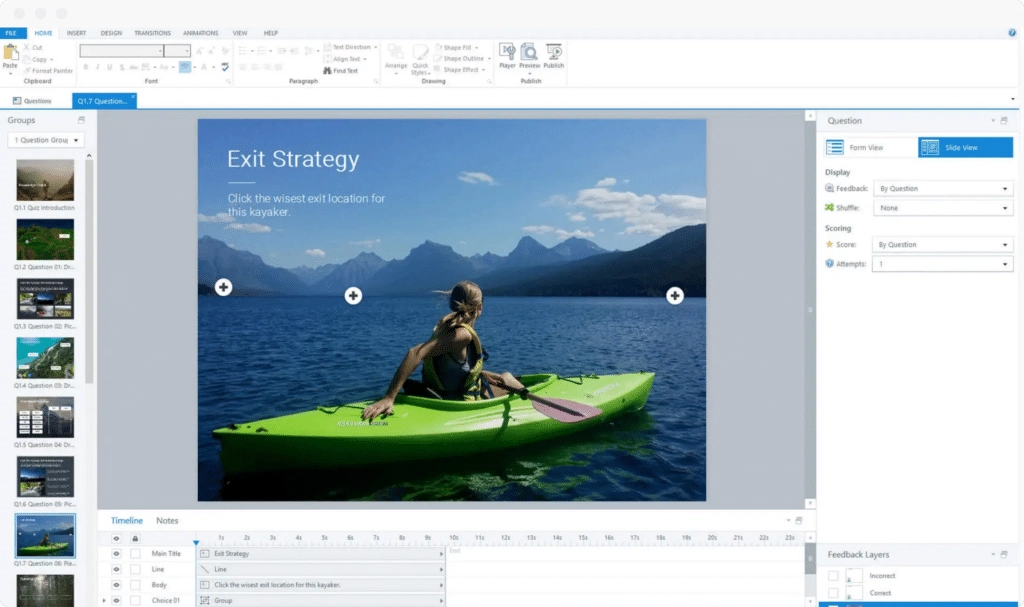
Articulate Storyline 360 remains the industry’s most recognizable name, and for good reason. Its timeline-based editor, robust trigger system, and massive community resource library (Articulate’s “Rise” courses and template marketplace) make it a reliable choice for experienced instructional designers.
However, Articulate 360 operates on a pure subscription model at approximately $1,499/user/year. For solo practitioners, small teams, or freelancers, this is a substantial annual commitment. The output is polished, but you’re essentially renting the software indefinitely — the moment you stop paying, you lose access to your authoring environment.
Key strengths: Mature feature set, large community, Rise 360 for rapid development
Key weaknesses: High annual cost, no perpetual license option, limited built-in screen recording
Adobe Captivate
Best for: Technical trainers who need advanced software simulations
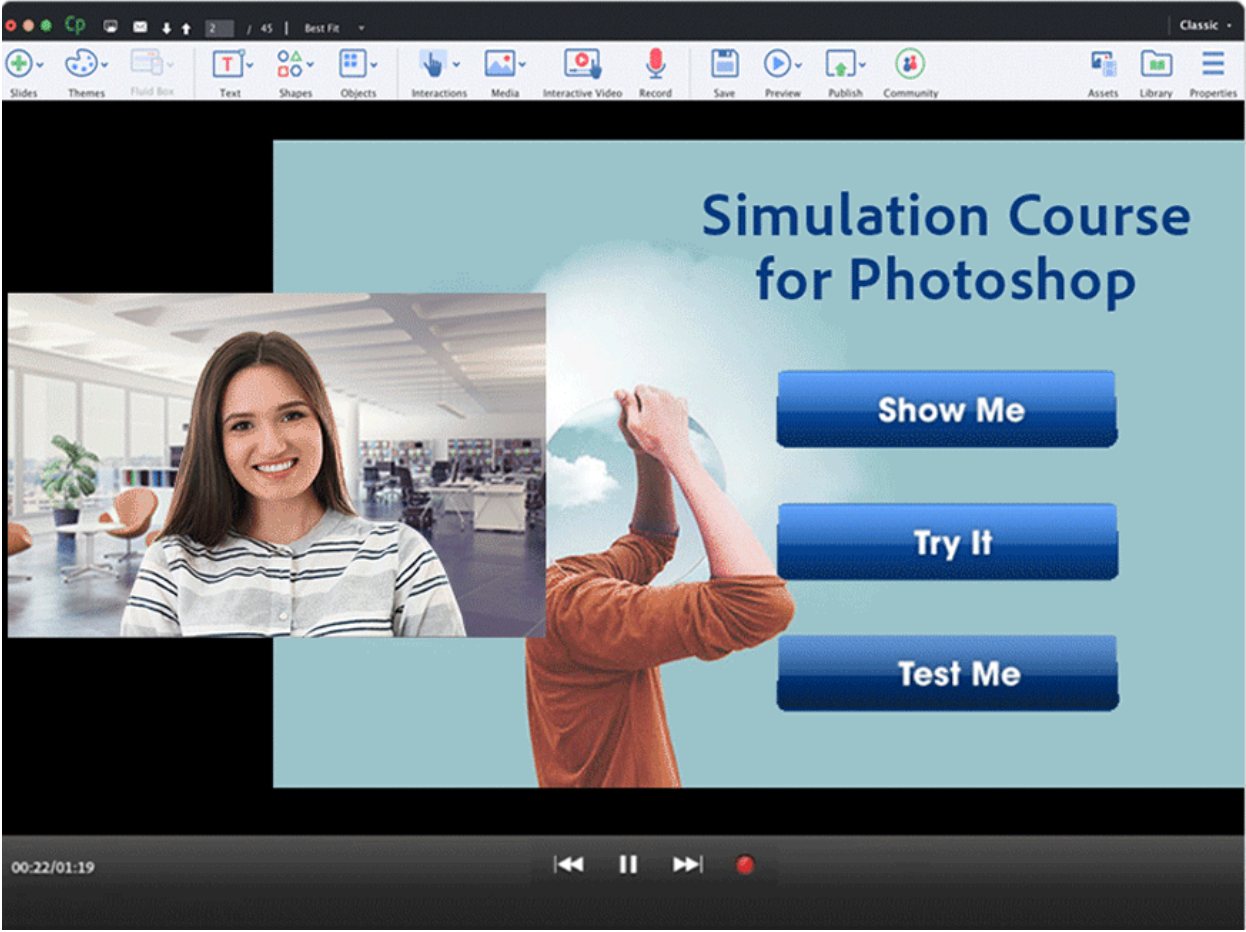
Adobe Captivate has long been the go-to for creating software simulation content — think click-through demos of enterprise applications. Its VR/360° content support and advanced branching are genuinely impressive.
In 2026, Adobe has moved aggressively toward a subscription-only model (approximately $33.99/month), which adds up quickly. The learning curve is steep — notoriously so — and several features that were once standard now require higher-tier plans.
Key strengths: Best-in-class software simulation recording, VR content support
Key weaknesses: Complex UI, subscription-only pricing, high resource consumption
iSpring Suite
Best for: PowerPoint users who want a fast upgrade path
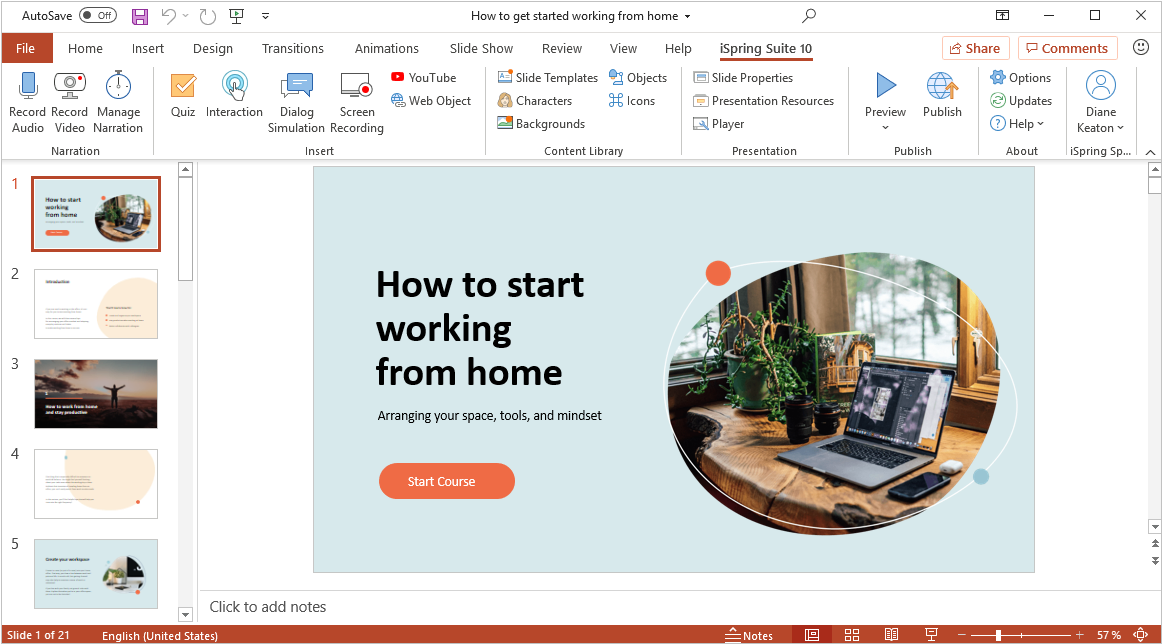
iSpring Suite sits inside Microsoft PowerPoint as a plugin, making it approachable for anyone already comfortable with slide-based content. It handles SCORM publishing, basic quizzes, and video narration cleanly.
The trade-off is depth. iSpring is excellent for straightforward content but struggles with complex conditional logic, advanced branching, or pixel-precise layout control. Pricing starts at approximately $970/user/year.
Key strengths: Familiar PowerPoint interface, fast onboarding, solid quiz builder
Key weaknesses: Dependent on PowerPoint, limited advanced interactivity, annual subscription
ActivePresenter 10 (by Atomi Systems)
Best for: Instructional designers and training professionals who want professional-grade features without enterprise-level pricing
“In nine years of building eLearning content, I’ve worked with Storyline, Captivate, and a half-dozen other tools. ActivePresenter is the first tool I’ve recommended to both a solo freelancer building their first course and a corporate training team producing 40+ modules a year.”
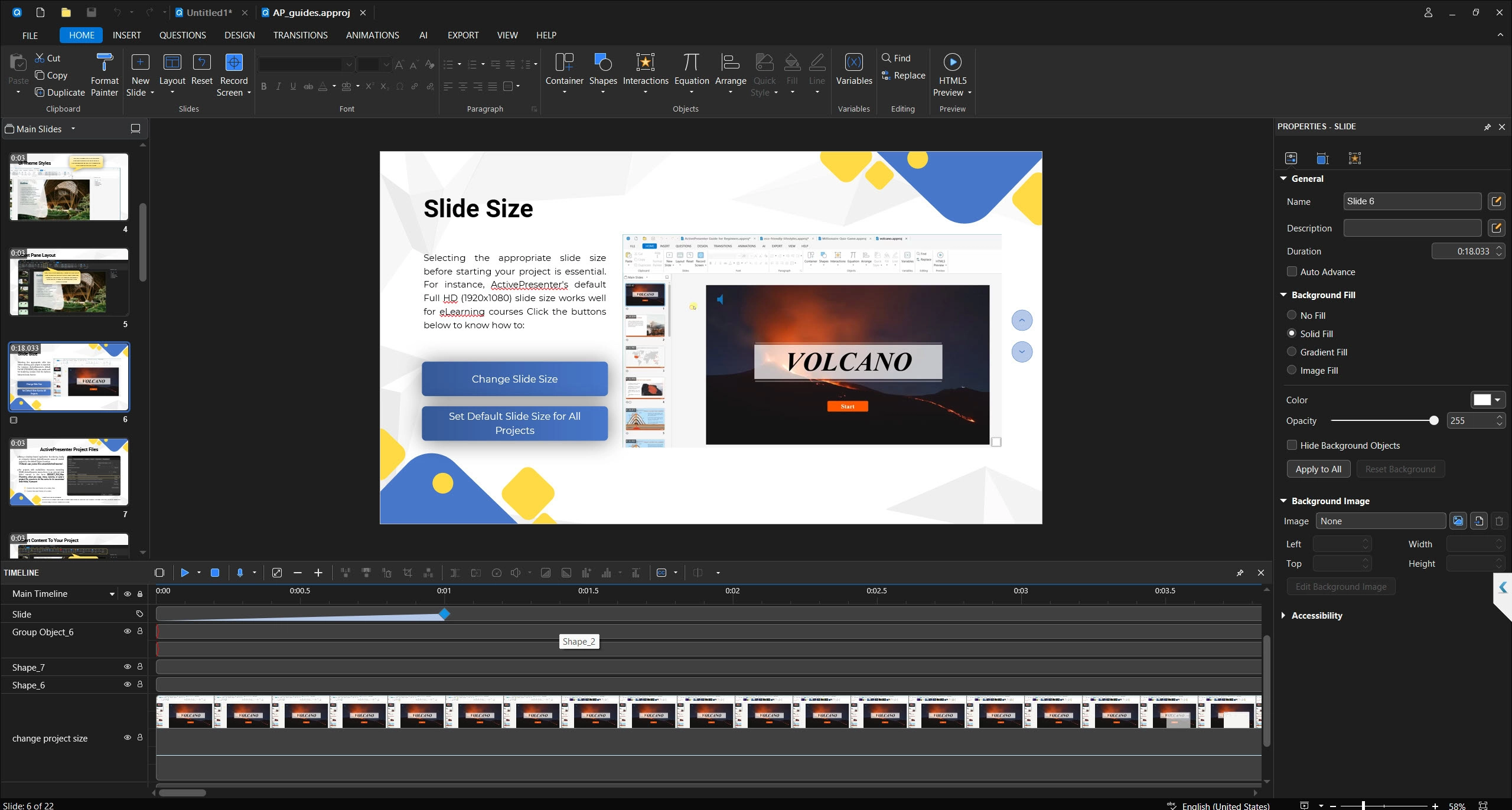
ActivePresenter 10 is where the conversation gets genuinely interesting.
Why ActivePresenter 10 Stands Out in 2026
A True All-in-One Platform
Most authoring tools force you to patch together a software ecosystem: one tool for screen recording, another for video editing, a third for quiz building. ActivePresenter eliminates that fragmentation entirely by integrating all three core workflows into a single application:
- High-fidelity screen recording — capture in lossless format, ensuring your software demo videos remain crystal-clear even on 4K displays
- Non-destructive video editing — trim, annotate, add callouts, and apply transitions without permanently altering your source footage
- Advanced eLearning authoring — build interactions with drag-and-drop, hotspots, branching scenarios, and a full Event-Action engine that handles complex conditional logic without any coding
The Perpetual License Advantage
Let’s run the three-year cost comparison honestly:
| Tool | Year 1 | Year 2 | Year 3 | 3-Year Total |
| Articulate 360 | $1,499 | $1,499 | $1,499 | $4,497 |
| Adobe Captivate | ~$408 | ~$408 | ~$408 | ~$1,224 |
| iSpring Suite | $970 | $970 | $970 | $2,910 |
| ActivePresenter (Perpetual) | $499 | $0 | $0 | $499 |
Note: Prices are approximate and subject to change. Verify current pricing on each vendor’s official website.
The math is unambiguous for independent creators, small studios, and budget-conscious L&D teams.
Responsive Design with Flex Box Technology
ActivePresenter 10’s layout engine uses Flex Box technology, meaning your course automatically adapts to any screen size. Build your content once on desktop — and it renders correctly on an iPhone, Android tablet, or classroom projector without manual breakpoint adjustments.
Publishing to Every Major Standard
ActivePresenter publishes to:
- SCORM 1.2 & SCORM 2004 — compatible with Moodle, TalentLMS, Cornerstone, and virtually every enterprise LMS
- xAPI (Tin Can API) — for granular tracking of learning behaviors beyond simple course completion
- HTML5 — clean, lightweight output that runs natively in any modern browser
AI-Powered Features in 2026
ActivePresenter 10 integrates practical AI features designed to reduce production time:
- Text-to-Speech (TTS) with 100+ voices in over 20 languages — no need for a recording studio to narrate your courses, and rapid localization is built right in
- AI Image Generator — describe the character, icon, or background you need, and ActivePresenter generates it instantly without requiring an external design tool
- AI Writing Assistant — refine narration scripts on the fly by correcting grammar, improving clarity, and adjusting tone, so your instructional text always sounds professional and learner-friendly
- Automated closed captions — generated directly from your audio, supporting accessibility compliance requirements
- Smart quiz suggestions — AI-assisted question generation based on your slide content, drastically reducing the time spent writing assessment items from scratch
Direct LMS Publishing
One of ActivePresenter 10’s most practical workflow improvements is direct LMS publishing. Rather than exporting a SCORM package, uploading it manually, and configuring it inside your LMS, ActivePresenter can push courses directly to compatible LMS platforms in one step. For teams managing large course libraries or frequent content updates, this feature alone can save hours of repetitive administrative work every month.
3 Real-World Use Cases Where ActivePresenter Excels
Use Case 1: Banking Compliance Training (Software Simulation)
A regional bank’s L&D team needs to train 500 branch staff on a new core banking system. Using ActivePresenter’s software simulation mode, the designer records the actual banking application, and the tool automatically generates click-through practice exercises — complete with hints, failure feedback, and scoring. The final module is published as SCORM 2004 and uploaded to their LMS in under an hour.
Use Case 2: IT Onboarding for a SaaS Company
An IT training specialist needs to create a library of software walkthrough videos for new hires. ActivePresenter’s screen recording captures the application in lossless quality. The built-in editor adds zoom-in effects on key clicks, callout annotations, and a professional lower-third title — all without exporting to a separate video editor. Final delivery: MP4 for internal hosting and HTML5 for the LMS.
Use Case 3: Freelance Instructional Designer Building Client Courses
A freelancer working with three SME clients simultaneously can’t justify $4,500+ in annual software subscriptions. With ActivePresenter’s perpetual license, they invest once and build unlimited courses for unlimited clients — packaging each as SCORM for delivery to the client’s LMS of choice. Better still, ActivePresenter 10’s direct LMS publishing feature lets the freelancer push completed courses straight to the client’s LMS without ever leaving the authoring environment, saving hours of manual upload and configuration per project.
Pro Tips: What Only Long-Time ActivePresenter Users Know
💡 Tip 1: Use “Record Software Simulation” Mode
Choose Record Software Simulation instead of a standard screen recording to let the software automatically generate callouts and interactive hotspots based on your mouse clicks. This reduces post-production annotation time by roughly 60-80%.
💡 Tip 2: Optimize HTML5 export file size
Before exporting, go to Export Settings > HTML5 and enable “Compress images” with a quality setting of 80–85%. This typically reduces package size by 30–50% with no visible quality loss — critical for LMS upload limits.
💡 Tip 4: Use Slide Pools for quiz randomization
Group your quiz questions into Slide Pools so learners receive a randomized subset each attempt. This dramatically reduces answer-sharing between learners in compliance training scenarios.
Honest Pros & Cons: ActivePresenter 10
✅ Pros
- Perpetual license option — own the software outright; no annual fee anxiety
- True all-in-one — screen recording, video editing, and eLearning authoring in one application
- Advanced interactivity without coding — Event-Action engine handles complex logic visually
- Full publishing standards — SCORM 1.2/2004, xAPI, HTML5
- Responsive design — Flex Box-based layouts adapt to all screen sizes
- Lower learning curve than Adobe Captivate for new users
- Active development — regular updates and a responsive support community
❌ Cons
- Smaller community than Articulate’s ecosystem — fewer third-party templates and community forums compared to Storyline’s marketplace
- Advanced video effects — for highly cinematic video production (color grading, multi-camera editing), a dedicated video editor like DaVinci Resolve may still be needed as a complement
- Brand recognition — in organizations where procurement decisions are made by non-L&D managers, Articulate’s name-recognition can still win boardroom battles
Side-by-Side Comparison Table
| Feature | ActivePresenter 10 | Articulate 360 | Adobe Captivate | iSpring Suite |
| Pricing Model | Perpetual + Subscription | Subscription only | Subscription only | Subscription only |
| Starting Price | ~$499 (one-time) | ~$1,499/yr | ~$408/yr | ~$970/yr |
| Screen Recording | ✅ Built-in (lossless) | ⚠️ Basic (Peek) | ✅ Advanced | ❌ Limited |
| Video Editing | ✅ Non-destructive | ❌ None | ⚠️ Basic | ❌ None |
| Software Simulation | ✅ Full | ✅ Full | ✅ Full | ⚠️ Limited |
| AI Features | ✅ TTS, Image Gen, Writing Assistant | ⚠️ Limited | ⚠️ TTS only | ❌ None |
| Direct LMS Publishing | ✅ | ❌ | ❌ | ❌ |
| SCORM 1.2/2004 | ✅ | ✅ | ✅ | ✅ |
| xAPI (Tin Can) | ✅ | ✅ | ✅ | ✅ |
| HTML5 Output | ✅ | ✅ | ✅ | ✅ |
| Responsive/Flex Box | ✅ | ✅ | ⚠️ | ⚠️ |
How to Choose the Right Course Authoring Software for Your Situation
No single tool wins for every buyer. Here’s a quick decision framework based on your professional profile:
Choose Articulate 360 if:
- You work inside a large enterprise L&D team with a generous, stable software budget
- Your organization has standardized on Storyline and switching costs (retraining, template rebuilding) outweigh the price premium
- You rely heavily on the Rise 360 rapid-development format for microlearning content
Choose Adobe Captivate if:
- Software simulation for complex enterprise applications (SAP, Salesforce, Oracle) is your primary deliverable
- Your organization already invests in the Adobe Creative Cloud ecosystem
- You need native VR/360° course support right now
Choose iSpring Suite if:
- Your team lives in PowerPoint and needs the fastest possible onboarding with minimal retraining
- Your courses are primarily slide-based with basic quizzing and no complex branching requirements
- You need a quick, clean upgrade path from existing PowerPoint presentations
Choose ActivePresenter 10 if:
- You want professional-grade interactivity, screen recording, video editing, and AI features in a single application
- Cost efficiency matters — you’d rather own your tool than rent it indefinitely
- You’re a freelancer, a small-to-mid-size L&D team, or an instructional designer who builds software simulation and eLearning content side by side
- You need direct LMS publishing, full SCORM/xAPI compliance, and responsive output without stitching together multiple tools
Frequently Asked Questions
Q: Is ActivePresenter free?
ActivePresenter offers a free version with core features, making it accessible for individuals and small teams who want to evaluate the platform before purchasing. The Professional license (one-time fee of $499) unlocks the full feature set including advanced interactivity, AI tools, and all publishing standards.
Q: Can I use ActivePresenter to publish SCORM courses to Moodle, TalentLMS, or Cornerstone?
Yes. ActivePresenter 10 exports SCORM 1.2 and SCORM 2004 packages that are compatible with virtually every major LMS on the market, including Moodle, TalentLMS, Cornerstone OnDemand, SAP Litmos, and Docebo. The direct LMS publishing feature further simplifies the upload workflow for supported platforms.
Q: Is there a Mac version of ActivePresenter?
Yes, ActivePresenter is available for both Windows and Mac.
Q: How does ActivePresenter’s AI compare to Articulate’s AI features?
ActivePresenter 10 includes a practical, integrated AI suite — Text-to-Speech with 100+ voices, an AI Image Generator, and an AI Writing Assistant — focused on speeding up everyday content production tasks. Articulate has been expanding its AI capabilities within Rise 360, but at a significantly higher annual price point. For the cost, ActivePresenter’s AI feature set delivers strong value per dollar.
Q: What happens to my courses if I stop paying for a subscription-based tool?
This is a critical question most vendors downplay. With subscription-only tools like Articulate 360 or Adobe Captivate, losing access to the subscription means losing access to your authoring environment — you can no longer edit or update your source files. With ActivePresenter’s perpetual license, you own the software permanently. Even if you choose not to renew an optional maintenance plan, your installed version continues to work and your source files remain fully accessible.
Final Verdict: The Best Course Authoring Software in 2026
After nine years in this industry, my honest assessment is this: the “best” course authoring software is the one that matches your workflow, your budget, and the complexity of content you build — not the one with the biggest marketing spend.
Articulate 360 earns its reputation, but it earns it at a price that many professionals and teams simply cannot justify, especially when the output quality gap has narrowed considerably. Adobe Captivate remains the benchmark for software simulation, but the steep learning curve and subscription cost make it a hard sell for general eLearning work. iSpring is a solid choice for PowerPoint-native teams but hits a ceiling fast.
ActivePresenter 10 occupies a uniquely compelling position in 2026: it delivers on every technical requirement a professional instructional designer needs — interactivity depth, AI tools, direct LMS publishing, full SCORM/xAPI compliance, and responsive design — at a price point that doesn’t require a procurement committee to approve.
For solo practitioners, freelancers, and L&D teams who want to build better courses faster without burning their annual budget on software subscriptions, ActivePresenter 10 is the clearest recommendation I can make.
Get Started with ActivePresenter 10
Ready to see what professional course authoring feels like without the enterprise price tag?

Disclaimer: Pricing figures cited in this article are approximate and based on publicly available information at the time of writing. Always verify current pricing directly on each vendor’s official website before making a purchasing decision.