
Most eLearning lessons or courses don’t fail because of bad content, they fail because there’s no clear process behind them. Ideas get scattered, lessons feel disconnected, and learners quickly lose interest.
That’s exactly where the ADDIE model for instructional design comes in. It’s not just a theory, it’s a practical framework that helps you move from vague ideas to structured, effective learning experiences.
But having a solid framework is only half the equation. You also need a tool that can bring each stage of ADDIE to life, from analyzing learner needs to designing content, developing interactions, and delivering the final course.
This is where ActivePresenter eLeaning authoring software fits in. It doesn’t just help you build slides, it supports the entire instructional design process, allowing you to create interactive lessons, quizzes, and SCORM-compliant courses all in one place.
In this guide, you’ll discover how ADDIE works in real scenarios, see concrete examples at each stage, and learn how to turn your concepts into well-designed courses that are both engaging and measurable.
Let’s dive deep into how you can leverage this proven model to build eLearning experiences that actually drive results.
Table of contents
- 1. What is the ADDIE Model for Instructional Design?
- 4. Implementation: Deliver and Observe What Happens
- 5. Evaluation: Did It Actually Work?
- ADDIE Model for Instructional Design Examples: 2 Practical Scenarios
- Software Evaluation Criteria: Choosing Your Authoring Tool
- ActivePresenter for the ADDIE Model
- 1. Analysis: Capture Real Problems Through Screen Recording
- 2. Design: Structure Learning With Slides, Scenarios, and Interactions
- 3. Development: Create Rich eLearning Content in One Place
- 4. Implementation: Flexible Export and Delivery Options
- 5. Evaluation: Track Performance and Improve Learning Outcomes
- ActivePresenter Pros and Cons
- Conclusion & Next Steps
1. What is the ADDIE Model for Instructional Design?
Before we get to the software, we need to understand the framework. The ADDIE model is the foundational process that instructional designers and training developers use to create effective learning courses.
ADDIE is an acronym that stands for the five phases of the framework: Analysis, Design, Development, Implementation, and Evaluation.
Who Developed the ADDIE Model?
The ADDIE model isn’t a new fad. It was initially developed by Florida State University in the 1970s for military training. Back then, it was a rigid, linear “waterfall” model, you couldn’t move to the next phase until the previous one was entirely finished.
Today, the model has evolved. Modern corporate and educational instructional designers use ADDIE as a dynamic, iterative process. You can constantly evaluate and tweak your course as you move through the phases, ensuring the final product perfectly aligns with learner needs.
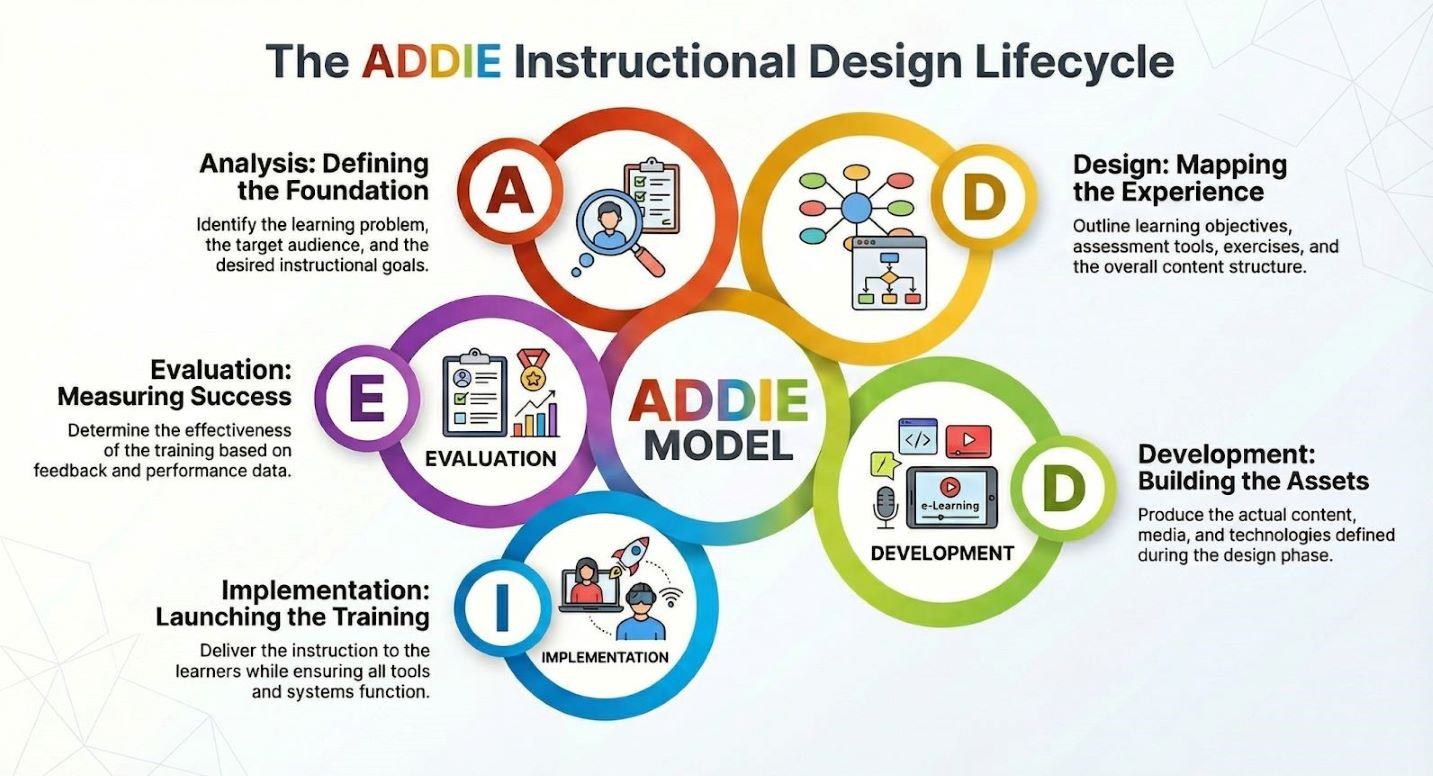
The 5 Phases of ADDIE Model for Instructional Design Explained (The “How-To” Guide)
Let’s break down the ADDIE model for instructional design step-by-step, and look at how a robust authoring tool brings each phase to life.
1. Analysis: Start With the Problem, Not the Content
Most ineffective training starts with a simple mistake: jumping straight into creating slides.
The Analysis phase forces you to slow down and ask the right questions:
- Who are your learners?
- What do they already know?
- What exactly is the performance gap?
- Is training even the right solution?
For example, if employees are making errors in a new system, the issue might not be a lack of knowledge, it could be poor UI design or unclear processes.
Skipping this step often leads to beautifully designed courses that solve the wrong problem.
Key insight:
If your analysis is weak, everything that follows will be misaligned.
2. Design: Turn Insights Into a Clear Learning Plan
Once you understand the problem, the next step is to design the learning experience.
This is where you define:
- Clear, measurable learning objectives
- How learners will be assessed
- The structure and flow of content
- The teaching approach (videos, scenarios, quizzes, etc.)
Think of this phase as creating a blueprint.
A common trap here is writing vague objectives like “understand the system.” Instead, strong design focuses on actions:
- “Complete a transaction”
- “Identify errors”
- “Apply a process”
This clarity ensures that content, activities, and assessments all align.
Key insight:
Good design is intentional – every element exists for a reason.
3. Development: Build What Actually Matters
Now comes the part most people jump to first – creating the content.
In the Development phase, you:
- Produce slides, videos, and scripts
- Build quizzes and interactions
- Add visuals, audio, and animations
- Assemble everything using authoring tools
This is where ideas become real.
But more content doesn’t mean better learning. Overloading a course with animations or long explanations often hurts more than it helps.
The focus should always be:
- Clarity over complexity
- Relevance over volume
Frequent reviews and feedback loops are also critical here to catch issues early.
Key insight:
Effective development is about usefulness, not just polish.
4. Implementation: Deliver and Observe What Happens
Implementation is where your course meets reality.
This phase includes:
- Uploading the course to an LMS or platform
- Preparing instructors (if needed)
- Ensuring learners can access the content smoothly
- Communicating expectations and timelines
No matter how well you plan, this stage often reveals unexpected problems:
- Learners drop off halfway
- Technical issues appear
- Content doesn’t fit real workflows
That’s normal, and valuable.
Key insight:
Implementation is your first real test, not the finish line.
5. Evaluation: Did It Actually Work?
A course isn’t successful just because it’s completed.
The Evaluation phase focuses on measuring effectiveness:
- Did learners understand the content?
- Can they apply it in real situations?
- Did performance actually improve?
Evaluation can happen at multiple levels:
- Immediate feedback (reaction surveys)
- Knowledge checks (quiz results)
- Behavior change (on-the-job performance)
- Business impact (KPIs, outcomes)
One of the biggest mistakes is stopping at “learners liked it.” Engagement is important, but results matter more.
Key insight:
If behavior doesn’t change, the training didn’t work.
ADDIE Model for Instructional Design Examples: 2 Practical Scenarios
Theory is great, but how does this look in the real world? Here are two practical scenarios showing the ADDIE model and ActivePresenter in action.
Scenario 1: Banking Software Simulation (Corporate Training)
The Problem (Analysis): A bank is rolling out a new core banking system. Training tellers on the live system is too risky, one wrong click could compromise customer data.
Beyond that, tellers have different levels of digital proficiency, so a one-size-fits-all training session would likely leave gaps in understanding.
The Approach (Design): Define clear learning objectives such as completing transactions, verifying customer information, and handling common errors.
Then, map out a step-by-step workflow of the system, deciding where learners need guidance, practice, and feedback. At this stage, you also choose simulation-based learning as the core strategy to ensure hands-on experience.
The Solution (Development): Using ActivePresenter, I record the software process.
The tool automatically captures mouse clicks and generates a “Software Simulation” with interactive “Click, Type, and Drag” steps. I enhance the simulation with hints, feedback layers, and checkpoints to reinforce learning and prevent repeated mistakes.
The Rollout (Implementation): The course is deployed via the company’s LMS, allowing tellers to access it anytime. They can practice at their own pace, repeat challenging steps, and complete the training before working on the real system.
The Result (Evaluation): Training performance is tracked through completion rates, quiz scores, and simulation accuracy. Feedback from tellers helps identify confusing steps, which can then be refined. Over time, this leads to faster onboarding, fewer operational errors, and higher confidence when using the actual system.
Scenario 2: IT Troubleshooting Tutorial (Technical Training)
The Problem (Analysis): The IT department is overwhelmed with support tickets every time a new cybersecurity protocol is introduced. Most issues come from repeated user errors: missing a step, misconfiguring settings, or misunderstanding technical instructions. There’s also a clear need for just-in-time support rather than long, theory-heavy training.
The Approach (Design): Define focused learning objectives such as correctly setting up the protocol, identifying common errors, and resolving them independently.
The content is structured as a short, task-based tutorial with a strong emphasis on visual guidance and quick navigation. Microlearning is chosen as the strategy so employees can access exactly what they need, when they need it.
The Solution (Development): Using ActivePresenter, IT trainers record the full setup process. They enhance the tutorial with screen annotations, the Zoom-n-Pan tool, and the Spotlight feature to direct attention to critical steps. Step labels, callouts, and on-screen tips are added to clarify complex actions, while short quizzes or checkpoints reinforce key procedures.
The Rollout (Implementation): The tutorial is deployed as a quick-reference resource on the company’s internal system or LMS. Employees can revisit specific sections, pause, and follow along in real time while configuring the system themselves, so it could reduce reliance on live IT support.
The Result (Evaluation): Metrics such as reduced ticket volume, faster issue resolution, and user feedback are tracked to measure effectiveness. Common problem areas identified through support data can be updated directly in the tutorial, ensuring continuous improvement.
Software Evaluation Criteria: Choosing Your Authoring Tool
To execute the ADDIE model for instructional design effectively, your authoring tool must meet specific criteria. Here is what you should look for:
All-in-one capability: Does the tool require you to buy a separate screen recorder, a video editor, and an eLearning authoring software? ActivePresenter has all three built into one interface.
Interactivity level: Can it handle complex logic? You need a tool that supports variables and advanced triggers to create personalized learning paths.
LMS Compatibility: Does it export flawlessly to industry standards like SCORM and xAPI?
Cost Efficiency: Are you locked into a never-ending subscription, or can you purchase a perpetual license?
If these criteria above meets your needs, then ActivePresenter eLearning authoring tool for instructional designers is the ultimate solution for you.
Let’s break down how its features align with each phase of ADDIE.
ActivePresenter for the ADDIE Model
1. Analysis: Capture Real Problems Through Screen Recording
In the Analysis phase, understanding the actual workflow and learner challenges is critical. ActivePresenter helps by allowing you to:
- Record real user workflows and system processes
- Capture pain points in software usage
- Document step-by-step actions for further analysis
Instead of relying on assumptions, you can observe real behavior, making your training more grounded and relevant.
2. Design: Structure Learning With Slides, Scenarios, and Interactions
Once you’ve identified the problem, ActivePresenter gives you a flexible canvas to design your learning experience.
Key design-focused features include:
- Slide-based course structuring (similar to PowerPoint but more powerful)
- Built-in interaction templates (click, drag-drop, fill-in-the-blank)
- Scenario-based branching for decision-making training
This makes it easy to map learning objectives directly into interactive learning flows, not just static content.
3. Development: Create Rich eLearning Content in One Place
This is where ActivePresenter really shines.
You can develop complete courses with:
- Screen recordings turned into step-by-step tutorials
- Video editing with annotations, zoom, and effects
- Interactive quizzes with multiple question types
- Voiceovers and captions for accessibility
- Asset libraries (icons, shapes, callouts)
Instead of switching between multiple tools, everything is built into a single platform, saving you time and reducing complexity.

4. Implementation: Flexible Export and Delivery Options
After building your course, ActivePresenter ensures smooth delivery across platforms.
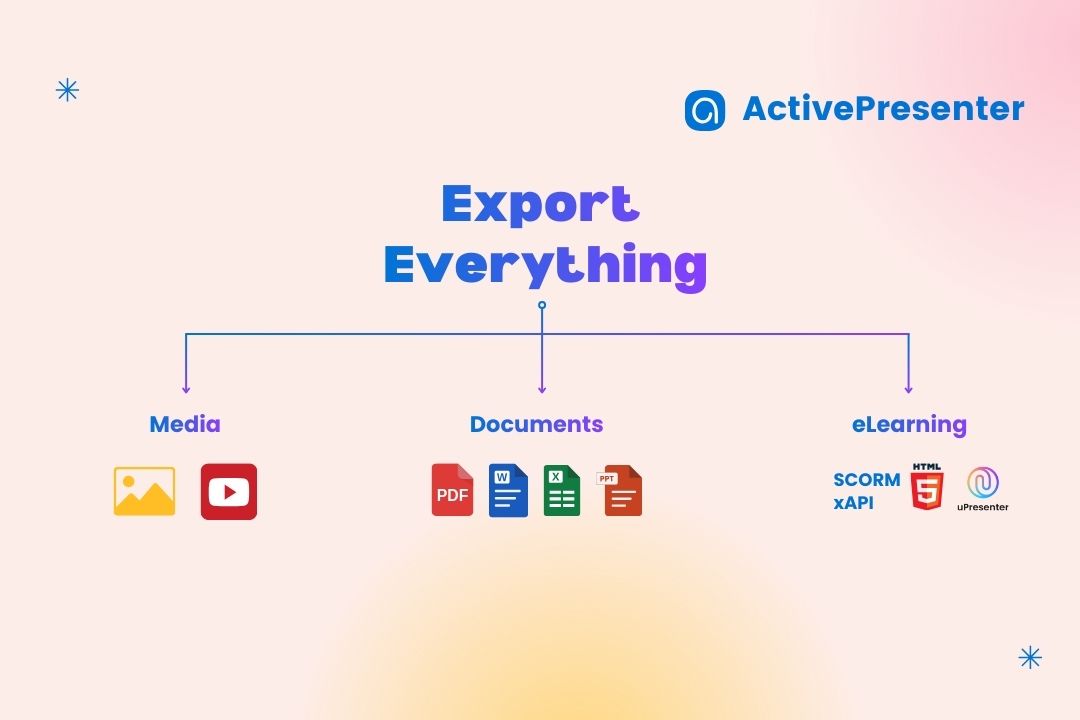
You can export your content as:
- SCORM/xAPI packages for LMS integration
- HTML5 courses for web-based learning
- Video formats (MP4) for simple distribution
- Interactive simulations for hands-on practice
This flexibility allows you to match the delivery method with your learners’ context, whether it’s corporate training, online courses, or self-paced tutorials.
5. Evaluation: Track Performance and Improve Learning Outcomes
Evaluation is often overlooked, but ActivePresenter makes it easier to measure impact.
Its features support evaluation through:
- Quiz scoring and result tracking
- Integration with LMS for learner analytics
- Conditional logic to assess decision-making paths
- Completion tracking and reporting
These tools help you move beyond “completion rates” and start analyzing how well learners actually perform.
ActivePresenter Pros and Cons
The Pros:
- Ultimate all-in-one tool: Seamlessly combines screen recording, advanced video editing, and interactive eLearning authoring.
- Cost-Effective: No recurring subscription fees. Atomi Systems offers a one-time perpetual license.
- Rapid Development: Imports PowerPoint (PPTX) seamlessly, making the transition from the Design phase to the Development phase incredibly fast.
- Responsive Output: Highly optimized HTML5 output ensures your content plays beautifully on any device.
The Cons:
The Learning Curve: Because it is packed with such a massive range of advanced features, the UI can feel a bit intimidating for absolute beginners. However, once you spend a few hours with it, the learning curve is more than worth it for the sheer power it provides.
Conclusion & Next Steps
The ADDIE model for instructional design is the skeleton of good eLearning, providing the structure and logic needed to solve real performance problems. But a robust authoring tool is the muscle that brings that skeleton to life.
Ready to streamline your instructional design process? Stop juggling multiple software programs for recording, editing, and authoring.
Download the ActivePresenter Free Trial today to experience the most powerful screen recording and eLearning authoring tool on the market.

Need help getting started or want to share your latest ADDIE project? Join the vibrant ActivePresenter User Community and connect with thousands of instructional designers worldwide!