
If you have ever spent hours jumping between blog posts, outdated tool lists, and generic “top resources” articles, you already know the real problem: there is too much information, but not enough guidance you can actually use.
In eLearning, that usually means wasting time on the wrong framework, the wrong tool, or a content workflow that looks good in theory but breaks under real deadlines.
After several years working with eLearning content, screen recording software, and video editing workflows, I’ve learned that the best eLearning resources are not just informative, they are actionable.
More importantly, they help you move from idea to publishable, LMS-ready content faster. For example, authoring tool for eLearning like ActivePresenter stand out here because they do more than record screens or edit videos: they support interactive course authoring, record & editing, and publishing to SCORM/xAPI, which is exactly what modern teams need.
In this guide, I’ll walk you through the most useful eLearning Resources for 2026 across instructional design models, books, podcasts, communities, tools, and practical learning assets.
How I Evaluated These eLearning Resources
Before we get into the list, here are the criteria I used to evaluate each resource:
1. Practical value: Can you apply it directly to course design, content production, or learner engagement?
2. Skill-building depth: Does it help beginners start and also help experienced professionals go further?
5. Scalability: Is it useful for solo creators, educators, and larger L&D teams alike?
Best eLearning Books Resources to Read
Books remain some of the most underrated eLearning resources, especially when you want depth beyond short-form online content.
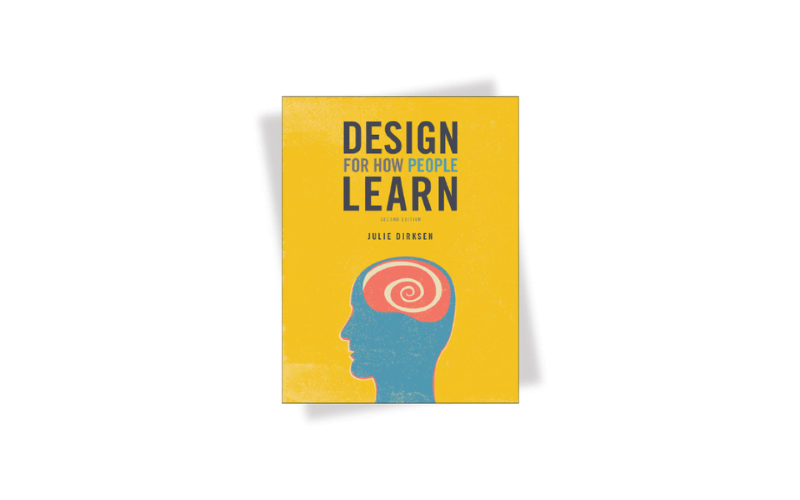
1. Design for How People Learn – Julie Dirksen
A must-read for anyone serious about instructional design.
Why I recommend it:
This book breaks down learning psychology, memory, attention, motivation in a way that is practical, not academic. Instead of abstract theory, it shows how to apply these principles directly when designing lessons, slides, or training experiences.
If you’ve ever struggled to make content “stick,” this is where things start to click.
2. E-Learning and the Science of Instruction – Ruth Colvin Clark & Richard E. Mayer
One of the most evidence-based books in the entire eLearning field.
Why it matters:
This book is grounded in decades of research on multimedia learning. It helps you understand what actually improves learning outcomes, and what is just decoration (for example: unnecessary animations, overloaded slides).
Best for:
Anyone who wants to move from “looks good” to “works effectively.”
3. Map It – Cathy Moore
A powerful shift from content-focused to performance-focused design.
Why it matters:
This book introduces Action Mapping, a method that forces you to stop dumping information and start designing for real-world decisions and behavior change. Instead of asking “What content should we include?”, it pushes you to ask “What should learners be able to do?”
4. The Accidental Instructional Designer – Cammy Bean
Most people don’t plan to become instructional designers, they fall into it. A subject-matter expert asked to build a training module, a classroom teacher pivoting to corporate L&D, a project manager handed an LMS login and a deadline.
Cammy Bean wrote this book for exactly those people. With a conversational tone and zero jargon gatekeeping, she walks readers through the fundamentals of ID without assuming any prior background.
Why it matters
The talent pipeline into instructional design has never been more diverse, or more informal. With AI tools lowering the technical barrier to content creation, more professionals across HR, marketing, and operations are being asked to design learning experiences on top of their day jobs.
Bean’s book remains one of the clearest entry points into thinking like an instructional designer: understanding learner needs, structuring content for retention, and making deliberate design decisions rather than just dumping information into slides.
5. The eLearning Designer Handbook – Tim Slade
The eLearning Designer’s Handbook is a soup-to-nuts walkthrough of the eLearning development process, from scoping a project and working with SMEs, all the way through storyboarding, building in authoring tools, and handing off a finished course.
Why it matters
Slade’s process-driven approach helps designers understand the reasoning behind each phase. Whether you’re formalizing a messy workflow or learning the craft from scratch, this handbook keeps you grounded in what actually makes a course work.
You can refer to other eLearning best read books for instructional designers & trainers
Best eLearning Communities for Ongoing Growth
If books shape how you think, communities shape how fast you grow.
The truth is: most experienced eLearning professionals don’t improve in isolation. They improve by staying plugged into conversations – seeing how others solve problems, sharing real projects, and learning what actually works in the field. The right community doesn’t just give you answers, it upgrades your standards.
1. eLearning Heroes Community
A long-standing, high-signal hub for instructional designers.
Why it stands out:
eLearning Heroes Community founded by Time Slade is one of the largest global communities for course creators, with hundreds of thousands of members sharing templates, examples, and practical solutions.
This is where you go when you’re stuck on a real project, because chances are, someone has already solved it.
2. The Learning Guild Community (LinkedIn)
If you want to understand what’s happening in eLearning beyond tools and tutorials, this is one of the most valuable places to start.
The Learning Guild LinkedIn community isn’t just another group, it’s a global network of learning professionals, from instructional designers to L&D leaders, all sharing ideas, research, and real-world practices. The group focuses on bringing together professionals to improve learning experiences across industries.
Why it stands out:
Unlike smaller niche groups, this community operates at scale. With tens of thousands of members on LinkedIn, it gives you access to a wide range of perspectives from beginners asking practical questions to senior leaders discussing strategy and transformation.
3. Reddit Communities (Instructional Design & eLearning)
If LinkedIn shows you the polished version of the industry, Reddit shows you the reality.
Communities like r/instructionaldesign and r/elearning are built around open, anonymous discussion where professionals ask real questions, share frustrations, and give unfiltered feedback. With around 20k thousands of members (e.g., r/instructionaldesign alone has 50K+ members), these spaces are highly active and driven by real practitioner experience rather than curated content.
Why it stands out:
Reddit is one of the few places where you’ll see what’s actually happening on the ground. You’ll find threads like:
- “What eLearning authoring tools are you using?”
- “Is this tool still worth learning?”
- “Feeling overwhelmed with LMS options and need your guidance”
And people answer honestly.
Essential eLearning Tools for Creating Modern Courses
Now let’s talk about execution. These are the eLearning tools that matter when you need to build real training content, not just plan it.
1. ActivePresenter – Best All-in-One Tool for eLearning Creation
If your workflow includes screen recording, video editing, software simulation, assessments, and LMS-ready exports, ActivePresenter is one of the most complete options available.
Key strengths
- high-quality screen recording
- advanced video editing
- interactive quiz creation
- software simulations
- HTML5 export
- SCORM/xAPI compatibility
- export to uPreseter LMS eLearning creation platform
- strong value with a lifetime license model
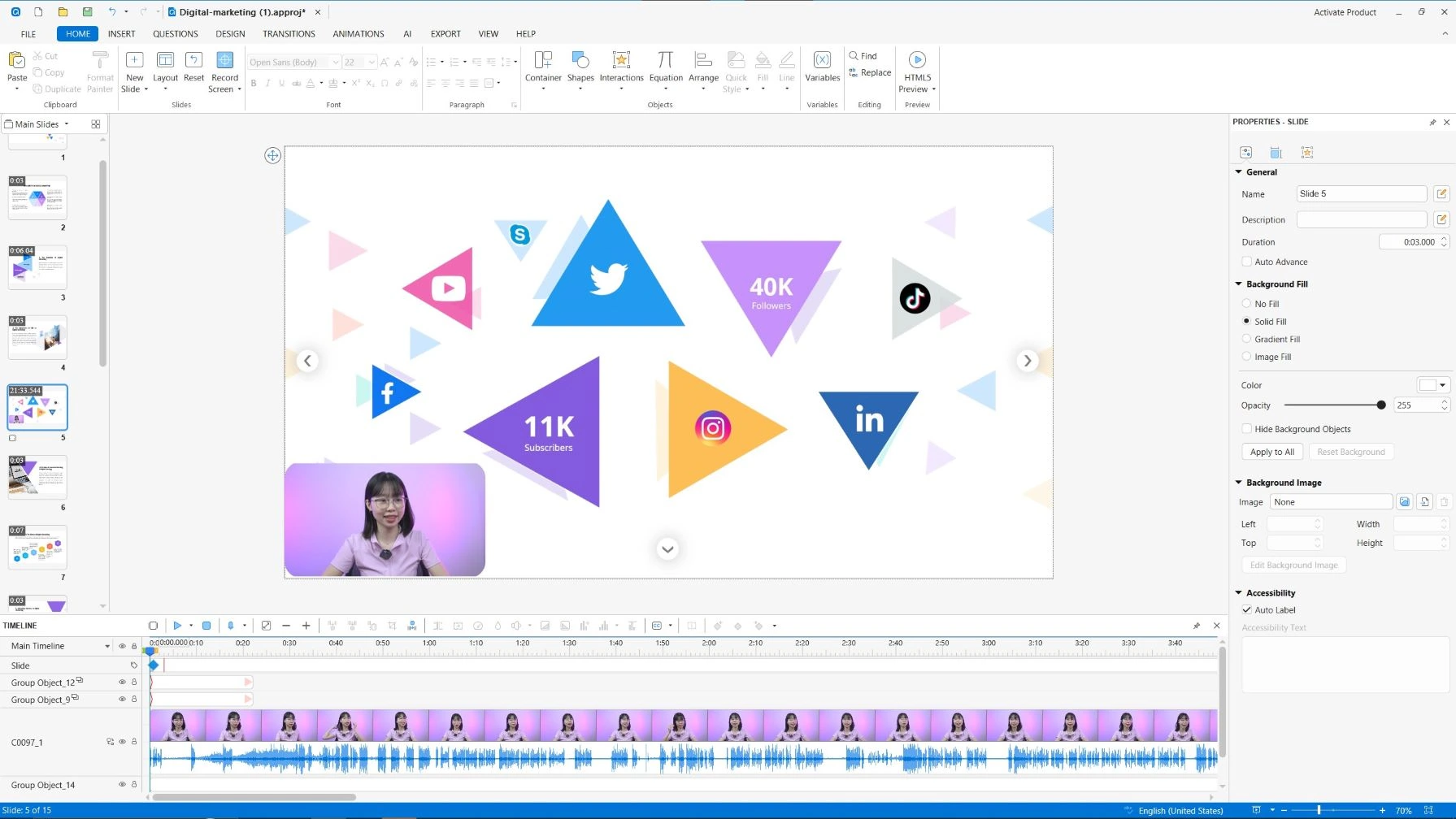
In my experience, this matters because many teams do not want to juggle one tool for recording, another for editing, and a third for authoring. ActivePresenter reduces that fragmentation.
Pros
- all-in-one workflow
- strong eLearning authoring capabilities
- suitable for tutorials, training, and simulations
- cost-effective long term
- free edition available for exploration
Cons
- can feel feature-rich for first-time users
- advanced interactivity takes time to master
2. Adobe Captivate
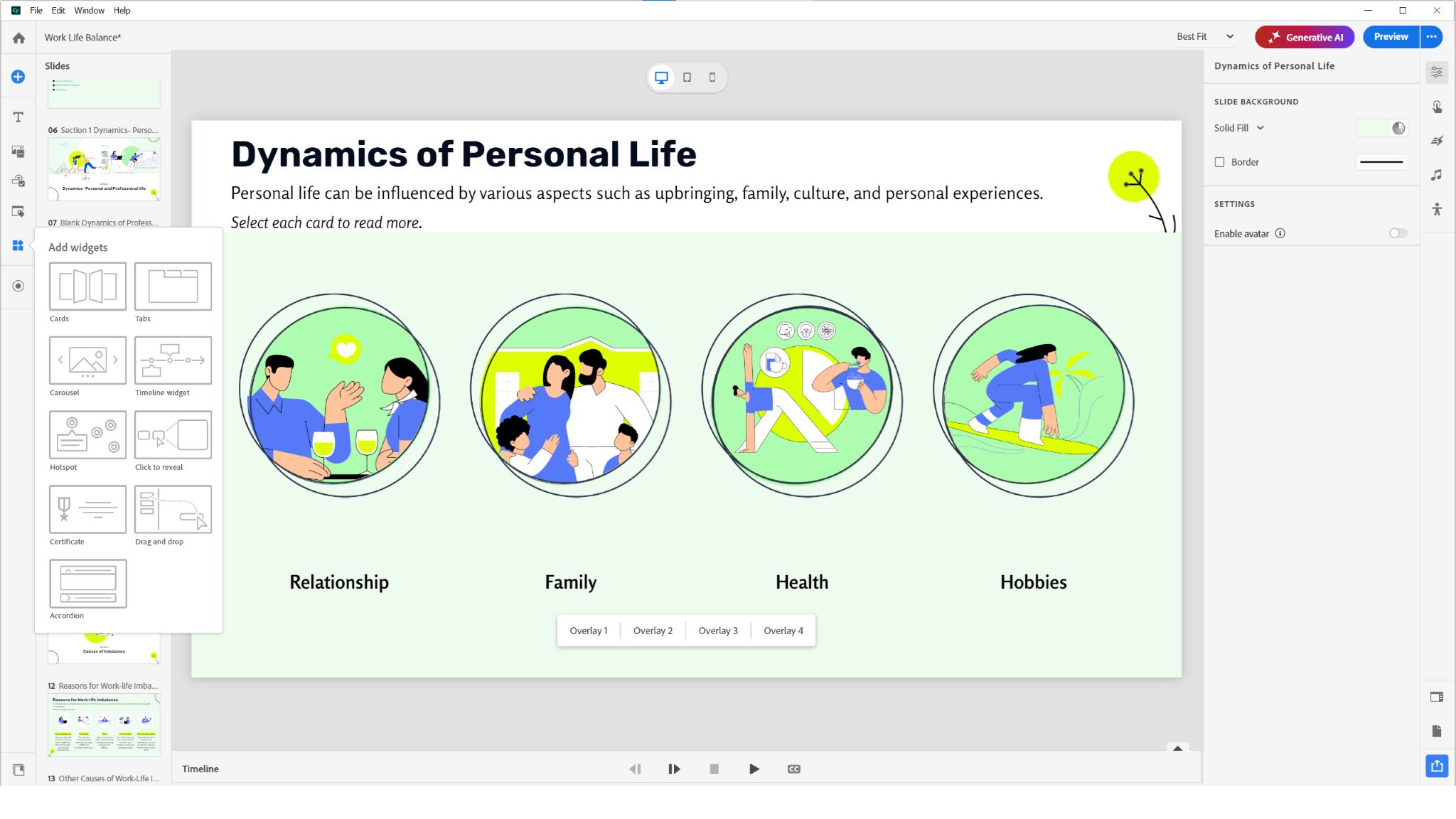
Adobe Captivate is one of the longest-standing tools in the eLearning space. It’s designed for creating interactive courses, software simulations, and scenario-based training, all in a single platform.
What makes Captivate stand out is its depth. This isn’t a “quick and simple” tool. It’s a tool built for people who want full control over interactivity, customization, and complex learning experiences.
But that depth comes with trade-offs, and whether it’s the right tool for you depends heavily on your goals.
Pros
Powerful interactivity & advanced features: build highly interactive courses & quizzes, branching scenarios
Strong for software simulations & screen recording: create step-by-step software demos & training simulations
Cons
Steep learning curve: This is the biggest drawback. Many users report that it’s difficult for beginners and takes time to master.
Not beginner-friendly interface: The interface can feel unintuitive and scattered, especially if you’re used to simpler tools like PowerPoint-based authoring tools.
Performance & stability issues: Some users mention crashes, or glitches, especially when working on complex projects
How to Choose the Right eLearning Resources for Your Role
If you are an instructional designer
Focus on:
- evidence-based books
- strong authoring and LMS tools
If you are a teacher or educator
Focus on:
- practical lesson design frameworks
- communities with classroom use cases
- video and quiz authoring tools
- easy SCORM publishing if your LMS requires it
If you are a corporate trainer
Focus on:
- task-based models
- software simulation tools
- rapid production workflows
- analytics-friendly exports like SCORM or xAPI
If you are a solo course creator
Focus on:
- tools that combine recording, editing, and authoring
- communities for support
- books that improve learner engagement
- reusable templates to speed production
Build a Smarter eLearning Resources Ecosystem in 2026
The best eLearning Resources are not simply the most popular ones. They are the ones that help you solve actual production and learning problems: designing clearer objectives, creating stronger interactions, recording polished tutorials, editing efficiently, and publishing content that works inside an LMS.
Start with a few high-quality books, participate in communities where real practitioners share what works, and use a tool that supports your workflow from capture to publish.
That is where ActivePresenter deserves serious attention. If you need high-quality screen recording, advanced video editing, interactive eLearning authoring, and SCORM/xAPI publishing in one place, it remains one of the most practical solutions for 2026.
Ready to turn these eLearning resources into real course output?
Download ActivePresenter’s free trial and build your first interactive lesson, software simulation, or LMS-ready module.
