
If you are just starting your journey to become an instructional designer, one of the fastest ways to improve is to understand the frameworks professionals use to design effective learning experiences. Many beginners struggle with the same question: How do I turn knowledge into a course that people can actually follow, complete, and remember?
That is exactly where instructional design models help. And when you pair those models with a practical eLearning authoring tool for instructional designers like ActivePresenter, the process becomes much easier. Instead of juggling separate tools for screen recording, video editing, quiz creation, and course publishing, you can build everything in one place and export to HTML5, SCORM, xAPI, or MP4 depending on your delivery needs.
What Are Instructional Design Models?
Instructional design models are frameworks that help you plan, create, deliver, and evaluate learning content in a structured way. Think of them as roadmaps. They help you avoid a common beginner mistake: jumping straight into content creation before identifying the learning problem, target audience, and expected outcomes.
In my experience working with eLearning content for years, beginners often spend too much time polishing visuals too early. The result looks nice, but the course may still fail to solve the learner’s problem. A strong model keeps you focused on the right sequence: identify needs, design learning flow, develop content, implement, and evaluate performance.
Below are 5 popular instructional design models worth learning first.
Why Beginners Should Learn Instructional Design Models First
When you understand instructional design models, you can:
- define clear learning objectives
- choose the right content format
- organize lessons logically
- create more effective assessments
- improve learner engagement
- evaluate whether training actually works
This is especially useful when building:
- software simulations
- onboarding training
- compliance modules
- technical tutorials
- scenario-based lessons
1. ADDIE Model: The Most Practical Starting Point for Beginners
The ADDIE model is one of the most widely used instructional design models. It stands for:
- Analysis
- Design
- Development
- Implementation
- Evaluation
It is popular because it gives beginners a simple structure without being too complicated.
How ADDIE works
Analysis: Identify the learners, the performance gap, and the goal of the training.
Design: Plan the learning objectives, lesson structure, interactions, and assessments.
Development: Create the actual learning materials.
Implementation: Deliver the course to learners.
Evaluation: Measure results and improve the course over time.
When to use ADDIE
ADDIE works well when:
- you need a structured process
- the project has clear goals
- you want to document each phase
- you are building formal training or LMS-based courses
See ADDIE Model for Instructional Design in details
2. SAM Model: Faster and More Agile Than ADDIE
SAM stands for Successive Approximation Model. If ADDIE is more structured and linear, SAM is faster and more iterative.
Instead of spending too much time planning everything upfront, SAM encourages you to build quickly, review early, and improve continuously.
Core idea of SAM
The SAM process usually includes:
- preparation
- iterative design
- iterative development
You create rough versions early, get feedback, revise, and repeat.
When to use SAM
SAM is a good fit when:
- timelines are short
- stakeholders want to review often
- requirements may change
- you are building fast-moving digital training
3. Bloom’s Taxonomy: The Best Model for Writing Learning Objectives
Unlike ADDIE or SAM, Bloom’s Taxonomy is not a full project workflow. It is a framework for defining the depth of learning you want learners to reach.
The revised Bloom’s Taxonomy includes:
- Remember
- Understand
- Apply
- Analyze
- Evaluate
- Create
Why Bloom’s Taxonomy matters
Many beginner course creators write weak objectives like:
- “Understand the system”
- “Know the policy”
- “Learn the process”
These are too vague. Bloom helps you write more measurable objectives, such as:
- identify the steps in a login process
- explain the reason for each compliance rule
- apply the correct troubleshooting sequence
- analyze an error scenario
- evaluate the best response
- create a report using the software
4. Gagné’s Nine Events of Instruction: A Great Model for Lesson Flow
Gagné’s Nine Events of Instruction focuses on the sequence of teaching events that support learning. It is especially helpful when designing one lesson, one module, or one microlearning unit.
The 9 events are:
- Gain attention
- Inform learners of the objectives
- Stimulate recall of prior knowledge
- Present the content
- Provide learning guidance
- Elicit performance
- Provide feedback
- Assess performance
- Enhance retention and transfer
When to use Gagné’s model
Use this model when you want to improve:
- lesson structure
- engagement
- clarity of instruction
- practice and feedback loops
5. Dick and Carey Model: Best for Systematic Training Design
The Dick and Carey model is more detailed and systematic than ADDIE. It treats instruction as a full system where objectives, learners, assessments, materials, and delivery all connect.
Typical components include:
- identifying instructional goals
- conducting instructional analysis
- analyzing learners and context
- writing performance objectives
- developing assessment instruments
- developing instructional strategy
- developing materials
- conducting formative evaluation
- revising instruction
When to use Dick and Carey
This model is useful when:
- training must be highly measurable
- you need strong alignment between objectives and assessment
- projects involve compliance, certification, or technical standards
- multiple stakeholders need a formal design process
How to Choose the Right Instructional Design Model
If you are a beginner, do not worry about mastering every model at once. Choose based on your project type.
| Model | Level | Focus | Core Idea | Best Use Case |
| Gagné | Lesson | Learning experience | How people learn step-by-step | Designing a single lesson/video |
| Dick & Carey | System | Instructional system | Align all components of training | Building full courses/programs |
| ADDIE | Process | Project workflow | Structured development process | Managing course creation end-to-end |
| SAM | Process (Agile) | Iteration & speed | Build → test → improve quickly | Fast-moving projects, startups |
| Bloom’s Taxonomy | Cognitive | Learning objectives | Levels of thinking (remember → create) | Writing objectives & assessments |
In details:
You can use ADDIE if:
- you want a reliable step-by-step process
- you are new to instructional design
- your project scope is stable
Or choose SAM if:
- you need speed and rapid revision
- stakeholders expect multiple review rounds
- your content may change often
Apply Bloom’s Taxonomy if:
- your learning objectives are unclear
- you need better assessments
- you want to improve training depth
Use Gagné’s Nine Events if:
- your lessons feel flat or passive
- you want better engagement and feedback
- you are designing a module-level learning flow
Use Dick and Carey if:
- you need a highly structured system
- assessment alignment is critical
- training outcomes must be measurable
Why ActivePresenter Is a Strong Tool for Applying These Models
Many beginners assume they need one tool for recording, another for editing, and a third for eLearning authoring. In reality, this fragmented workflow slows down production, increases the learning curve, and makes it harder to iterate on your course design, especially when you’re trying to apply structured instructional design models like ADDIE, SAM, or Bloom’s Taxonomy.
But speed matters. The ability to design, test, and refine learning experiences quickly is what separates average courses from effective ones. That’s where ActivePresenter stands out.
Instead of switching between multiple tools, ActivePresenter brings the entire workflow into one place, helping you move seamlessly from idea to execution while staying aligned with your chosen instructional design framework.
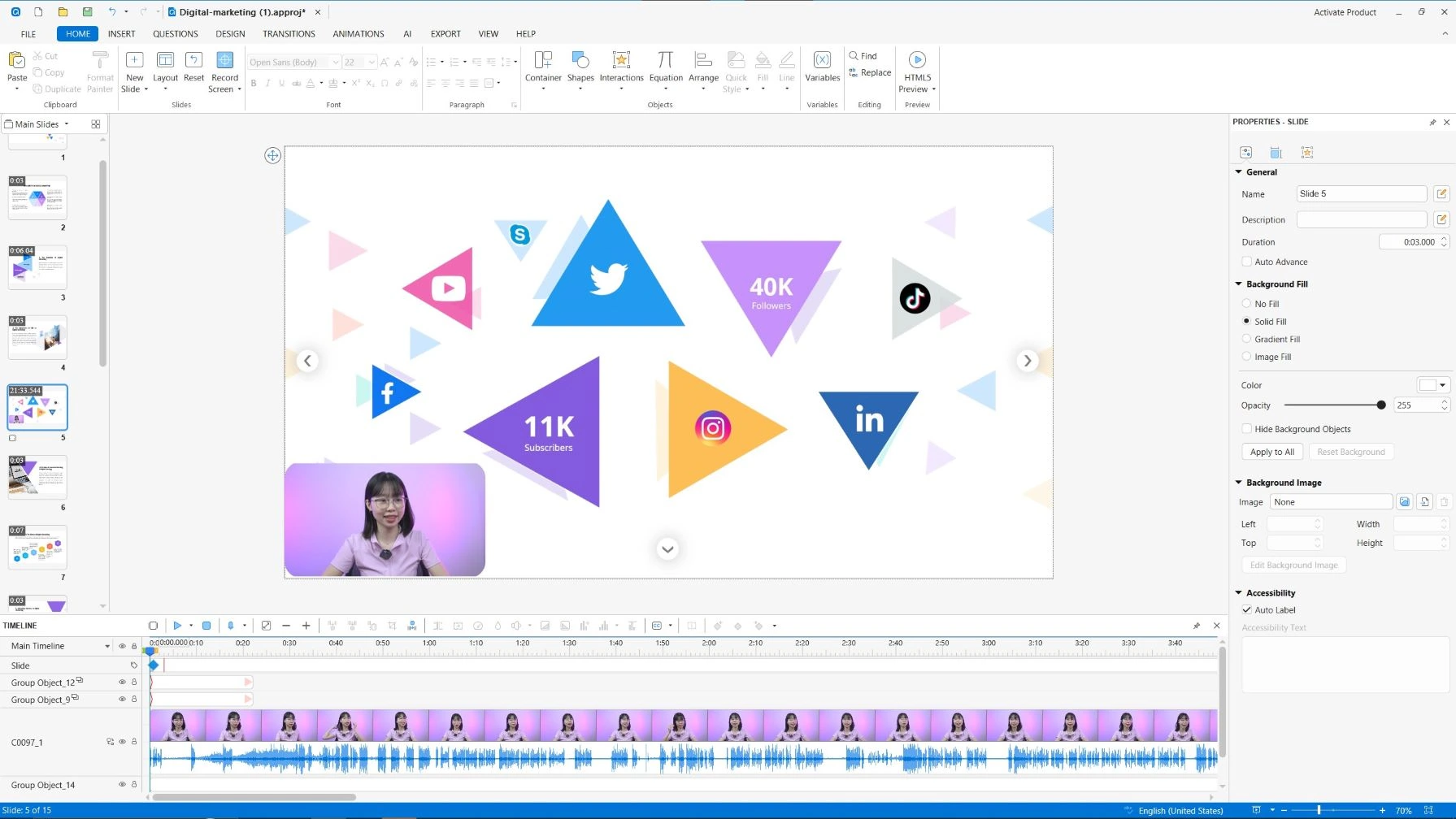
It combines:
- High-quality screen recording for capturing real workflows and demonstrations
- Advanced video editing to refine content without starting over
- A smooth editing workflow that supports rapid iteration
- Interactive quizzes and assessments aligned with learning objectives
- Captions and voiceovers for accessibility and multimedia learning principles
- HTML5 export for responsive, device-friendly delivery
- SCORM/xAPI export for LMS tracking and performance analysis
- MP4 export for quick sharing and video-based learning
More importantly, these features are not isolated, they work together in a single environment. This allows you to:
- Prototype quickly → test → refine
- Align content with learning objectives and assessments
- Build both linear tutorials and complex interactive courses without changing tools
According to the ActivePresenter user manual, the tool is specifically designed to support interactive course creation, software simulations, assessments, and multi-format export, all while maintaining compatibility across devices and LMS platforms.
Final Thoughts
Learning instructional design models is one of the smartest first steps if you want to become an instructional designer. Frameworks like ADDIE, SAM, Bloom’s Taxonomy, Gagné’s Nine Events, and Dick & Carey help you move from “content maker” to “learning experience designer.”
Most importantly, choose a tool that supports the full workflow. ActivePresenter is a practical choice because it allows you to record, edit, design, publish, and track learning content in one place.
Start Building Your First Course
If you want to turn these learning design models into real courses, try ActivePresenter and build your first tutorial, simulation, or interactive lesson.
