
Let’s be honest: in the fast-evolving landscape of digital education, choosing a course authoring tool feels a bit like picking a long-term partner. It’s likely the most critical decision an instructional designer can make. With the 2026 shift toward AI-driven content, gamification, and mobile-first learning, static slides just don’t cut it anymore.
In this guide, we will compare the industry’s top players in elearning industry and explore why ActivePresenter 10 is emerging as the ultimate “all-in-one” solution for those who want to avoid high subscription fees without sacrificing professional-grade interactivity.
What to Look for in 2026
Before you swipe your credit card, it’s important to look past the flashy marketing. A truly great authoring tool in 2026 must meet these criteria:
- High Interactivity: We’re moving beyond simple “next” buttons. You need drag-and-drop features, variables, and conditional logic to keep learners engaged.
- Native AI Integration: Efficiency is everything. Look for tools that offer text-to-speech, automated quiz generation, and AI-assisted content suggestions.
- Responsive Design: Your courses must look and function flawlessly on a smartphone just as they do on a desktop. Tools using “Flex Box” technology are the gold standard here.
- Cost-Efficiency: The industry is split between Subscription models (renting software year after year) and Perpetual Licenses (buying it once and owning it forever).
- Publishing Standards: Your tool must support global standards such as SCORM 1.2/2004, xAPI (Tin Can), and HTML5 to ensure compatibility with various Learning Management Systems (LMS).
Top eLearning Authoring Tools Reviewed
Choosing a tool often depends on your budget, your technical skill level, and your specific output needs. Here is how the giants stack up:
1.Articulate 360
Articulate 360 is a suite of tools, most notably Storyline 360 (for complex interactions) and Rise 360 (for quick, block-based responsive courses).
- Suitable for: Large enterprises with high budgets and teams that need to churn out simple, clean-looking courses quickly using the Rise web builder.
- Strengths: Includes the “Content Library 360,” giving you access to millions of stock photos, templates, and characters. It has a massive community of users (E-Learning Heroes), making it easy to find troubleshooting tips.
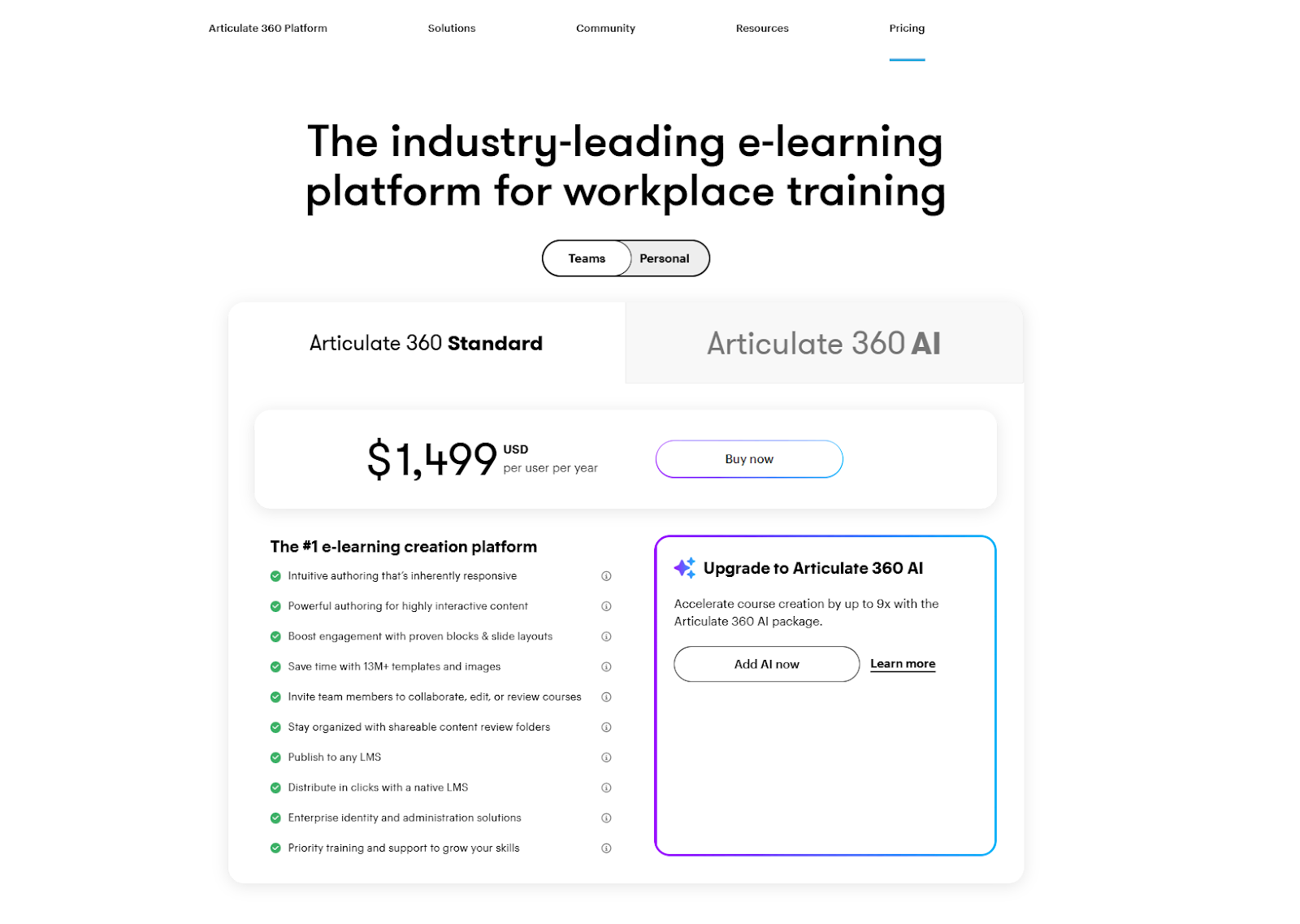
- Weaknesses: The price is a major barrier; it costs upwards of $1,499 per year for teams, with no perpetual license option. If you stop paying, you lose access to the software and the ability to edit your source files. Its video editing capabilities are also rudimentary compared to dedicated video tools.
2. Adobe Captivate
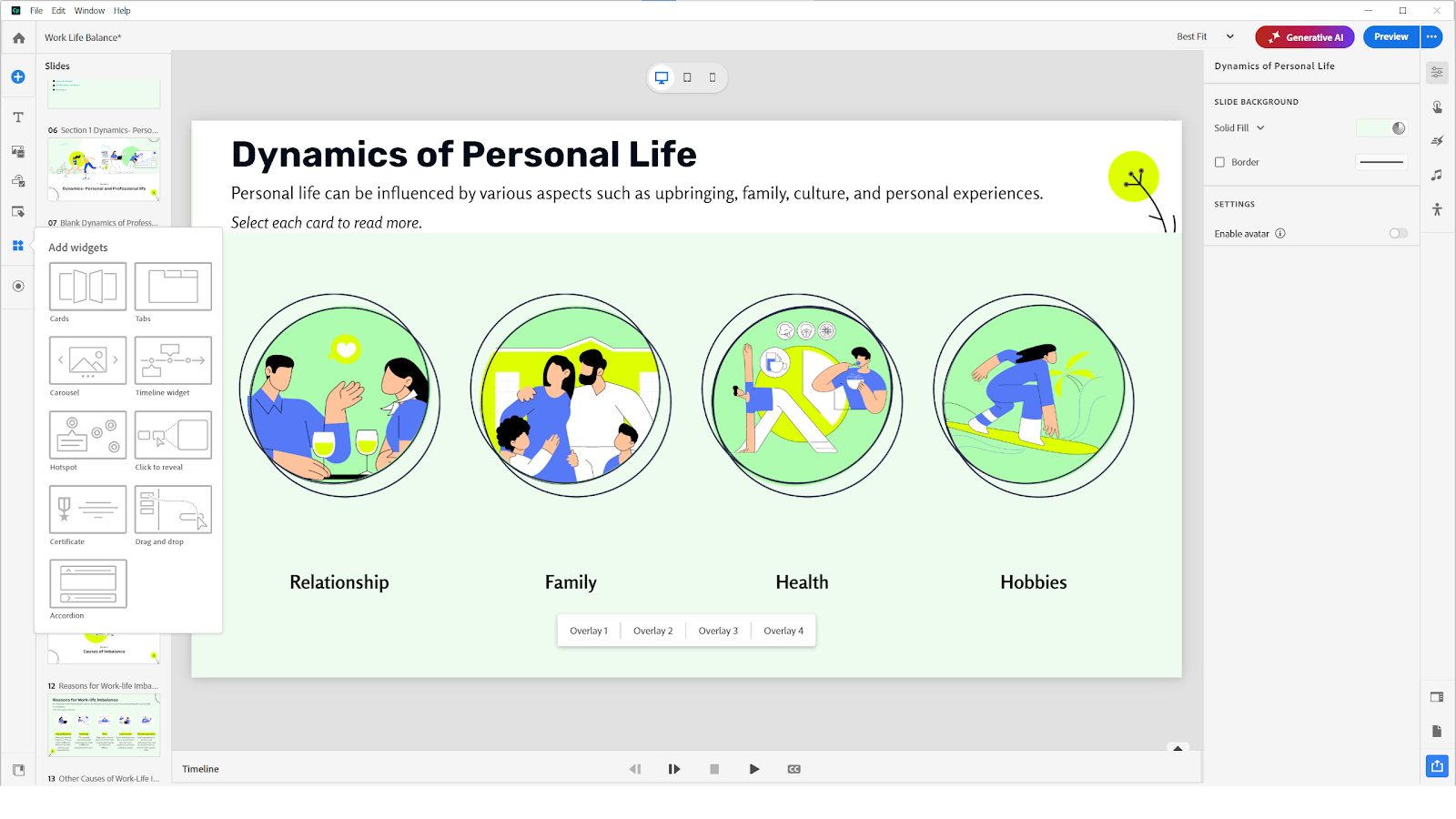
Captivate is renowned for high-end software simulations and VR capabilities. While powerful, many users find its interface intimidating and its workflow less “fluid” compared to modern alternatives.
- Strengths: Its standout feature is its software simulation engine, which captures screen actions with high fidelity. It also offers unique support for VR (Virtual Reality) walkthroughs and complex variables for advanced branching logic.
- Weaknesses: It is notorious for a steep learning curve and a “clunky” user interface that hasn’t always kept pace with modern UX standards. Many users report that the workflow feels fragmented, and its responsive design approach can be more technical and less intuitive than competitors.
- Suitable for: Technical writers and instructional designers who specialize in software tutorials, complex simulations, or VR-based safety training.
3. iSpring Suite
If you live in PowerPoint, iSpring is a natural extension. It’s excellent for rapid conversion but can feel limited if you want to break away from the linear “slide-based” structure to create more complex, custom-coded interactions.
- Strengths: Since it lives inside PowerPoint, there is almost zero learning curve for anyone who has ever made a presentation. It’s excellent for “Rapid eLearning”—taking an existing PPT deck and turning it into a SCORM-compliant course in minutes.
- Weaknesses: You are fundamentally limited by PowerPoint’s architecture. While you can add quizzes and interactions, you cannot easily break away from the linear “slide-by-slide” structure to create truly custom, multi-layered interactive experiences or high-end video content.
- Suitable for: Subject Matter Experts (SMEs) and educators who need to convert existing presentations into online courses quickly without learning a complex new platform.
4. ActivePresenter – Best Value & All-in-One Solution ⭐
While competitors focus on niche strengths, ActivePresenter 10 stands out by offering a comprehensive toolkit that replaces three separate pieces of software.
The all-in-one Powerhouse: Screen Recording, Video Editing, and Authoring
Most authoring tools require you to buy an external video editor (like Camtasia). ActivePresenter integrates Advanced Screen Recording and a Professional Video Editor directly into the eLearning authoring environment. You can record a software simulation and edit the timeline with frame-perfect precision without ever switching apps.
AI Toolkit: Smarter Content Creation with Built-in AI
ActivePresenter 10 integrates practical AI features that significantly reduce content production time while improving course quality.
- Text-to-Speech (TTS): Generate natural-sounding narration with 100+ voices in over 20 languages, ideal for rapid localization and accessibility.
- AI Image Generator: Instantly create custom characters, icons, or backgrounds by describing what you need, no external design tools required.
- AI Writing Assistant: Instantly refine your narration by correcting grammar, improving clarity, and adjusting tone, so your instructional text always sounds clear, natural, and learner-friendly.
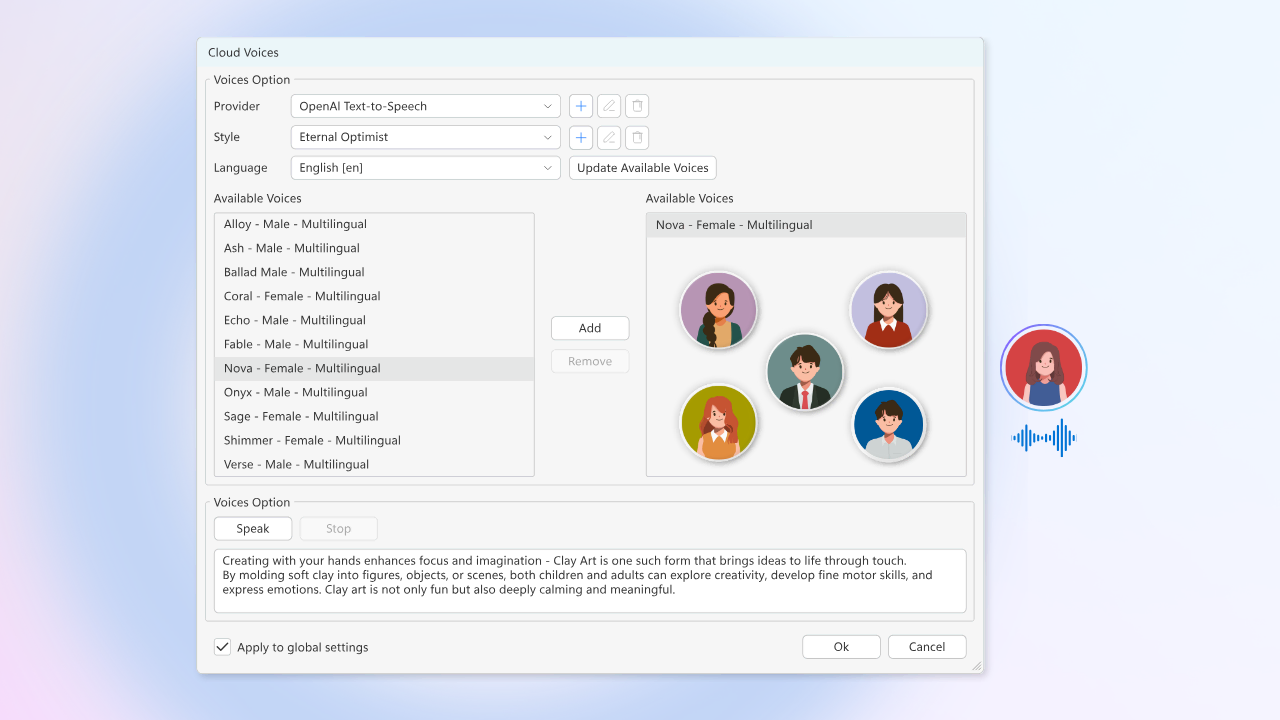
Breaking the Subscription Cycle with Perpetual Licenses
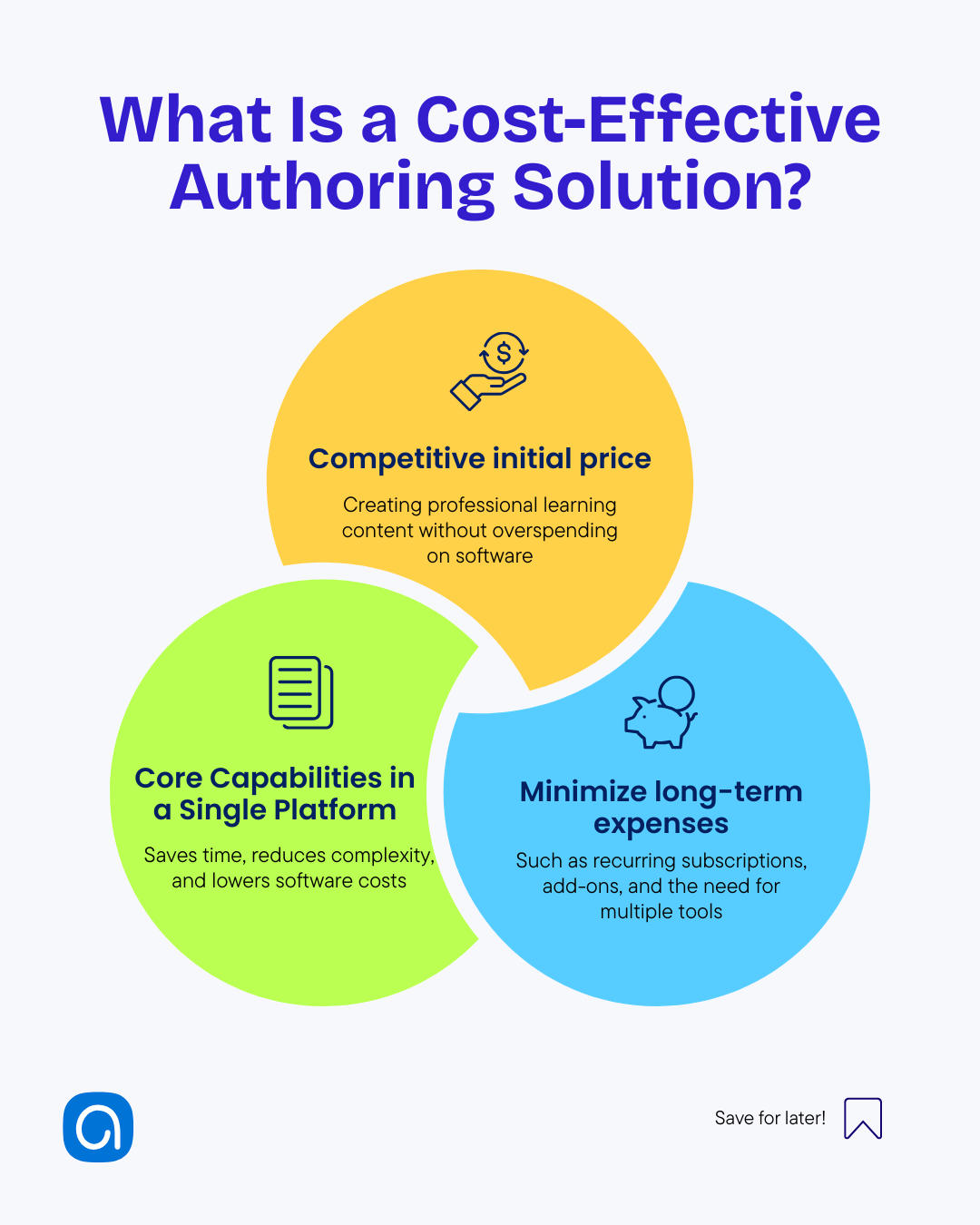
The biggest differentiator is the financial model. While others lock your content behind an annual paywall, ActivePresenter offers a Perpetual License. You pay once ($499 for Pro) and own the software forever. In three years, you could save over $3,000 compared to Articulate 360.
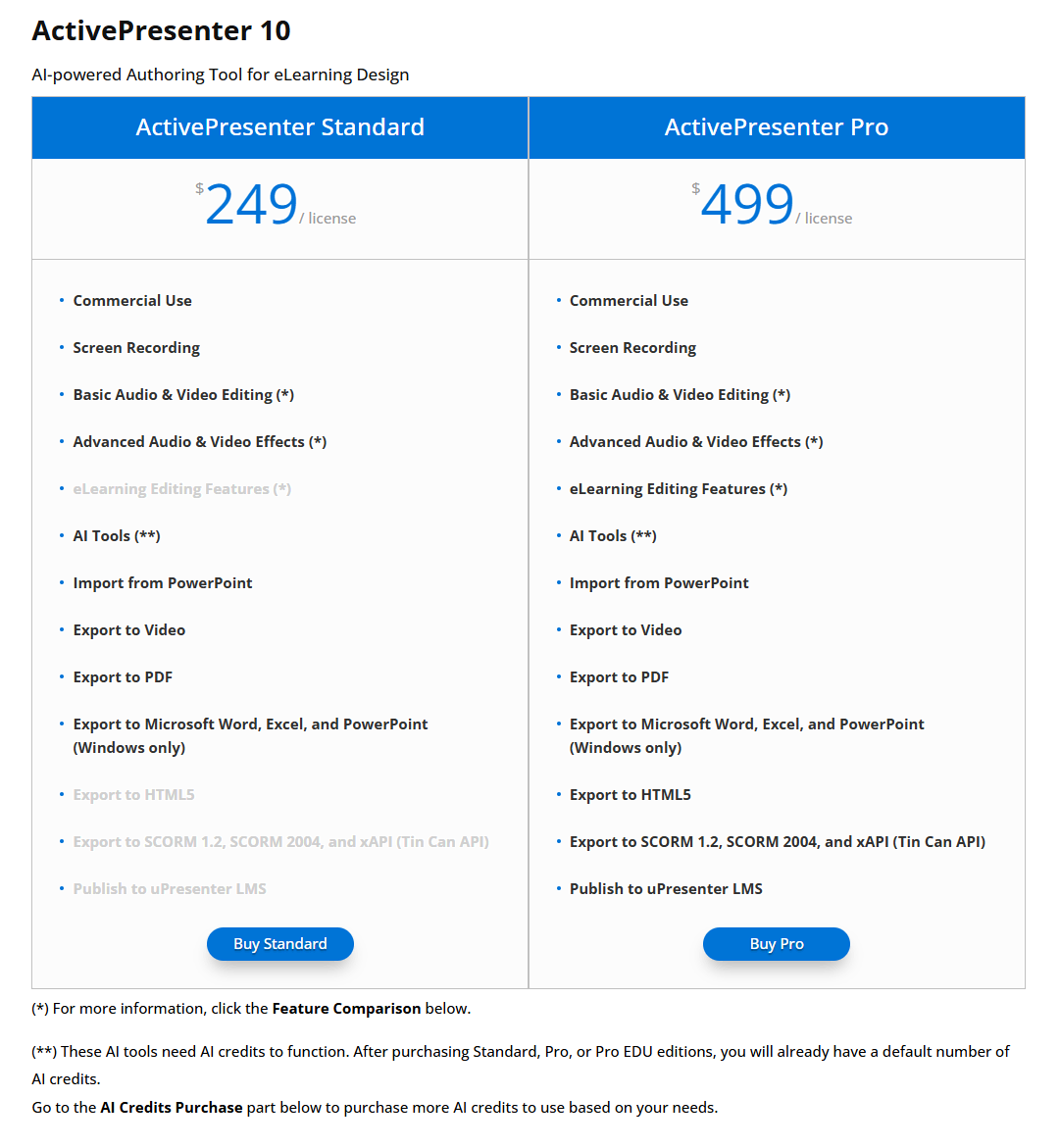
No-Limit Interactivity:
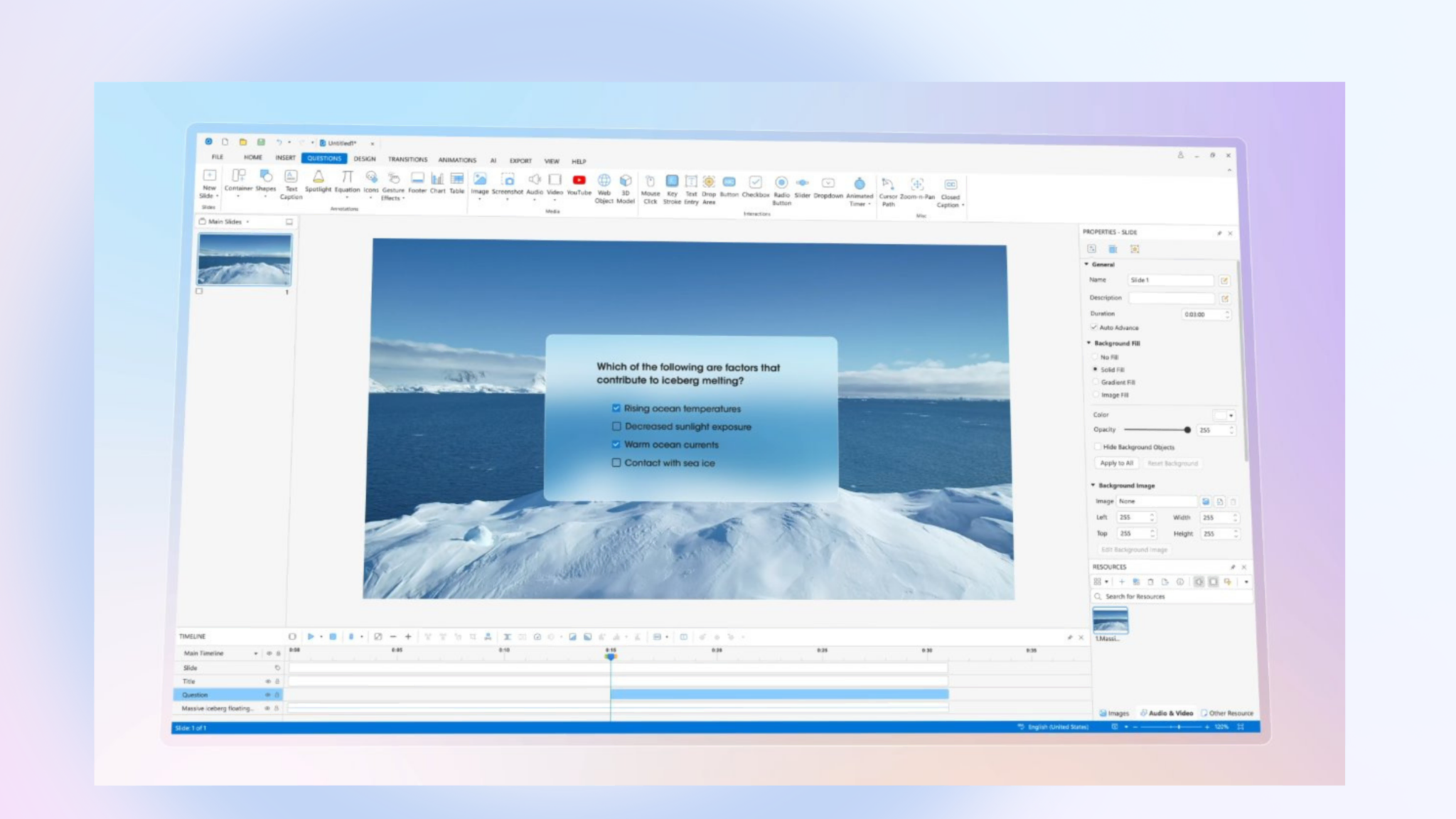
Unlike many course authoring tools that rely on basic click-through slides, ActivePresenter is built for advanced interactivity. Its powerful Events–Actions system allows creators to design drag-and-drop activities, branching scenarios, and logic-based interactions using variables and conditions. This makes it possible to build realistic simulations, gamified lessons, and adaptive learning experiences that respond intelligently to learner behavior – all without sacrificing usability or performance.
Exporting to uPresenter: Simplifying Hosting and Tracking
A common challenge with desktop tools is sharing content. ActivePresenter 10 introduces the exportation to uPresenter. This allows you to publish your interactive courses directly to a lightweight LMS. It provides the perfect balance: the power of desktop authoring with the convenience of cloud-based learner tracking and distribution.

ActivePresenter 10 vs. Competitors: A Quick Comparison Table
| Feature | Articulate 360 | Adobe Captivate | iSpring Suite |
| License Type | Subscription | Subscription | Subscription |
| Price Point | $$$ | $$ | $$ |
| Interactivity | High | Very High | Medium |
| Video Editing | Basic | Basic | Basic |
| Learning Curve | Medium | Difficult | Easy |
How to Choose the Right Authoring Tool for Your Project
Before pulling the trigger, ask yourself these three questions:
- What is my Total Cost of Ownership (TCO)? Don’t just look at this year’s price; look at the cost over 5 years.
- Does it support my LMS? Ensure the tool exports to SCORM 1.2, 2004, or xAPI.
- Can I test it thoroughly? Avoid tools that force you to decide in 14 days.
Conclusion: Take Control of Your eLearning Future
Selecting the right authoring tool is an investment in your learners’ success. While tools like Articulate and Captivate offer robust ecosystems, ActivePresenter 10 provides an unmatched combination of advanced AI features, professional video editing, and a budget-friendly perpetual license model. It’s the perfect bridge for those who need high-end interactivity without the “subscription fatigue.”
Ready to transform your eLearning content?
Don’t just take our word for it – experience the power of a professional all-in-one tool today. Download ActivePresenter 10 and start building interactive, SCORM-compliant courses in minutes!