
If you’ve been relying on iSpring Suite to convert PowerPoint slides into eLearning courses, you already know the drill: the tool does what it promises, but only as far as PowerPoint takes you. The moment you need branching scenarios, software simulations, or deep interactivity, you hit a wall. And at a price tag that can exceed $970/year per user, that wall gets expensive fast.

Over the past decade working in eLearning content production, I’ve tested dozens of eLearning authoring tools across corporate training, higher education, and software onboarding projects. The market in 2026 has matured significantly, and there are now genuinely stronger alternatives to iSpring Suite, tools that offer more creative control, better simulation capabilities, and in some cases, a free tier that doesn’t feel like a demo.
In this guide, I’ll walk you through 5 of the best iSpring Suite alternatives based on real-world use cases, not just feature checklists.
Table of content
Table of contents
- Why Instructional Designers Are Looking Beyond iSpring Suite
- How I Evaluated These Alternatives
- Top 5 Best iSpring Suite Alternatives in 2026
- Head-to-Head Comparison: iSpring Suite vs. Its Alternatives
- 3 Real-World Scenarios: Which Tool Should You Choose?
- Which iSpring Suite Alternative Is Right for You? (Quick Decision Guide)
- Final Verdict: The Best iSpring Suite Alternative in 2026
- Frequently Asked Questions
- Ready to Make the Switch?
Why Instructional Designers Are Looking Beyond iSpring Suite
iSpring Suite isn’t a bad tool. It’s actually excellent at one specific thing: turning existing PowerPoint decks into SCORM-packaged courses with minimal friction. For trainers who live inside PowerPoint, that’s a genuine value.
But here’s the problem I’ve seen repeatedly in client projects: iSpring Suite’s strength is also its ceiling.
- You can’t build meaningful software simulations (click-through software tutorials with failure paths)
- Branching scenarios are clunky compared to tools designed for it natively
- Video editing capabilities are limited — you’re essentially trimming, not producing
- The entire workflow collapses the moment your instructional design requires logic beyond slide transitions
Add to that a subscription model that locks features behind higher pricing tiers, and it’s no surprise that many eLearning teams are actively searching for alternatives in 2026.
How I Evaluated These Alternatives
Before diving in, here’s the scoring framework I used, the same criteria I apply when recommending tools to corporate L&D teams:
| Criteria | What I looked for |
| Interactivity Depth | Event-action logic, variables, conditional branching |
| Screen Recording & Simulation | Native software simulation without third-party tools |
| Video Editing Capability | Non-destructive editing, annotations, timeline control |
| SCORM/xAPI Compliance | LMS-ready export formats |
| Pricing & Accessibility | Free tier availability, value per feature |
| Learning Curve | Time to first publishable course |
Top 5 Best iSpring Suite Alternatives in 2026
1. ActivePresenter — Best Overall for Serious eLearning Authors
Best for: Corporate trainers, instructional designers, IT trainers, software onboarding
If there’s one tool I recommend without hesitation to teams who have outgrown iSpring Suite, it’s ActivePresenter by Atomi Systems. And I say that after using it across real-world projects ranging from banking compliance training to software rollout programs for enterprise clients.
What Makes ActivePresenter Stand Out
ActivePresenter operates on three core pillars that iSpring Suite simply can’t match:
1. Native Software Simulation
Unlike iSpring, which requires you to manually create click-through slides, ActivePresenter records your actual software interactions and automatically generates a simulation with Try Mode, Test Mode, and Demo Mode. This is invaluable for IT trainers teaching ERP systems, CRM platforms, or internal tools.
Real-world example: A financial services team I worked with needed to train 200+ employees on a new loan processing system. With ActivePresenter’s software simulation, we built a realistic click-through simulation in under two days — including error states and recovery paths. With iSpring, this would have required manual slide-by-slide recreation.
2. Advanced Event-Action Logic Without Coding
ActivePresenter supports variables, conditions, and Event-Action pairs that let you build genuinely adaptive learning experiences. Want a quiz that changes difficulty based on a learner’s score? Or a scenario where choosing the wrong answer triggers a remediation path? ActivePresenter handles this natively.
3. Professional-Grade Video Editing
The built-in timeline editor supports multi-track editing, closed captions, zoom-n-pan effects, background noise removal, and non-destructive annotation layers. For teams producing tutorial videos alongside eLearning courses, this eliminates the need for a separate video editing subscription.
| Pros & Cons | |
| ✅ Pros | ❌ Cons |
| Full software simulation suite (Demo/Try/Test modes) | Desktop app only (Windows & macOS) |
| Powerful Event-Action system for complex logic | Steeper learning curve for advanced features |
| Professional video editor built-in | Web-based version not yet available |
| Free version available with core features | Some UI elements feel dated |
| SCORM 1.2, SCORM 2004, xAPI, cmi5 export | |
| One-time purchase or subscription options |
Pro Tip 🔥
When exporting HTML5 courses in ActivePresenter, enable “Optimize for Mobile” in the publish settings and set your font rendering to vector-based. This alone can reduce output file size by 20–30% without visible quality loss — critical if your LMS has upload limits.
Free version available: ✅ Yes (all features included)
Pricing: From $499/perpetual license
2. uPresenter — Best for AI-Powered Rapid Course Creation
Best for: Teachers, corporate trainers who need to scale content production fast
uPresenter is Atomi Systems’ cloud-based AI authoring platform, and it represents a fundamentally different approach to course creation. Instead of starting from a blank slide, uPresenter uses AI to generate a structured course outline, slide content, and quiz questions from a topic prompt or uploaded document.
Real-world example: A corporate HR manager I consulted with needed to localize 15 compliance modules for a new market — in under a week. Using uPresenter’s AI generation and bulk editing features, the team completed all 15 modules with quizzes in 4 days. The equivalent manual build in any traditional authoring tool would have taken 3–4 weeks.
| Pros & Cons | |
| ✅ Pros | ❌ Cons |
| AI-assisted course generation from prompts/docs | Less control over complex interactivity |
| Cloud-based, no installation required | Not ideal for deep software simulations |
| Fast content production at scale | AI-generated content requires human review |
| Accessible for non-technical users | Newer product, ecosystem still growing |
| Built-in quiz and assessment tools | |
| Free version available: ✅ Yes |
Best for users who: Need volume over depth, or want to prototype courses quickly before refining in ActivePresenter
3. Articulate Storyline 360 — Best for Enterprise Teams with Budget
Best for: Large L&D departments, enterprise training programs
Articulate Storyline 360 is the industry-standard tool that most corporate L&D departments have heard of — and for good reason. Its slide-based workflow is intuitive, its community resources are extensive, and its output quality is polished.
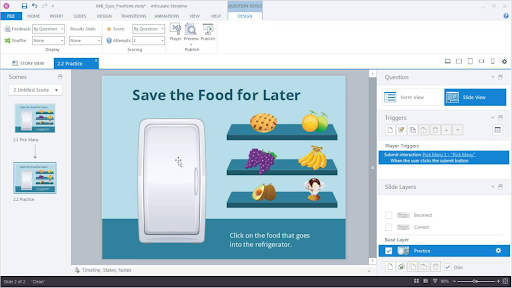
However, Storyline comes with significant trade-offs:
Real-world example: A client running a global retail training program chose Storyline for its brand consistency and mature asset library. It worked well — but at $1,299/year per user for the full Articulate 360 suite, scaling to a team of 10 meant a $13,000 annual commitment just for authoring licenses.
| Pros & Cons | |
| ✅ Pros | ❌ Cons |
| VR/360° learning scenario support | Steep learning curve |
| AI-powered course generation features | Expensive monthly subscription |
| Strong PowerPoint import | UI has been inconsistent across versions |
| Responsive design support | Smaller community than Storyline or ActivePresenter |
| Adobe ecosystem integration | |
| Pricing: ~$33.99/month | 30-day trial available | |
4. Adobe Captivate — Best for Tech-Savvy Designers Needing VR/AR
Best for: Instructional designers working with immersive learning or complex simulations
Adobe Captivate has undergone significant changes in recent years, pivoting toward AI-assisted authoring and immersive learning (360° VR scenarios). If your training roadmap includes virtual reality walkthroughs or photorealistic simulations, Captivate is worth evaluating.
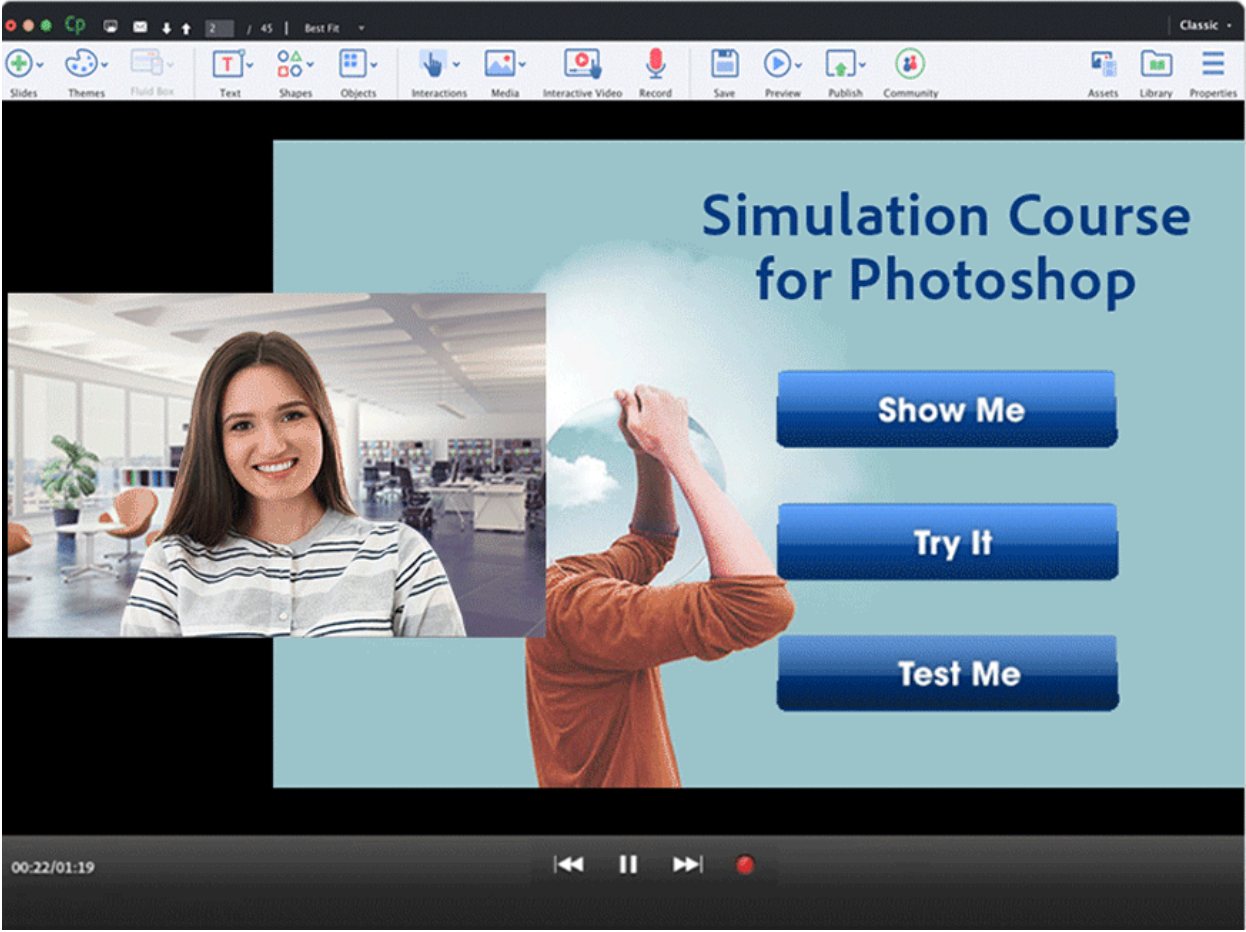
That said, its learning curve is steep, and its pricing model ($33.99/month) can feel punishing for small teams.
| Pros & Cons | |
| ✅ Pros | ❌ Cons |
| VR/360° learning scenario support | Steep learning curve |
| AI-powered course generation features | Expensive monthly subscription |
| Strong PowerPoint import | UI has been inconsistent across versions |
| Responsive design support | Smaller community than Storyline or ActivePresenter |
| Adobe ecosystem integration | |
| Pricing: ~$33.99/month | 30-day trial available |
5. Lectora — Best for Accessibility-First Course Design
Best for: Government agencies, healthcare, and education institutions with strict WCAG compliance needs
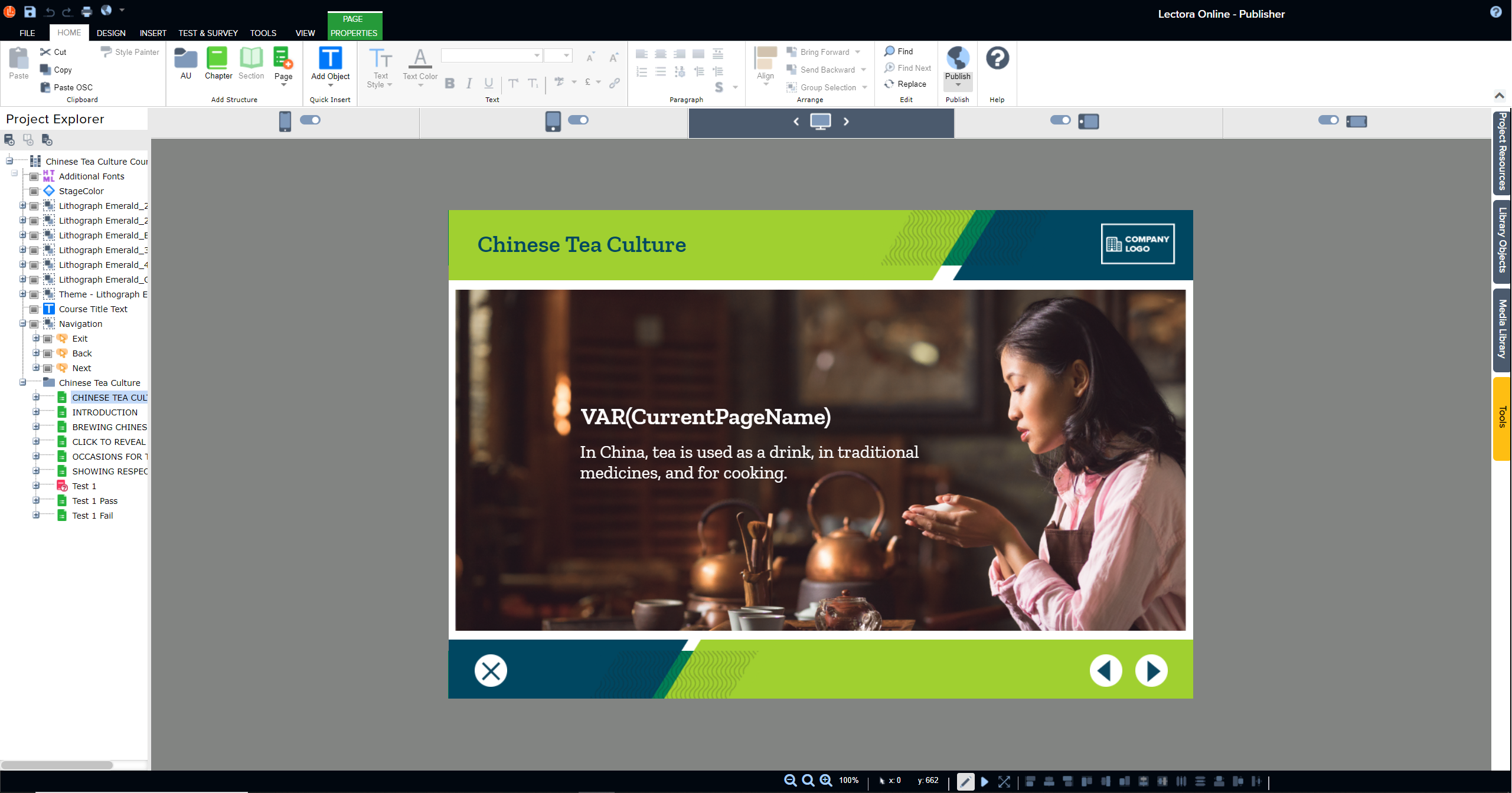
Lectora by ELB Learning has been around since 1999, and its long history shows in one important area: accessibility. For teams who need Section 508 or WCAG 2.1 AA compliance built into every output, Lectora provides more granular accessibility controls than most competitors.
| Pros & Cons | |
| ✅ Pros | ❌ Cons |
| Best-in-class accessibility (Section 508/WCAG) | Dated interface compared to modern tools |
| HTML5 output with responsive design | Less intuitive for beginners |
| Strong branching scenario support | Premium pricing |
| Robust SCORM/xAPI/cmi5 support | Smaller asset library |
| Pricing: From $1,099/year | Trial available |
Head-to-Head Comparison: iSpring Suite vs. Its Alternatives
| Feature | iSpring Suite | ActivePresenter | uPresenter | Storyline 360 | Captivate | Lectora |
| Software Simulation | ❌ No | ✅ Full native | ❌ No | ⚠️ Limited | ✅ Yes | ⚠️ Limited |
| Free Version | ❌ No | ✅ Yes | ✅ Yes | ❌ No | ❌ No | ❌ No |
| Video Editing | ⚠️ Basic | ✅ Advanced | ⚠️ Basic | ❌ No | ⚠️ Basic | ❌ No |
| AI Course Generation | ❌ No | ❌ No | ✅ Yes | ⚠️ Limited | ✅ Yes | ❌ No |
| SCORM/xAPI Export | ✅ Yes | ✅ Yes | ✅ Yes | ✅ Yes | ✅ Yes | ✅ Yes |
| Requires PowerPoint | ✅ Yes | ❌ No | ❌ No | ❌ No | ❌ No | ❌ No |
| Starting Price/Year | ~$970 | $199 | Free tier | $1,299 | ~$408 | $1,099 |
| Accessibility (WCAG) | ⚠️ Basic | ✅ Good | ⚠️ Basic | ✅ Good | ✅ Good | ✅ Excellent |
3 Real-World Scenarios: Which Tool Should You Choose?
Scenario 1: IT Department Training Employees on a New CRM System
Challenge: You need realistic click-through simulations of Salesforce or SAP, with branching error states and completion tracking in your LMS.
Best Choice: ActivePresenter — Its software simulation engine records real interactions and auto-generates Try/Test/Demo modes. Exports cleanly to SCORM for LMS deployment. iSpring cannot replicate this without manual slide-by-slide construction.
Scenario 2: HR Team Needs to Launch 20 Compliance Modules in 30 Days
Challenge: You have subject matter content but limited instructional design resources. Speed is everything.
Best Choice: uPresenter — Upload your policy documents, let AI draft the course structure and quiz questions, then review and publish. Reduces production time by 60–70% compared to traditional authoring tools.
Scenario 3: University Creating WCAG-Compliant Online Courses for Students with Disabilities
Challenge: Every course must meet Section 508 and WCAG 2.1 AA standards. Accessibility isn’t optional.
Best Choice: Lectora (primary) or ActivePresenter (secondary) — Lectora offers the most granular accessibility controls. ActivePresenter’s HTML5 export also includes strong accessibility support with proper ARIA labeling and keyboard navigation — making it a strong runner-up at a fraction of Lectora’s price.
Which iSpring Suite Alternative Is Right for You? (Quick Decision Guide)
Still unsure which direction to go? Use this quick-reference guide:
| Your Situation | Recommended Tool |
| You need software simulation + LMS export | ActivePresenter |
| You need to produce courses at scale with AI | uPresenter |
| You have enterprise budget and want industry standard | Articulate Storyline 360 |
| Your roadmap includes VR/immersive learning | Adobe Captivate |
| Accessibility compliance is non-negotiable | Lectora |
| You just need to convert PPTs fast (no change needed) | Stay with iSpring |
Final Verdict: The Best iSpring Suite Alternative in 2026
After evaluating all five tools across real-world use cases, the answer depends on what’s been holding you back with iSpring.
If the constraint is iSpring’s PowerPoint dependency and lack of simulation depth, ActivePresenter is the clear winner. It delivers professional-grade software simulation, advanced interactivity, and built-in video editing — all in a single application that doesn’t require PowerPoint to be installed. The free version is genuinely functional, and the perpetual license model means you’re not locked into an annual subscription that grows with your team size.
If the constraint is production speed, uPresenter flips the authoring model entirely. AI-assisted content generation makes it possible for a single trainer to produce what would previously require a small team — without sacrificing quiz quality or LMS compatibility.
If budget is no object and brand consistency matters most, Articulate Storyline 360 remains the enterprise default for a reason. Its community resources, template library, and LMS compatibility are unmatched.
The bottom line: iSpring Suite served a generation of trainers who needed PowerPoint-to-SCORM conversion in a hurry. In 2026, that’s the floor — not the ceiling. The alternatives above don’t just match iSpring; they redefine what an authoring tool should be able to do.
Frequently Asked Questions
Is there a free alternative to iSpring Suite?
Yes. ActivePresenter and uPresenter both offer free versions with meaningful functionality. ActivePresenter’s free tier includes screen recording, video editing, and SCORM export for projects under a certain slide count. uPresenter’s free tier allows AI-assisted course generation with no credit card required.
Can ActivePresenter replace iSpring Suite completely?
For most use cases — yes. ActivePresenter handles everything iSpring does (quiz building, SCORM publishing, narration recording) and extends significantly beyond it with software simulation, advanced branching logic, and professional video editing. The only scenario where iSpring has an edge is if your team’s entire workflow is built around editing inside PowerPoint.
Does ActivePresenter support SCORM and xAPI?
Yes. ActivePresenter supports SCORM 1.2, SCORM 2004, xAPI (Tin Can), and cmi5 — covering virtually every LMS on the market.
What’s the difference between ActivePresenter and uPresenter?
ActivePresenter is a desktop authoring tool built for instructional designers who need deep control over interactivity, simulation, and video production. uPresenter is a cloud-based AI-powered platform optimized for speed — ideal for teams who need to generate and publish courses rapidly without a steep learning curve. Many teams use both: uPresenter for rapid prototyping and high-volume production, ActivePresenter for complex simulations and interactive modules.
Is Articulate Storyline 360 worth the price over iSpring?
If your team produces eLearning at scale and needs advanced trigger logic, a polished output, and access to the largest instructional design community, the Articulate 360 suite can justify its $1,299/year price tag. For smaller teams or freelancers, the cost is harder to defend when ActivePresenter delivers comparable (and in some areas, superior) features at a fraction of the price.
Ready to Make the Switch?
The best way to evaluate any authoring tool is to use it on a real project — not a demo scenario.
👉 Download ActivePresenter free — No credit card, no time limit on core features
👉 Try uPresenter free — Generate your first AI-powered course in under 10 minutes
If you’re currently on iSpring Suite, try building one module you’ve already created — then compare the output, the production time, and the flexibility. The results tend to speak for themselves.
Have questions about which tool fits your specific workflow? Drop them in the comments below — I read and respond to every one.