
Most Mac users I’ve worked with make the same expensive mistake: they spend three weeks evaluating tools, pick the one with the most impressive demo video, and then discover six months later that it doesn’t export clean SCORM packages — or worse, it was never designed for macOS at all and runs like it’s apologizing for existing.
I’ve built eLearning content across corporate training departments, universities, and independent instructional design studios. And the truth nobody tells you upfront? The “best” eLearning tools for Mac users isn’t the one with the longest feature list. It’s the one that disappears into your workflow.
Here’s the 2026 breakdown you actually need.
Why Mac Users Face a Different Problem Entirely
Let’s be direct: the eLearning authoring tool market was built with Windows in mind. Several industry-standard tools still don’t ship a native Mac version in 2026. That means Mac users — whether you’re a teacher designing a blended learning unit, an instructional designer building compliance training, or a solo course creator monetizing your expertise — are working with a shorter, more specific list of viable options.
That’s not necessarily bad news. It means less noise, and the tools that do support macOS have had to earn their place.
Below are the six best eLearning software options for Mac users in 2026, split by deployment type: desktop-based and cloud-based.
Desktop-Based eLearning Tools for Mac Users 2026
1. ActivePresenter — Best All-in-One eLearning Toolfor Mac
Who it’s best for: Instructional designers, corporate trainers, teachers who need a full-featured desktop authoring suite without a subscription fee eating into their budget.
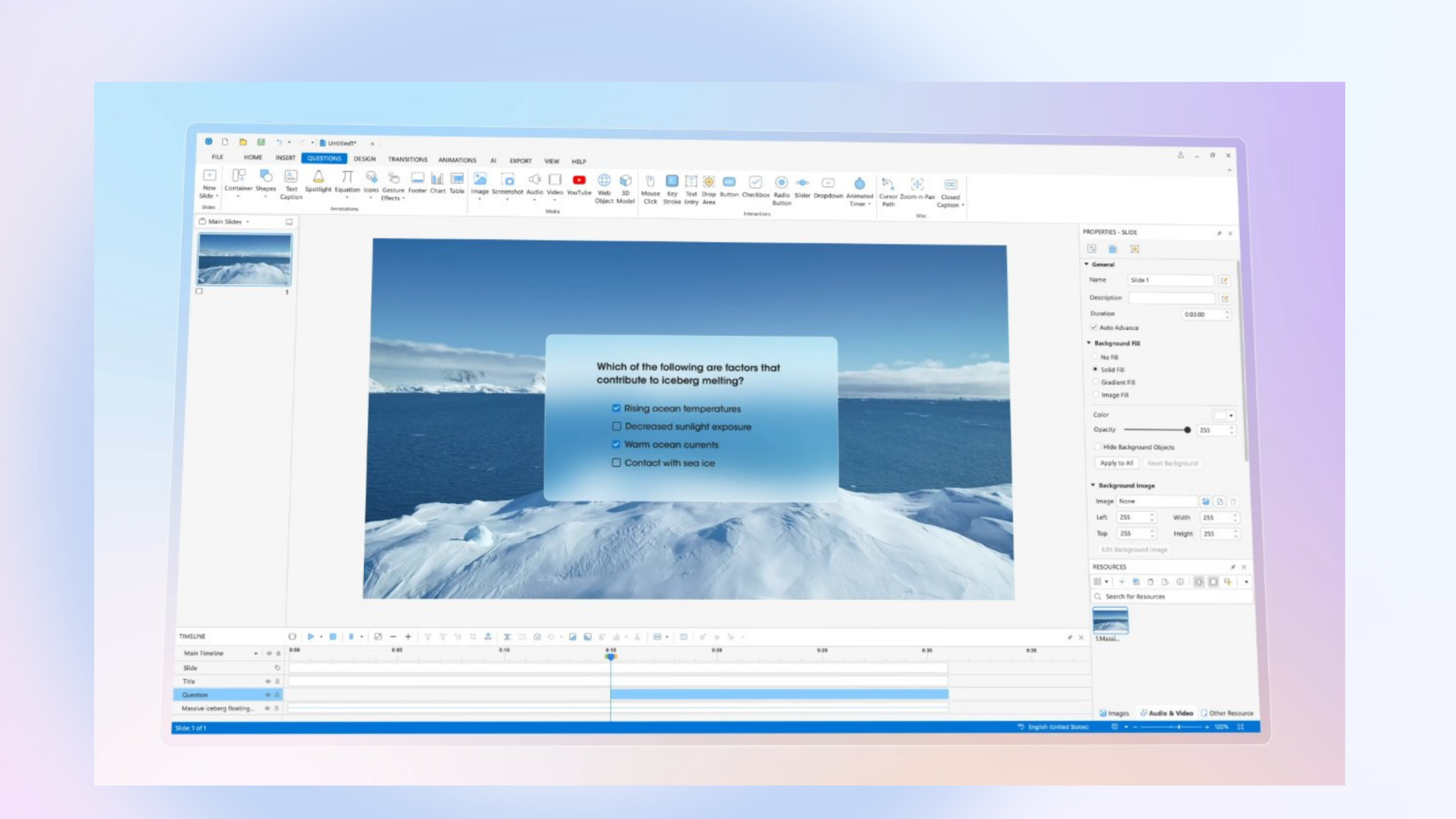
ActivePresenter is the tool I recommend first to anyone who asks me what is one of the best eLearning tools for Mac users 2026. It runs natively on macOS, requires no add-ons, and covers three production workflows in a single application: screen recording, video editing,and interactive course authoring.
Key Features
- 13 interactive question types — multiple choice, fill-in-the-blank, drag-and-drop, hotspot, and more
- Software simulation recording — captures click paths, keyboard inputs, and system states for realistic training scenarios
- Branching scenarios and dialogue simulations — build decision trees without coding
- Events & Actions system — trigger custom behaviors using a visual logic builder; JavaScript supported for advanced users
- Export to HTML5, SCORM 1.2, SCORM 2004, xAPI (Tin Can) — compatible with virtually every LMS on the market
- PowerPoint import — bring existing slide decks in and layer interactivity on top
- Video editor built in — timeline-based editing, noise reduction, zoom-and-pan
Pro Tips (Insider Secrets)
- Reduce HTML5 export file size: Before exporting, go to Export Settings and enable audio compression. Switch audio to MP3 at 96kbps for voice-over content — most learners won’t hear the difference, but your file size drops by 30–40%.
- Fix echo/reverb in recorded audio: ActivePresenter has a built-in noise reduction filter. Apply it at -12dB first, not maximum — over-processing creates an unnatural “underwater” effect that’s harder to fix than the original echo.
- Speed up slide production: Use the Master Slide system the same way you’d use a PowerPoint theme. Set your brand colors, fonts, and logo once. Every new slide inherits them automatically. This alone saves 20–30 minutes per project.
- Use keyboard shortcut F9 to start/stop screen recording without moving your mouse — critical when you’re demonstrating software and don’t want the cursor jumping to the toolbar mid-capture.
Pros & Cons
| ✅ Pros | ❌ Cons |
| Native Mac app, no virtualization needed | Steeper learning curve than simple tools like Canva or Google Slides |
| One-time purchase option available (no forced subscription) | Video editing features, while solid, don’t match dedicated tools like Final Cut Pro |
| Comprehensive feature set rivals tools costing 3–5x more | UI can feel dense for first-time users |
| Free trial available — no account required | Collaboration features are limited compared to cloud-based tools |
| Strong LMS compatibility (SCORM, xAPI, HTML5) |
Bottom line: If you’re serious about instructional design on a Mac and want a tool that grows with your skill level, ActivePresenter is the most cost-effective professional option in 2026.

2. Camtasia — Best for Video-First eLearning Content
Who it’s best for: Teachers, trainers, and content creators whose primary output is video tutorials, product demos, or explainer videos — with light interactivity layered on top.
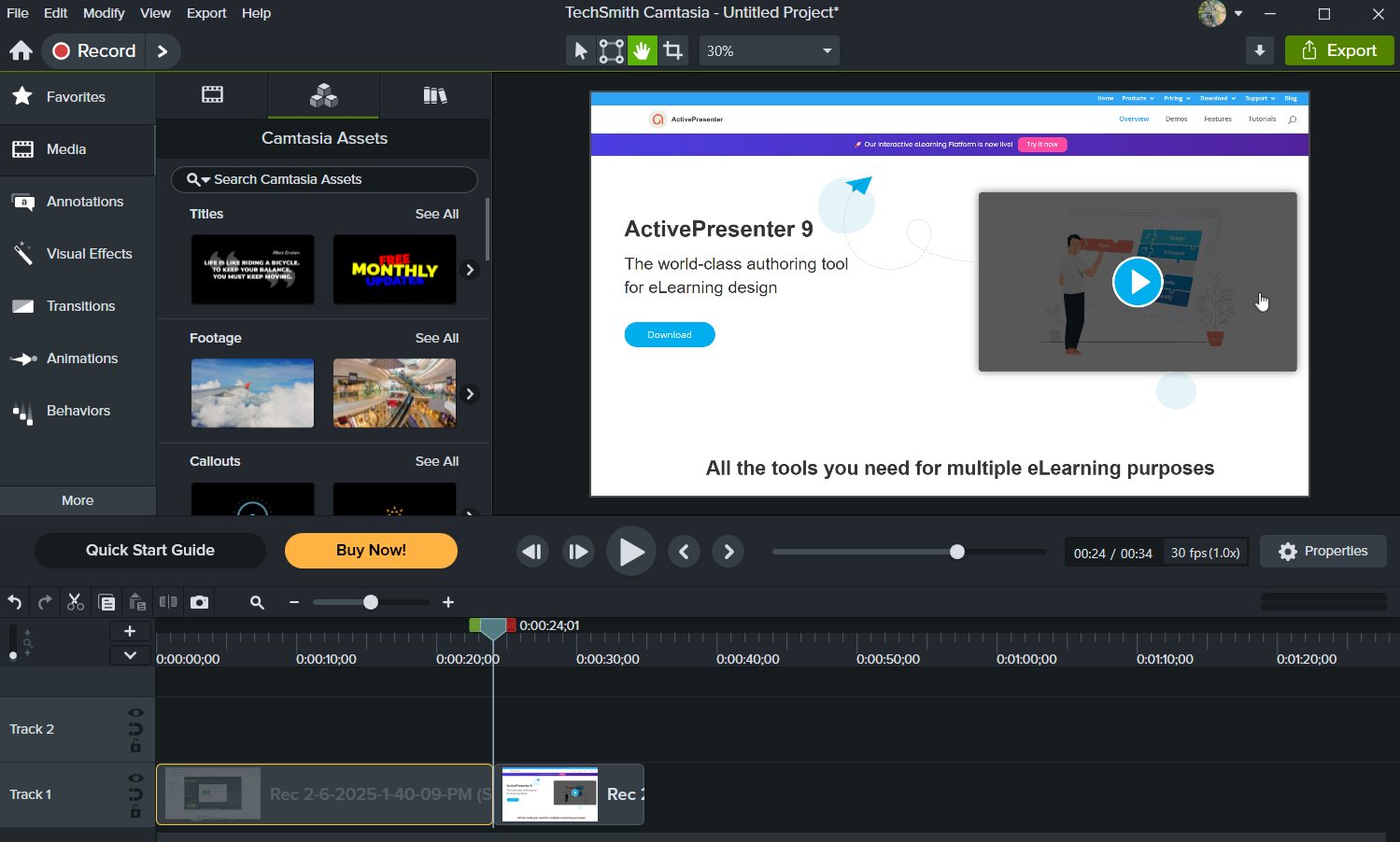
Camtasia is not a full eLearning authoring suite. It’s a screen recorder and video editor that happens to support SCORM export. Know what you’re buying, and it delivers well within that scope.
Key Features
- Professional screen recording — multiple capture options, webcam overlay, system + mic audio
- Timeline-based video editor — animations, zoom-and-pan, callouts, cursor effects
- Royalty-free asset library — music, sound effects, intro/outro templates
- SCORM export (basic)
- Annotations and cursor highlight effects
Pros & Cons
| ✅ Pros | ❌ Cons |
| Intuitive interface — fast learning curve | Not a full eLearning authoring tool |
| High-quality video output | SCORM support is basic; limited interactivity |
| Strong asset library | Up to $599/per year for Pro plan |
| Excellent for tutorial and demo content | No branching scenarios or question types |
Pricing: $249.00/per year | Education: $162.36 | 30-day free trial
Cloud-Based eLearning Tools for Mac Users 2026 (No Installation Required)
3. Elucidat — Best for Team-Based Course Production at Scale
Who it’s best for: L&D teams at mid-to-large organizations that need multiple authors working on the same project simultaneously, with consistent brand standards enforced across all content.
Key Features
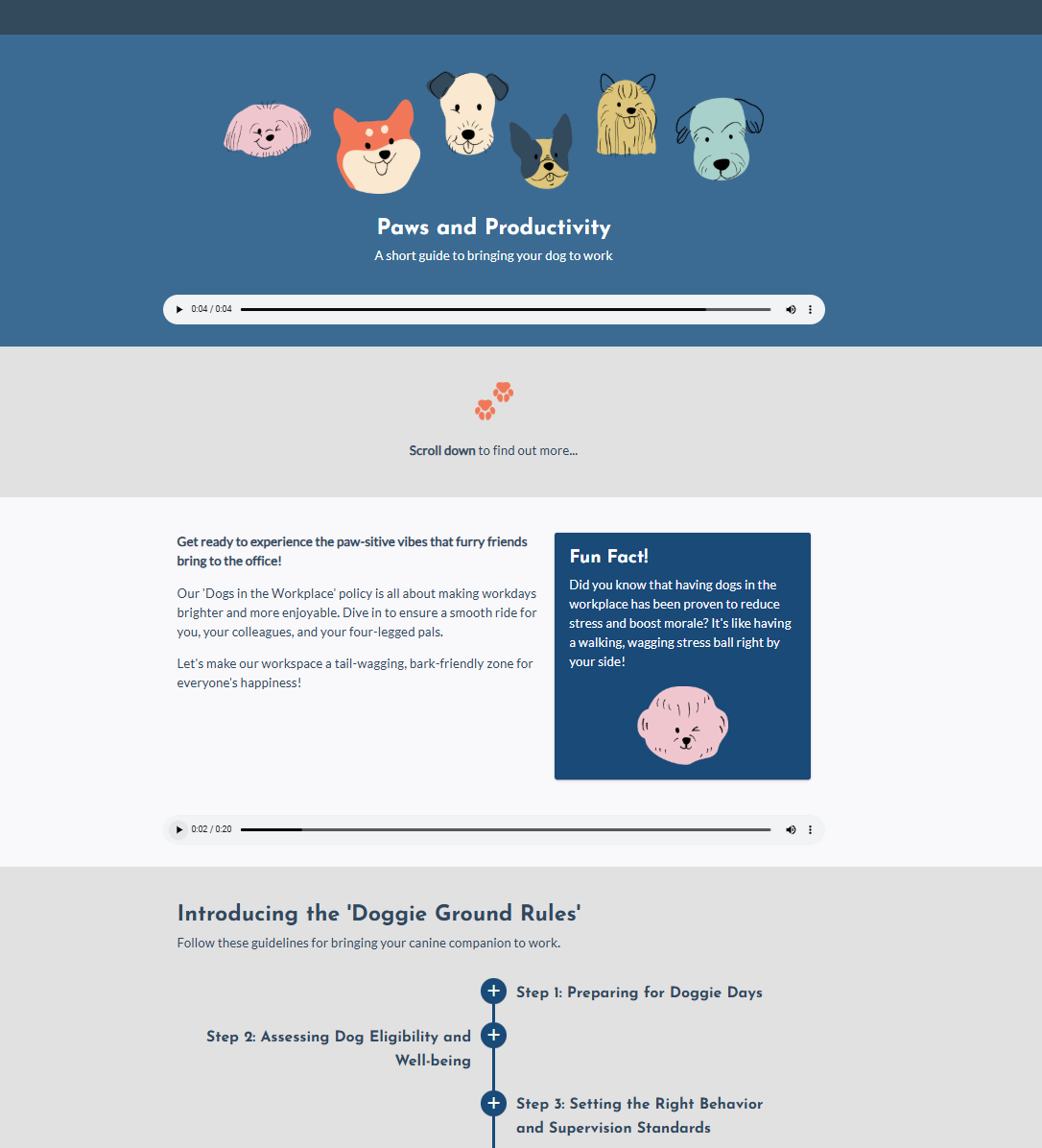
- WYSIWYG editor — no coding required; accessible to non-designers
- Real-time multi-author collaboration
- Pre-built responsive templates
- Custom layout design tools
- HTML5, SCORM, xAPI export
Pros & Cons
| ✅ Pros | ❌ Cons |
| True multi-author collaboration | Pricing not publicly listed — requires a sales call |
| Works on any Mac via browser | Less control over fine-grained interactivity |
| Strong template library | Not ideal for solo creators or small teams |
| Fast content production at scale | Dependent on internet connection |
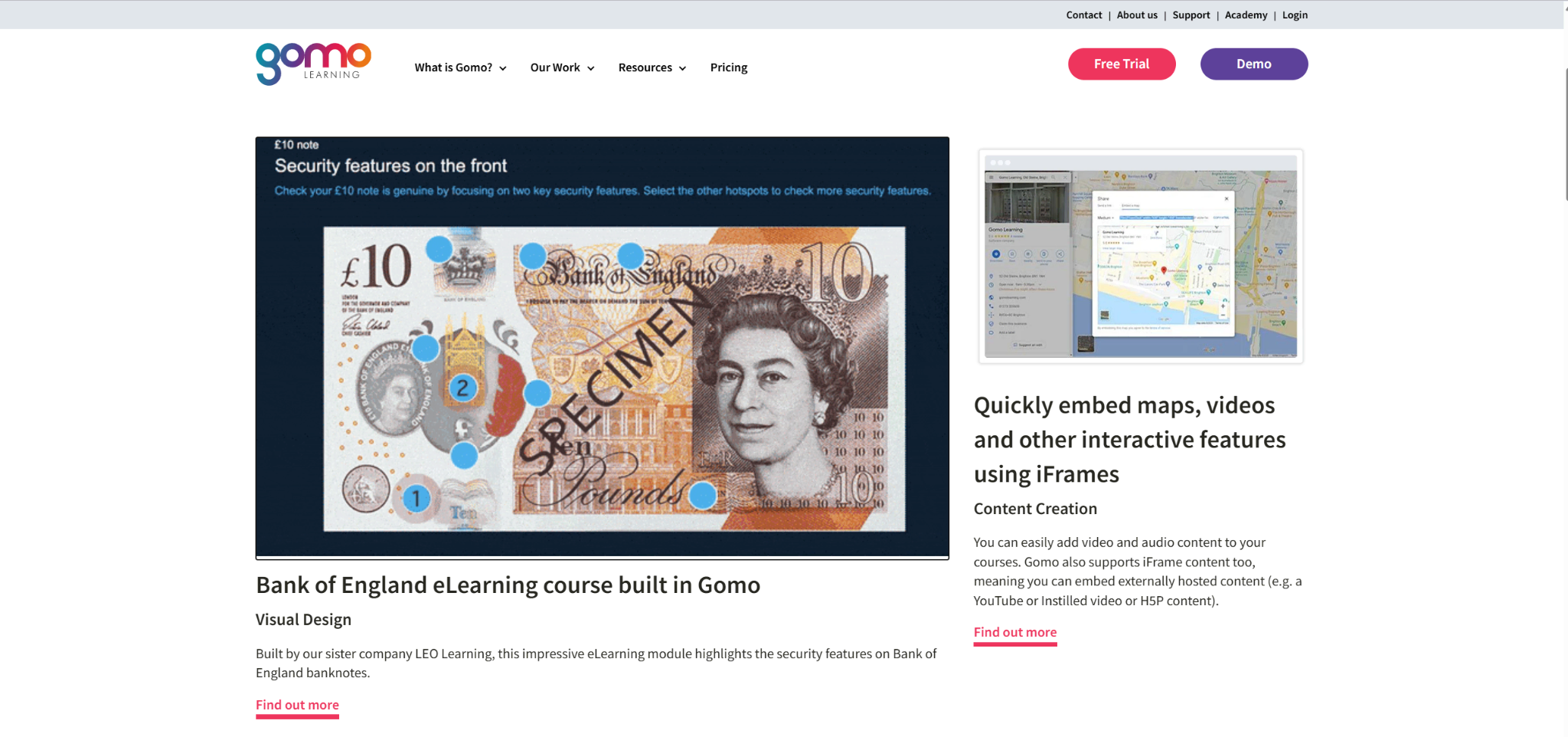
4. Gomo — Best for Mobile-First Responsive Courses
Who it’s best for: Organizations that prioritize mobile learning and need courses that adapt seamlessly across devices without manual adjustment.
Key Features
- Responsive design engine — content auto-adapts to any screen size
- Cloud-based collaboration
- xAPI and SCORM support
- Reusable content library
- Analytics integration
Pros & Cons
| ✅ Pros | ❌ Cons |
| Strong mobile responsiveness | Limited advanced interactivity options |
| Clean, modern interface | Pricing requires contact with sales |
| Cloud-based — works on any Mac | Fewer templates than competitors |
| Less suitable for complex simulations |
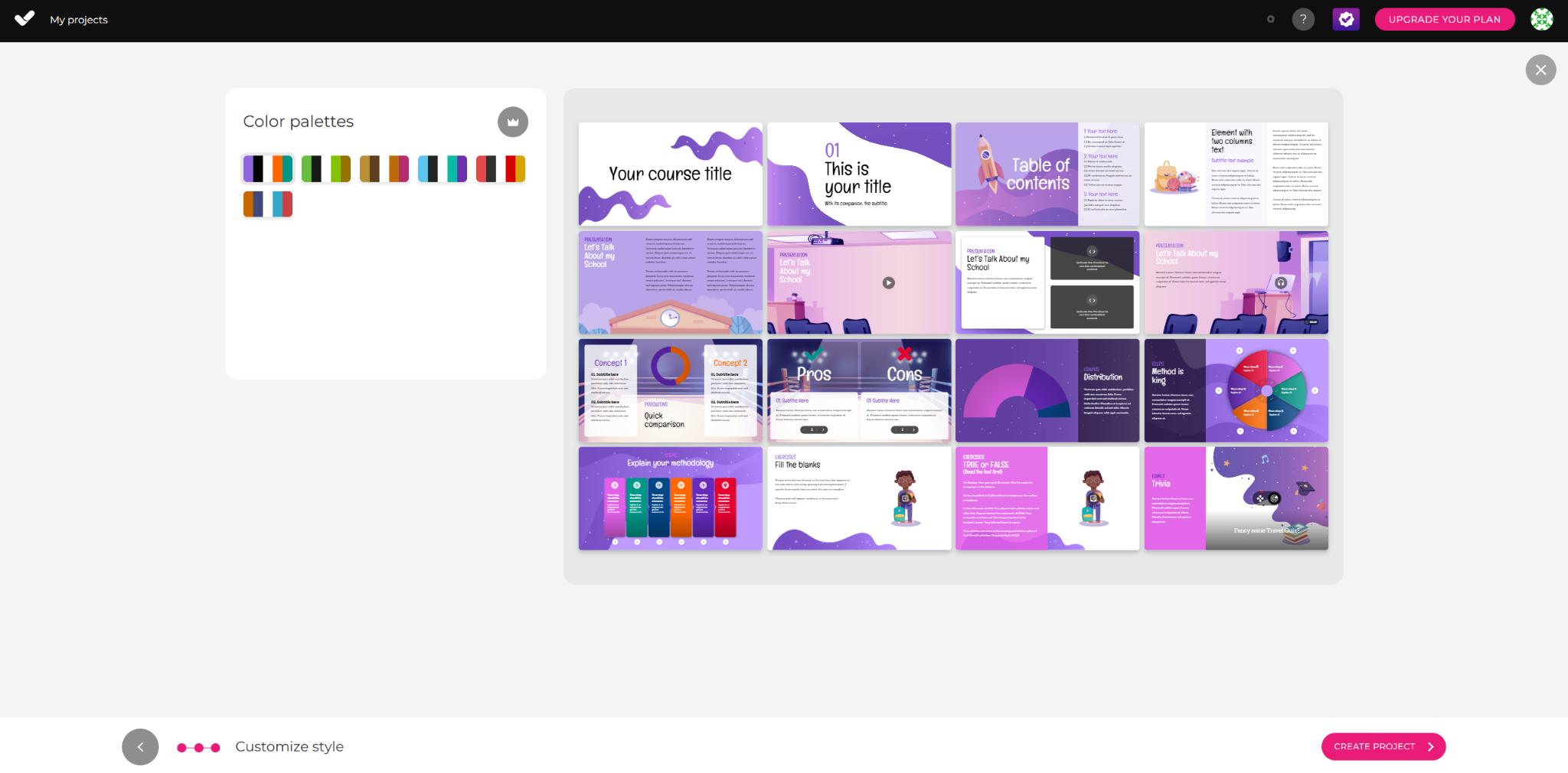
5. isEazy — Best for Visually Polished Courses Without a Design Background
Who it’s best for: Teachers and trainers who need professional-looking output fast, without deep instructional design expertise.
Key Features
- Drag-and-drop course builder
- Extensive template and animation library
- Multi-device preview
- SCORM export
- Collaboration tools
Pros & Cons
| ✅ Pros | ❌ Cons |
| Very low learning curve | Limited customization depth |
| Visually polished output | Less suited for complex branching or simulations |
| Good for quick course turnaround | Template-driven — courses can look similar |
| Pricing on request |
Head-to-Head Comparison Table
| Tool | Mac Native | Price Range | Best For | SCORM/xAPI | Interactivity Level | Collaboration |
| ActivePresenter | ✅ Yes | Free – ~$400 | All-round authoring | ✅ Full | ⭐⭐⭐⭐⭐ | Limited |
| Camtasia | ✅ Yes | $249.99/license | Video tutorials | ✅ Basic | ⭐⭐ | Limited |
| Elucidat | ☁️ Cloud | Custom pricing | Team production | ✅ Full | ⭐⭐⭐ | ⭐⭐⭐⭐⭐ |
| Gomo | ☁️ Cloud | Custom pricing | Mobile-first | ✅ Full | ⭐⭐⭐ | ⭐⭐⭐⭐ |
| isEazy | ☁️ Cloud | Custom pricing | Quick visual courses | ✅ Basic | ⭐⭐ | ⭐⭐⭐ |
How to Choose: A Decision Framework
Ask yourself these three questions before committing to any tool:
- What’s my primary output? Video tutorials → Camtasia. Interactive SCORM courses → ActivePresenter or Captivate. Rapid team content → Elucidat.
- Am I working alone or with a team? Solo creators benefit from desktop tools (lower cost, more control). Teams benefit from cloud-based platforms (real-time collaboration, version control).
- What’s my budget model? One-time purchase → ActivePresenter. Subscription-tolerant → Captivate or cloud tools. Unknown budget → start with ActivePresenter’s free trial.
Final Word: My Honest Recommendation
After a decade in this field, the tool I keep coming back to for Mac-based eLearning work is ActivePresenter — not because it’s flashy, but because it solves the most problems for the widest range of users without requiring a corporate budget or a Windows machine.
If you’re an instructional designer, teacher, or trainer who needs to produce professional, LMS-ready content on a Mac, start there. The free trial requires no account, no credit card, and no commitment. Build something real in it. See how it fits.
If your workflow is heavily video-focused, pair it with Camtasia. If you’re managing a team of five or more authors, evaluate Elucidat alongside it.
The best eLearning tools for Mac users 2026 is the one you’ll actually use consistently. Start with what solves your most immediate problem, master it, then expand.
👉 Ready to build your first course on Mac?