
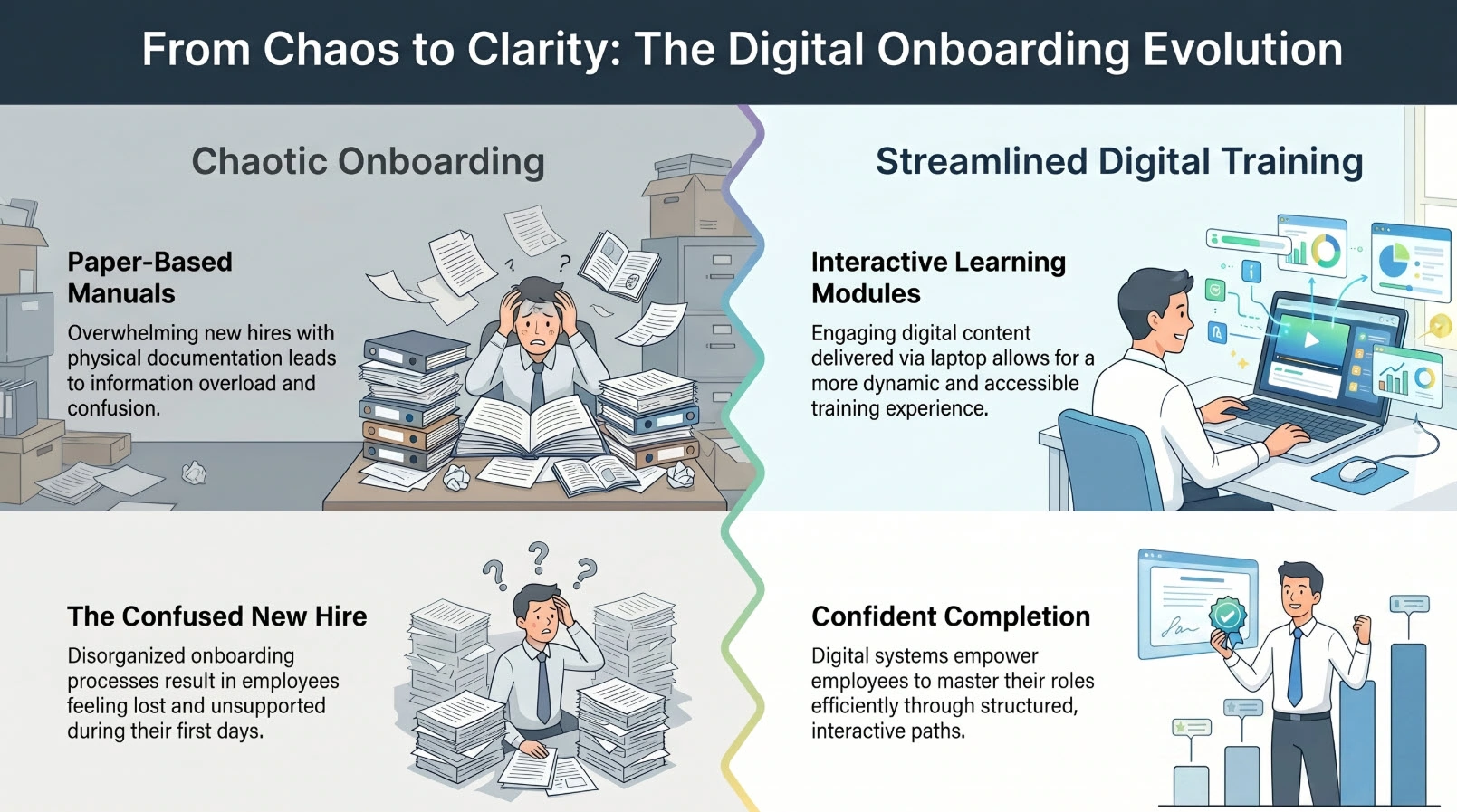
Every week, somewhere in a company, a new hire sits through a three-hour PowerPoint presentation and walks away remembering almost none of it. Six months later, that employee is underperforming—and no one connects the dots back to how they were onboarded.
If you’re a business owner or professional trainer, you already sense that your current training process has gaps. This article will show you exactly what to look for in employee training software—and how the right tools can turn onboarding from a liability into a genuine competitive advantage.
What Makes Employee Training Software Worth the Investment?
The Real Cost of Poor Onboarding
Here’s a number that tends to get people’s attention: according to SHRM, replacing a single employee can cost up to 50–200% of their annual salary. A large portion of that churn is driven by poor onboarding—employees who never felt equipped to do their jobs well.
In over a decade of working with training content, I’ve seen this pattern repeat across industries: companies invest heavily in hiring talent but treat training as an afterthought—a shared Google Drive folder, a shadowing session, and a “good luck.”
The result? Inconsistent knowledge transfer, compliance risks, and a steep productivity ramp-up that drags on for months instead of weeks.
The right employee training software doesn’t just digitize your existing materials. It fundamentally changes how knowledge is transferred—making it repeatable, measurable, and scalable.
Key Criteria for Evaluating Training Software
Before we dive into specific tools, here’s the evaluation framework I use when advising organizations:
| Criterion | What to Look For |
| Ease of Content Creation | Can non-technical trainers build courses without a developer? |
| Interactivity | Does it support quizzes, simulations, branching scenarios? |
| Output Compatibility | Does it export SCORM/xAPI for LMS deployment? |
| Screen Recording & Video | Can it capture software workflows for technical training? |
| Scalability | Can one license serve multiple trainers or departments? |
| Cost Structure | Subscription vs. perpetual license—which fits your budget model? |
| Support & Community | Is there documentation, tutorials, and responsive support? |
Keep this table in mind as we walk through the major categories of training software.
Types of Employee Training Software (And When to Use Each)
Not all training software solves the same problem. Understanding the landscape will save you from buying a tool that’s a poor fit for your actual workflow.
eLearning Authoring Tools
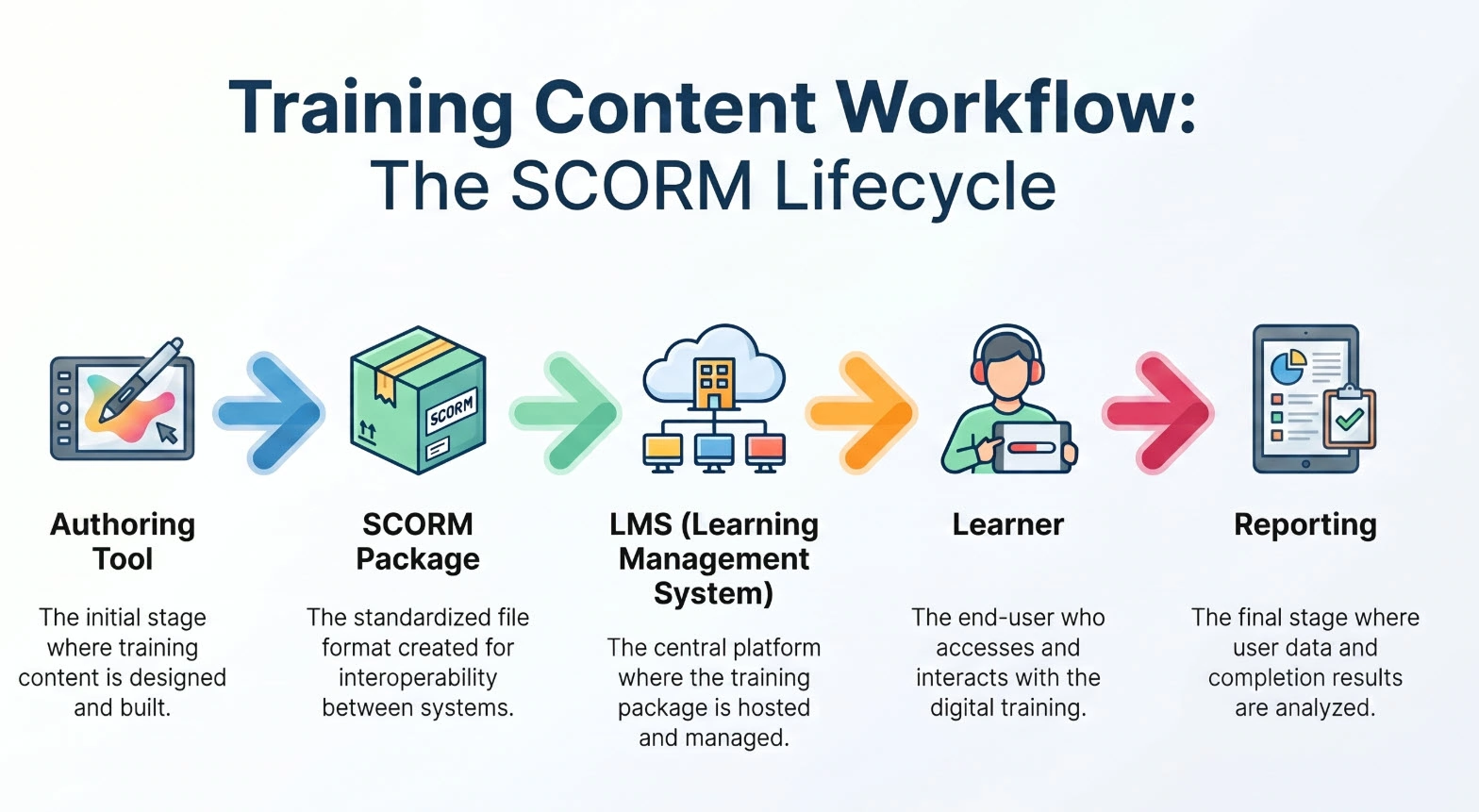
These are the content creation engines. You use them to build training modules, record software demos, design interactive assessments, and package everything into a format your LMS can deliver.
Best for: Creating custom training content—software walkthroughs, compliance courses, onboarding sequences.
Examples: ActivePresenter, Articulate Storyline, Adobe Captivate.
Learning Management Systems (LMS)
An LMS is the delivery and tracking layer. It hosts your courses, manages learner enrollment, tracks completion rates, and generates reports. It doesn’t typically create content—it distributes it.
Best for: Organizations that need to deploy training at scale, track compliance, and report on learner progress.
Examples: Moodle, TalentLMS, Cornerstone OnDemand.
Hybrid & All-in-One Platforms
Some platforms attempt to combine authoring and delivery in one product. These can be convenient for smaller teams but often sacrifice depth in one area for breadth across both.
Best for: Small businesses or startups that need a quick deployment without managing two separate systems.
ActivePresenter — The All-in-One Authoring Tool Built for Real Training
Let me be direct: if you’re a business owner or trainer who needs to create professional training content without a full instructional design team, ActivePresenter is the tool I’d put in front of you first.
It’s not the flashiest name in the market, but after working with multiple authoring platforms, what consistently stands out about ActivePresenter is how much it delivers per dollar—and how quickly a non-specialist can produce genuinely effective training content with it.
🎯 You can download ActivePresenter for free (Windows & macOS) and test every feature before committing to a license.

Core Features That Matter for Employee Training
1. Professional Screen Recording with Webcam & Microphone
Recording software workflows is one of the most common training needs in modern businesses—from showing new hires how to navigate your CRM to walking IT staff through security protocols. ActivePresenter captures screen activity at high quality, with simultaneous webcam and audio recording, so you can produce polished tutorial videos without a separate recording tool.
2. Built-in Non-Destructive Video Editor
Once you’ve recorded, you don’t need to export to another application. ActivePresenter’s built-in editor lets you cut, trim, merge clips, add captions, insert annotations, and apply effects—all within the same project file. This non-destructive workflow means you can always go back and adjust without degrading your source material.
3. Software Simulation & Interactive Branching
This is where ActivePresenter genuinely separates itself from simpler screen recorders. You can create interactive software simulations—training scenarios where learners click through a simulated interface and receive feedback based on their actions. For onboarding new staff to proprietary systems, this is far more effective than passive video.
The branching scenario builder also lets you design decision-tree learning paths, where different choices lead to different outcomes. This is particularly valuable for compliance training or customer service role-play scenarios.
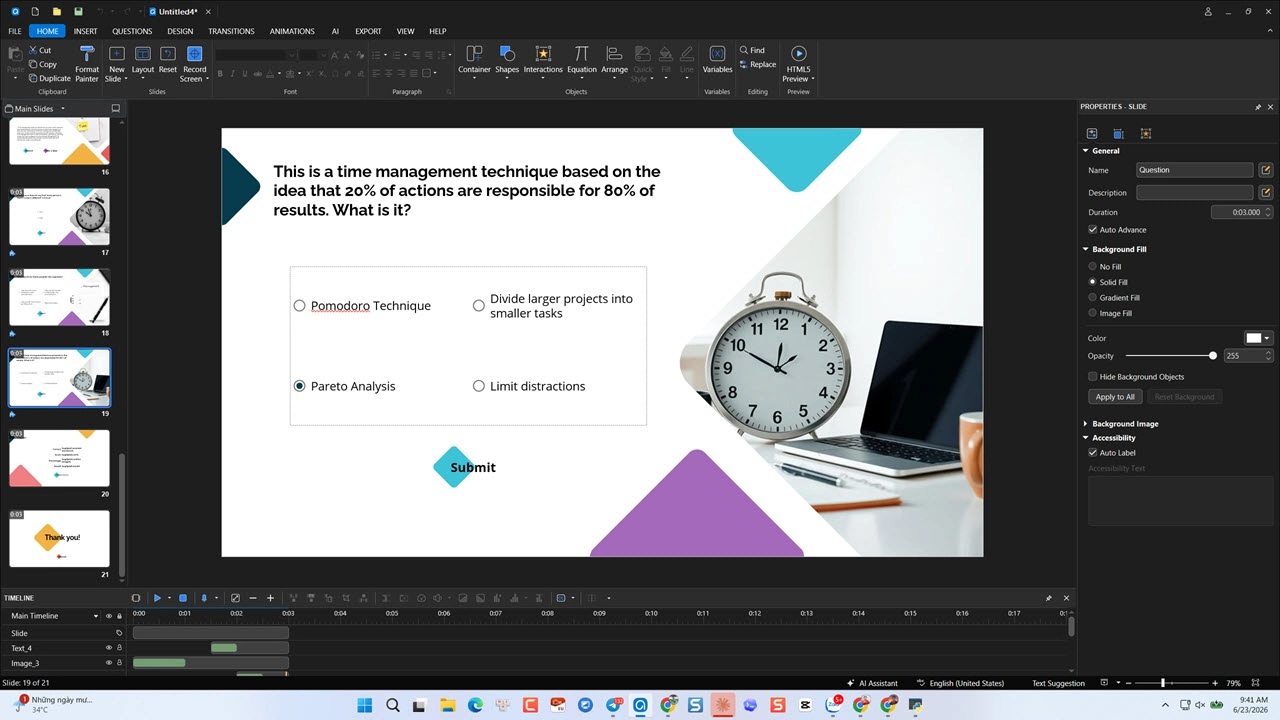
4. Scored Quizzes & Assessments
Build graded quizzes with multiple question types—multiple choice, fill-in-the-blank, drag-and-drop, hotspot, and more. Results can be tracked and reported when the course is deployed via SCORM/xAPI to an LMS.
5. SCORM/xAPI Export for LMS Deployment
ActivePresenter exports directly to SCORM 1.2, SCORM 2004, and xAPI—the industry-standard formats for LMS compatibility. This means content you build in ActivePresenter can be deployed on Moodle, TalentLMS, or any other compliant LMS without technical headaches.
6. AI Integration via MCP Connect
ActivePresenter supports connection to AI agents through MCP Connect, enabling trainers to streamline content generation, automate repetitive tasks, and integrate intelligent workflows directly into their course-building process—a meaningful edge for teams looking to scale content production efficiently.
3 Real-World Use Cases
Use Case 1: Software Onboarding for a Sales Team
A regional SaaS company needs to onboard 40 new sales reps to their CRM platform every quarter. Instead of running live walkthroughs repeatedly, their trainer uses ActivePresenter’s Record Software Simulation mode to capture every step of the CRM workflow. The result is an interactive simulation where reps practice navigating the actual interface—clicking, entering data, handling error states—before they ever touch the live system. Training time drops from two days to four hours.
Use Case 2: Compliance Training for a Financial Services Firm
A compliance officer at a mid-size financial firm needs to deliver mandatory AML (Anti-Money Laundering) training to 200 staff across three offices. She uses ActivePresenter to build a branching scenario course—employees encounter realistic case studies and must make decisions. Wrong choices trigger remediation content; correct choices advance the scenario. The SCORM package is uploaded to their LMS, and completion is tracked automatically for audit purposes.
Use Case 3: IT Helpdesk Procedure Documentation
An IT manager needs to document 30+ internal support procedures for a newly outsourced helpdesk team. Rather than writing lengthy text manuals, he records screen walkthroughs with voice narration for each procedure, adds chapter markers and on-screen annotations, and exports the videos to an internal portal. Support ticket resolution time improves by 22% in the first month.
Pro Tips From the Field
💡 Use “Record Software Simulation” Mode—Not Just Screen Recording
Many users default to standard screen recording when they want to capture software workflows. But for training purposes, switch to Record Software Simulation mode instead. This captures every click and keystroke as interactive objects, allowing you to later convert the recording into a hands-on simulation where learners practice the same steps. It’s a fundamentally different (and more effective) output.
💡 One License Key, Multiple Machines—Shared AI Credits
If your team purchases a multi-seat license, note that AI credits are pooled across all machines activated under the same license key. This means a training team of three can collectively use the full AI credit allocation—plan your AI-assisted content generation tasks accordingly to maximize value.
💡 Build a Master Template First
Before creating individual modules, invest 30 minutes building a branded master template—fonts, colors, logo placement, slide layouts. Every course you build from that template will maintain visual consistency, which significantly improves learner trust and perceived professionalism.
Pros & Cons
| ✅ Pros | ⚠️ Cons |
| All-in-one: recording, editing, and eLearning authoring in one tool | Steeper learning curve than basic screen recorders |
| Perpetual license (pay once, own forever) | Advanced features require the Pro license ($399) |
| SCORM/xAPI export for any LMS | No built-in LMS—requires pairing with a separate delivery platform |
| Software simulation with interactive branching | Interface can feel dense for first-time users |
| Free trial available (Windows & macOS) | Mobile course preview requires additional configuration |
| Shared AI credits across license activations | AI features require internet connectivity |
Pricing at a Glance:
- ActivePresenter Standard — $249/license (perpetual). Best for video-focused training content.
- ActivePresenter Pro — $499/license (perpetual). Full feature set: simulations, branching, scored assessments, SCORM/xAPI export.
- Volume discounts and academic pricing available. See full pricing →
How to Build a Complete Training System (Authoring + LMS)
ActivePresenter handles content creation. To deliver that content at scale and track learner progress, you need an LMS.
Pairing ActivePresenter with Moodle
Moodle is the world’s most widely used open-source LMS, deployed by over 100,000 organizations across 200+ countries. For businesses that want full control over their training infrastructure without recurring SaaS fees, Moodle is a compelling choice.
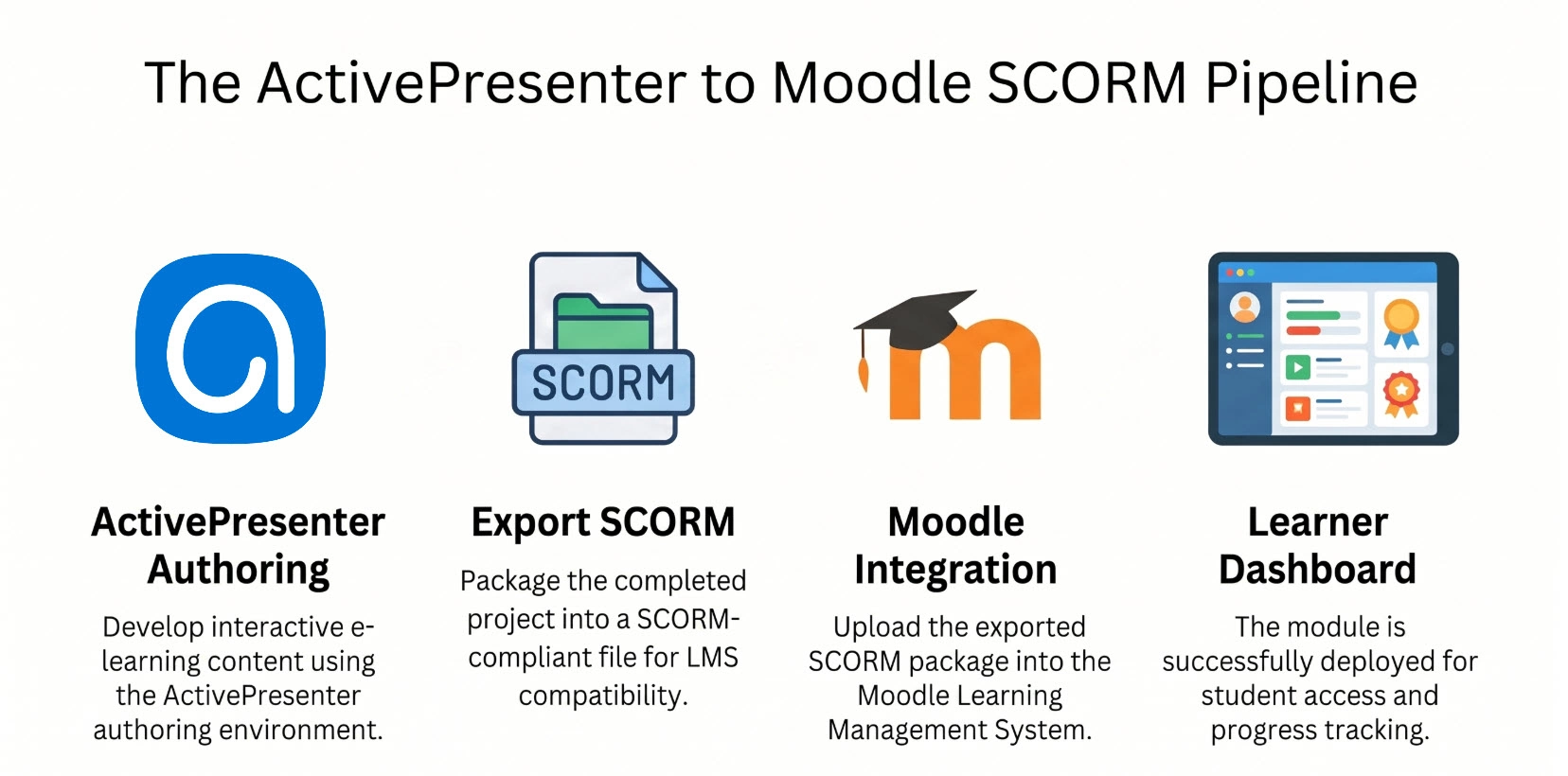
The workflow is straightforward:
- Build your course in ActivePresenter (interactive modules, simulations, quizzes).
- Export as SCORM (1.2 or 2004) directly from ActivePresenter.
- Upload the SCORM package to Moodle as a course activity.
- Assign learners and configure completion tracking and grade reporting.
- Monitor progress via Moodle’s reporting dashboard.
This two-tool stack—ActivePresenter for authoring, Moodle for delivery—gives you enterprise-grade training capability at a fraction of the cost of closed, all-in-one SaaS platforms.
Evaluation Criteria — How to Choose the Right Software for Your Team
Use this checklist when making your final decision:
For Small Businesses (< 50 employees)
- Can non-technical staff create content without training?
- Is there a free trial to validate fit before purchasing?
- Does the pricing scale reasonably as you add trainers?
For Mid-Size Organizations (50–500 employees)
- Does it support SCORM/xAPI for LMS integration?
- Can it handle software simulation for technical onboarding?
- Is there volume licensing or team pricing?
For Enterprise / Compliance-Heavy Industries
- Does it support branching scenarios and scored assessments?
- Can completion data be exported for audit trails?
- Is there dedicated support or an SLA?
Universal Must-Haves
- Perpetual license OR transparent subscription pricing
- Active development (regular updates, responsive support)
- Community resources (tutorials, forums, documentation)
Final Verdict
Broken onboarding is almost always a systems problem, not a people problem. When new hires struggle, it’s rarely because they lack ability—it’s because the knowledge transfer process is inconsistent, passive, and impossible to scale.
The right employee training software changes that equation. It lets you build training once, deploy it consistently to every new hire, and measure whether it’s actually working.
If you’re ready to move from ad-hoc training to a structured, professional system, ActivePresenter is where I’d start. It gives you the authoring power to create genuinely effective training content—screen recordings, interactive simulations, branching scenarios, and scored assessments—without requiring a team of instructional designers or a six-figure software budget.
🚀 Ready to Build Training That Actually Works?
Download ActivePresenter free today—no time limit on the trial, available for both Windows and macOS. See for yourself how quickly you can turn your existing training materials into interactive, professional courses.
Have questions about licensing, LMS integration, or which edition fits your team’s needs? The Atomi Systems support community is active and responsive—connect with other trainers and get answers from the team directly.