
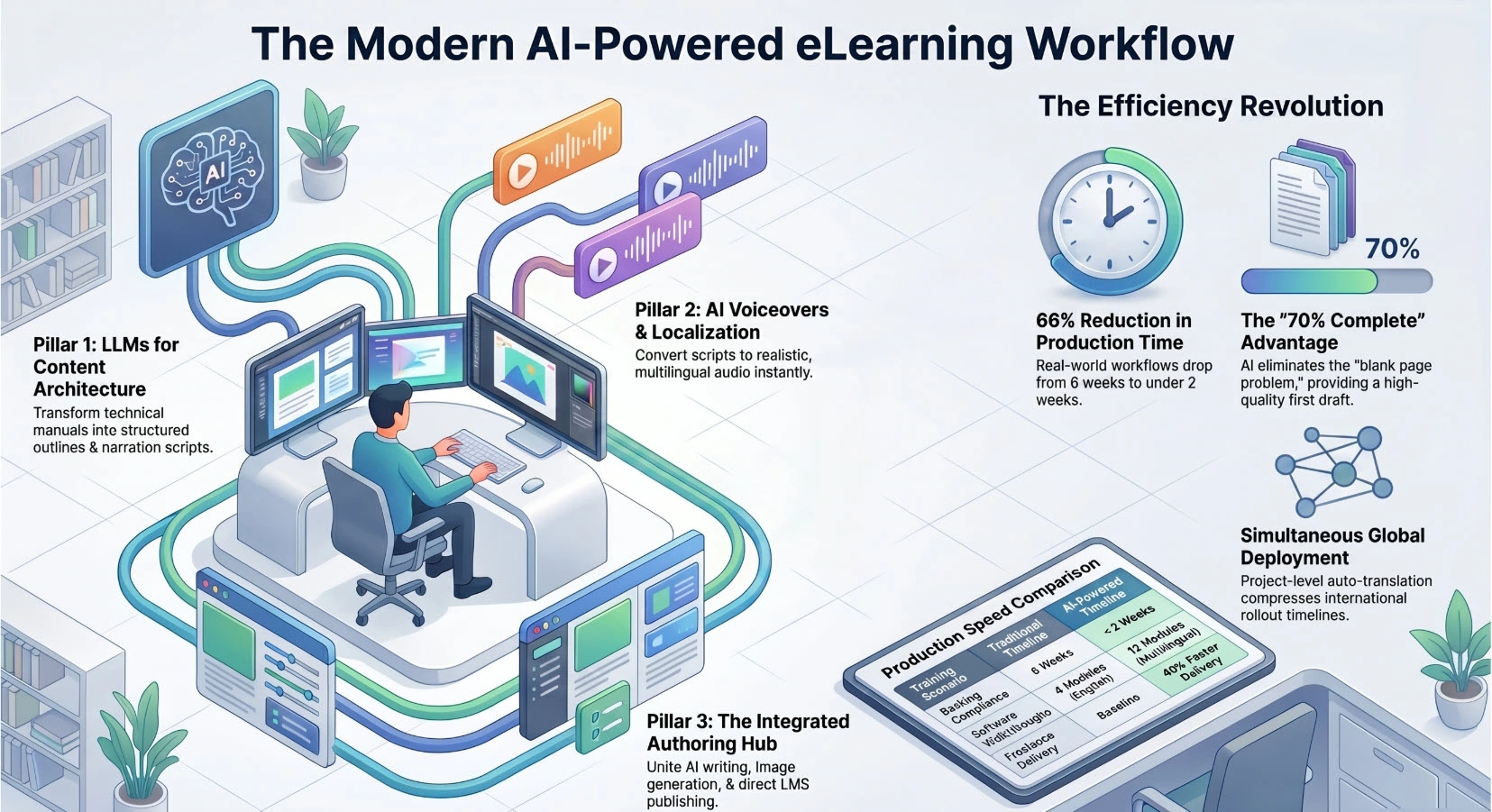
If you’re still building corporate training content the old way — scripting manually, recording narration in isolation, and stitching everything together across four different tools — you’re leaving serious efficiency on the table. The modern eLearning workflow has fundamentally shifted. AI-powered business training software now handles tasks that used to eat entire production weeks, and the teams that understand how to combine LLMs, AI voiceovers, and capable authoring platforms are shipping polished, interactive courses in a fraction of the time.
I’ve spent over a decade building training content across different industries. What I’m seeing in 2026 isn’t incremental improvement — it’s a genuine workflow reinvention. This guide breaks down exactly how the modern stack works, where the real gains are, and which tools are worth your budget.
Why the Traditional eLearning Production Model Is Broken
Let’s be honest about the old workflow: a subject matter expert dumps content into a Word doc, an instructional designer restructures it into a storyboard, a voice actor records narration, a video editor assembles everything, and then — weeks later — someone exports a SCORM package and manually uploads it to the LMS.
Every handoff is a delay. Every revision cycle costs money. And if you need to localize for three languages? Multiply that timeline by three.
The core problem isn’t effort — it’s fragmentation. The traditional model requires too many specialized tools that don’t talk to each other, too many people in the chain, and too many manual steps that AI can now handle automatically.
The modern approach collapses that chain.
The Three Pillars of the Modern AI-Powered Training Workflow
Pillar 1: LLMs for Content Architecture and Script Generation
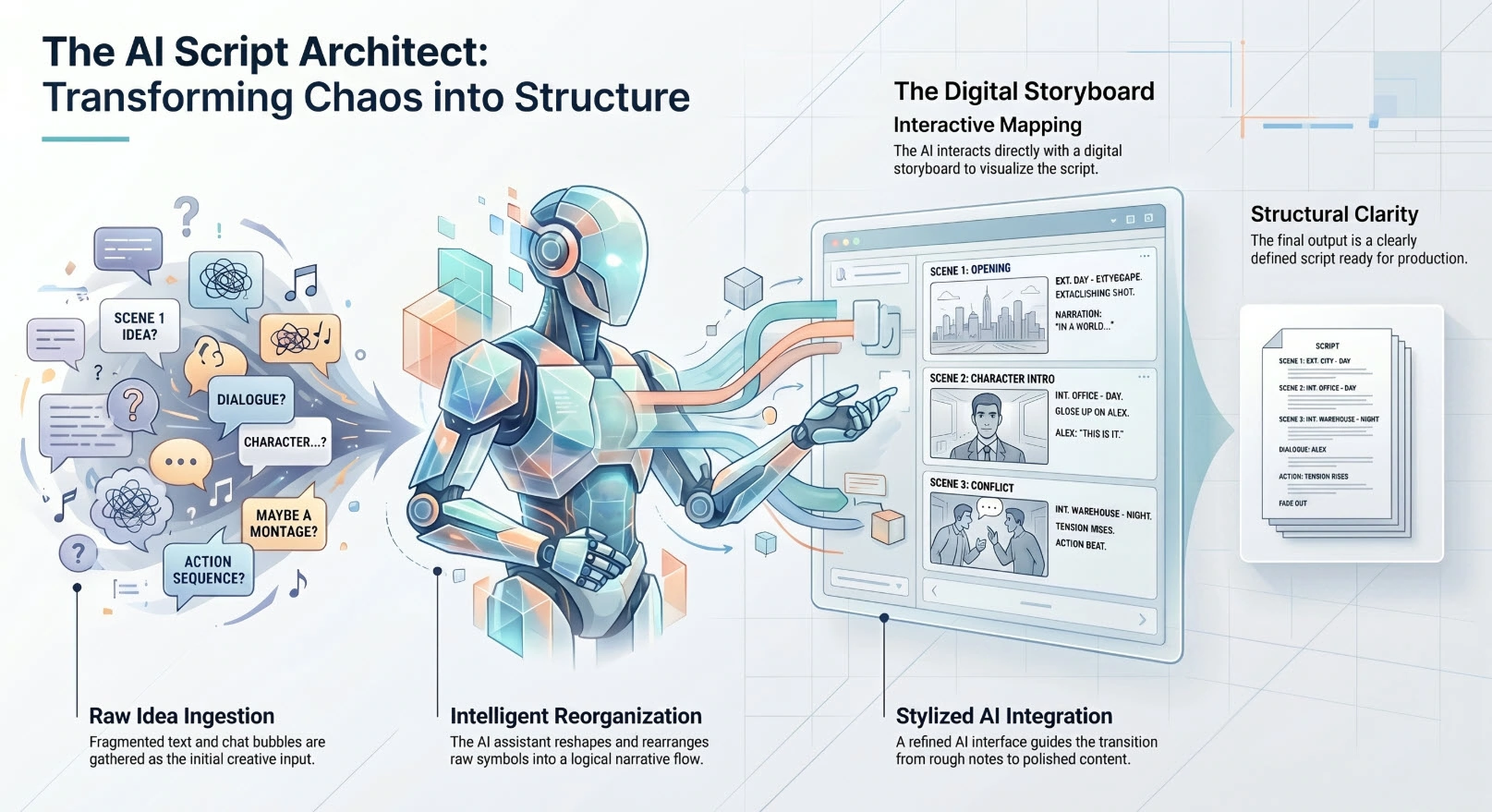
Large Language Models have become the first mover in the modern course production pipeline. Before a single slide is built, LLMs can:
- Analyze a technical manual or product documentation and generate a structured course outline
- Draft narration scripts with appropriate instructional tone
- Generate quiz questions aligned to learning objectives
- Suggest knowledge-check placements throughout a module
The current frontier here is MCP (Model Context Protocol) integration — an architecture that allows external AI agents to connect directly to an authoring tool’s internal control layer. This means an AI agent can not only generate content for a course, but actually build it inside the authoring environment: creating slides, placing interactions, configuring branching logic — all through natural language instruction.
For business training owners, this is significant. What previously required a skilled instructional designer spending two days on course architecture can now be initiated with a prompt and refined in hours.
Expert Insight: In my experience, the most effective use of LLMs in course production isn’t replacing the instructional designer — it’s eliminating the blank page problem. A well-prompted LLM gives your designer a 70%-complete first draft to react to, which is dramatically faster than building from zero.
Pillar 2: AI Voiceovers — Replacing the Recording Studio Bottleneck
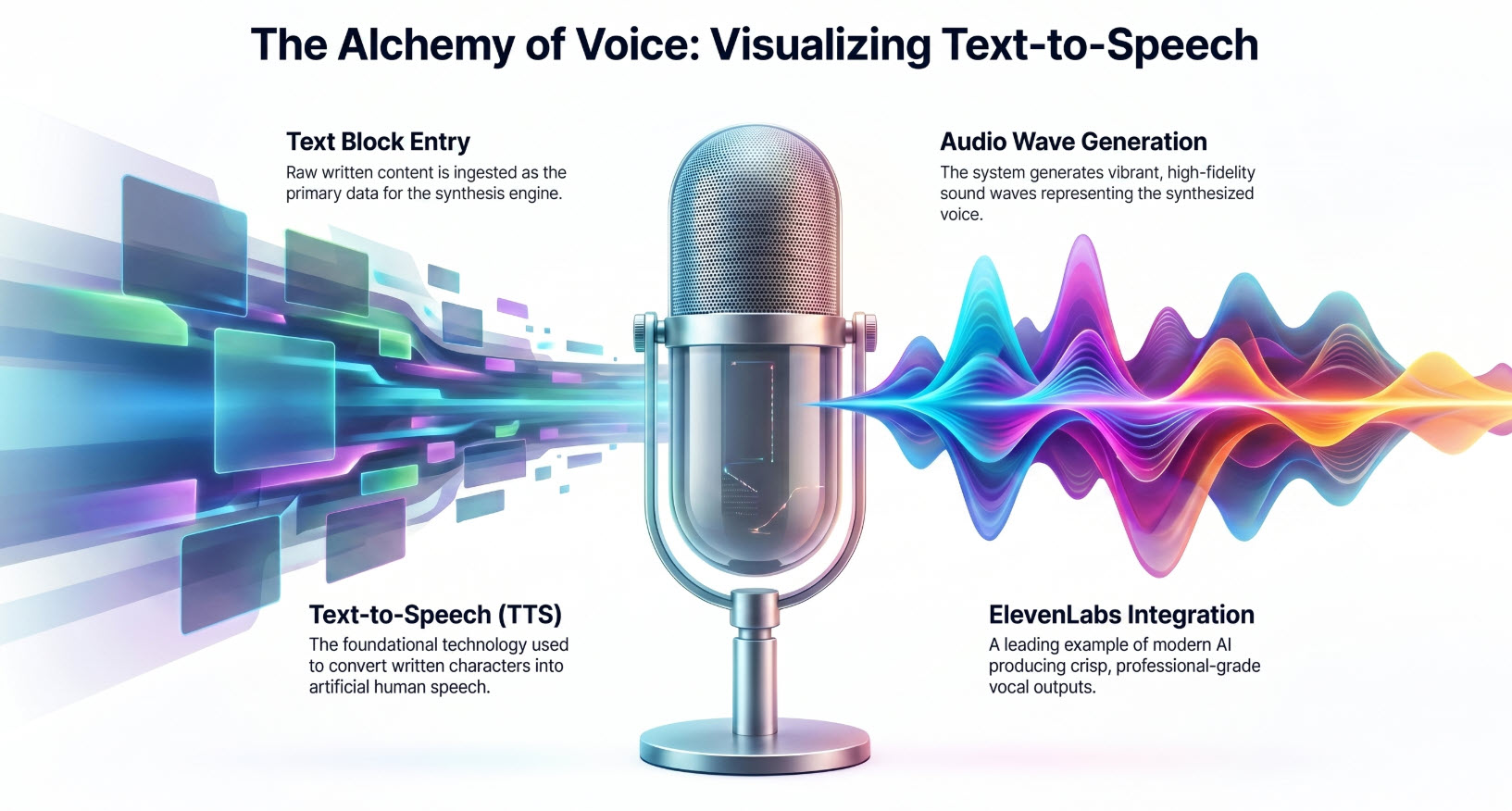
Audio narration has historically been one of the most expensive and inflexible parts of course production. Book a voice actor, wait for availability, record, review, re-record for every revision. If a product name changes post-launch, you’re back in the studio.
AI voiceover (Cloud Voices) solves this at the infrastructure level. Modern AI voice synthesis — the kind built directly into authoring platforms like ActivePresenter 10 — produces narration that is:
- Indistinguishable from human recording for most corporate training contexts
- Instantly revisable — change a word in the script, regenerate the audio in seconds
- Multilingual by default — the same voice engine that narrates your English course can produce Spanish, French, Japanese, or German versions without additional talent costs
The localization implication alone is transformative. AI-driven project-level auto-translation — where all text elements, narration scripts, and on-screen labels are translated simultaneously — compresses international deployment timelines from weeks to days.
Pro Tip: When using AI voiceovers, always review the generated audio at 1.25x speed. Issues with pacing and unnatural emphasis become much easier to catch at slightly elevated playback speed than at normal speed.
Pillar 3: The Authoring Platform — Where Everything Comes Together
LLMs generate the content. AI voices deliver the narration. But the authoring tool is the production environment where all of this becomes a deployable, interactive course. This is where tool selection has the highest long-term impact on your workflow efficiency.
Based on a decade of hands-on evaluation, here’s what separates genuinely capable AI-powered authoring platforms from tools that just slap “AI” on a feature list:
Evaluation Criteria for AI-Powered Business Training Software
| Criterion | Why It Matters |
| Screen Recording Quality | Lossless capture is non-negotiable for software simulation training |
| Non-Destructive Video Editing | Edit without re-exporting; preserves original assets |
| SCORM/xAPI Publishing | LMS compatibility determines your deployment options |
| Built-in AI Tools | Reduces dependency on external subscriptions |
| MCP/AI Agent Integration | Enables next-generation automation of authoring tasks |
| Auto-Translation | Critical for multilingual training at scale |
| Direct LMS Publishing | Eliminates manual upload workflows |
| TCO at Scale | Per-seat costs, AI credit models, migration costs |
ActivePresenter 10: The Authoring Hub for the Modern AI Workflow
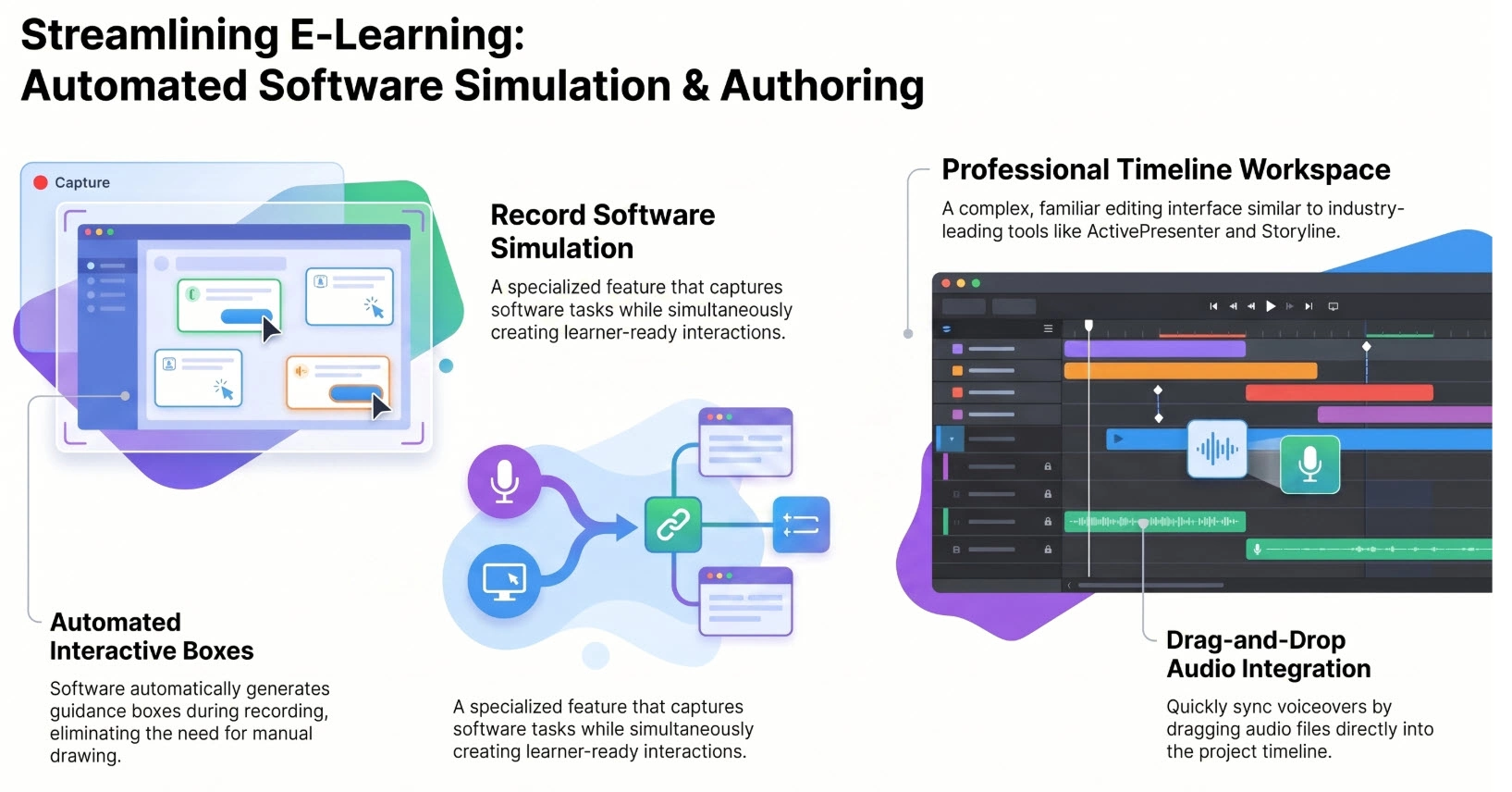
Among the platforms I’ve tested extensively, ActivePresenter 10 stands out as the most complete implementation of the modern AI-powered workflow — particularly for business training teams that need professional output without enterprise-level pricing.
Here’s what makes it the practical choice for serious training operations in 2026:
Core AI Features That Actually Move the Needle
🎙️ Cloud Voices (AI Voiceover)
Convert any narration script to realistic voiceover in multiple languages with a single click. No recording setup, no retakes, no scheduling. Revisions are instant.
✍️ AI Writing Assistant
Refine narration scripts on the fly — correct grammar, improve clarity, adjust tone, or rewrite entire sections. Particularly useful when subject matter experts submit technically accurate but instructionally flat content.
🖼️ AI Image Generation & Editing
Generate contextually appropriate visuals from text prompts, or modify existing images (background removal, object addition) without leaving the authoring environment. This eliminates the stock photo hunting that quietly eats hours of production time.
📝 Auto Captions
Automatically transcribe and generate subtitles from narration audio. Essential for accessibility compliance and increasingly expected by learners across all industries.
🌐 Project Auto-Translation
Translate the entire project — text, labels, narration scripts — simultaneously. This is the feature that makes global training deployment financially viable for mid-sized organizations.
🤖 MCP Connect (AI Agent Integration)
This is the capability that separates ActivePresenter 10 from most competitors. Through MCP integration, external AI agents can connect to ActivePresenter’s internal control layer, enabling complex multi-step authoring automation. Think: an AI agent that reads your product documentation and builds a complete interactive course module — slides, interactions, branching, quiz — with minimal human intervention.
3 Real-World Workflow Scenarios
Scenario 1: Banking Compliance Training (Software Simulation)
A regional bank’s L&D team needs to train 500 branch staff on a new core banking system. The old workflow: manual screen recordings, separate narration sessions, weeks of review cycles.
Modern workflow with ActivePresenter:
- LLM analyzes the system documentation → generates course outline and narration scripts
- Designer uses ActivePresenter’s software simulation mode to record the banking application — the tool automatically generates click-through practice exercises with hints, failure feedback, and scoring
- AI Writing tool refines the narration scripts
- Cloud Voices generates professional audio narration
- Auto Captions adds accessibility subtitles
- Published as SCORM 2004 and pushed directly to the LMS
Result: What previously took 6 weeks takes under 2 weeks. The simulation exercises are auto-generated, not manually built.
Scenario 2: IT Onboarding for a SaaS Company
An IT training specialist needs to build a library of software walkthrough videos for new hires — covering 12 different tools in the company’s tech stack.
Modern workflow:
- Screen recording captures each application in lossless quality
- Non-destructive editing adds zoom-in effects on key clicks, callout annotations, and professional lower-third titles — all without exporting to a separate video editor
- AI voiceover generates narration for each walkthrough
- Project auto-translation produces Spanish and Portuguese versions for LATAM teams
- Final delivery: MP4 for internal hosting + HTML5 for the LMS
Result: 12 software walkthroughs in 3 languages, delivered in the time it used to take to produce 4 English-only modules.
Scenario 3: Freelance Instructional Designer — Client Course Production
A freelance ID manages multiple clients simultaneously, each with different brand guidelines, LMS platforms, and content domains.
Modern workflow:
- Start from pre-designed course templates — introduction, content slides, summary, quizzes — customized per client brand in minutes
- LLM generates first-draft scripts from client-supplied documentation
- AI Writing refines tone to match each client’s voice guidelines
- AI Image Generation produces custom visuals without stock photo licensing costs
- Cloud Voices delivers narration; Auto Captions handles accessibility
- Direct LMS publishing eliminates the manual SCORM upload cycle
Result: Client delivery time cut by approximately 40%. Ability to take on 30-40% more concurrent projects.
Pros & Cons: Honest Assessment
✅ Pros
- Genuinely integrated AI stack — voiceover, writing, image generation, translation, and captions are all native, not third-party add-ons requiring separate subscriptions
- Free version is substantively useful — full editing features, no watermarks, no time limits; rare in a market full of crippled free tiers
- MCP integration is a genuine differentiator — no other mid-market authoring tool currently offers this level of AI agent connectivity
- Non-destructive editing preserves original assets through revision cycles
- SCORM 2004 and xAPI support covers virtually all LMS compatibility requirements
- Direct LMS publishing eliminates administrative friction for high-volume teams
⚠️ Cons
- Windows-native — Mac users will need to evaluate compatibility options (this remains a real limitation for some teams)
- Learning curve for advanced simulation features — the software simulation mode is powerful but requires investment to master fully
- AI credit consumption — like all AI-integrated tools, heavy use of Cloud Voices and image generation will consume credits; factor this into TCO planning
- Template library, while solid, is smaller than some cloud-native competitors
Pro Tips: What 10 Years of Hands-On Use Teaches You
💡 Tip 1 — Optimize HTML5 export file size: Before publishing to HTML5, compress embedded video assets to H.264 at 1500-2000 kbps. This cuts package size by 40-60% with minimal visible quality loss — critical for LMS platforms with upload size limits.
💡 Tip 2 — Use AI Writing before Cloud Voices: Always run your narration script through the AI Writing tool before generating voiceover. Fixing a script post-audio generation wastes credits. Get the text right first.
💡 Tip 3 — Keyboard shortcut for annotation efficiency: When adding multiple callout annotations during screen recording review, use Ctrl+D to duplicate the previous annotation and reposition — 3x faster than creating each from scratch.
💡 Tip 4 — Batch translation strategy: When producing multilingual courses, complete all content revisions in the source language before running Project Auto-Translation. Post-translation edits require re-translating affected elements — build your revision cycle into the pre-translation phase.
💡 Tip 5 — MCP workflow for large projects: If you’re using AI agent integration via MCP, provide the agent with a structured brief (learning objectives, audience level, module length) rather than raw source material. Structured input produces dramatically better initial output.
The Financial Reality: TCO Beyond the License Price
One thing I’ve learned from evaluating platforms for organizations of every size: the purchase price is the smallest component of true cost.
A rigorous TCO analysis for AI-powered business training software must account for:
- License cost (initial and recurring)
- AI feature costs (credits, consumption tiers)
- Per-seat scaling as your author pool grows
- Training and ramp-up time (measurable in productive hours lost)
- Integration costs (LMS compatibility, IT configuration)
- Content migration cost if you switch platforms — consistently the most underestimated cost in the entire TCO model
ActivePresenter’s free tier and competitive paid pricing make it particularly strong on TCO for teams under 20 authors. The native AI feature set also reduces the external subscription sprawl that inflates costs on platforms that require third-party integrations for voiceover, image generation, and translation.
Final Verdict: Is This Workflow Right for Your Organization?
If you’re a business training owner or L&D manager who is still running a fragmented, multi-tool production pipeline, the answer is straightforward: the modern AI-powered workflow isn’t a future consideration — it’s a current competitive disadvantage if you’re not using it.
The combination of LLMs for content architecture, AI voiceovers for narration at scale, and a capable authoring platform like ActivePresenter 10 as the production hub represents the highest-efficiency course creation stack available in 2026.
It won’t eliminate the need for skilled instructional designers. What it will do is make each designer dramatically more productive — and make global, multilingual training deployment financially viable for organizations that couldn’t afford it before.
🚀 Ready to Experience the Modern eLearning Workflow?
ActivePresenter’s free version gives you full access to professional screen recording, video editing, and core eLearning authoring features — no watermarks, no time limits.
👉**Download ActivePresenter Free** and build your first AI-powered training module today.
Have questions about workflow setup or feature-specific use cases? The Atomi Systems community and support team are available to help you get from zero to your first published course — faster than you think.
Last Updated: June 2026 | Author: Thuan Nguyen Doan | Category: eLearning, AI Tools, Corporate Training