
Let me tell you one thing! As static slide decks become less effective, many professionals are turning to interactive content tools. Genially, a cloud-based platform often likened to an interactive version of traditional eLearning software, is one such option.
But how does it perform in a professional workflow, and is it the right fit for your specific project? This review provides a neutral breakdown of Genially’s capabilities and highlights why a robust alternative like ActivePresenter might be a necessary addition to your toolkit.
In this article, we’ll cover everything you need to know about Genially to help you decide if it is right for you or not. For your information, Genially is one of the best free eLearning authoring tools in our list for 2026.
1. What is Genially?
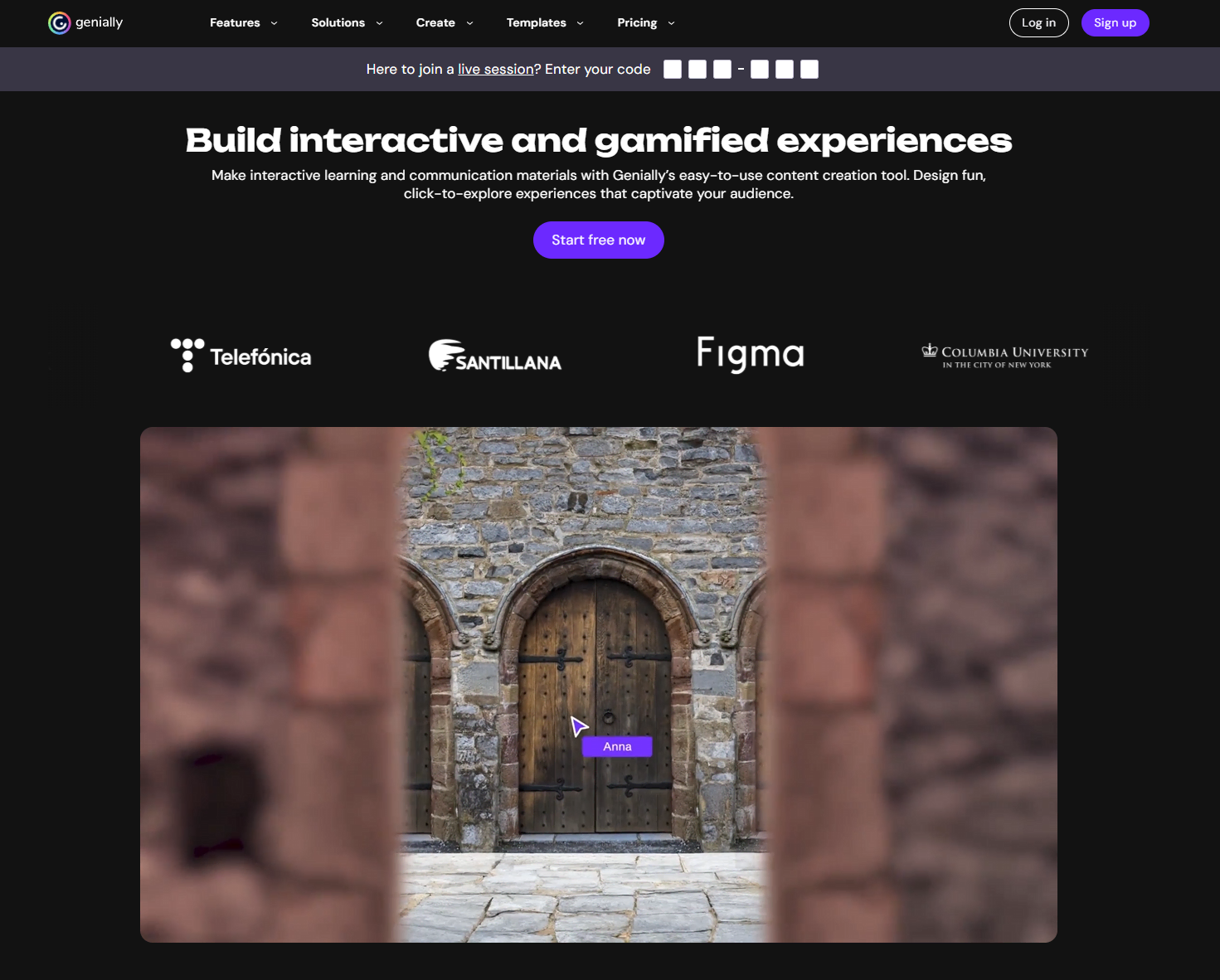
Genially is a web-based content creation tool designed to produce interactive media without requiring coding skills. It positions itself as an “all-in-one” solution for creating presentations, infographics, and gamified quizzes.
The platform’s primary goal is to shift the learner’s role from passive reading to active exploration. By using a non-linear design approach, Genially allows users to build “discovery-based” content, which has made it a good choice in K-12 education and for basic instructional design tasks.
2. Core Features and Functionality
To evaluate Genially effectively, it is important to look at the specific mechanics that drive its interactivity.
- Interactivity Layers: Users can add “Tooltips” for hover-over information, “Windows” for detailed pop-up content, and “Go to Page” triggers for branching scenarios.
- Animation Engine: The platform includes a straightforward animation suite to apply entrance, exit, or continuous motion to objects.
- Template Library: There are templates available, ranging from standard slideshows to Jeopardy-style games and digital escape rooms.
3. Workflow for Educators and Designers
Genially offers distinct advantages depending on the environment in which it is used:
- In the Classroom: Teachers often utilize the platform for “Choice Boards” and digital breakouts. The visual-first approach is well-suited for student-led exploration.
- In Corporate Training: For professional instructional designers, Genially provides SCORM export options (on premium tiers) for LMS compatibility (Moodle, Canvas, etc.) and “Brand Kits” to maintain visual consistency across a team.
While the user interface is intuitive – utilizing a familiar drag-and-drop system – it is worth noting that Genially focuses on “click-to-reveal” interactions. It does not typically support complex conditional logic or variables found in high-end authoring suites.
4. Pros and Cons:
Pros
- Visual Appeal
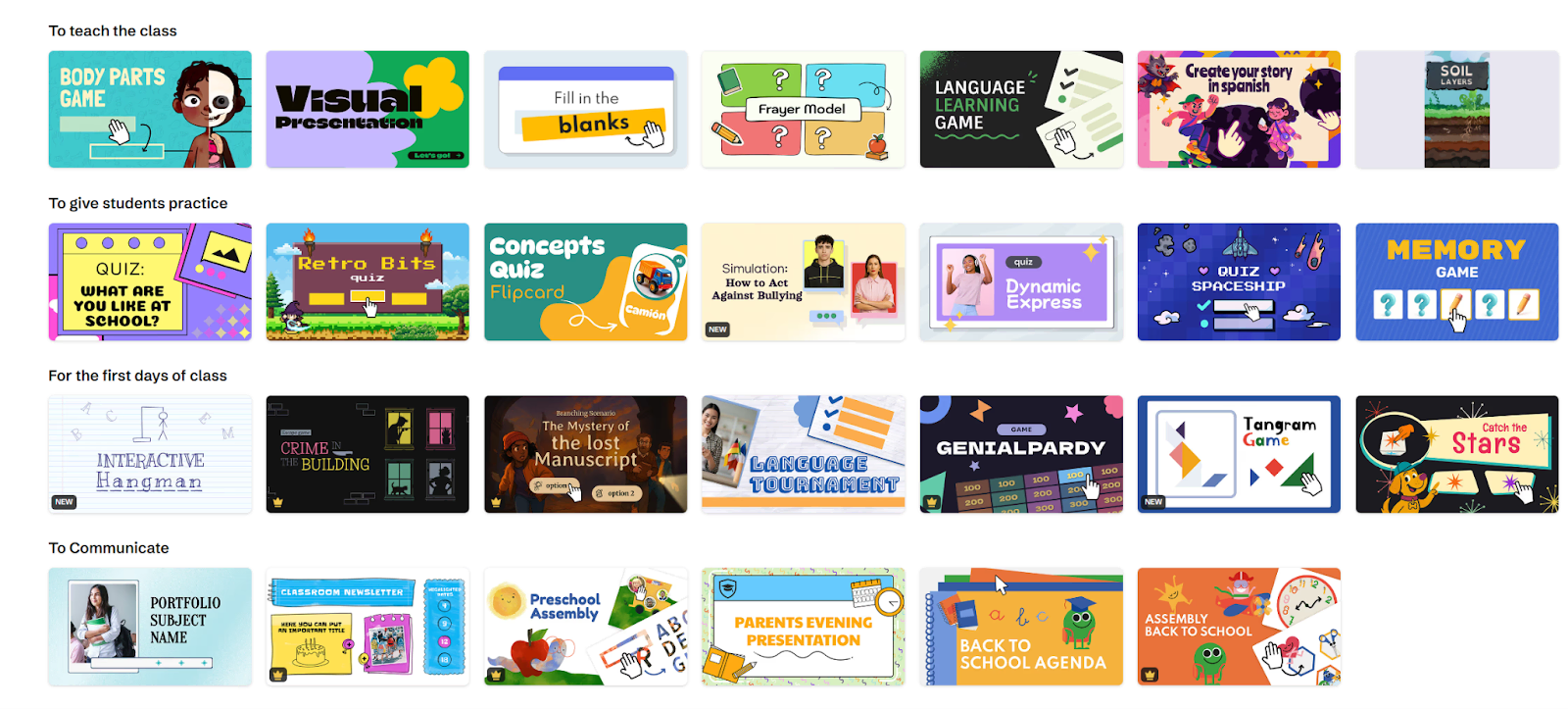
The templates are stunning. Even without a design background, you can create materials that look like they were built by a high-end creative agency.
- No Coding Required
Complex interactions and branching scenarios are achieved with simple clicks, drastically reducing development time.
- Cloud-Based
Because it runs entirely in your browser, there is no heavy software to install, and your work is automatically saved to the cloud. You can work from a Mac, a PC, or a Chromebook seamlessly.
Cons
- Limited Offline Capabilities
Because Genially is built for the web, true offline viewing is clunky. While you can download your work as an HTML5 file or a static PDF (which loses all animations), the platform relies heavily on an active internet connection, especially if you have embedded YouTube videos or external links.
- SCORM is Locked Behind Premium:
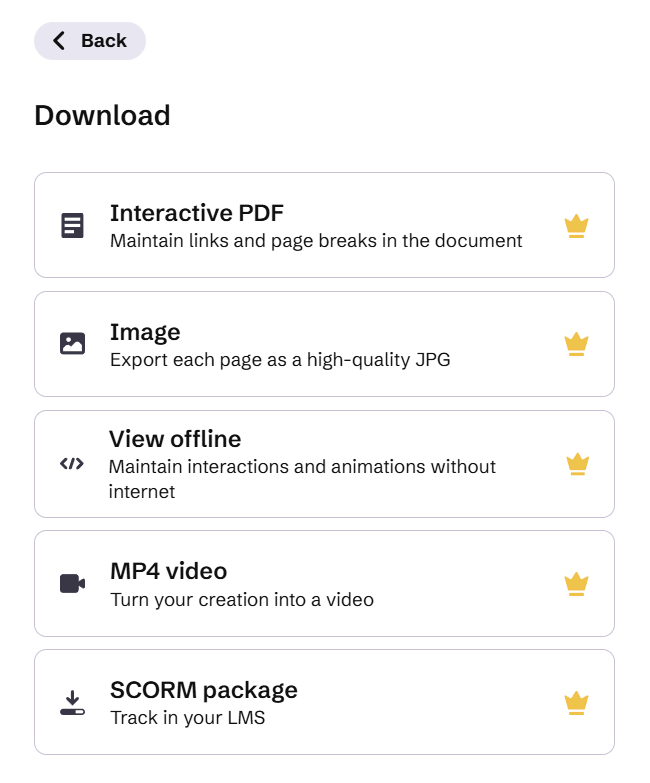
If you are an instructional designer who strictly needs LMS tracking, the free version is useless to you. You must pay for the higher-tier plans to access SCORM exports.
- Performance on Slow Connections:
Because Genially projects can be packed with high-res images, animations, and embedded iframes, they can sometimes be “heavy” to load. Learners on very slow internet connections might experience lag.
- No Built-in Screen Recording:
Unlike tools specifically designed for software simulations (like ActivePresenter or Camtasia), Genially does not have a native screen recording or heavy video editing feature. You must record your videos elsewhere and embed them.
5. Pricing Overview
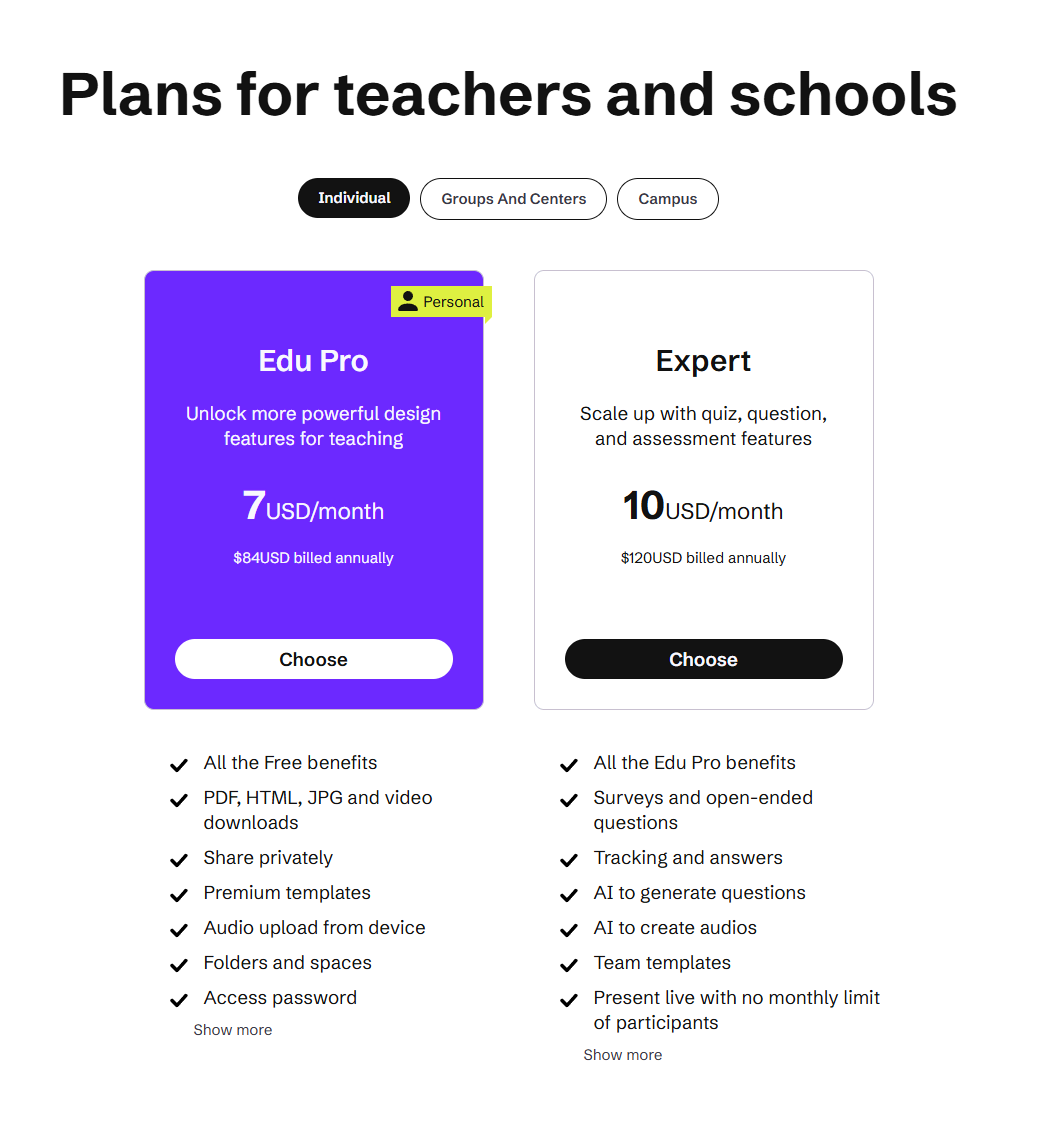
Genially categorizes its pricing into Education and Business tracks.
- Free: Unlimited projects with a watermark; no offline downloads.
- Edu Pro/Pro: Removes watermarks and allows for privacy controls and basic downloads.
- Master/Team: Required for SCORM tracking, advanced collaboration, and full brand customization.
📌 A More Complete Alternative: Why Try ActivePresenter?
While Genially excels at quick, web-based visual content, professional eLearning often requires deeper technical capabilities. If your projects involve software training, heavy video editing, or require 100% offline reliability, ActivePresenter is a highly recommended alternative.
Unlike Genially, which is a browser-based canvas, ActivePresenter is a comprehensive desktop authoring solution (Windows/macOS) designed for high-stakes instructional design.
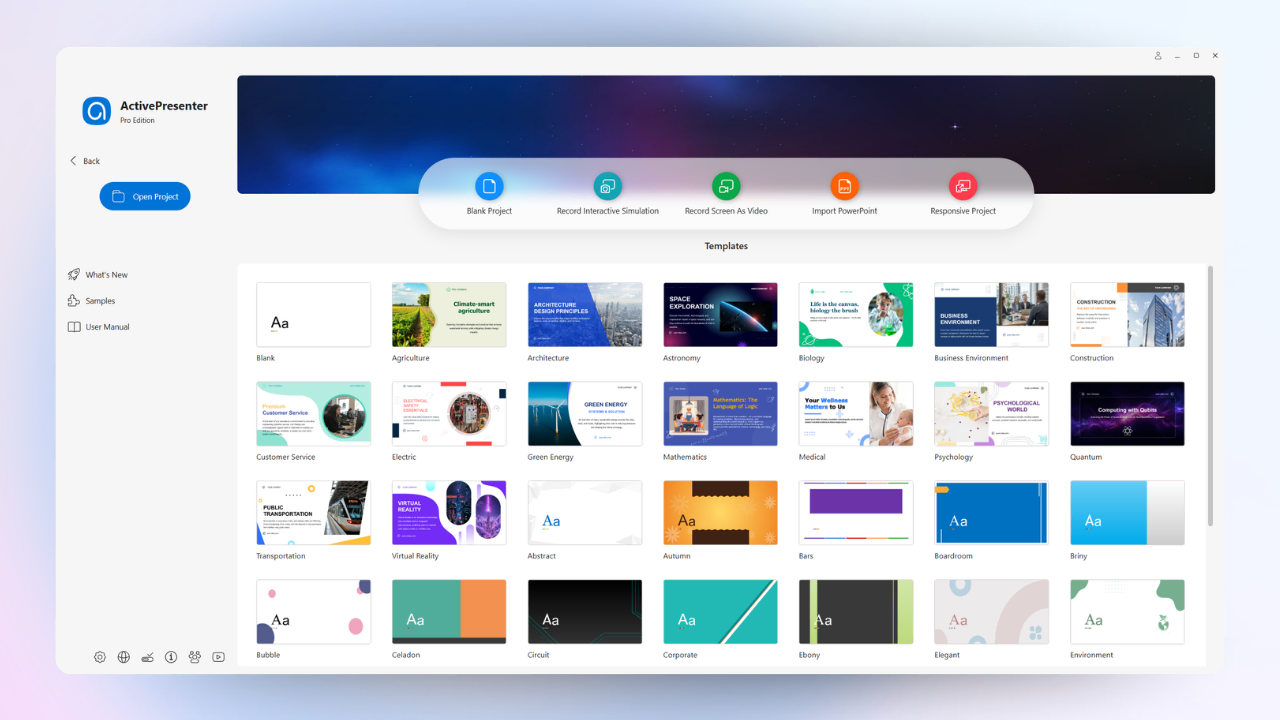
Why ActivePresenter May Better Suit Your Needs:
- Integrated Video Production: While Genially requires you to record videos elsewhere, ActivePresenter features a built-in professional video editor and screen recorder. You can record, edit, and export in one seamless workflow.
- Advanced Software Simulations: ActivePresenter can automatically capture mouse clicks and keystrokes to create interactive “Watch-Practice-Test” modules – a feature Genially does not offer.
- Offline Security and Stability: Because it is desktop software, you can work without an internet connection, ensuring your data remains private and your workflow is never interrupted by lag.
- Professional LMS Integration: ActivePresenter provides robust SCORM and xAPI support as a core feature, offering more granular data tracking for learner performance.
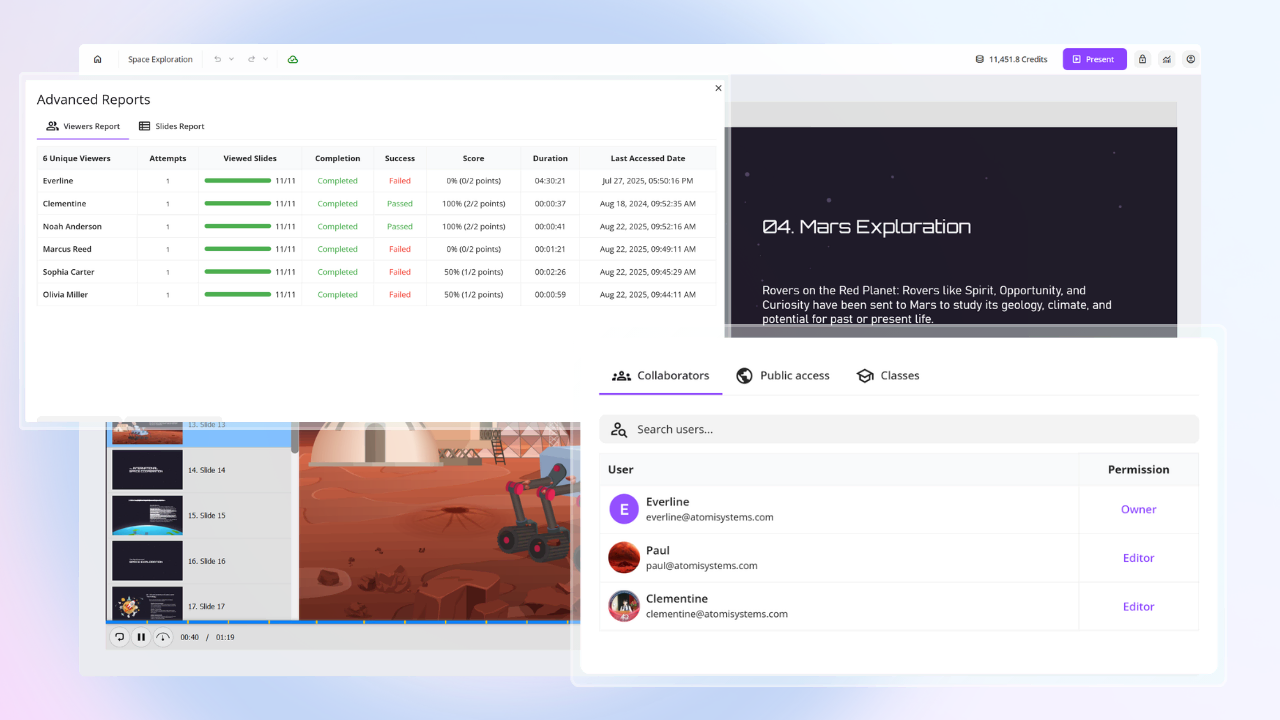
- 13 Interactive Question Types: ActivePresenter offers a significantly broader assessment toolkit than most slide-based tools. It includes 13 built-in question types – such as Multiple Choice, Drag-and-Drop, Hotspot, Sequence, and Rating Scale (Likert)
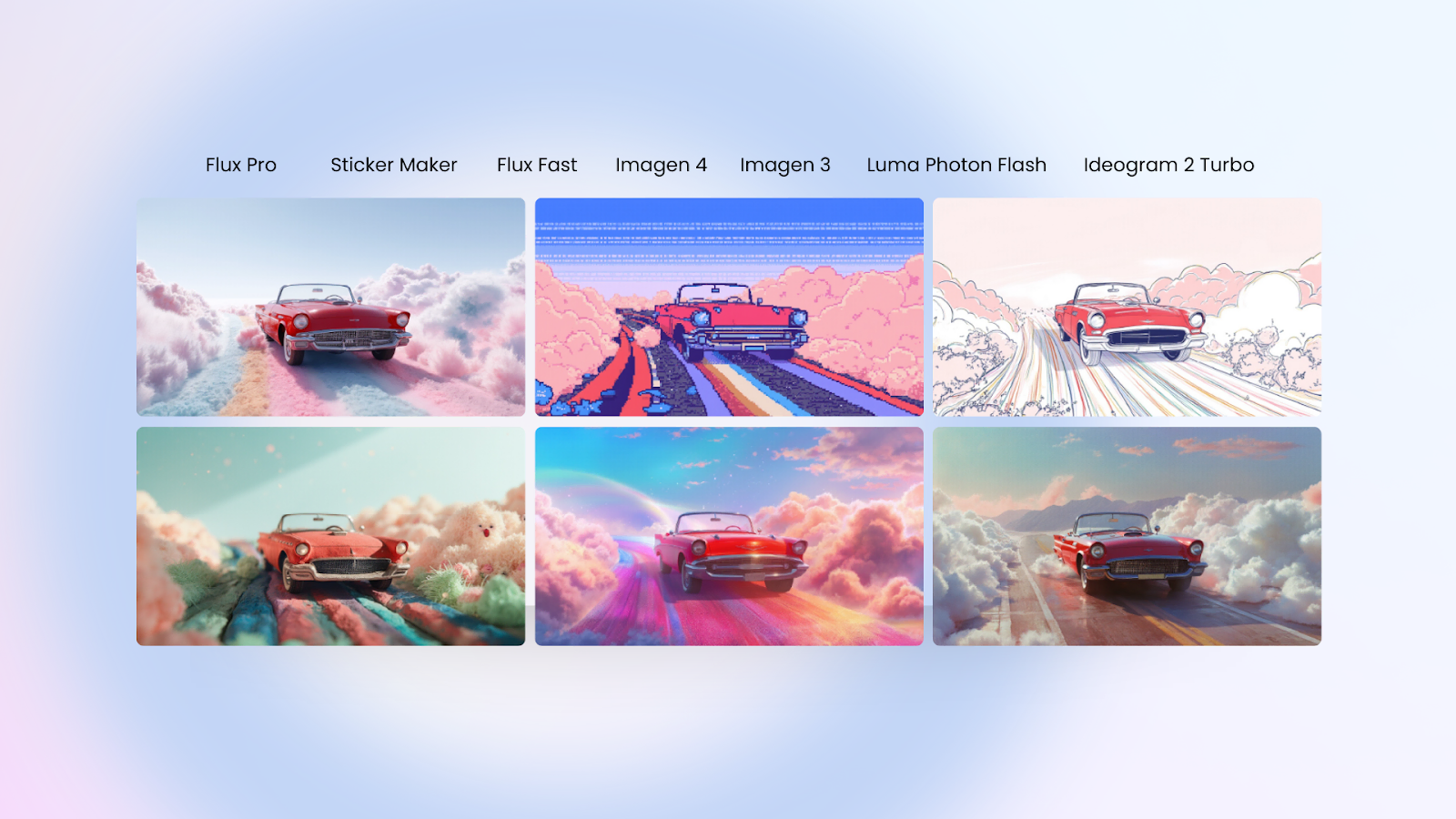
- AI-Powered Authoring Toolkit: New for 2026, ActivePresenter 10 integrates a suite of AI services to accelerate your workflow. You can generate custom AI images from text prompts, use the AI Writing Assistant to refine your narration or fix grammar, and automatically create lifelike voiceovers and auto-captions from your text—drastically reducing the time spent on manual asset creation.
Quick Verdict
- Use Genially for: Quick, flashy, template-based slides for K-12 classrooms.
- Use ActivePresenter for: Professional instructional design, software tutorials, and robust video-based training that requires high-level interactivity and offline reliability.
Conclusion
Overall, Genially is a creative tool if you need to quickly build visually stunning, interactive slides or gamified activities that live on the web.
However, if you want to move beyond simple “click-to-reveal” interactions and require deep tracking, offline security, and high-fidelity video editing, ActivePresenter is the ideal all-in-one solution, offering professional power without the steep learning curve:
- A seamless, unified interface that streamlines the workflow from initial recording to final export.
- Full-featured video and audio editing directly in the software, eliminating the need for third-party tools.
- Smart software simulation capabilities that turn screen captures into interactive “hands-on” training modules.
- A professional eLearning toolkit with advanced quiz logic and robust SCORM/xAPI support for flawless LMS integration.
Give it a try with your next complex project – you may be surprised at how much more efficient and polished your instructional content can become. ActivePresenter is undoubtedly a tool worth exploring in 2026 for any serious creator.
