
As we step into 2026, we are thrilled to announce the release of ActivePresenter 10.1.1. This milestone update underscores our commitment to a “user-centric” development philosophy, prioritizing administrative flexibility, data security, and a seamless cross-platform experience for both enterprise partners and individual creators.
Below is a comprehensive overview of the enhancements and policy updates included in version 10.1.1.
1. Enterprise Governance: The Manual AI Toggle
We understand that while AI is a game-changer, many of our enterprise partners operate under strict security and data privacy policies that may restrict the use of AI tools.
To ensure full alignment with corporate compliance and data sovereignty, ActivePresenter 10.1.1 introduces a Manual AI Toggle. This feature provides organizations with the autonomy to enable or restrict AI-driven functionalities based on internal policy requirements.
Management Options:
- Portal Link: Administrators can manage AI accessibility via the updated License Management Portal.
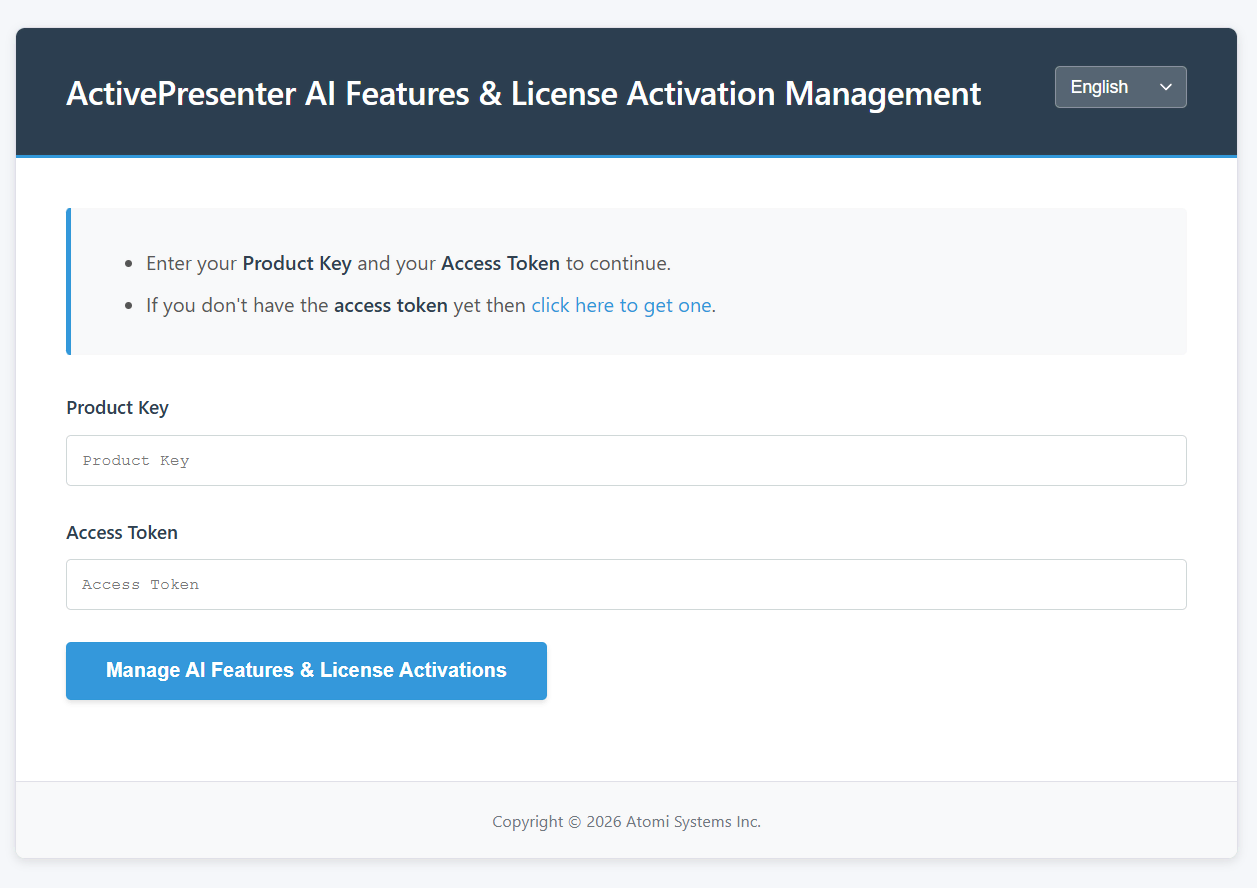
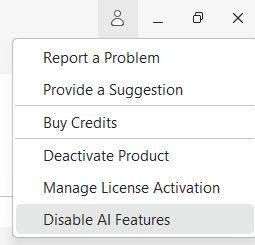
- In-App Configuration: This option allows users to open the above portal link more easily. You can click on the Account Menu (top-right corner) and select Disable AI Features. Then, proceed with the steps guided in the portal link to disable AI.
2. Platform Compatibility: Full Optimization for macOS 26
ActivePresenter 10.1.1 now officially supports macOS 26. This ensures that Mac users benefit from maximum stability, improved resource management, and high-speed rendering capabilities on the newest operating system.
3. Updated Licensing Policy for Individual Users
We have refined our Personal License terms to offer greater flexibility for modern workflows while maintaining clear usage boundaries.
- Dual-Device Provision: A single Personal License now permits activation on up to two devices (e.g., a primary workstation and a mobile laptop), provided the software is utilized exclusively by the license holder.
- Concurrent Use Policy: To ensure license integrity, Atomi Systems enforces a strict “one user per license” standard. Regardless of the number of authorized installations, the software may not be operated by multiple individuals simultaneously under a single license.
For a comprehensive breakdown of these terms, please consult our updated EULA here.
Conclusion
The release of ActivePresenter 10.1.1 marks a significant step forward in our mission to provide powerful, secure, and flexible eLearning solutions. By balancing cutting-edge AI capabilities with robust administrative controls and expanded hardware support, we continue to empower our global community of educators and developers.
We invite you to download the latest update and experience these enhancements firsthand. Thank you for your continued trust in ActivePresenter as your primary tool for digital expression and professional training.
