
Gomo is often marketed as a user-friendly, responsive eLearning authoring tool, yet professional instructional designers may encounter significant technical limitations when attempting to implement complex branching scenarios. While the platform is suitable for standard course development, its functional constraints can impact production timelines and project delivery under tight deadlines.
After reviewing and testing nine major authoring platforms, this Gomo review 2026 analysis evaluates Gomo’s actual performance, balancing its strengths against its practical limitations in a high-pressure production environment.
What Is Gomo? A Quick Orientation for E-Learning Designers
Gomo is a cloud-based e-learning authoring tool developed by Gomo Learning (now part of Learning Technologies Group). It positions itself as a responsive, multi-device content creation platform built for teams — particularly those working across distributed environments without a shared local server infrastructure.
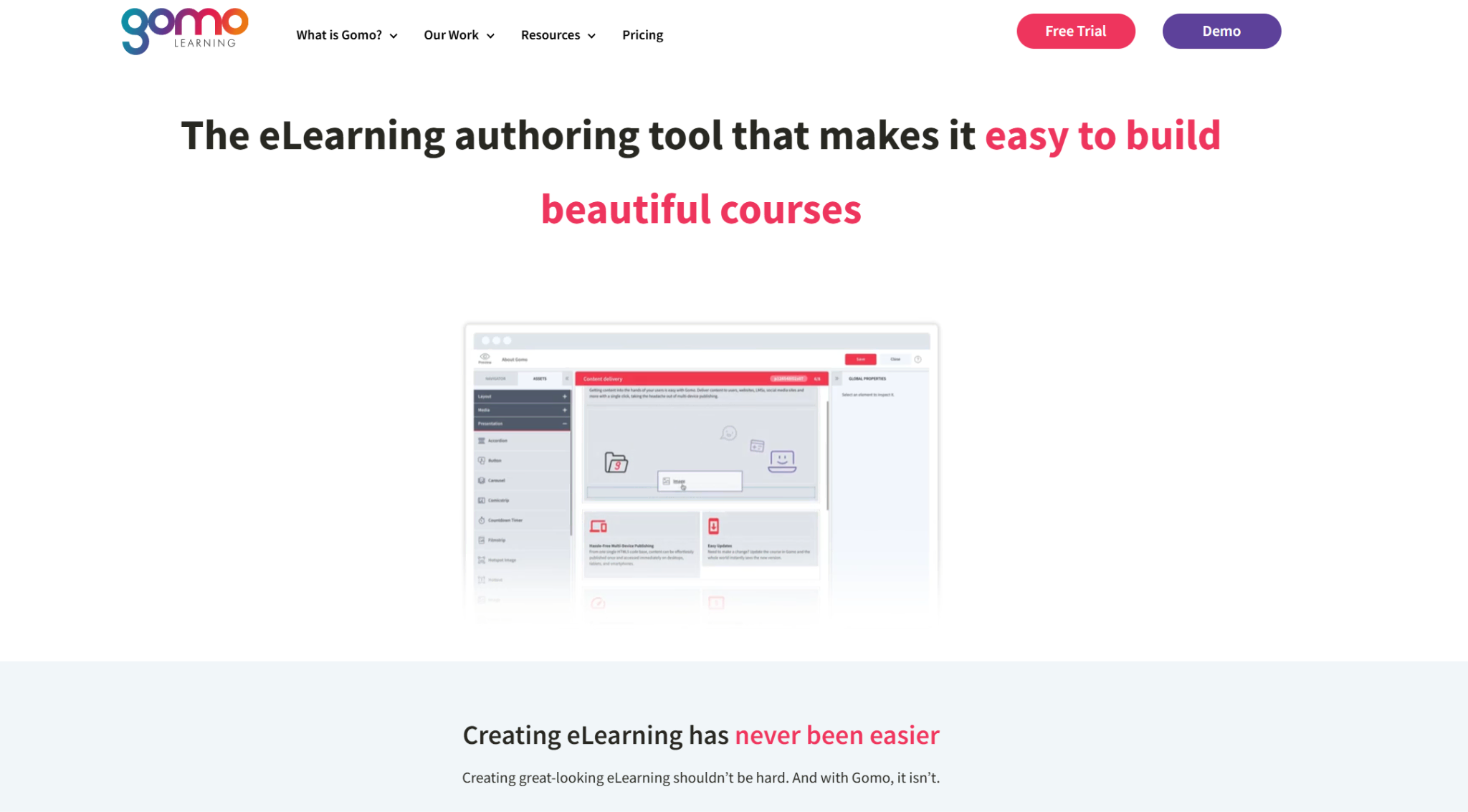
Its core promise: build once, publish everywhere, with responsive design baked in from the ground up.
On paper, that’s compelling. In practice, the story is more nuanced.
Gomo Review 2026: Feature-by-Feature Breakdown
Core Features — What Gomo Actually Offers
Responsive Design Engine
Gomo’s strongest selling point is its fluid, device-agnostic layout system. Content automatically reflows for desktop, tablet, and mobile without manual resizing. For organizations deploying to a mixed-device workforce, this is genuinely useful.
- ✅ No manual breakpoint adjustments
- ✅ Preview across device types in real time
- ⚠️ Layout control is limited — you work within Gomo’s grid, not around it
Cloud-First Collaboration
Gomo operates entirely in the browser. No installation, no version conflicts, no “can you send me the .pptx” emails.
- ✅ Real-time team collaboration
- ✅ Centralized asset library
- ⚠️ Offline work is not supported — a genuine problem in low-connectivity environments
Content Templates & Interactions
Gomo provides a library of pre-built interaction types: accordions, tabs, hotspots, quizzes, and branching scenarios.
- ✅ Fast to prototype
- ✅ Clean visual output
- ⚠️ Customization depth is limited — you cannot build complex, multi-variable simulations without workarounds
- ❌ No native screen recording or software simulation capability
SCORM & xAPI Publishing
Gomo exports to SCORM 1.2, SCORM 2004, xAPI (Tin Can), and AICC. Standard outputs, no surprises.
- ✅ Reliable LMS integration
- ✅ xAPI tracking for more granular learner data
- ⚠️ HTML5 output can feel “heavy” — page load times on mobile networks deserve attention during QA
Analytics Dashboard
Gomo includes built-in reporting for engagement, completion, and quiz performance — useful for teams without a robust LMS analytics layer.
Gomo Pros & Cons — The Honest Scorecard
| Category | Gomo Strength | Gomo Weakness |
| Responsive Design | ✅ Best-in-class auto-reflow | ⚠️ Limited layout customization |
| Collaboration | ✅ Real-time cloud teamwork | ❌ No offline capability |
| Interactivity | ✅ Clean, fast interactions | ❌ No simulation or screen recording |
| Learning Curve | ✅ Relatively low for basic content | ⚠️ Steep for advanced branching |
| Pricing | ⚠️ Subscription-based, per-user | ❌ Costs scale quickly for large teams |
| LMS Integration | ✅ Standard SCORM/xAPI support | ⚠️ Limited LRS flexibility |
| Offline/Desktop | ❌ Not available | — |
| Software Simulation | ❌ Not available | — |
| Assessment Engine | ✅ Basic quiz types covered | ⚠️ No advanced scoring logic |
Pro Tips — What Only Experienced Gomo Users Know
If you’re already using Gomo or evaluating it seriously, these are the workflow optimizations that save hours:
1. Build a Master Template Before Your First Real Project
Gomo’s theming system is powerful but front-loaded. Spend two days building a locked master template with your brand fonts, color variables, and approved interaction styles. Every subsequent module will be 40% faster to produce.
2. Use the Asset Library as a Version Control System
Gomo’s centralized asset library isn’t just storage — treat it as your single source of truth. Name assets with version numbers (e.g., compliance-video-v3-FINAL) and archive old versions rather than deleting them. You will need them after a stakeholder changes their mind.
3. Test on Real Devices, Not Just the Preview Pane
Gomo’s in-browser preview is optimistic. Always QA on actual Android mid-range devices (not just iPhones) before publishing. Font rendering and animation timing behave differently on lower-spec hardware.
4. Export xAPI Over SCORM When Your LRS Supports It
If your LMS or LRS handles xAPI, always choose it over SCORM. Gomo’s xAPI output captures interaction-level data that SCORM simply doesn’t track — giving you actual insight into where learners disengage, not just whether they completed.
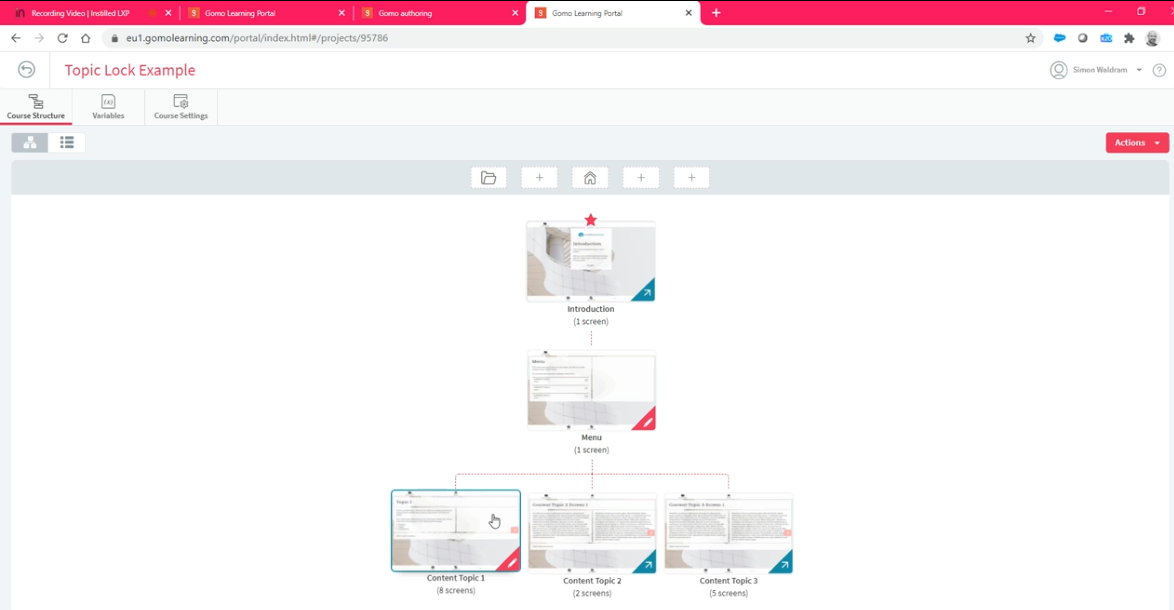
5. Avoid Deeply Nested Branching Scenarios
Gomo’s branching editor becomes visually unmanageable beyond three decision levels. If your scenario design goes deeper, map it externally (Miro, Figma, or even a whiteboard) and build in Gomo only after the logic is fully resolved on paper.
Gomo vs. ActivePresenter 2026: The Comparison That Actually Matters
Here’s where I’ll be direct: these two tools are not competing for the same job. But they’re often evaluated side-by-side, so let’s be precise.
Side-by-Side Comparison
| Feature | Gomo | ActivePresenter |
| Deployment Model | Cloud-only | Desktop (Windows/Mac) + Cloud export |
| Screen Recording | ❌ Not available | ✅ Full HD screen recording, built-in |
| Software Simulation | ❌ Not available | ✅ Native simulation with click/type interactions |
| Responsive Design | ✅ Auto-responsive | ✅ Responsive with manual control |
| Video Editing | ❌ Basic embed only | ✅ Full non-linear video editor built-in |
| Interactive Quizzes | ✅ Standard types | ✅ Advanced types + scoring logic |
| Branching Scenarios | ✅ Visual builder | ✅ Advanced with conditional variables |
| SCORM Authoring Tool | ✅ | ✅ |
| HTML5 Export | ✅ | ✅ |
| Offline Work | ❌ | ✅ Full offline capability |
| Pricing Model | Per-user subscription | One-time license |
| Learning Curve | Low–Medium | Medium (steeper for simulation features) |
| Free Version | ❌ No free tier | ✅ Free version available |
| Audio/Video Editing | ❌ | ✅ Noise reduction, annotation, zoom-n-pan |
Why Instructional Designers Are Choosing ActivePresenter in 2026
The shift isn’t about brand loyalty. It’s about capability consolidation — the growing pressure on L&D teams to do more with fewer tools, smaller budgets, and tighter deadlines.
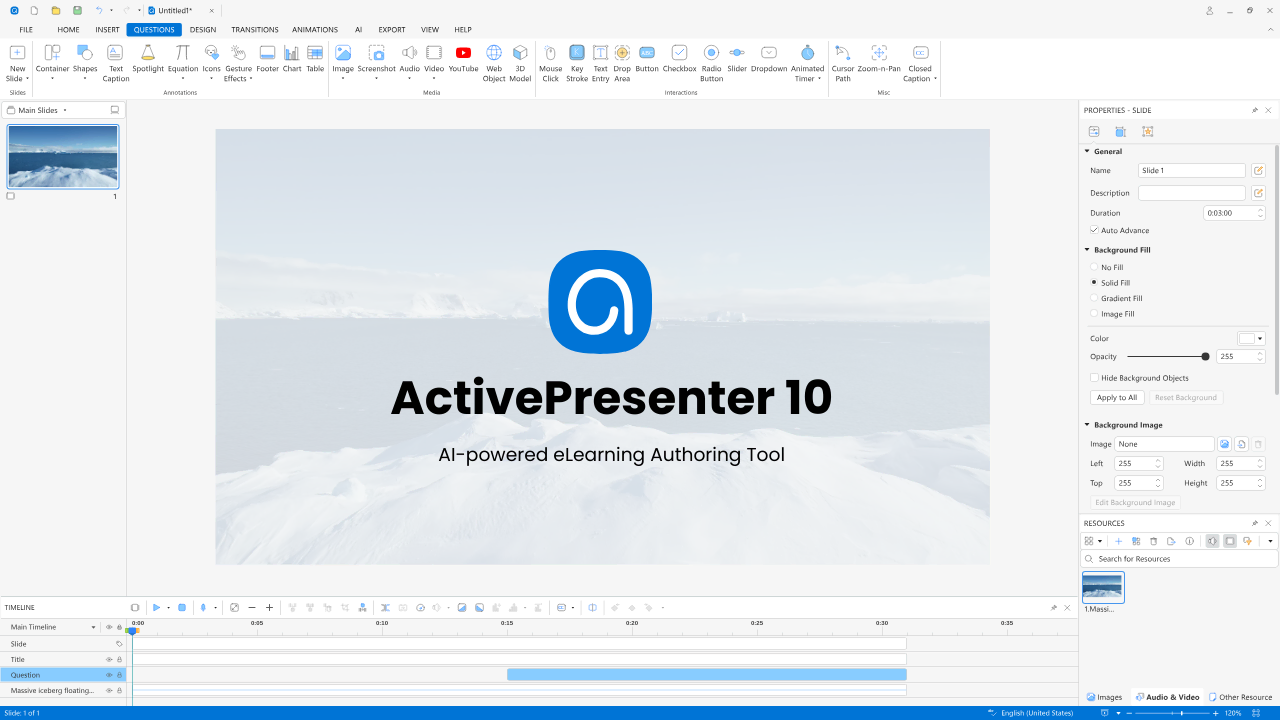
Here’s what ActivePresenter delivers that Gomo structurally cannot:
1. End-to-End Production in One Tool
With ActivePresenter, an instructional designer can record a software workflow, edit the video (trimming, annotations, zoom effects), add interactive click-through simulations, build a branching scenario, layer in a scored quiz, and export to SCORM — without leaving the application.
Gomo requires you to source screen recording from elsewhere, video editing from elsewhere, and then import everything. That’s three tools, three licenses, and three points of failure.
2. Software Simulation That Actually Trains
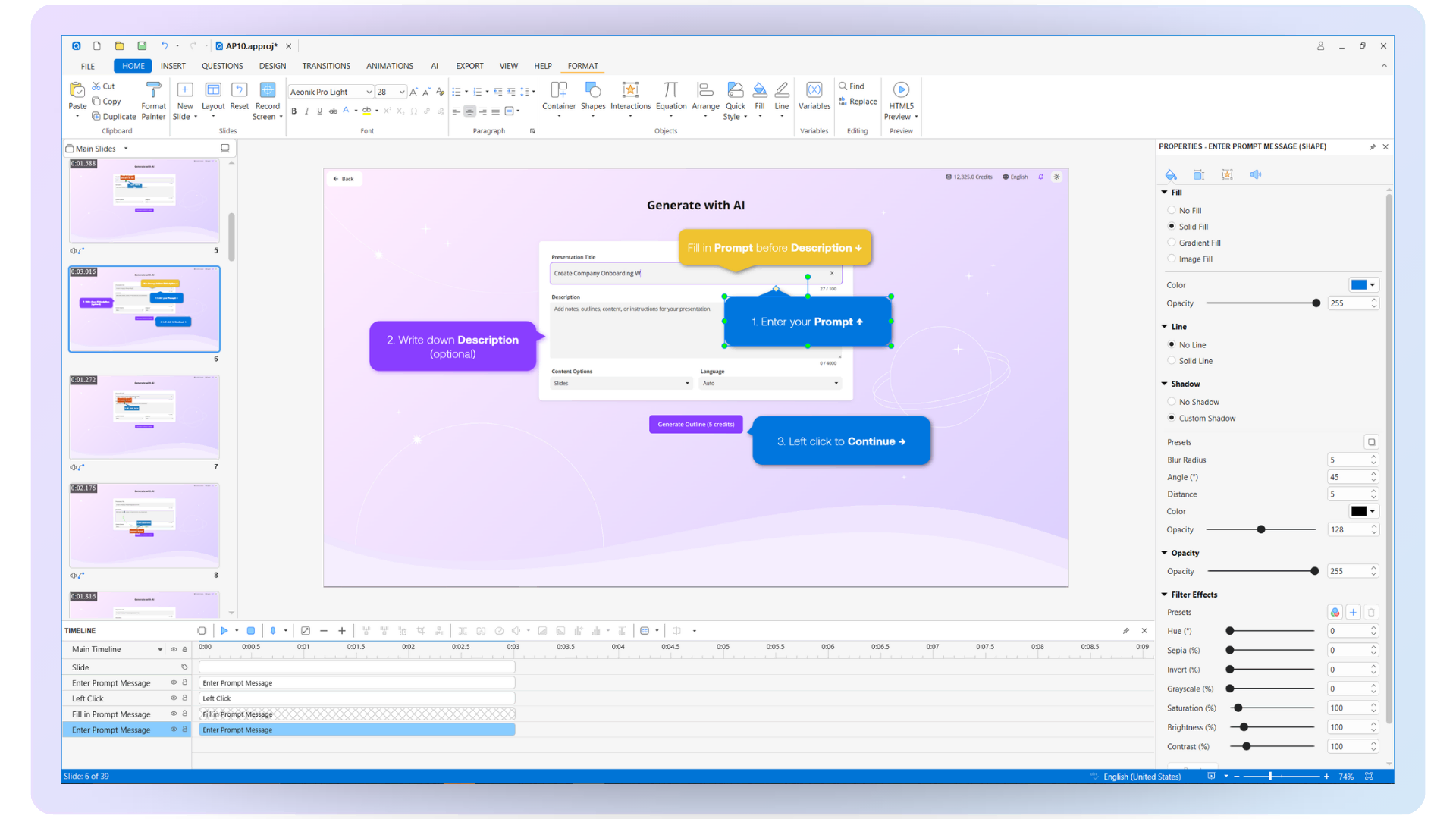
ActivePresenter’s simulation mode captures real application workflows and converts them into interactive training — learners click, type, and navigate as if they’re in the actual software. When they make an error, they receive immediate, contextual feedback.
3. Offline-First Reliability
ActivePresenter works fully offline. For organizations operating in manufacturing plants, field environments, or regions with unreliable internet, this isn’t a nice-to-have — it’s a requirement. Gomo simply cannot serve these contexts.
4. Transparent, Accessible Pricing
ActivePresenter offers a free version with meaningful functionality — not a crippled trial. For individual designers, freelancers, and small L&D teams, this is a genuine differentiator. Gomo’s pricing scales per user and can become a significant budget line for growing teams.
5. Advanced Interactivity Without Code
ActivePresenter’s event-action system allows designers to build complex conditional logic — “if the learner scores below 70% on Section 2, redirect to the remediation module and lock Section 3 until completion” — without writing JavaScript. This is the capability gap that frustrated the financial services designer I mentioned at the start of this article.
When Should You Still Consider Gomo?
To be fair: Gomo is the right choice in specific scenarios.
- Your team is fully distributed and needs real-time cloud collaboration above all else
- Your content is primarily text, image, and video-based — no simulation required
- Your learners are exclusively mobile and responsive design is the top priority
- You have a dedicated video production team handling media separately from course assembly
If those conditions describe your workflow, Gomo is a capable tool. But if your scope includes software training, simulation, or video production — even occasionally — you’ll outgrow it faster than your subscription renewal date.
Final Verdict: The Recommendation I’d Give a Colleague
If someone sat across from me at a coffee table and asked, “Should I build my team’s next training program in Gomo?” — my honest answer would be: it depends on what you’re building, and for most teams, it’s not the full answer.
Gomo is a well-designed tool for a specific use case: cloud-collaborative, mobile-responsive content for distributed teams. It does that job cleanly.
But if you need to train people on how to use software, build realistic decision-making simulations, or produce polished video-based courses without assembling a multi-tool pipeline — ActivePresenter is the more complete investment.
It’s not about which tool has a prettier interface. It’s about which tool lets your team execute a full production cycle without hitting a wall at 4pm on a Thursday when a deadline is at 9am Friday.
Ready to See the Difference for Yourself?
ActivePresenter offers a free version — not a time-limited trial, not a feature-crippled demo. Download it, build a real module, and measure the output against what you’re currently using.
👉Download ActivePresenter Free — No credit card. No expiry. Just the tool.
