
“As an L&D professional, are your training programs forcing modern learners into outdated habits?”
Think about it. In today’s fast-paced digital world, the way we consume information has radically shifted. We jump from laptops at the office, to smartphones during our commutes, and tablets on the couch.
If your training modules are still static, desktop-only experiences, you aren’t just frustrating your employees—you are actively losing their attention.
The game-changer? Responsive eLearning.
Responsive eLearning design ensures that your training content automatically adapts to fit any screen size, orientation, or device. Whether your learners are on a 24-inch monitor or a 6-inch phone, the text remains readable, images stay sharp, and navigation stays perfectly intuitive. And with a powerful authoring tool likeActivePresenter, building these multi-device experiences is easier than ever. Here are 5 crucial advantages of shifting to responsive eLearning courses for your organization.
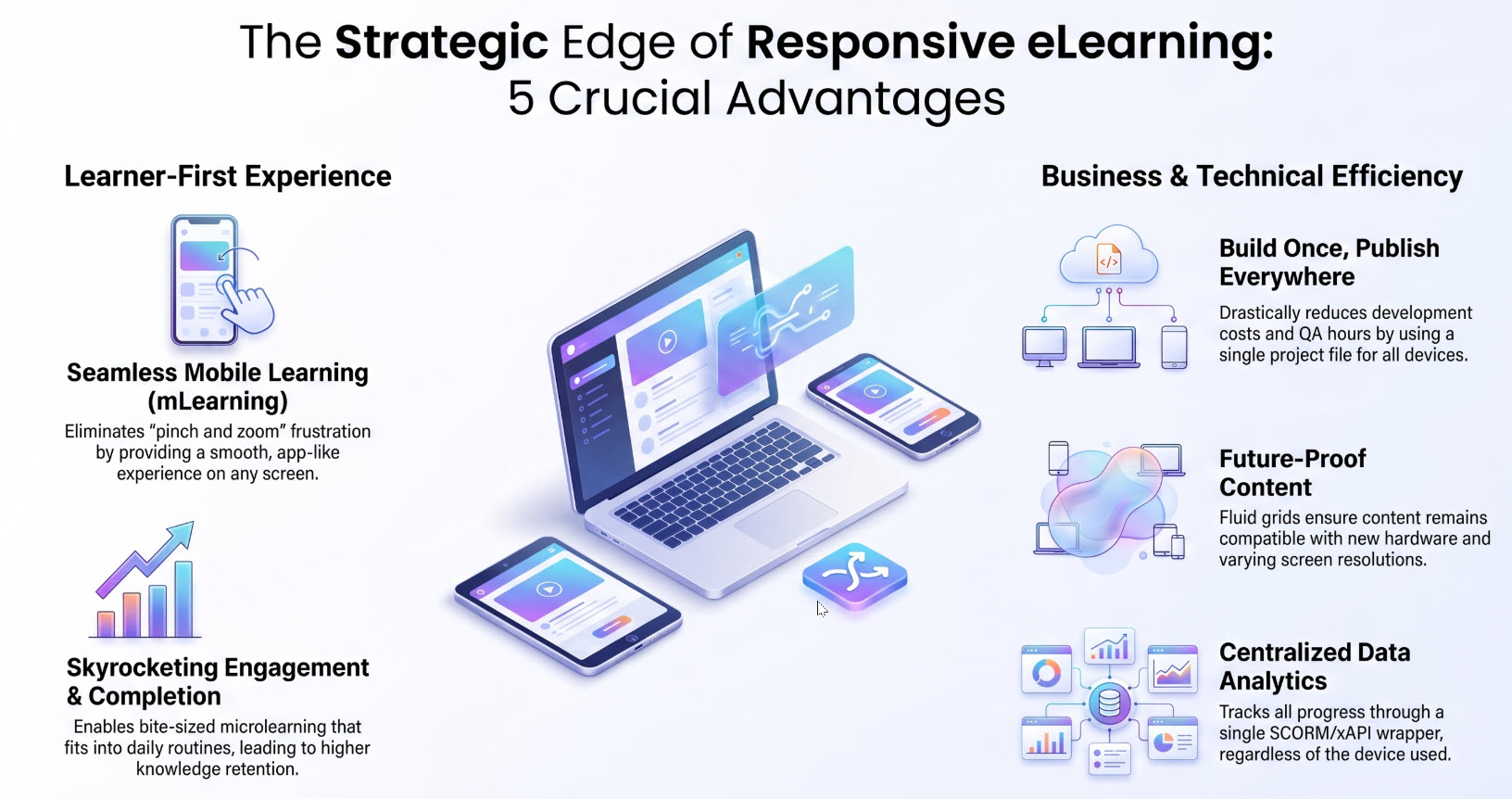
1. Enhanced Mobile Learning (mLearning) Experience
The most immediate benefit of responsive eLearning is how seamlessly it enables mobile learning. Modern employees expect to access training on the go.
If a course isn’t responsive, mobile users are forced to pinch, zoom, and scroll horizontally just to read a single paragraph. This friction leads to frustration and high drop-out rates. Responsive design eliminates these barriers, providing a smooth, app-like experience that encourages learners to study whenever and wherever they have a few spare minutes.
2. Higher Learner Engagement and Completion Rates
When training fits effortlessly into a learner’s daily routine, engagement naturally skyrockets. Responsive eLearning courses allow for “microlearning”—breaking training down into bite-sized modules that can be consumed during a commute or a lunch break.
By removing the physical constraint of needing a desktop computer, you make learning highly accessible. Increased accessibility directly correlates with higher course completion rates and better knowledge retention.
3. Cost-Effective and Time-Saving Development
Before responsive design became the industry standard, developers had to build multiple versions of the same course: one for desktop, one for mobile, and perhaps another for tablets. This multiplied development costs and QA testing hours.
With responsive eLearning development, you create once, publish everywhere. By using a eLearning authoring tool like ActivePresenter, a single project file handles all devices effortlessly. ActivePresenter empowers you to build fully responsive layouts using smart features like Flex Box, ensuring your content automatically flows and adapts. This significantly reduces your initial development costs and slashes the time required for future content updates.
4. Future-Proof Learning Content
The tech landscape changes rapidly. Every year, tech giants release new devices with unique aspect ratios and screen resolutions.
If you build fixed-layout eLearning courses, they might look broken on next year’s smartphone. Responsive eLearning is inherently future-proof. Because the design relies on fluid grids and flexible images, your content will look just as stunning on future devices as it does on today’s hardware.
5. Centralized Data Tracking and Analytics
Managing multiple versions of a single course makes tracking learner data a nightmare. You have to consolidate reports from different platforms or versions to see how your team is progressing.
A responsive eLearning course tracks all user data through a single SCORM, xAPI, or AICC wrapper. No matter what device the employee uses to complete the training, their progress, quiz scores, and time-spent metrics are synced back to your Learning Management System (LMS) in real-time, giving you accurate, centralized analytics.
The Bottom Line
Responsive eLearning is no longer a ‘nice-to-have’ feature; it is a strategic necessity. By investing in multi-device design, you improve the learner experience, reduce development friction, and maximize the ROI of your corporate training programs.
Ready to modernize your training content? Tools like ActivePresenter make creating responsive eLearning courses easier than ever. With its intuitive interface and robust responsive design capabilities, you can design once and deliver a flawless learning experience across every device.
