
Most beginners think the hard part is creating the course. In reality, the mess often starts after that when you need to translate eLearning course content into two, five, or ten languages without breaking captions, layouts, quizzes, or learner flow.
I’ve seen teams spend days manually replacing on-screen text and subtitles, only to discover that the translated version no longer fits the slide, the labels overlap, and the published course behaves differently in the LMS.
This is where ActivePresenter, an eLearning authoring software, becomes a practical choice. It combines screen recording, translation support, and publishing in one workflow. In this guide, I’ll show you the difference between translation and localization, when to use AI Project Translation, when to use XLIFF, and how to publish multilingual courses fast.
Translation vs. Localization: What’s the Difference?
If you want better learning outcomes, translation alone is rarely enough.
A translated course may be readable. A localized course feels natural, usable, and relevant to the learner.
| Translation | Localization |
| Converts text into another language | Adapts the learning experience for a target audience |
| Focuses on language | Includes terminology, culture, compliance, and usability |
| Translates words | Optimizes learner engagement |
Here’s the practical difference:
- Translation for eLearning courses changes the language of the words.
- Localization adjusts the full learning experience so learners in a specific region can understand and use it with confidence.
That may include:
- replacing screenshots with a localized software interface
- adapting date, currency, or measurement formats
- reviewing industry terminology
- adjusting visual examples to fit local expectations
- checking whether quizzes, labels, and interactions still make sense in context
If you only translate text, learners may still struggle. Buttons may have unfamiliar wording. Examples may feel foreign. Compliance language may be inaccurate. Even a good translation can fail if the course experience is not adapted for the audience.
Why ActivePresenter Is a Practical Tool for Multilingual eLearning
Before choosing a translation method, you need the right production environment. That matters more than most beginners expect.
A multilingual course is not just text on slides. It often includes:
- interactions
- captions
- audio or narration scripts
- software simulations
- annotations
- quizzes
- LMS-ready publishing
ActivePresenter is practical because it keeps those moving parts inside one tool instead of forcing you to stitch together separate apps.
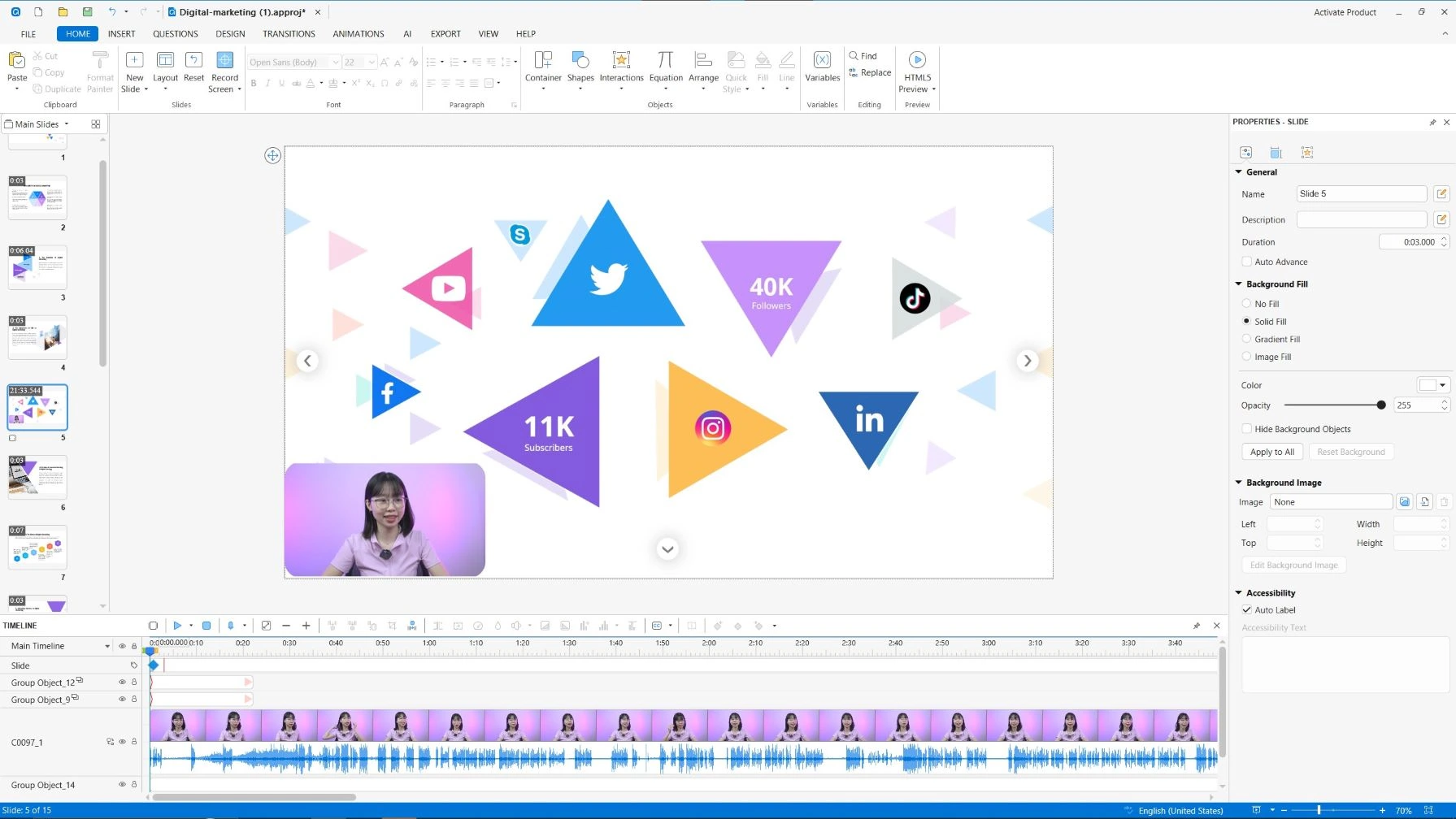
Key features that support multilingual eLearning
ActivePresenter helps you build and localize courses with:
- AI Project Translation for translating project text in a click
- XLIFF export and import for structured localization workflows
- Interactive eLearning authoring for quizzes, branching, and assessments
- Screen recording and software simulations for system training
- Caption and annotation editing for accessible multilingual delivery
- Video editing for polishing lesson content without leaving the project
- Publishing to SCORM, xAPI, HTML5, and uPresenter LMS for flexible deployment
The big advantage is workflow control. You can create the source course, translate it, review it, adjust the layout, and publish it from the same authoring environment.
Export Your eLearning Course Using XLIFF
If your project needs translation accuracy, reviewer collaboration, or long-term terminology consistency, XLIFF is usually the stronger option.
What Is XLIFF?
XLIFF stands for XML Localization Interchange File Format. It is a standard file format used to exchange translatable content between authoring tools and translation tools.
In simpler terms, it lets you extract the text from your course, send it for translation, and bring the translated content back into the project in a structured way.
How the XLIFF workflow works
In ActivePresenter, the workflow is straightforward:
- Export translatable content as an XLIFF file: ActivePresenter allows you to export project text for translation.
- Translate the XLIFF file: You can use CAT tools for translating
- Import the translated XLIFF back into ActivePresenter: The translated text is placed back into the project structure.
- Review and publish the localized course: Check layout, interactions, and LMS output before launch.
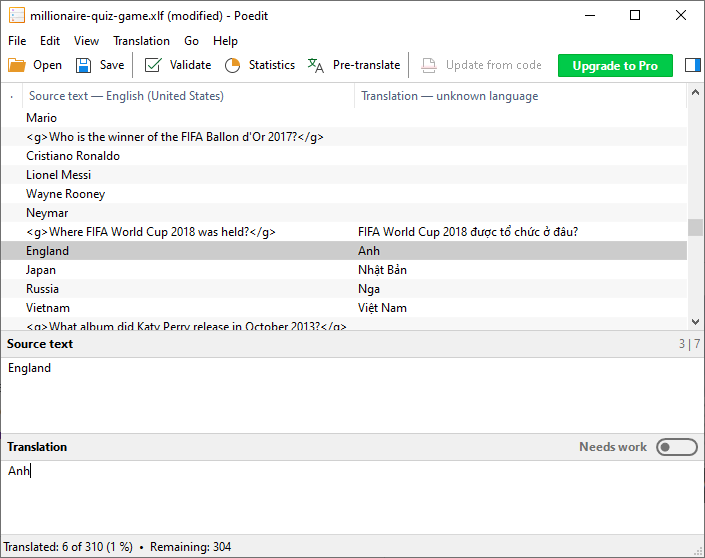
In ActivePresenter, project localization generally includes:
- exporting text to XLIFF
- translating the XLIFF file
- importing from XLIFF
Benefits of using XLIFF
Using XLIFF gives you several practical advantages:
- Translation memory support: reuse previously translated terms and segments.
- Consistent terminology: Important in compliance, legal, healthcare, or technical training.
- Simplifies future updates: When the course changes, structured translation workflows are easier to maintain.
Cons
- slower than AI-first workflows
- may require external tools or translators
- beginners need time to understand the process
- still requires post-import course review
When should you use XLIFF?
XLIFF is ideal for:
- enterprise training
- compliance courses
- legal or regulated industries
- projects requiring translator review and approval
- organizations using CAT tools and translation memory
You can refer to Do Project Localization for guidance on how to work with XLIFF in detail.
Translate Your eLearning Course Faster with AI Translation
If speed is your priority, AI Translation can dramatically reduce production time.
For many teams, the real bottleneck is not writing the original course. It is creating multilingual versions fast enough to match release cycles, product updates, or internal training deadlines.
What ActivePresenter’s AI Translation can translate
ActivePresenter supports AI Project Translation, which can help translate project content such as:
- on-screen text
- captions
- annotations
- narration scripts
- other project text elements
This makes it especially useful when you need a fast first draft across the full project instead of translating items one by one.

When should you use AI Translation for eLearning Course?
AI Translation is ideal for:
- internal employee training
- product tutorials
- microlearning
- frequently updated courses
- teams needing rapid multilingual deployment
Three practical scenarios where AI Translation for eLearning course works well
1. Weekly product update training
A software company updates its UI every sprint. Training content needs frequent revisions. AI Translation helps the team regenerate multilingual versions without repeating manual work.
2. Customer onboarding for multiple regions
A support team creates short HTML5 learning modules for new customers. Instead of waiting for full external localization cycles, they use AI Translation to launch faster and then refine based on market demand.
3. Franchise or branch training
A retail chain pushes short training modules to multiple countries. AI Translation helps local managers receive understandable training quickly, even before final reviewed versions are completed.
Pros & Cons of the AI Translation approach
Pros
- fast turnaround
- lower effort for first drafts
- efficient for iterative updates
- easier for small teams
- no need to leave the authoring workflow
Cons
- requires human review
- terminology may need refinement
- cultural nuance is not always preserved
- regulated content may need stricter approval
XLIFF vs. AI Translation for eLearning Course: Which Should You Choose?
This is the question most teams ask too early. The better question is: What level of speed, control, and translation quality does this course require?
Let’s take a look at the comparison table
| AI Translation | XLIFF |
| Fast and automated | Structured and professional |
| Built into ActivePresenter | Works with CAT tools |
| Best for first drafts and on going projects | Best for finalized translations |
| Great for frequent updates | Best for controlled review workflows |
| Requires human review | Supports translation memory and terminology management |
Recommendation
Choose AI Translation when:
- speed and efficiency are your priorities
- your courses change frequently
- you need multilingual first drafts quickly
- your team is small or under tight deadlines
Choose XLIFF when:
- translation accuracy is critical
- multiple reviewers must approve content
- terminology consistency matters
- you work in compliance-heavy or regulated environments
For many teams, the most effective workflow is not choosing one over the other. It is combining both:
- use AI Translation to generate the initial multilingual draft
- use an XLIFF-based review workflow for final validation and consistency
That hybrid model gives you speed without giving up control.
Review and Publish Your Localized eLearning Course
A translated course is not finished when the text is converted. It is finished when learners can complete it smoothly in the target language.
Before publishing, review the following carefully:
- Text overflow and layout: Some languages expand significantly compared to English.
- Caption synchronization: Subtitles may need timing adjustments after translation.
- Quiz functionality: Check answer labels, feedback layers
- Navigation: Make sure buttons, branching, and slide flow still work.
- Responsive behavior: Verify display across screen sizes if you publish for browser-based learning.
- Font compatibility: Ensure your fonts support all target language characters and stay consistent for all devices.
- SCORM/xAPI packaging: Confirm tracking settings before LMS deployment.
- Browser and LMS testing:Test the actual published output before the soft launch.
Conclusion
To translate eLearning course content effectively, you need more than a text conversion tool. You need a workflow that respects how eLearning actually works: interactive content, captions, simulations, quizzes, and LMS publishing all moving together.
ActivePresenter supports both sides of that workflow. You can use AI-powered Project Translation when speed matters, or rely on XLIFF-based localization when you need a more controlled and professional translation process. That flexibility is what makes it practical for both beginners and experienced training teams.
If you’re creating internal training, customer education, or global learning programs, my honest advice is simple: start with one pilot course. Test your translation workflow, validate your publishing output, and refine your review process before scaling to multiple languages.
If you want to try this in practice, download ActivePresenter for free and test its localization features on a small project first. And if you need help along the way, join the Atomisystems community to learn from real users working through the same challenges.
