
If you’ve spent any time in a modern classroom, physical or virtual, you’ve almost certainly heard the iconic Kahoot countdown music. Since its launch over a decade ago, Kahoot has become synonymous with gamified quizzes. It’s colorful, it’s energetic, and students genuinely light up when they see it on screen.
But here’s the question I keep hearing from fellow instructional designers and educators in 2026: Is Kahoot still the right tool when your needs go beyond a quick classroom warm-up?
After spending over 10 years reviewing eLearning authorin tools and building interactive content for corporate training and higher education, I decided to put Kahoot through a thorough, honest evaluation. In this kahoot review, I’ll break down exactly what Kahoot does well, where it falls short, and critically, how ActivePresenter deserves your attention if you’re serious about learning outcomes and professional eLearning designn .

What Is Kahoot? A Quick Overview
Kahoot is a cloud-based, game-based learning platform primarily designed for live, synchronous quiz sessions. Teachers or trainers create quiz games (“Kahoots”), share a game PIN with participants, and players answer questions on their own devices in real time. Points are awarded for speed and accuracy, and a live leaderboard keeps the competitive energy high.
Founded: 2013, Norway
Primary Use Case: Live gamified quizzes and polls
Platform: Web-based (works on any browser, plus iOS/Android apps)
Target Users: K-12 teachers, corporate trainers, event facilitators
At its core, Kahoot is built for engagement in the moment , and at that specific job, it still delivers in 2026.
Kahoot’s Key Features in 2026
Let me walk through the features that matter most, based on real-world usage:
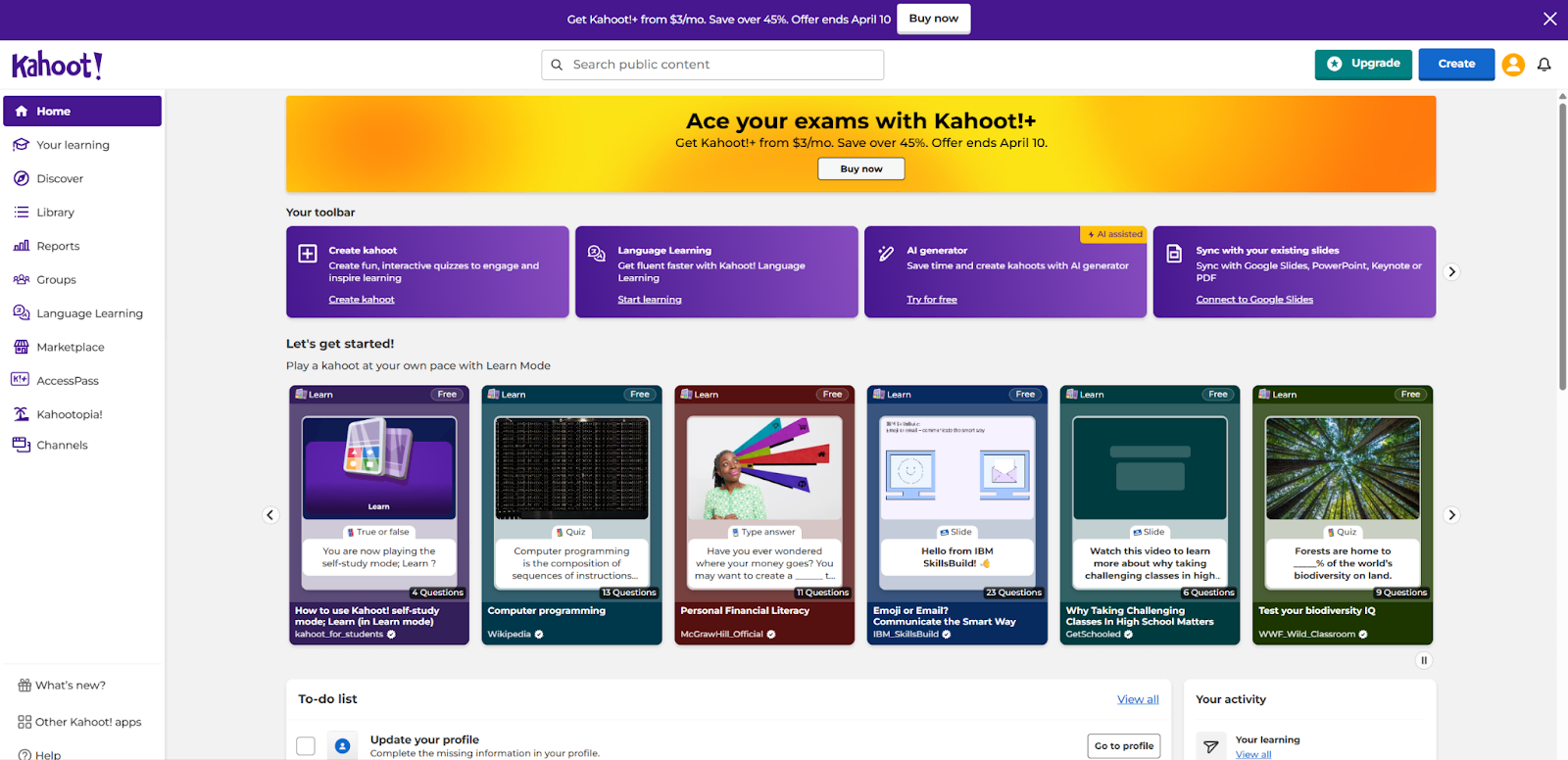
Live Game Mode
This is Kahoot’s flagship experience. You project the questions on a shared screen, participants join via a PIN on their devices, and the room erupts with that trademark music. For energizing a classroom of 30 students or kicking off a corporate workshop, nothing matches this energy.
In my experience running training sessions, Kahoot’s live mode is genuinely effective for the first 10-15 minutes of a session. It breaks the ice, gets people engaged, and creates a shared experience. That’s real pedagogical value.
Question Types
Kahoot offers a handful of question formats:
- Multiple Choice (the classic 4-option format)
- True/False
- Type Answer (short text input)
- Puzzle (ordering)
- Poll (no right answer)
- Slider (estimate a number)
For quick knowledge checks, these cover the basics. However, if you’re coming from a professional eLearning background, you’ll immediately notice what’s missing , and I’ll address that in the cons section.
Kahoot AI Quiz Maker
New in recent updates, Kahoot now includes an AI-assisted quiz generator. You can paste a topic or upload content, and the AI will generate a set of questions for you. It’s a time-saver for teachers who need to create quizzes quickly.
My honest take: The AI-generated questions are serviceable for low-stakes classroom reviews, but they tend to be surface-level. For anything requiring nuanced assessment , Bloom’s Taxonomy higher-order thinking, scenario-based questions , you’ll need to heavily edit or rewrite them.
Self-Paced (Assign) Mode
Kahoot isn’t purely live anymore. The “Assign” mode lets you send quizzes as homework or self-study activities. Students complete them on their own time, and you get a results report afterward.
This is a welcome addition, though the experience feels less polished than the live mode. Without the countdown timer and leaderboard energy, a Kahoot assignment is essentially… a basic online quiz.
Reports & Analytics
Kahoot provides post-game reports showing:
- Overall scores and rankings
- Question-level difficulty analysis
- Individual student performance
The reports are clean and easy to read. For formative assessment purposes , identifying which topics need re-teaching , they do the job. However, they lack the granular interaction-level tracking that xAPI or SCORM-based tools provide.
Integrations
Kahoot integrates with popular platforms including Microsoft Teams, Google Classroom, and various LMS systems through LTI. For teachers already embedded in the Google or Microsoft ecosystem, this is convenient.
Kahoot Pricing in 2026
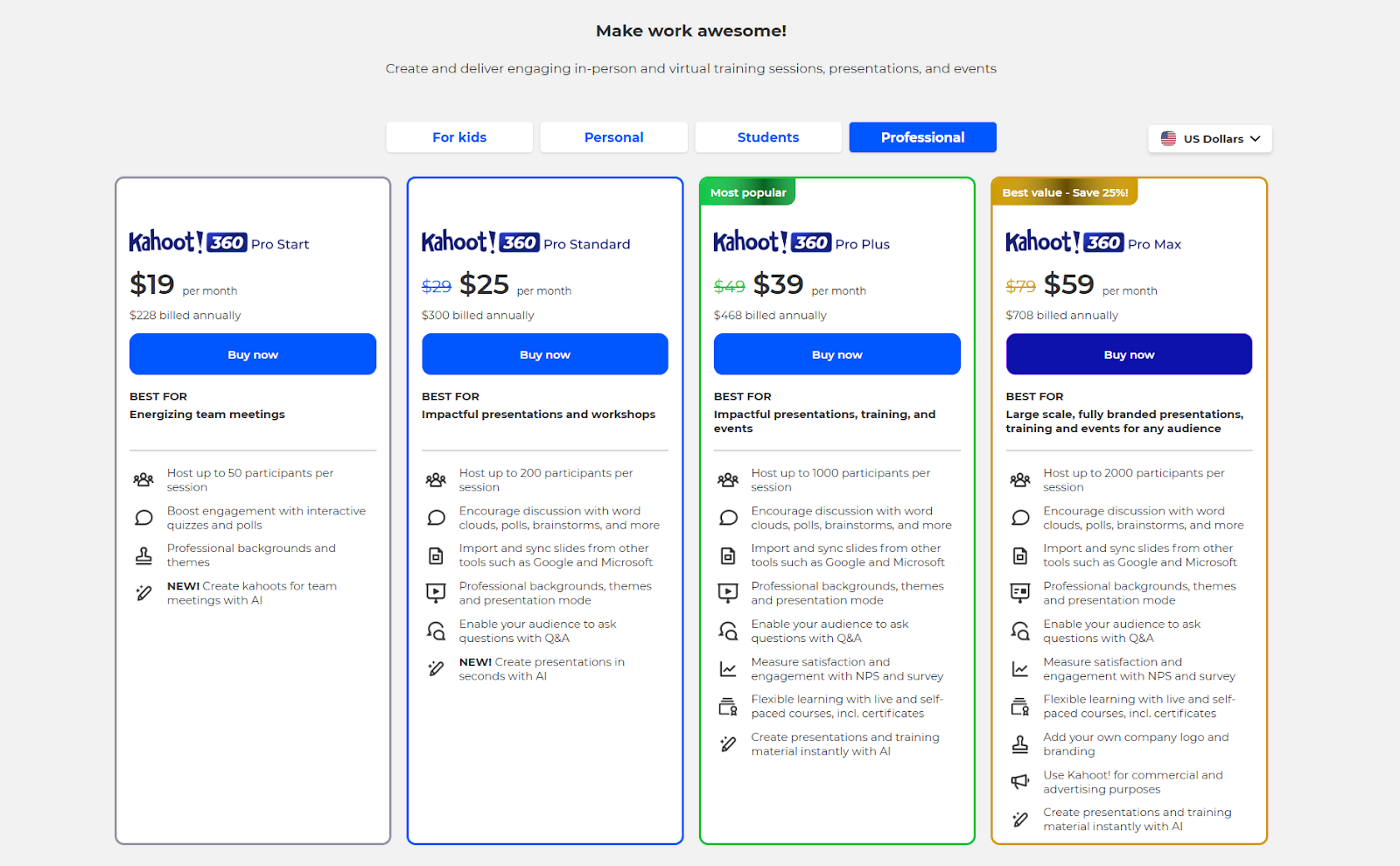
Kahoot operates on a freemium subscription model. Here’s the breakdown:
| Plan | Price | Key Inclusions |
| Free | $0 | Basic quiz creation, up to 20 players per session |
| Kahoot+ Start | ~$17/mo (billed annually) | More players, image library, advanced reports |
| Kahoot+ Max | ~$40/mo (billed annually) | All question types, branding, priority support |
| Kahoot! EDU | Custom pricing | School/district plans with admin controls |
Cost reality check: For an individual teacher, the free tier is genuinely useful. But the moment you need more than 20 participants, advanced question types, or branding options, you’re looking at $200-$480/year. Over a 3-year period, that’s $600-$1,440 , and you own nothing. Cancel your subscription, and your access disappears.
This is an important consideration I’ll revisit when we compare alternatives.
Evaluation Criteria: How I Assessed Kahoot
To keep this review structured and fair, I evaluated Kahoot against the same criteria I use for every quiz and eLearning tool:
| Criteria | Weight | Description |
| Question Type Variety | High | Range and depth of assessment formats |
| LMS Compatibility (SCORM/xAPI) | High | Can content be exported to standard LMS platforms? |
| Customization & Branding | Medium | Control over fonts, colors, layouts, interactions |
| Adaptive/Branching Logic | High | Can the quiz adapt based on learner responses? |
| Analytics & Reporting | Medium | Depth of learner performance data |
| Pricing & Total Cost of Ownership | High | Long-term value, especially for professionals |
| Ease of Use | Medium | Learning curve for new users |
| Offline/Export Capability | Medium | Can content work without internet? |
Now let’s see how Kahoot stacks up.
Kahoot Pros: What It Does Well
✅ 1. Unmatched Live Engagement
Let’s give credit where it’s due. For synchronous, in-the-room energy, Kahoot is still the gold standard in 2026. The music, the countdown, the leaderboard , it creates a shared emotional experience that genuinely boosts participation. I’ve seen rooms full of disengaged corporate trainees suddenly come alive during a Kahoot session.
✅ 2. Near-Zero Learning Curve
A teacher can create their first Kahoot in under 10 minutes. The interface is intuitive, colorful, and forgiving. There’s virtually no training required, which matters enormously in K-12 environments where teachers are already stretched thin.
✅ 3. Cross-Platform Accessibility
Students need only a browser and a game PIN. No app downloads required (though apps are available). This removes one of the biggest friction points in edtech adoption.
✅ 4. Effective for Formative Assessment
For quick pulse checks , “Did students understand today’s lesson?” , Kahoot delivers fast, visual feedback. The question-level difficulty reports help teachers identify knowledge gaps immediately.
Kahoot Cons: Where It Falls Short
❌ 1. Limited Question Types
This is Kahoot’s most significant limitation for anyone doing serious assessment design. With only 3-6 question types (depending on your plan), you’re restricted to surface-level recall questions.
There’s no support for:
- Drag-and-drop interactions
- Hotspot (click-on-image) questions
- Sequence/ordering with complex logic
- Fill-in-multiple-blanks
- Essay or extended response with rubric scoring
- Likert scale assessments
- Simulation-based questions
For eLearning professionals building compliance training, software simulations, or competency assessments, this is a dealbreaker.
❌ 2. No SCORM or xAPI Support
This is the elephant in the room. Kahoot produces zero SCORM or xAPI output. You cannot export a Kahoot quiz and upload it to your LMS as a trackable learning object. In the world of corporate eLearning, where SCORM compliance is often a non-negotiable requirement, this makes Kahoot essentially unusable as a primary assessment tool.
If your organization uses Moodle, Blackboard, TalentLMS, or any standards-based LMS, Kahoot content lives in a silo.
❌ 3. Minimal Customization
You cannot change fonts, adjust layouts, customize the quiz interface, or apply your organization’s branding (unless you’re on an expensive plan). Every Kahoot looks like… a Kahoot. For corporate training departments that need branded, professional-looking assessments, this is a serious limitation.
❌ 4. No Branching or Adaptive Logic
Modern assessment design increasingly relies on adaptive pathways , if a learner answers incorrectly, they’re routed to remedial content; if they answer correctly, they skip ahead. Kahoot offers none of this. Every participant gets the same linear sequence of questions regardless of their performance.
❌ 5. Subscription-Based Pricing with No Ownership
As I mentioned earlier, Kahoot’s subscription model means you’re renting access. Over multiple years, costs accumulate , and if budget cuts hit, you lose everything. There’s no perpetual license option.
❌ 6. Weak Asynchronous Experience
While the “Assign” mode exists, it strips away everything that makes Kahoot special. Without the live energy, you’re left with a basic quiz interface that doesn’t compete with purpose-built eLearning tools.
❌ 7. Internet Dependency
Kahoot requires a constant internet connection. There’s no offline mode and no way to export quizzes as standalone HTML5 packages. For training scenarios in low-connectivity environments (field training, manufacturing floors, remote areas), this is a practical barrier.
Kahoot vs. ActivePresenter 10: A Head-to-Head Comparison
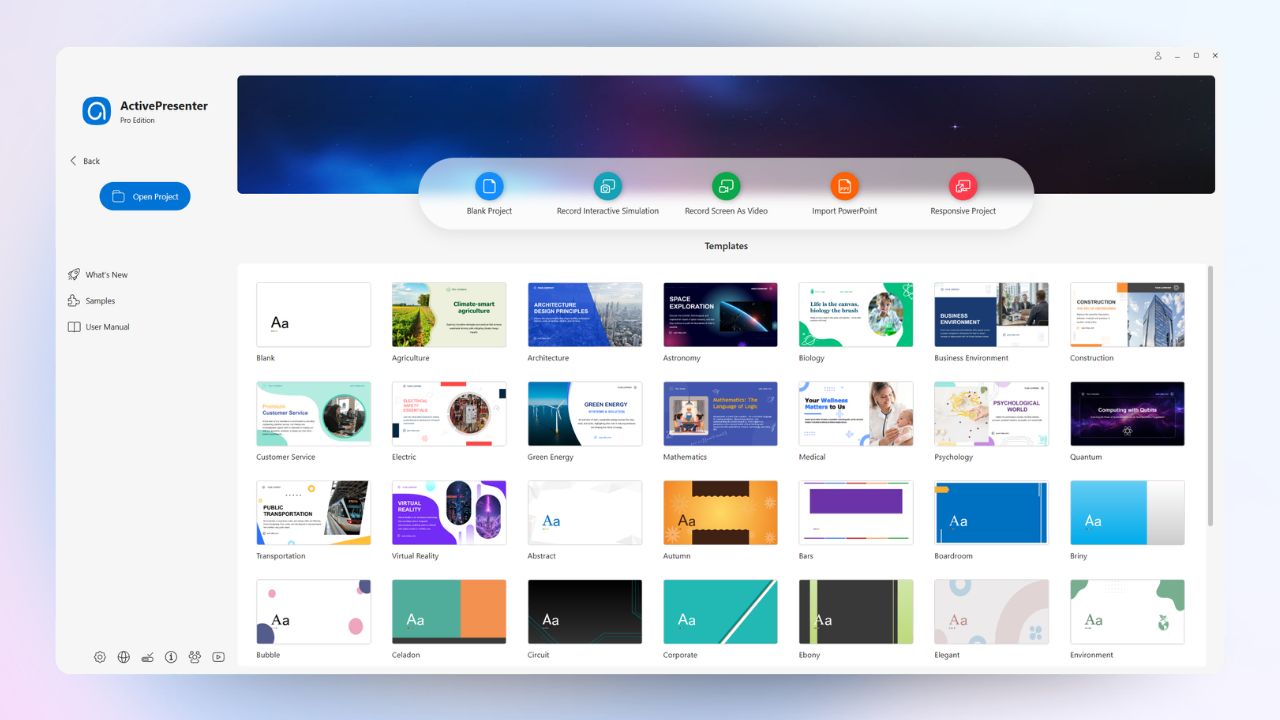
For readers evaluating their options seriously, here’s how Kahoot stacks up against ActivePresenter 10 , a professional eLearning authoring tool that includes a comprehensive quiz engine alongside screen recording and video editing.
| Feature | Kahoot | ActivePresenter 10 |
| Question Types | 3-6 (plan-dependent) | 13+ (including drag-and-drop, hotspot, sequence, fill-in-blank, Likert, essay) |
| SCORM/xAPI Export | ❌ None | ✅ Full SCORM 1.2, SCORM 2004, xAPI |
| Adaptive/Branching Logic | ❌ None | ✅ Advanced (Event-Action system, variables, conditions) |
| Customization | Minimal (locked templates) | Complete (fonts, colors, layouts, CSS, custom themes) |
| Slide Pools / Randomization | ❌ None | ✅ Full slide pool and question randomization |
| Offline Capability | ❌ Internet required | ✅ Export as HTML5, runs offline |
| Video Integration | Basic (embed YouTube) | Built-in screen recording + video editor |
| Pricing Model | Subscription (~$17-40/mo) | Perpetual license (one-time purchase) |
| Free Version | Limited (20 players) | ✅ Full-featured free version available |
| Best For | Live classroom engagement | Professional eLearning, training, and assessment |
The Honest Takeaway
These two tools serve fundamentally different purposes, and comparing them isn’t entirely apples-to-apples. Kahoot is a live engagement tool. ActivePresenter is a professional authoring platform. But here’s why the comparison matters:
Many educators and trainers start with Kahoot because it’s fun and easy. Then they hit a wall, they need SCORM compliance, they need branching scenarios, they need more question types, they need branded content. At that point, they start shopping for a “real” eLearning tool.
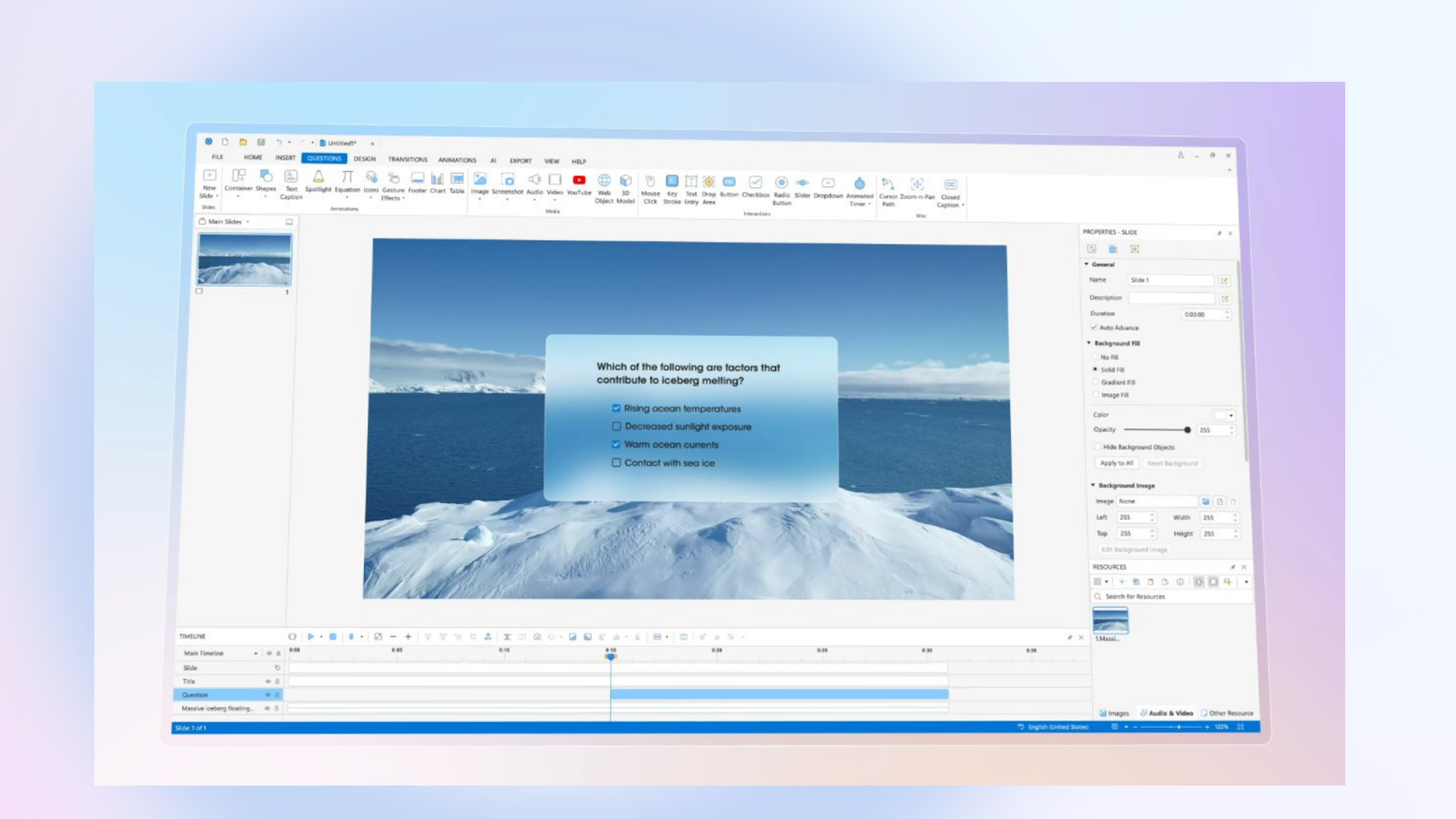
And that’s where ActivePresenter 10 consistently wins the evaluation. In my experience working with instructional design teams, the moment someone realizes they can build interactive quizzes with 10+ question types, create software simulations, record and edit video, AND export everything as a SCORM package, all from a single tool with a one-time license fee , the decision becomes straightforward.
Who Should (and Shouldn’t) Use Kahoot in 2026?
✅ Kahoot IS Right For You If:
- You’re a K-12 teacher looking to make review sessions more engaging
- You run live workshops or events and need a quick audience interaction tool
- Your quizzes are low-stakes formative assessments (not graded, not tracked in an LMS)
- You have a small group (under 20) and want to stay on the free plan
- You value speed of creation over depth of assessment
❌ Kahoot is NOT Right For You If:
- You need SCORM or xAPI compliance for LMS tracking
- You’re building graded assessments with multiple question types
- You require branching/adaptive logic based on learner responses
- You need branded, customized quiz interfaces
- You’re creating software simulations or scenario-based training
- You want a perpetual license instead of ongoing subscription costs
- You need content to work offline
Final Verdict: Kahoot Review 2026
Kahoot remains a genuinely excellent live engagement tool. For what it was designed to do: gamify synchronous quiz sessions and make learning feel like play, it’s still one of the best options available in 2026. The energy it creates in a room is real, and that has pedagogical value.
But Kahoot is not a professional eLearning authoring tool, and it shouldn’t be evaluated as one. It doesn’t support SCORM/xAPI. It doesn’t offer branching logic. Its question types are limited. Its customization is minimal. And its subscription pricing, while reasonable for casual use, adds up quickly for organizations.
If you’re an eLearning designer, corporate trainer, or educator who needs to build comprehensive, trackable, standards-compliant assessments, Kahoot will leave you wanting more. For those use cases, a tool like ActivePresenter 10 delivers the professional-grade quiz engine, full LMS compatibility, and creative flexibility that serious instructional design demands, all backed by a one-time perpetual license that respects your budget.
My recommendation? Use Kahoot for what it does best , lighting up a room. Then use ActivePresenter for everything else.
🚀 Ready to Build Professional-Grade Quizzes?
If you’ve outgrown basic quiz tools and need a platform that handles 10+ question types, SCORM/xAPI export, adaptive branching, screen recording, and video editing , all in one place , give ActivePresenter 10 a try.
Join thousands of educators and eLearning professionals who’ve already made the switch. Your quizzes , and your learners , deserve better.
Have questions about migrating from Kahoot to a professional authoring tool? Drop by the Atomi Systems Community Forum, our team and fellow users are always happy to help.