
If you’re new to eLearning, choosing your first authoring tool can feel overwhelming. There are many free eLearning authoring tools on the market, and at first glance, they all seem capable of getting the job done.
But is it really that simple? Can a free tool be powerful and practical at the same time?
Free tools are a great way to learn the fundamentals of eLearning – how courses are structured, how interactions work, and how instructional designers think about content. They help you experiment without pressure, budget concerns, or long-term commitment. However, it is important to remember that most “free” tools come with hidden strings attached – whether it’s watermarks, storage caps, or locked essential features that can hinder a professional project.
In this article, we’ll analyze the best free tools available today and highlight exactly where those hidden limits lie. But if you are looking to produce truly professional content at an affordable price, I have a great suggestion for you! So, we will discuss two main points here: The top 4 free eLearning authoring tools for beginners, perfect for those looking to get familiar with eLearning design. Plus, a recommendation for a professional tool with an incredibly reasonable price tag: Atomi ActivePresenter, the amazing software we’ve been developing for over a decade.
Recognized as one of the world’s best authoring tools for its balance of high-end features and cost-effectiveness, ActivePresenter is everything you need to create stunning eLearning courses at ease!
Why Use Free eLearning Authoring Tools?
Before we dive into the specific tools, let’s address the big question: Why should you start with free eLearning authoring tools? For beginners, the world of eLearning design can be overwhelming, and expensive software subscriptions often become a barrier to entry. Free tools offer a risk-free environment to learn the basics, understand course logic, and experiment with interactivity without breaking the bank. They allow you to test the waters and build your confidence before you decide to invest in a professional solution.
Create Quality Content Without the Cost
Let’s be honest, eLearning software can get expensive fast. Free eLearning authoring tools remove that barrier, allowing you to build professional training content without subscription fees or upfront investment.
This makes them perfect for teachers, freelancers, nonprofits, startups, and small teams who want to focus on learning outcomes instead of software budgets.
Experiment Without Pressure
Free tools give you room to explore. You can try different instructional designs, test interactions, and see how your content behaves inside an LMS – without worrying about whether the tool is “worth the money” yet.
It’s a stress-free way to learn, improve, and refine your workflow at your own pace.
Still Professional – Not “Lite” Content
Many free authoring tools today are far more capable than people expect. Features like quizzes, branching, and SCORM export mean you can publish actual courses that track learner progress and performance.
Free doesn’t have to mean basic.
What to Look for in a Free eLearning Authoring Tool
LMS Compatibility Matters
If you plan to upload your course to an LMS, make sure the tool supports standards like SCORM 1.2, SCORM 2004, or xAPI. These ensure your content runs smoothly and learner data is tracked properly.
Without this, even the best-designed course can fall short.
Watch Out for Free Version Limits
Most free tools come with strings attached – watermarks, storage limits, or locked features. Some are fine for testing, but frustrating for real projects.
Knowing these limits early helps you choose a tool that won’t slow you down later.
Match the Tool to Your Skill Level
Some tools are very beginner-friendly, especially those based on PowerPoint-style workflows. Others – like open-source platforms – offer more control but require more technical know-how.
The best tool is the one you’ll actually enjoy using.
Make Sure It Works on Mobile
Learners don’t just use laptops anymore. A good free eLearning authoring tool should support responsive or mobile-friendly output so your content looks great on any device.
Top Free eLearning Authoring Tools
- Genially – Best for Teachers & Visual Lessons
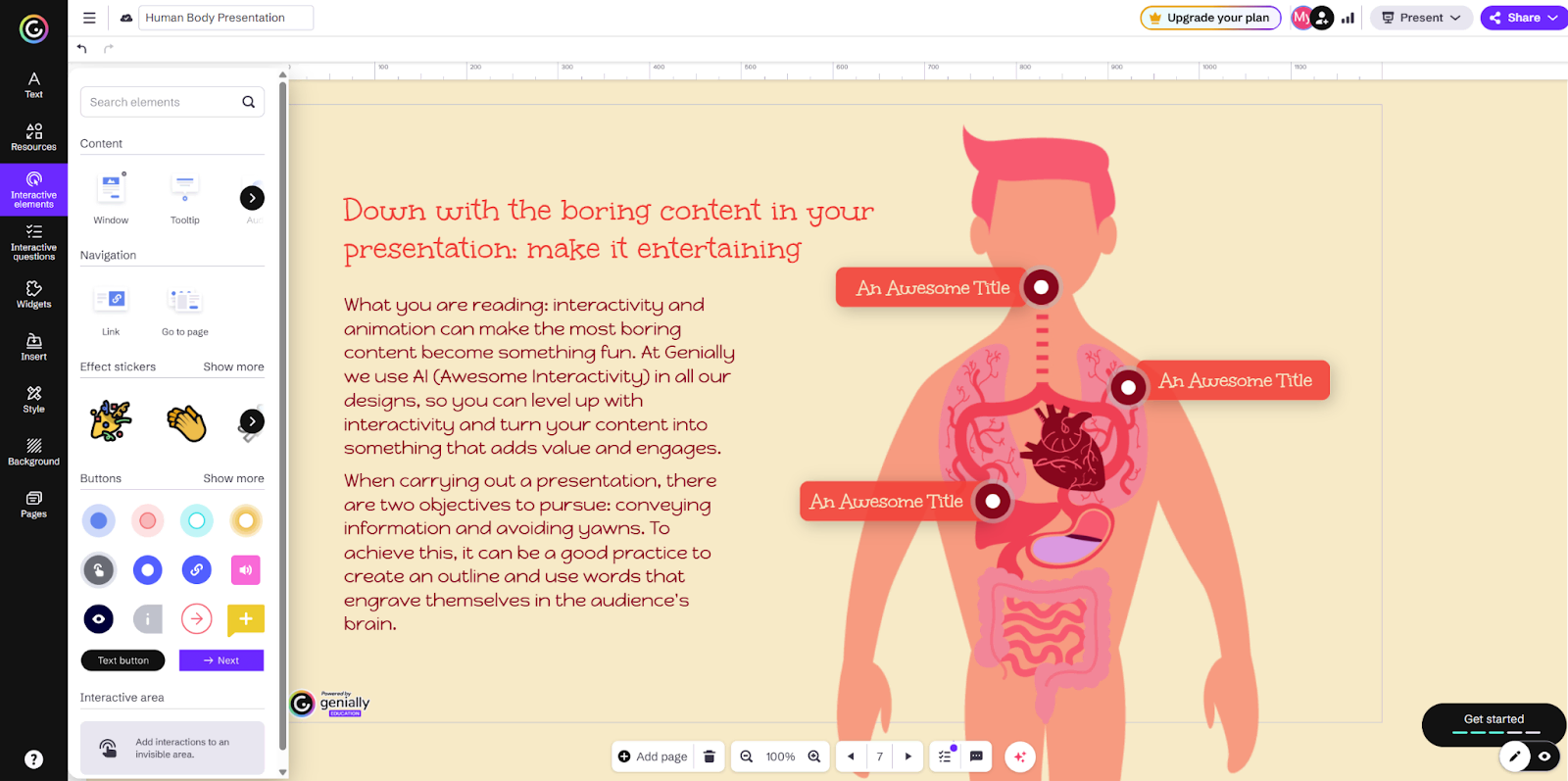
Founded in 2015 in Spain, Genially has grown into a popular cloud-based platform for creating visually rich, interactive digital content. Genially is best suited for educators, instructional designers, and learning teams who prioritize learner engagement, microlearning, and presentation-style content over complex LMS-driven courses.
Pros
- Excellent for interactive learning experiences (infographics, animated presentations, interactive timelines).
- Drag-and-drop editor with plenty of templates.
Cons
- No Downloads: You cannot download your creation as a PDF, JPG, or HTML5 file. You must view it online via a browser.
- Genially Watermark: All presentations will display a small “Genially” logo/watermark.
- Public Links Only: You cannot password-protect your creation or keep it fully private. It is indexed as a public link (though people usually need the specific URL to find it).
- No Brand Kit: You cannot save your own brand fonts, colors, or logos for repeated use.
Who Should Use It
- Instructional designers focused on engagement and visual storytelling.
- Marketing and learning teams creating interactive micro-courses or content teasers.
- Creators who need highly designed experiences but don’t require strict LMS compliance.
2. H5P – Best Open-Source Solution for LMS‑Based Interactive Training
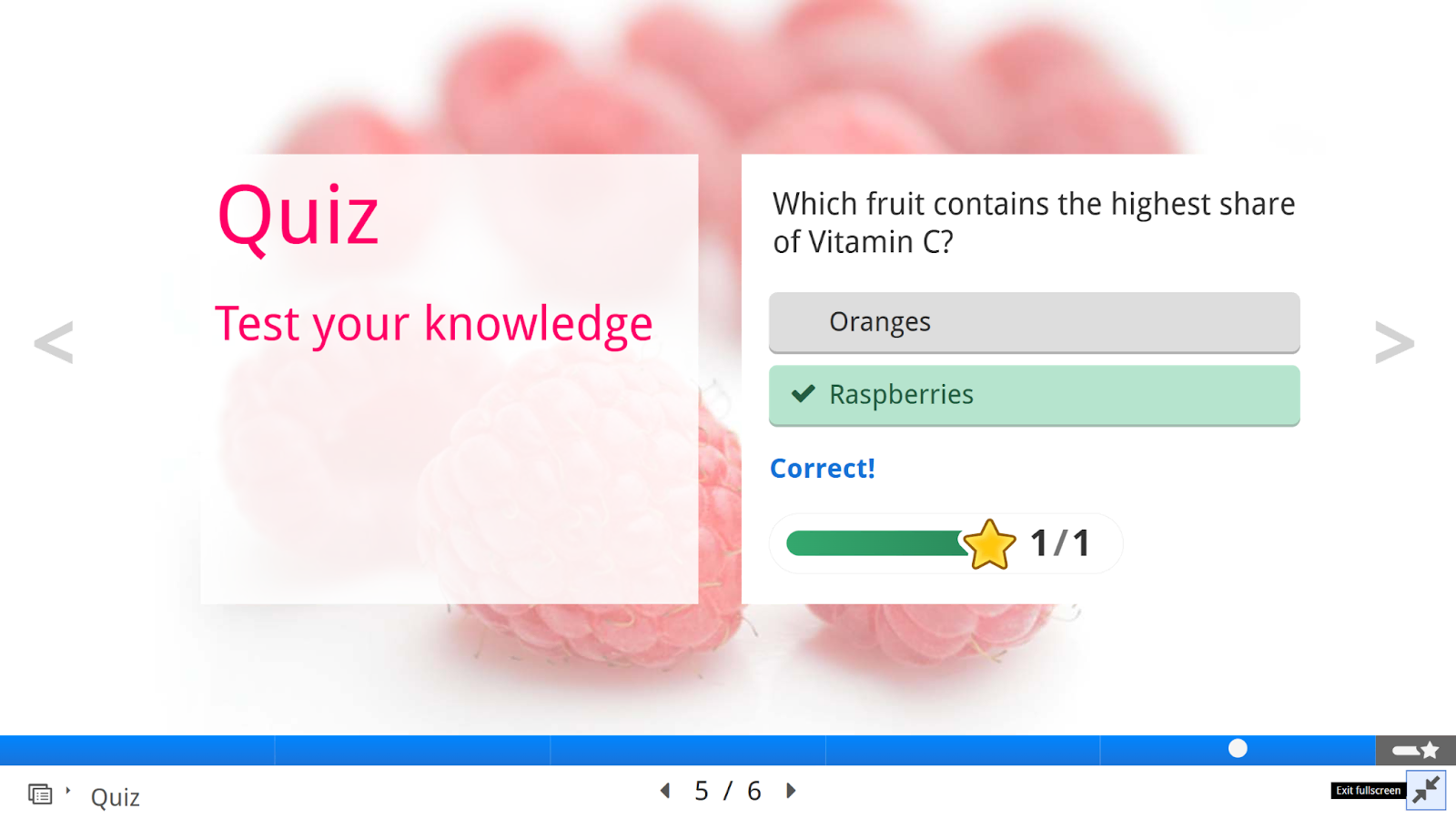
First released in 2013, H5P was created to make interactive HTML5 learning content easy to build, reuse, and share. It has since been adopted open-source solutions for creating interactive eLearning activities within LMS platforms such as Moodle, Canvas, Brightspace, and WordPress.
Pros
- Open-source and free to use.
- Exports standards-ready HTML5 content.
Cons
- Technical Overhead: If you aren’t using an LMS (like Moodle), setting up the “free” version requires some web development knowledge.
- Data Silos: The free desktop version (Lumi) doesn’t track student grades automatically. You need an LMS integration for that.
- No Support: Unlike the paid H5P.com, the free version offers no “Help Desk.” You rely on community forums.
- Design Limitations: Customizing colors and fonts often requires CSS coding knowledge; the “out-of-the-box” templates are rigid.
Who Should Use It
- LMS administrators and designers using Moodle, Canvas, Brightspace, or WordPress with H5P plugins.
- Teachers and facilitators who want to embed interactive elements inside broader courses.
- Anyone focused on micro-learning activities and performance assessment.
3.Compozer – Beginner‑Friendly Cloud Authoring Tool
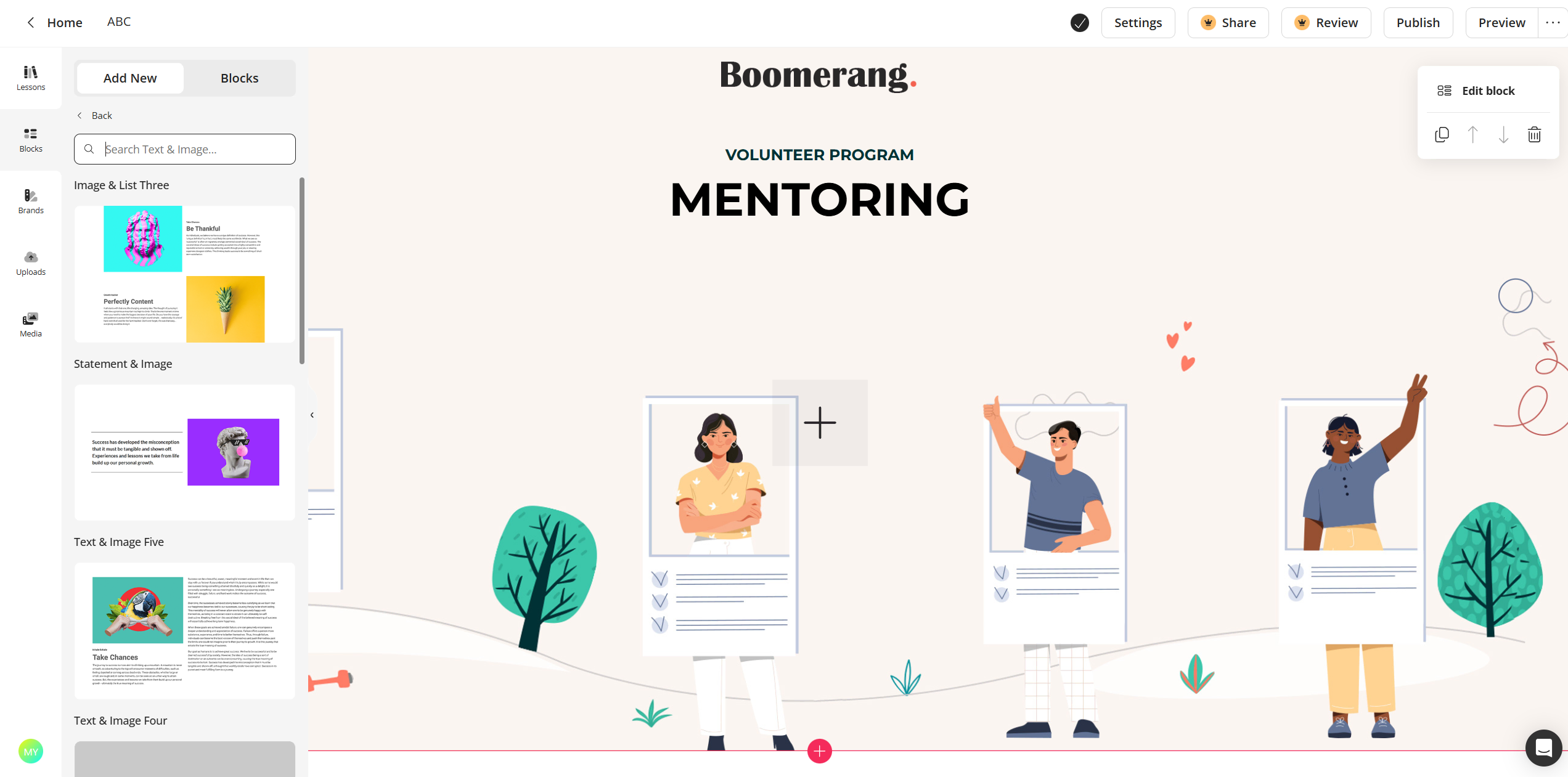
Compozer is a newer cloud-based eLearning authoring tool designed with beginners in mind. It is best suited for teachers, trainers, and small teams who want to build structured courses quickly and publish them to an LMS with minimal setup.
Pros
- Beginner-friendly with a clean, drag-and-drop interface.
- Supports SCORM, xAPI, and cmi5, so courses work well with most LMSs.
Cons
- The “Paywall” Gap: Most of the features that make Compozer powerful (Quizzes, Branding, Multiple Courses) are locked behind the paid subscription.
- Less “Granular” Interactivity: H5P allows for very specific interactions (like “find the hotspot” or “fill in the blanks” inside a video). Compozer is better for structured courses than for individual micro-widgets.
- Cloud-Dependency: You cannot work offline. If your internet is down, your production stops. Desktop-based tools such as ActivePresenter are good alternative, allowing you to work from anywhere,
Who Should Use It
- Teachers, SMEs, and trainers who want to build simple, modern courses quickly.
- Small teams focused on mobile-friendly content without technical complexity.
- Beginners who value ease of use over advanced interactivity
4. Adapt Learning – Best for Corporate & Mobile‑First eLearning
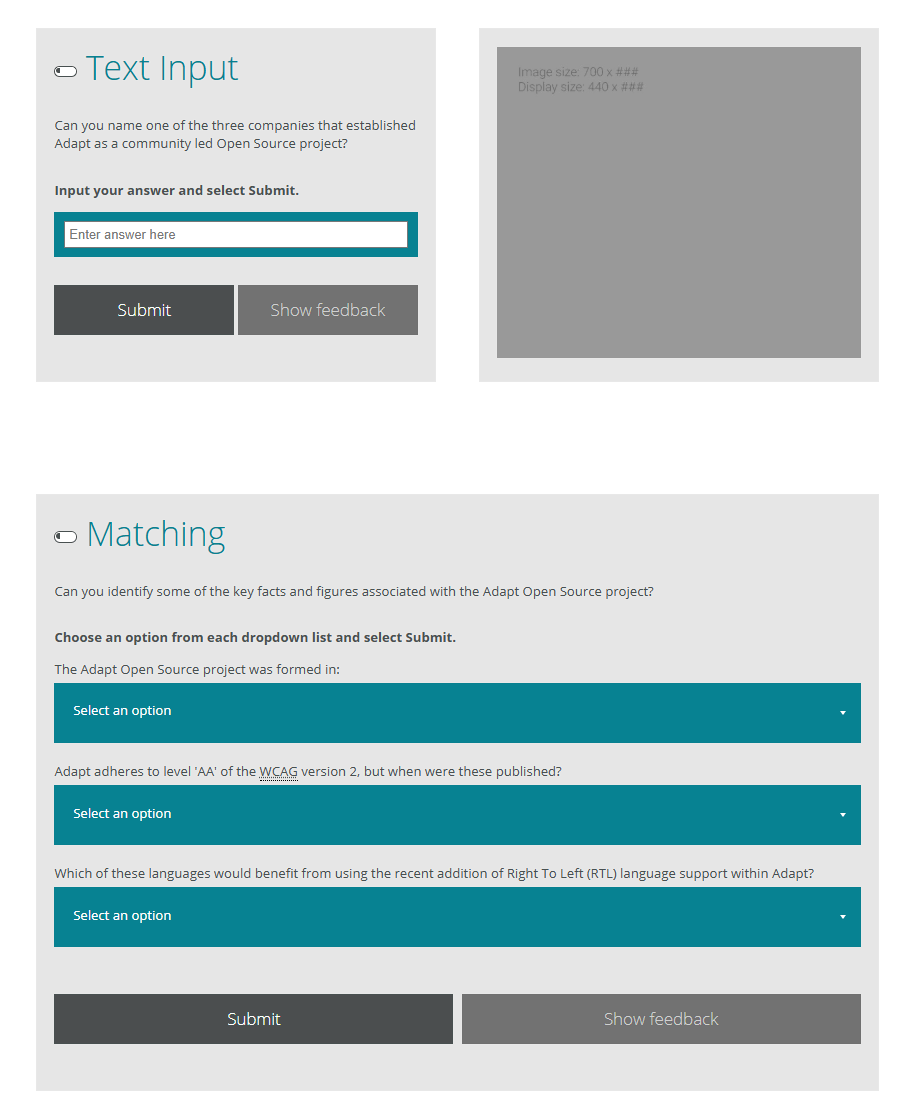
Adapt Learning is best suited for technically skilled instructional designers, developers, and organizations that require full control over layout, behavior, and responsiveness. It is ideal for teams with development resources who want to build highly customized, scalable eLearning experiences.
Pros
- Free and open-source with strong community support.
- Creates fully responsive HTML5 courses for all devices.
Cons
- Installation Nightmare: There is no “Download and Run” installer. For a typical instructional designer, the initial setup can take days of troubleshooting.
- The “Developer” Tax: To truly customize a course (change the layout, add a unique interaction), you need to understand JSON and Less/CSS. Without a developer on hand, you are stuck with the basic community plugins, which can be visually repetitive.
- Host-it-Yourself: Since there is no free cloud version, you have to find a server to host the Authoring Tool.
- Interface Friction: It lacks the smooth, instant-preview drag-and-drop feel of modern SaaS tools.
Who Should Use It
- Tech-savvy instructional designers and development teams.
- Organizations that want full control and customization.
- Users comfortable trading ease of use for flexibility.
5. ActivePresenter – Best All-in-One Authoring
By now, you’ve probably tried a few free eLearning authoring tools and understand how they work. Let’s talk about the winning star of the industry – ActivePresenter.
ActivePresenter is a desktop-based eLearning authoring tool designed for creating professional training content, software simulations, interactive courses, and assessments – all in one environment.
Unlike many tools that lock essential features behind expensive subscriptions, ActivePresenter offers a genuinely powerful free edition, making it an ideal bridge between free experimentation and professional production.
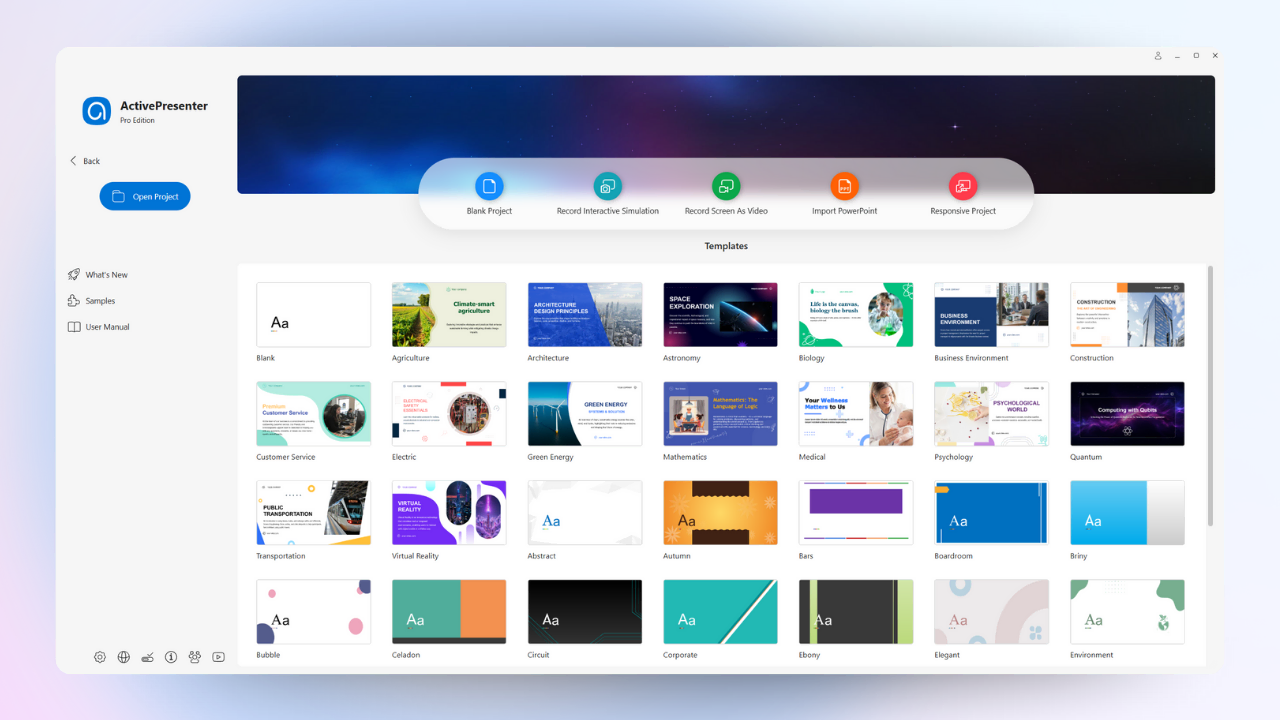
1. The Smart Simulation Engine
Unlike standard video editors that only record pixels, ActivePresenter records data.
- Automatic Conversions: When recording software simulations, the tool automatically detects clicks and keypresses, converting them into editable slide-based steps with text captions and click zones.
- Lossless Annotation: Because recordings are object-based, you can change cursor styles, highlight colors, or instruction text after the fact without re-shooting your video.
- High-End Quality: For traditional screencasts, it supports 4K recording, webcam overlays, and system audio.
2. Advanced Logic and Interactivity
ActivePresenter competes directly with high-end tools like Articulate Storyline through its sophisticated “Events-Actions” system.
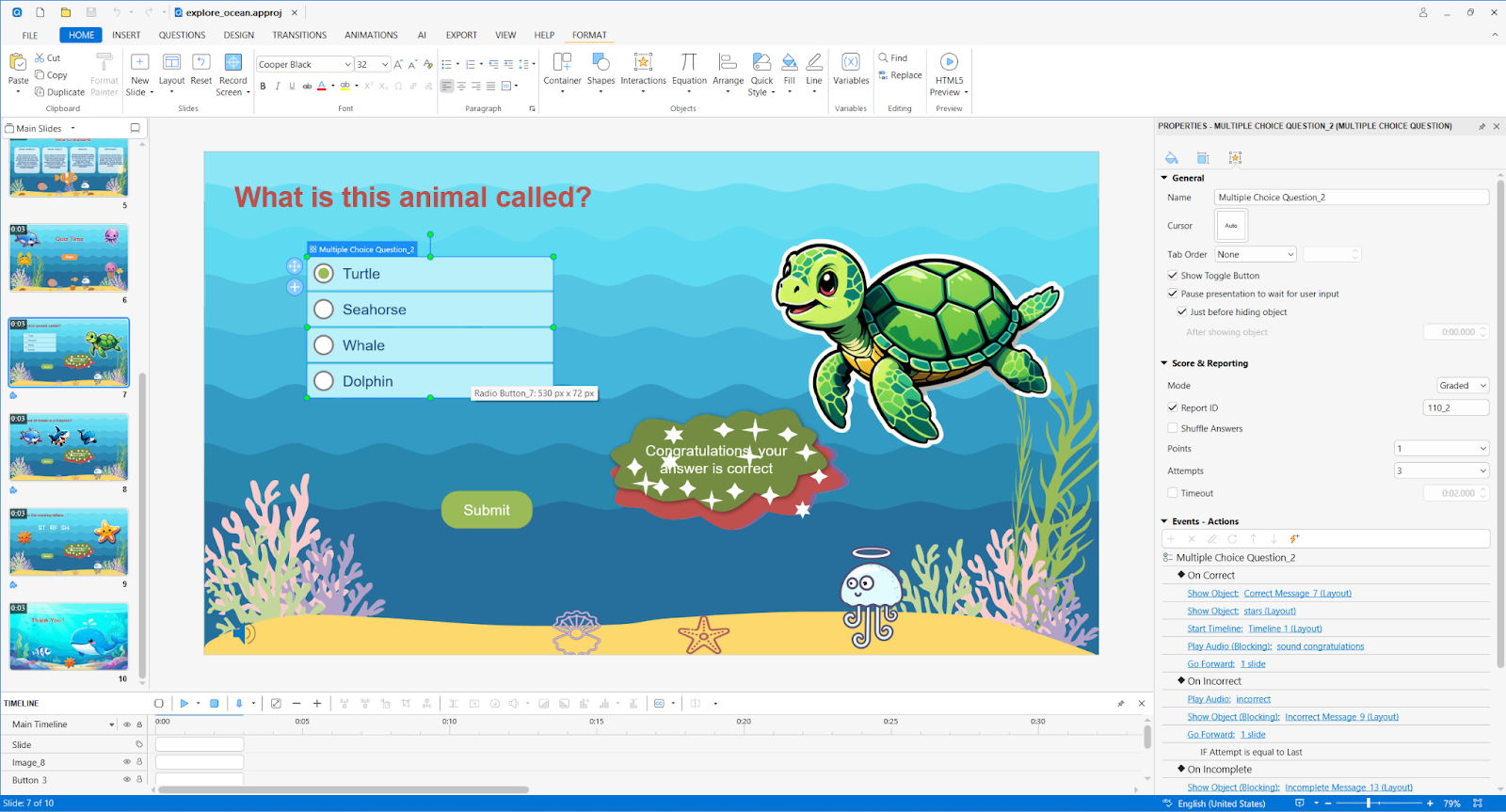
- Dynamic Triggers: You can trigger actions like “Jump to Slide” or “Play Audio” based on events such as “On Click” or “On Hover”.
- Adaptive Learning Paths: By using “If/Then” conditional logic and variables (Number, Text, Boolean), you can create personalized paths – for example, directing a learner to a review slide only if their score is below 50%.
- Developer Friendly: For those who need to go beyond the UI, the platform supports custom JavaScript execution.
3. Professional Assessment & AI Efficiency
- Robust Testing: Choose from over 13 question types, including Hotspot, Drag-and-Drop, and Sequence. You can even use Question Pools and randomization to prevent cheating.
- AI-Powered Authoring: The v10 suite includes integrated AI to generate images, remove backgrounds, or write quiz questions from source text. It also features AI Text-to-Speech integration with Azure, Google, and Amazon for realistic narration.
- True Responsiveness: Using a Flex Box layout system, you can define exactly how objects stack and align across Mobile, Tablet, and Desktop devices, ensuring your course is truly mobile-ready.
4. Simple Publishing and Exporting
ActivePresenter ensures your content is accessible everywhere. It offers full support for all major LMS standards, including SCORM 1.2, SCORM 2004, xAPI, and cmi5. A unique standout feature is the Document Export capability, which allows you to turn your project into a Microsoft Word, Excel, or PowerPoint manual – meaning you can create a training video and a PDF handout from one single source file.
Ready to Create eLearning Without Limits?
If you’ve outgrown free authoring tools and want full control over how your courses look, behave, and scale, ActivePresenter is built for you.
With one tool, you can record software simulations, design interactive learning paths, build robust assessments, publish to any LMS, and even reuse the same project for videos, HTML5 courses, and training documents. No subscriptions. No feature lock-ins. Just a powerful, professional authoring platform that grows with your skills.
The best part? You can start free, explore the workflow, and upgrade only when you’re ready to publish interactive, LMS-ready content.
