
With a decade of experience in content marketing and educational software, I’ve watched tools evolve from simple digitized worksheets to complex, immersive environments. Recently, a major name change has sparked curiosity across the globe: Quizizz has evolved into Wayground.
But what is Wayground, and does it actually provide the technical depth required for professional-grade instructional design? In this 1,500-word deep dive, we will peel back the layers of this platform, analyze its core features in exhaustive detail, and compare it against the gold standard of e-learning authoring – ActivePresenter.
The Evolution: From Quizizz to Wayground
To understand the current state of Wayground, we must look at its heritage. For years, Quizizz was the darling of the K-12 sector, known for its memes, leaderboards, and “Power-ups.” It was a tool built for engagement, but it often lacked the “meat” required for heavy-duty corporate training or technical certifications.
As we move into 2026, the rebranding to Wayground signifies a pivot. The platform is attempting to move from being a “quiz app” to a “lesson delivery ecosystem.” This transition involves integrating more sophisticated media handling, AI-driven workflows, and deeper analytics. However, for a professional content creator, the question remains: is a web-based evolution enough to replace a dedicated desktop authoring suite?
Detailed Feature Review: A Deep Dive into Wayground
When we analyze “what is Wayground” from a technical standpoint, we have to look at five specific pillars of the software. Let’s break these down with the scrutiny of a professional editor.
1. The Recording Engine: Cloud-Based Capture
Wayground has introduced a unified recording interface designed for speed. In the world of eLearning, the ability to capture your screen and your persona (via webcam) simultaneously is non-negotiable.
- Ease of Access: Because Wayground is browser-based, the recorder requires no heavy installation. This is a significant “pro” for teachers working on restricted school networks or Chromebooks.
- Resolution and Stability: In my testing, the recorder performs well for basic slide presentations and standard web browsing. However, because it relies on the browser’s hardware acceleration, it can struggle with high-bitrate video or high-frame-rate software demonstrations compared to native desktop applications.
- The Persona Factor: The ability to toggle the webcam overlay is seamless, allowing for that “human touch” that is so critical in asynchronous learning.
2. Wayground AI: The Efficiency Engine
Perhaps the most talked-about feature in 2026 is Wayground AI. For a content marketer, speed is often just as important as quality.
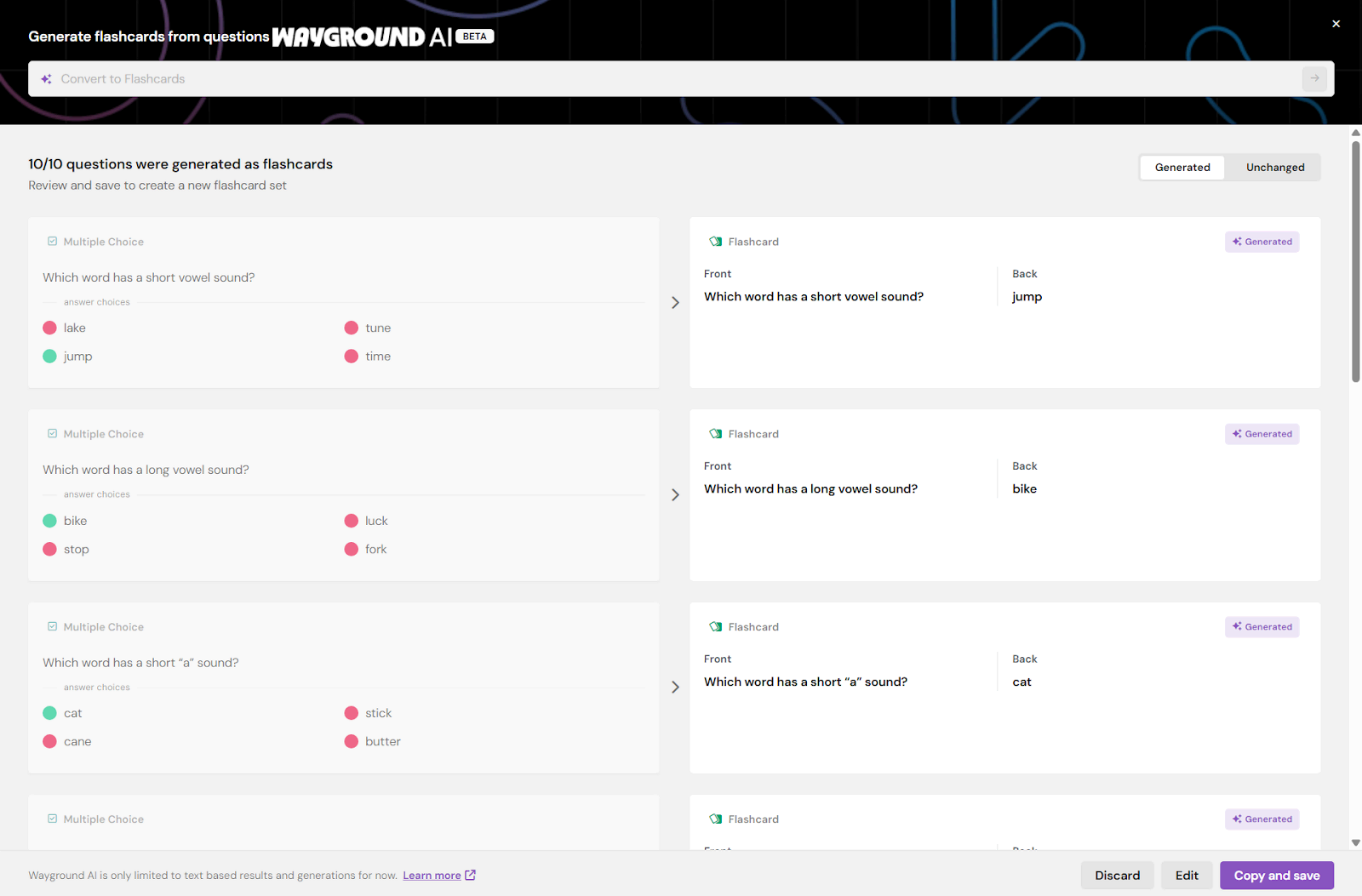
- Prompt-to-Lesson: You can input a simple topic (e.g., “The Laws of Thermodynamics”) and the AI will generate a structured lesson with text, images, and embedded questions.
- Document Parsing: One of the more robust features is the ability to upload a PDF or a YouTube link. Wayground AI analyzes the source material and extracts the most relevant information to create a quiz.
- The Expert’s Caveat: While the AI is impressively fast, it often requires significant manual editing to ensure pedagogical accuracy. It is a “starter” tool, not a “finisher.”
3. Non-Destructive Editing (The Browser Limit)
Wayground markets its editing as “non-destructive,” meaning your original clips remain intact while you apply cuts and transitions.
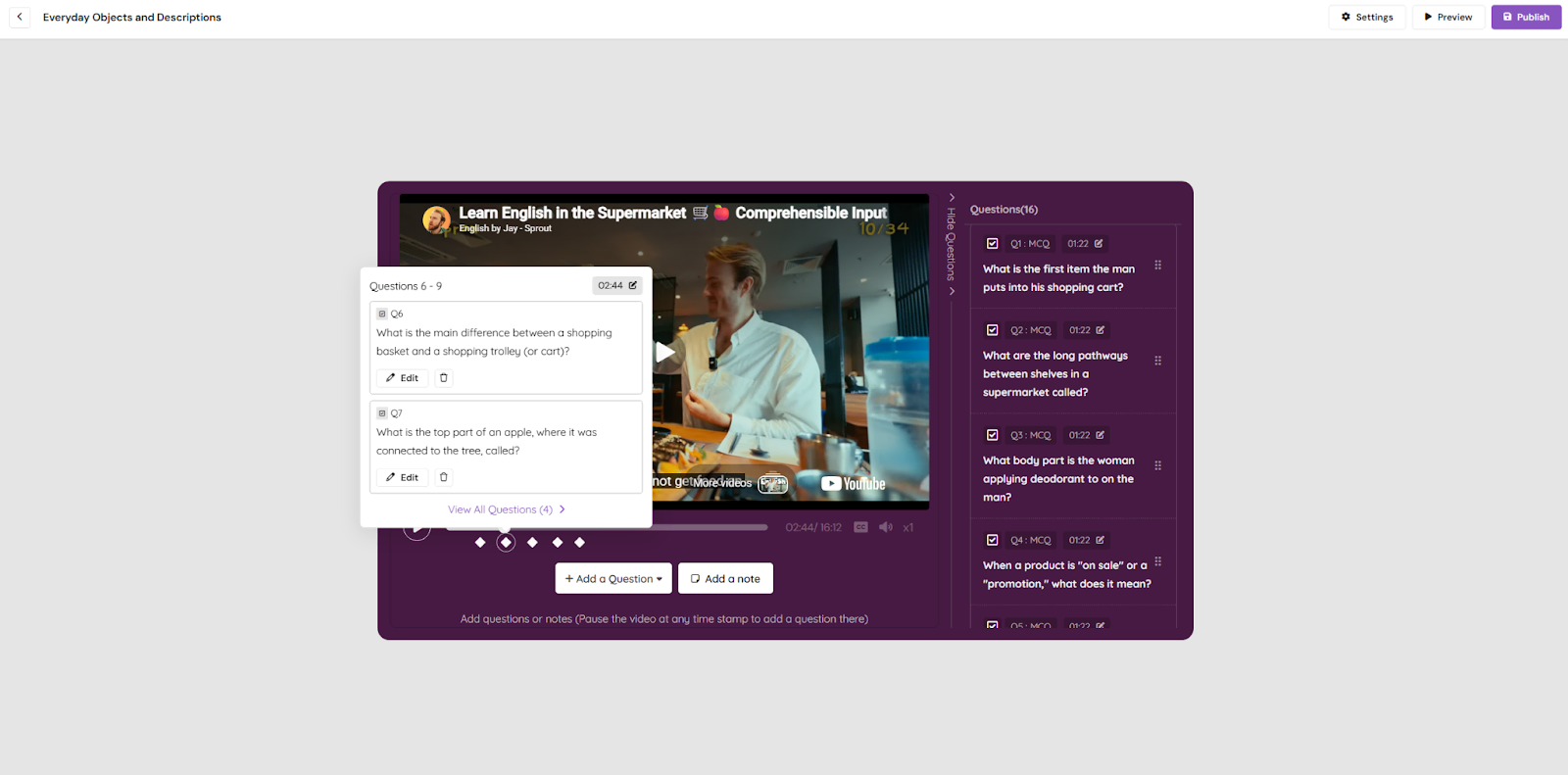
- The Timeline: The editor features a multi-layer timeline that allows you to stack audio, video, and text. For basic “cut and shut” editing—removing “umms” and “ahhs” or trimming the start and end of a clip—it is highly efficient.
- Interactivity Overlay: The true strength of Wayground’s editor is the ability to drop interactive questions directly into the video timeline. This ensures that the learner isn’t just a passive observer but is forced to engage with the content at key intervals.
4. Deployment and LMS Compatibility
In 2026, if your content doesn’t “talk” to your Learning Management System (LMS), it doesn’t exist.
- Cloud Hosting: Wayground hosts your content on its servers. You share a link, and students join. It’s incredibly low-friction.
- SCORM Support: Wayground has improved its SCORM export capabilities, allowing you to wrap your interactive lessons for use in Moodle, Canvas, or Blackboard. While these exports are functional, they sometimes lack the granular data reporting (like specific time-on-slide) that high-end corporate trainers demand.
Evaluation Criteria: The Professional Scorecard
| Criteria | Rating (Out of 5) | Expert Commentary |
| Video Recording Quality | ⭐⭐⭐ | Good for standard use; lacks 4K/60fps desktop stability. |
| Editing Flexibility | ⭐⭐⭐ | Strong for web; lacks advanced multi-track and keyframing. |
| Interactivity | ⭐⭐⭐⭐⭐ | The gold standard for gamified engagement. |
| AI Capabilities | ⭐⭐⭐⭐ | Massive time-saver for drafting; needs human oversight. |
| LMS Compliance | ⭐⭐⭐ | Functional SCORM, but lacks deep xAPI data hooks. |
Detailed Pros and Cons of Wayground
To provide a neutral and professional perspective, we must weigh the benefits against the limitations of a cloud-first platform like Wayground.
The Pros: Why it Works for Quick Engagement
- Exceptional Intrinsic Motivation: Wayground is arguably the leader in making assessments “fun.” The inclusion of avatars, music, and “Power-ups” creates a competitive environment that keeps students or trainees coming back.
- Zero-Installation Barrier: Since everything happens in the browser, there are no software conflicts or hardware compatibility issues to worry about during a live session.
- Real-Time Data (Classroom Pulse): The platform provides instant feedback. You can see exactly which question 80% of the class missed while the session is still active, allowing for immediate corrective instruction.
The Cons: Where Professional Creators May Struggle
- Subscription Fatigue & Paywalls: Recently, many users have noted that more features are moving behind high-tier paywalls. For individual teachers, the annual cost can be significant (up to $200+ depending on the region).
- Internet Dependency: If your Wi-Fi drops, your lesson ends. There is no offline authoring or delivery mode, which is a major risk for high-stakes corporate training or regions with unstable connectivity.
- Limited Complex Branching: While Wayground supports basic “if/then” logic, it cannot handle complex variables or multi-path scenarios found in advanced simulations.
- “Juvenile” Aesthetic: While memes and music are great for K-12, they can feel unprofessional in a senior corporate or compliance training context. Switching to “Serious Theme” helps, but the underlying structure remains game-oriented.
- Lack of Native 4K Precision: Web-based editors are notoriously resource-heavy. Editing large video files in a browser tab often leads to lag or crashes that desktop software simply doesn’t experience.
Wayground vs. ActivePresenter: The Ultimate Comparison
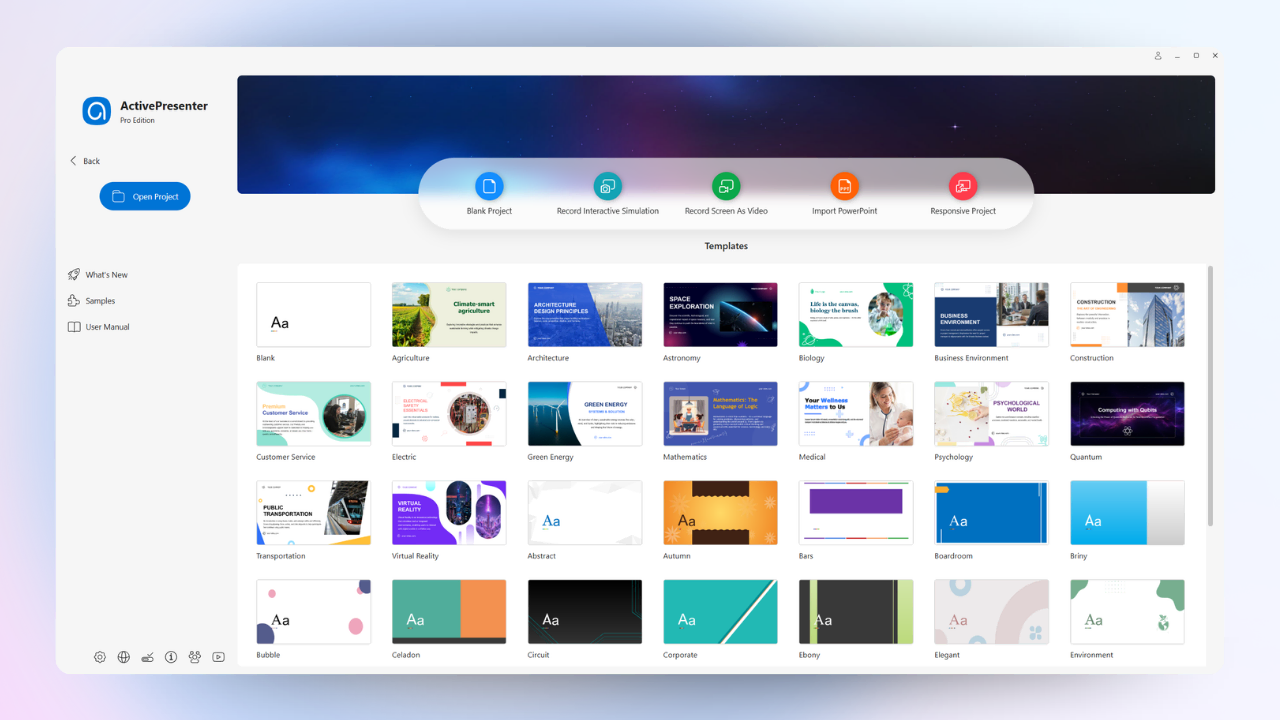
As much as Wayground has evolved, when we talk about professional-grade E-learning software, we must compare it to ActivePresenter. As a consultant, I often see companies outgrow Wayground within 12 to 18 months once their training needs become more technical.
Here is why ActivePresenter by Atomi Systems remains the preferred choice for high-stakes instructional design.
1. Software Simulations: The Desktop Advantage
Wayground can record a video of a screen. ActivePresenter, however, can simulate a piece of software.
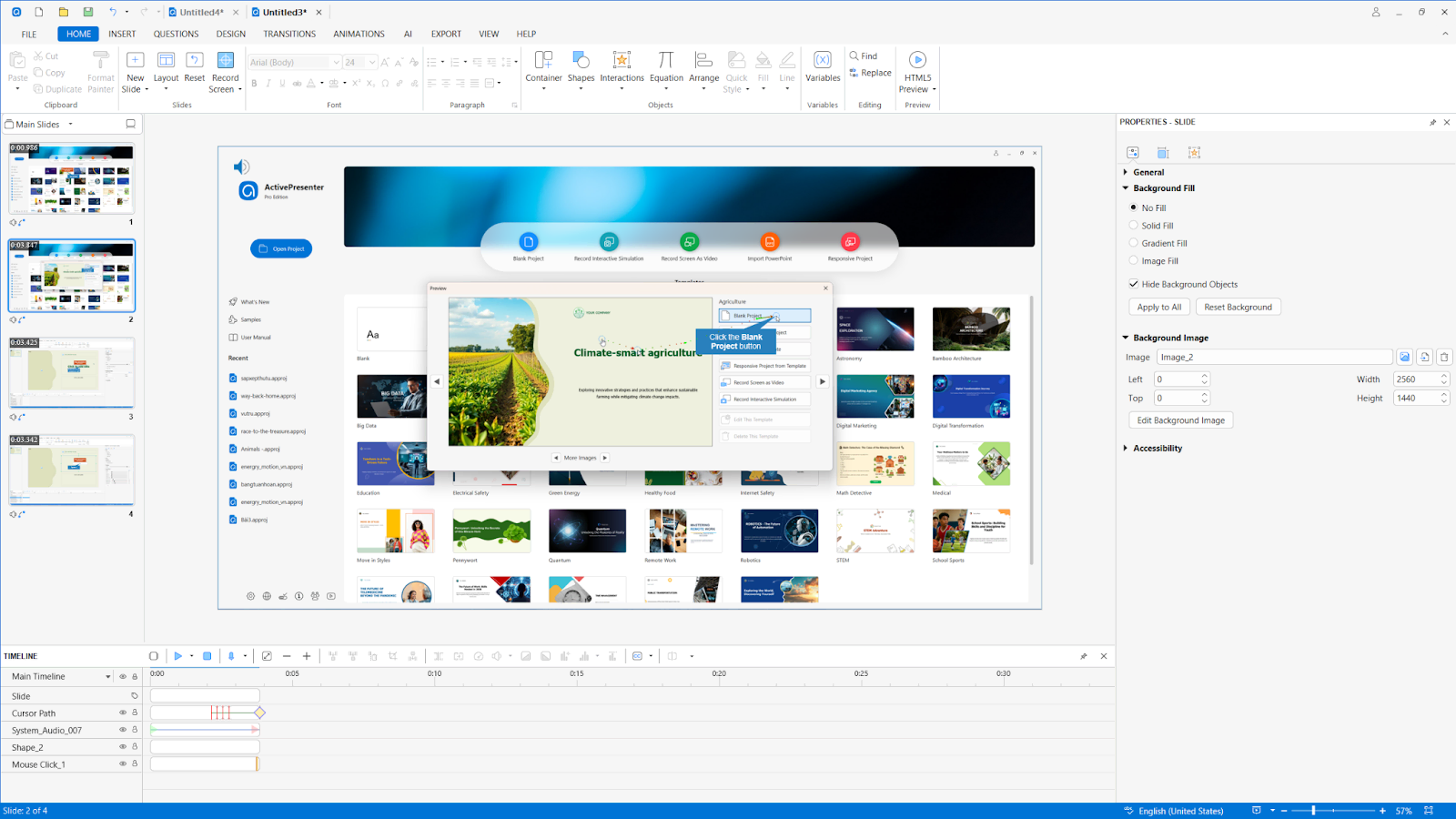
- When you record with ActivePresenter, it doesn’t just record pixels; it records actions. It automatically creates text captions, mouse click paths, and interactive feedback based on where the user clicks.
- If you are training bank tellers on a new software system or IT pros on a server interface, Wayground’s video-based approach cannot provide the “Practice Mode” and “Test Mode” that ActivePresenter generates automatically.
2. Non-Destructive Editing: Web vs. Desktop
Wayground’s editor is limited by the browser’s memory. ActivePresenter is a desktop powerhouse.
- Advanced Features: ActivePresenter offers professional video editing (noise reduction, fade-in/out), advanced blur effects for sensitive data, and the ability to record 4K video without the stuttering often found in web-based recorders.
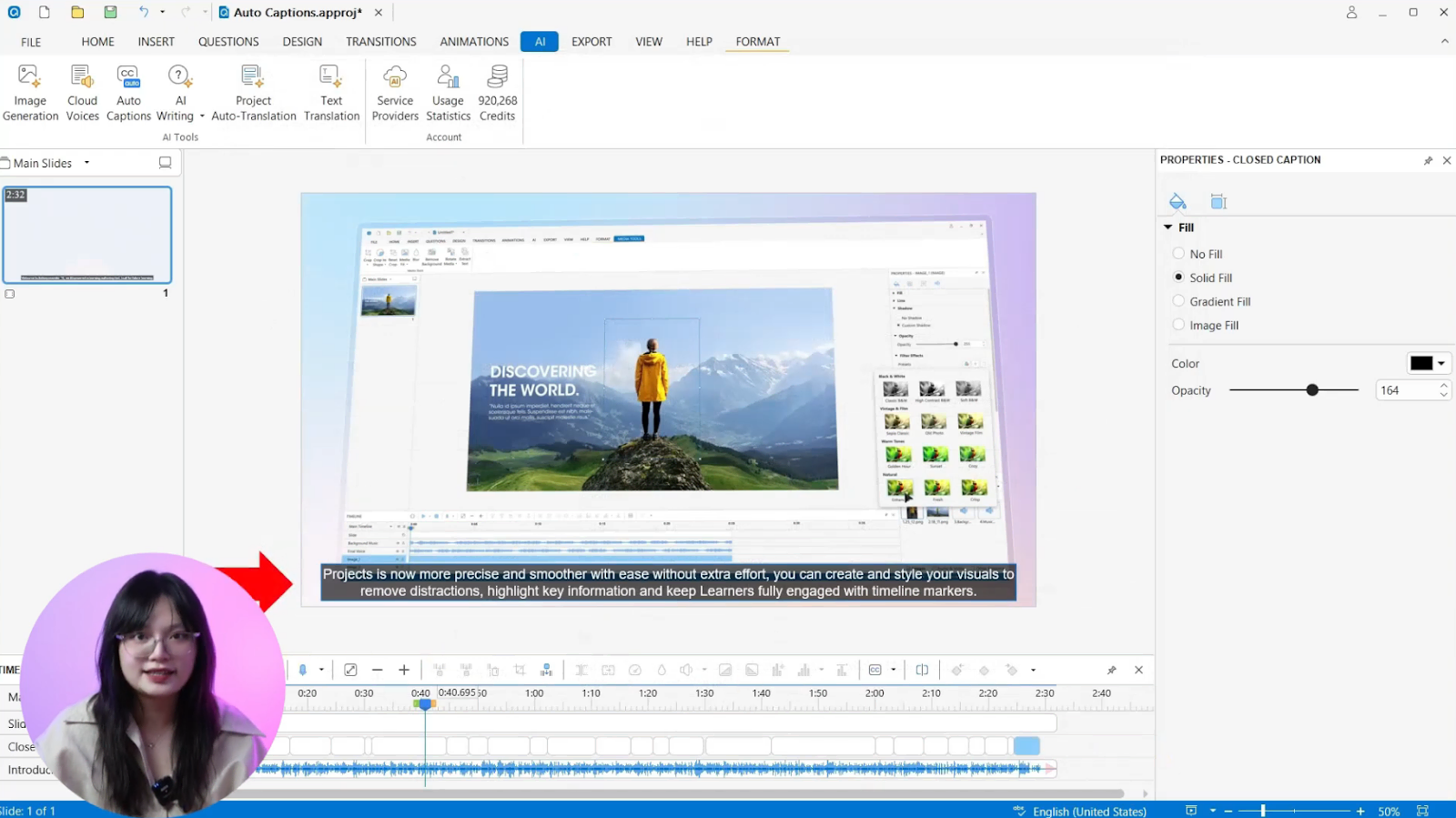
- Precision: If you need to edit a single frame or adjust the curve of a mouse movement, ActivePresenter gives you that level of granular control.
3. Branching Logic and Variables
Wayground uses “Conditional Logic” (If A, then B). ActivePresenter uses Variables and Advanced Triggers.
- In ActivePresenter, you can create a course that remembers a user’s name, tracks multiple scores across different modules, and changes the entire course layout based on the user’s previous performance.
- This level of “Adaptive Learning” is essential for professional certifications and compliance training, where a simple quiz isn’t enough.
4. Exporting Power and Privacy
Wayground is a “SaaS” (Software as a Service) model; your data lives on their cloud. ActivePresenter is a standalone application.
- Security: For government, medical, or financial sectors, keeping training data local is often a legal requirement. ActivePresenter allows you to work entirely offline.
- Formats: While both support SCORM, ActivePresenter’s HTML5 export is significantly more customizable, allowing you to create custom player skins and advanced accessibility features (Section 508 compliance) that Wayground currently lacks.
Final Thoughts: Which Tool Should You Choose?
So, what is Wayground? It is an excellent, AI-powered bridge for educators who need to move away from static slides and into the world of interactive video with zero friction. It is fun, it is fast, and it is incredibly engaging for K-12 and basic corporate “awareness” training.
However, if your goal is Technical Training Excellence, ActivePresenter is the superior tool. It provides the professional video editing, software simulation, and advanced logical triggers that turn a simple video into a high-performance learning experience.
The Choice is Yours:
- Choose Wayground if you prioritize gamification, and web-based simplicity.
- Choose ActivePresenter if you prioritize technical precision, data privacy, software simulations, and advanced authoring control.
Don’t settle for “good enough” lessons. If you’re ready to create world-class e-learning content that stands the test of time, I highly recommend checking out ActivePresenter by Atomi Systems. You can download a free trial to experience the difference that a professional desktop authoring suite makes. Join the Atomi community and start building your legacy today!
