
ActivePresenter 10
An AI-powered eLearning authoring tool that streamlines your course creation. An all-in-one eLearning solution to create training videos, software simulations, educational games, and interactive slide-based lessons.

uPresenter
Next-Generation Interactive eLearning Platform
Create interactive presentations, quizzes, and dynamic learning experiences with real-time collaboration, seamless public sharing, and powerful reporting features.

Saola Animate 3
Create HTML5 animations and interactive content which run on any platform and device without coding skills.

Learn, share, and get support

Read latest tutorials and tips

Learn & ask our support experts

Connect & share with user community
Latest from our blog
Screencasting & eLearning

Top 5 Desktop Screen Recorder Tools With No Watermark in 2026
Compare the top 5 desktop screen recorder tools with no watermark for 2026 — real features, pros/cons, and the best free pick for trainers and creators.

How to Record Zoom or Team Meetings on Windows 10 (Step by step)
Learn how to record screen Windows 10 style Zoom & Teams meetings with clear audio, webcam, and simple editing using ActivePresenter. Try the free trial today!

Localize and Translate eLearning Course: XLIFF or AI Translation?
This blog shows difference between translation and localization, when to use AI Project Translation, when to use XLIFF, and how to publish multilingual courses fast.
HTML5 Animation
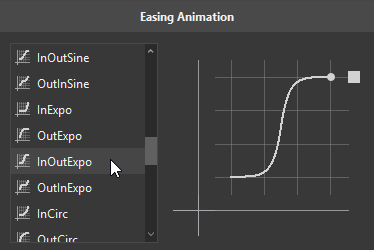
Customize Easing Animations in Saola Animate 3
Easing functions can bring a huge effect on the feel of transitions. In this tutorial, you’ll learn about easing functions in Saola Animate 3.
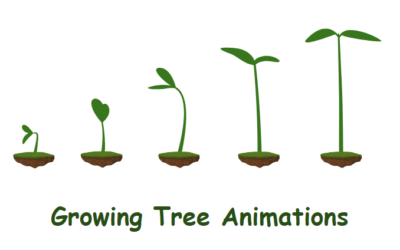
How to Create the Growing Tree Animations in Saola Animate 3
In today’s blog post, let’s explore how to create the growing tree animations with a powerful design tool – Saola Animate 3.
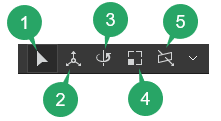
Use 3D Transformation Tools in Saola Animate 3
When it comes to 3D transformation in Saola Animate, there are two things that you need to be aware of here. They are 3D properties and 3D tools. The 3D properties help you precisely manipulate elements in 3D space, while the 3D tools offer the intuitive 3D view that allows you to quickly and visually adjust elements’ directions on the Canvas. In this tutorial, we will get to know how to use 3D transformation tools in Saola Animate 3.