
Most instructional designers I know made the same mistake when they first signed up for Elucidat: they assumed “collaborative cloud authoring” meant they could finally get stakeholders to stop sending feedback in a 47-slide PowerPoint deck. Spoiler — that problem doesn’t disappear just because the tool lives in a browser.
When Elucidat kept showing up in every “best authoring tools” list heading into 2026, I decided to run a structured Elucidat review and compare it directly against ActivePresenter, a tool I’ve used extensively in production environments.
Let’s dive in the newest Elucidat review 2026!
What Is Elucidat? A Quick Orientation for 2026
Elucidat is a cloud-based eLearning authoring platform built primarily for enterprise L&D teams that need to produce high volumes of courses at scale. Unlike desktop-first tools, Elucidat lives entirely in the browser — no installation, no version conflicts, no “my colleague is on a Mac” complications.
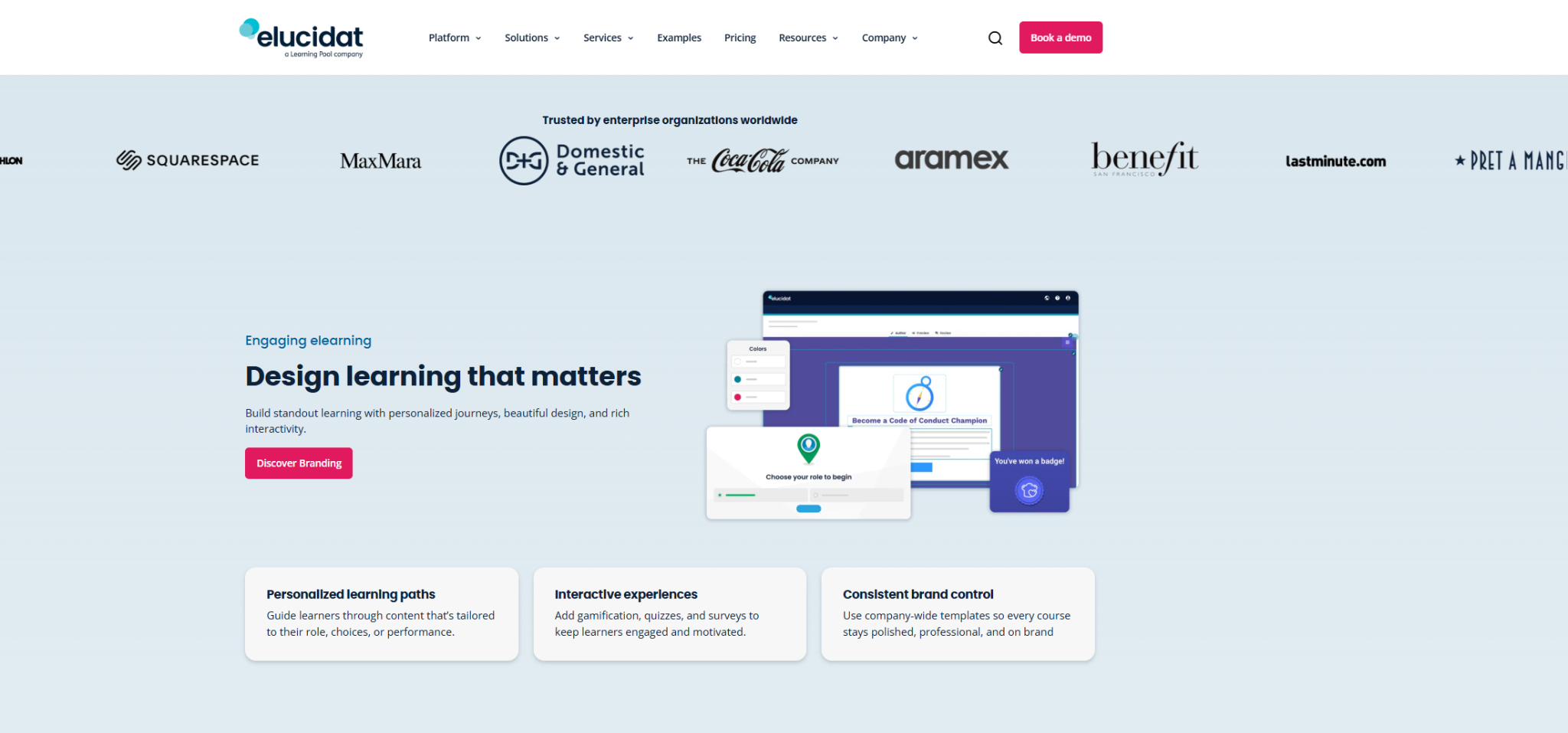
Its core value proposition revolves around three pillars:
- Speed at scale — pre-built page templates and a PowerPoint import feature designed to compress build time
- Team collaboration — real-time co-authoring and a structured review/approval workflow
- Consistency — centralized brand controls so a team of 20 authors doesn’t produce 20 different-looking courses
That’s the pitch. Now let’s test it.
Elucidat Review 2026: Feature-by-Feature Breakdown
Authoring Interface & Templates
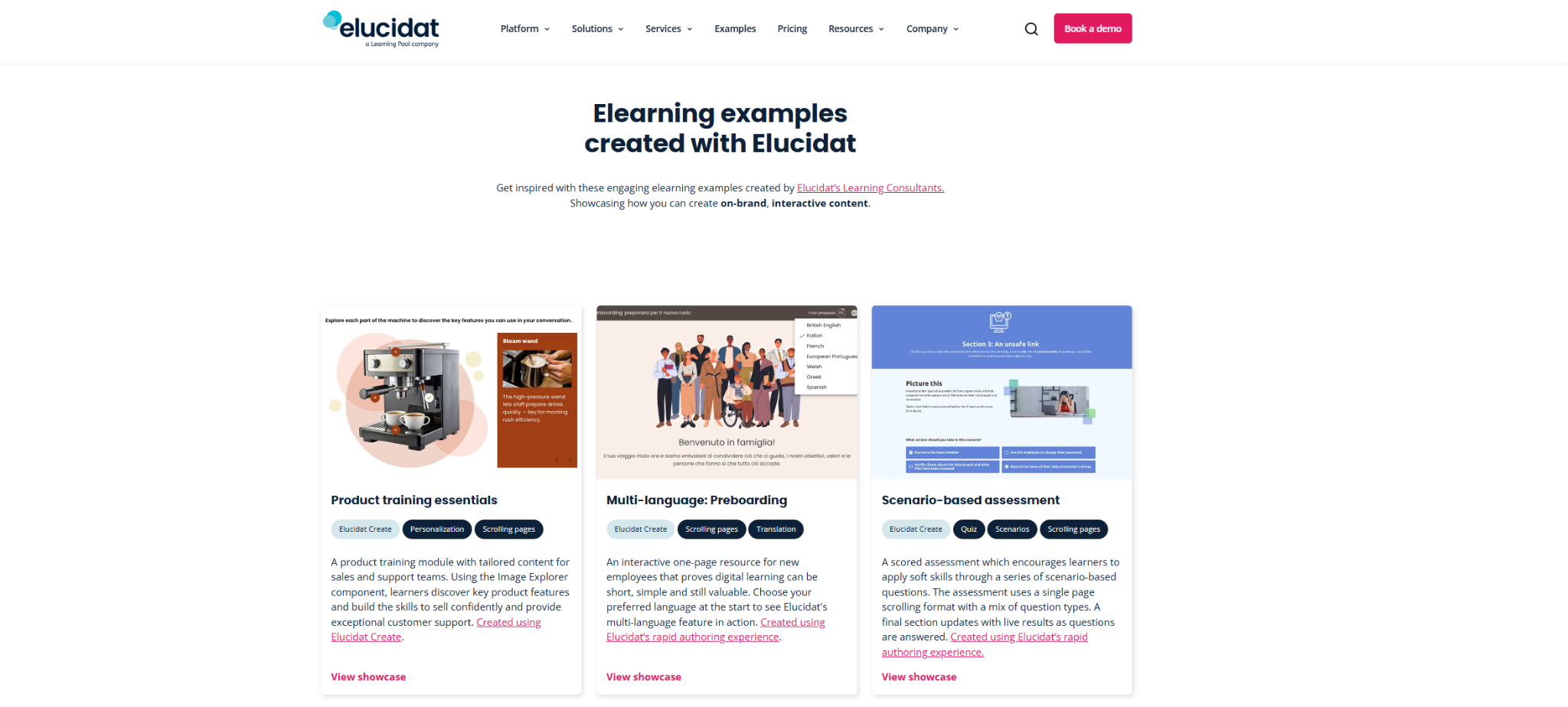
Elucidat’s interface is clean and deliberately simplified. The drag-and-drop editor is approachable for non-designers, which is both a strength and a limitation. You work from a library of pre-built page layouts — think “branching scenario,” “accordion,” “quiz,” “video embed” — rather than building from a blank canvas.
In 2026, Elucidat has expanded its template library significantly, adding more scenario-based learning templates and improved mobile-responsive layouts. For teams producing compliance training, onboarding modules, or product knowledge courses at volume, this is genuinely useful. You can spin up a structurally sound 20-minute module in a fraction of the time it would take starting from scratch.
The trade-off: If your course requires custom interactivity — think branching simulations, software walkthroughs, or pixel-precise UI mockups — you’ll hit the ceiling of Elucidat’s editor faster than you expect.
Collaboration & Review Workflow
This is where Elucidat earns its enterprise price tag. The built-in review and approval workflow is legitimately well-designed:
- Stakeholders can leave inline comments directly on course pages without needing a platform login
- Version history tracks every change with author attribution
- Project managers can set approval stages before content goes live
- Multi-author access with role-based permissions (Author, Reviewer, Publisher)
For L&D teams managing 10+ simultaneous projects with distributed authors, this workflow reduces the “who has the latest file?” chaos that plagues desktop-based authoring.
Analytics & Learner Data
Elucidat’s built-in elucidat analytics dashboard gives you page-level engagement data — completion rates, time-on-page, quiz performance, drop-off points. For teams not yet connected to a full LRS (Learning Record Store), this provides meaningful data without additional infrastructure.
SCORM 1.2, SCORM 2004, xAPI, and AICC outputs are all supported in 2026, which covers the vast majority of LMS environments you’ll encounter in enterprise settings.
AI-Assisted Authoring (New in 2026)
Elucidat has rolled out AI content suggestions and auto-generated quiz questions based on page text in their 2026 update. In testing, the AI quiz generator produced serviceable first-draft questions for knowledge-check scenarios — useful as a starting point, but requiring human review before deployment. The AI writing assistant for page copy is functional but generic; treat it as a drafting tool, not a finished output.
Honest Pros & Cons
✅ What Elucidat Does Well
- Collaborative authoring at scale — genuinely best-in-class for distributed teams
- Template-driven speed — fast time-to-publish for standard course formats
- Stakeholder review workflow — structured, trackable, and doesn’t require reviewer accounts
- Consistent branding controls — critical for enterprise teams with multiple authors
- Strong SCORM/xAPI compliance — reliable output across major LMS platforms
- No installation friction — browser-based means zero IT deployment headaches
❌ Where Elucidat Falls Short
- Limited custom interactivity — no native software simulation, no complex branching beyond page-level logic
- No screen recording capability — a significant gap for IT training, software onboarding, or process documentation
- Pricing is enterprise-tier — not accessible for solo instructional designers, freelancers, or small teams with tight budgets
- Template dependency can feel restrictive — experienced designers may find the fixed layout system frustrating
- AI features are still maturing — useful for drafts, not for finished content
- Offline access is non-existent — if your internet drops, your work stops
Elucidat vs. ActivePresenter 2026: Direct Comparison
This is the comparison most instructional designers actually need before making a decision.
| Feature | Elucidat 2026 | ActivePresenter 2026 |
| Platform | Cloud-based (browser) | Desktop (Windows/Mac) |
| Screen Recording | ❌ Not available | ✅ Full-featured, built-in |
| Software Simulation | ❌ Not available | ✅ Native, with guided/practice modes |
| Collaboration | ✅ Real-time multi-author | ⚠️ File-based (limited) |
| Template Library | ✅ Extensive, enterprise-grade | ✅ Available, more flexible |
| Custom Interactivity | ⚠️ Template-constrained | ✅ Highly flexible |
| SCORM/xAPI Output | ✅ Full support | ✅ Full support |
| Video Editing | ⚠️ Basic | ✅ Full timeline-based editor |
| Pricing Model | 💰 Enterprise subscription | 💰 Perpetual🛒Educational/non-profit discount |
| Learning Curve | Low (template-driven) | Medium (feature-rich) |
| Best For | Enterprise teams, volume production | IT training, simulations, solo/small teams |
| Offline Access | ❌ | ✅ |
| AI Features | ✅ (2026 update) | ✅ (expanding) |
The Honest Verdict on the Comparison
Choose Elucidat if:
- You’re managing a team of 5+ authors producing high-volume, standardized content
- Stakeholder review workflow and brand consistency are your top priorities
- Your course catalog is primarily compliance, onboarding, or product knowledge training
- Your organization has the budget for enterprise SaaS licensing
Choose ActivePresenter if:
- You need to build software simulations, system walkthroughs, or IT training with real UI interaction
- Screen recording and video editing are core to your workflow
- You’re a freelancer, small team, or organization with budget constraints
- You need offline access and full control over your authoring environment
- You want deep customization without being constrained by templates
The critical insight from six months of parallel testing: these tools solve different problems. Elucidat wins on collaboration infrastructure. ActivePresenter wins on technical depth and simulation capability. The mistake most teams make is treating them as direct substitutes when they’re actually complementary — and the right choice depends entirely on what your courses actually need to do.
Pricing – Elucidat Review 2026
Elucidat does not publish pricing publicly — you’ll need to contact their sales team for a quote. Based on market data and user reports, expect:
- Entry-level team plans starting in the range of $800–$1,200/month
- Enterprise contracts scaling significantly based on author seats and learner volume
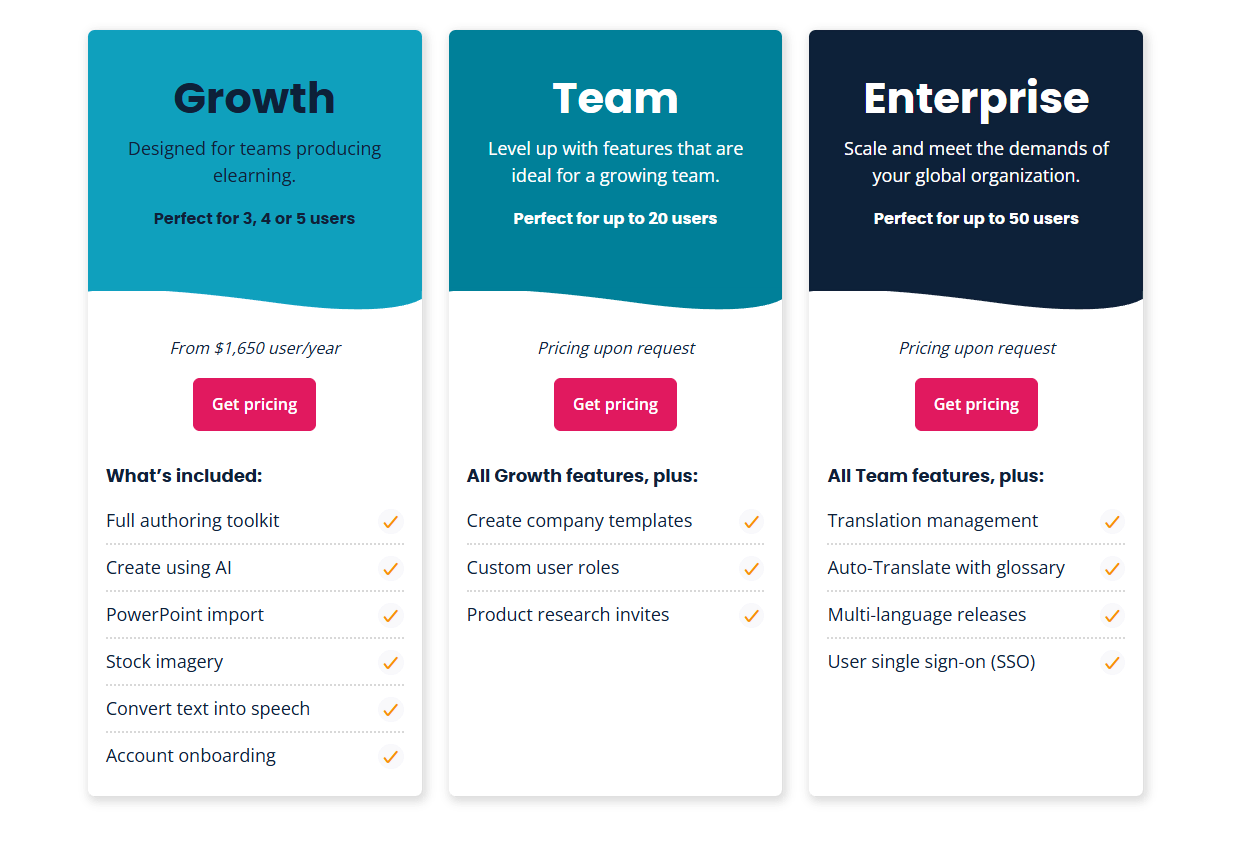
This pricing structure makes Elucidat a serious investment — one that requires clear ROI justification. For organizations producing 50+ courses per year with multiple authors, the efficiency gains can justify the cost. For teams producing fewer than 20 courses annually, the math rarely works out.
ActivePresenter, by contrast, offers a free version with substantial functionality and paid plans that are significantly more accessible for individuals and small teams — a meaningful differentiator for budget-conscious buyers.
Final Verdict: Is Elucidat Worth It in 2026?
Elucidat is a well-engineered tool for a specific problem: helping enterprise L&D teams produce consistent, branded eLearning at scale with distributed authors. It does that job competently, and the 2026 updates — particularly the AI authoring assistance and expanded template library — make it more capable than it was two years ago.
But it is not a universal authoring solution. If your work involves software training, screen capture, detailed simulations, or deep interactive customization, Elucidat will leave you reaching for a second tool. That’s not a criticism — it’s a scope definition. Know what problem you’re solving before you sign the contract.
Before You Decide: A Practical Next Step
If you’re evaluating authoring tools for 2026, don’t rely on vendor demos alone. Build the same 5-minute course module in every tool you’re considering — use a real project scenario, not a test file. That single exercise will reveal more about fit than any feature matrix.
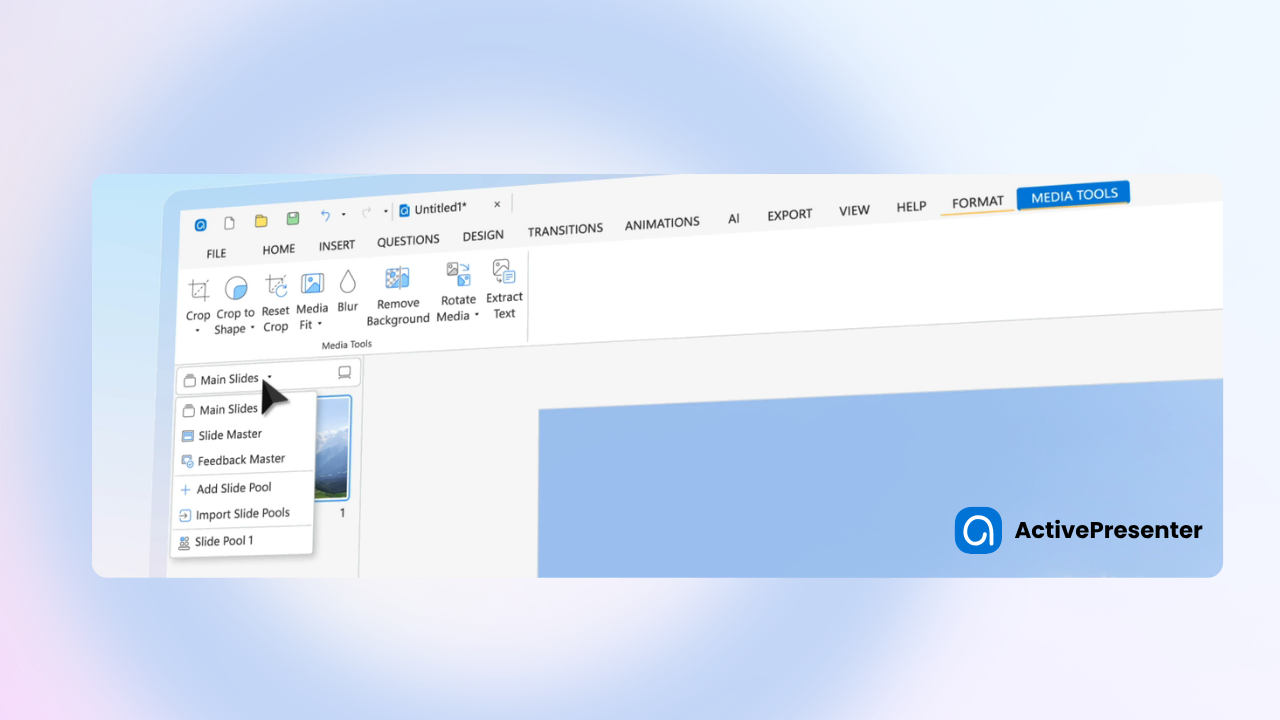
If your work involves software simulations, screen recording, or hands-on technical training, I’d strongly recommend testing ActivePresenter before committing to any platform. The free version gives you full access to its core feature set with no time limit — enough to run a genuine evaluation on a real project.
