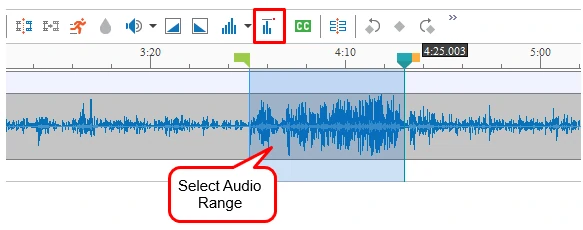
Suppose you have a group of audio objects at different volumes and you want to make them all play at the same volume level. You can easily deal with this issue by using Audio Normalization feature in ActivePresenter 7. Basically, Audio Normalization applies constant...
Besides Slide Masters, Feedback Masters are now ready for use in ActivePresenter 7. In general, Feedback Masters enable you to create Feedback Layers which provide users with useful feedbacks after they submit their answers. With this feature, you can easily show and...
Overall, ActivePresenter 7.5 offers you new features and enhancements for eLearning design. One of these amazing features is Animated Timer which enhances the user experience of eLearning task. What is Animated Timer? Basically, Animated Timer is a time-counter which...
Basically, the HTML5 Player is the interface that appears around the slide content. It includes several components: Side Bar, Top Bar, Toolbar, etc. which let viewers control the presentation while it is playing. Now, ActivePresenter allows you to customize HTML5...
Inserting, creating and modifying equations have never been so easy with this new feature in ActivePresenter 7. Besides a great number of built-in equations, you can edit and build your own ones or even copy equations from Microsoft Office to ActivePresenter....
Advanced Actions – an amazing feature of ActivePresenter version 7.5 helps create engaging and interesting eLearning courses. Thanks to this feature, you can now execute multiple actions at one time and build conditions for actions logically without repeating the same...