
ActivePresenter 10
An AI-powered eLearning authoring tool that streamlines your course creation. An all-in-one eLearning solution to create training videos, software simulations, educational games, and interactive slide-based lessons.

uPresenter
Next-Generation Interactive eLearning Platform
Create interactive presentations, quizzes, and dynamic learning experiences with real-time collaboration, seamless public sharing, and powerful reporting features.

Saola Animate 3
Create HTML5 animations and interactive content which run on any platform and device without coding skills.

Learn, share, and get support

Read latest tutorials and tips

Learn & ask our support experts

Connect & share with user community
Latest from our blog
Screencasting & eLearning

5 Crucial Advantages of Responsive eLearning Courses
Explore 5 crucial advantages of responsive eLearning courses. Boost engagement, save development time, and future-proof your training with ActivePresenter.

Top 5 Best eLearning Software for Responsive Design: 2026 Expert Guide
Searching for the best eLearning software for responsive design? Compare top authoring tools in 2026 — features, pricing, and real use cases to help you decide fast.

Record Screen Windows 11 Free: OBS vs. Game Bar vs. Snipping Tool
Comparing OBS Studio, Xbox Game Bar & Snipping Tool to record screen on Windows 11 free? See which tool actually fits tutorial makers and trainers in 2026.
HTML5 Animation
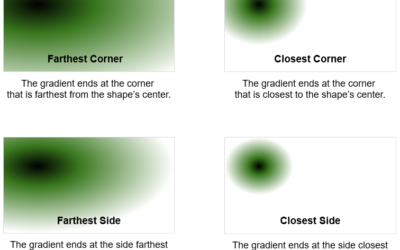
Set Background Fill Styles in Saola Animate 3
Saola Animate 3 offers background fill styles to modify the background of a scene or an element. Let’s learn more about that in this article.
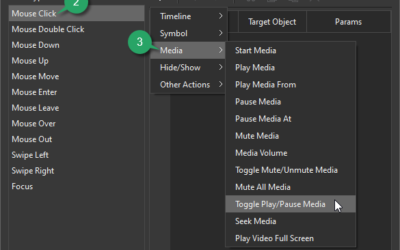
Control Video and Audio Playback in Saola Animate 3
In Saola Animate 3, you can easily control video and audio playback either manually or automatically. There is more than one way to do that, which will be revealed in this tutorial.
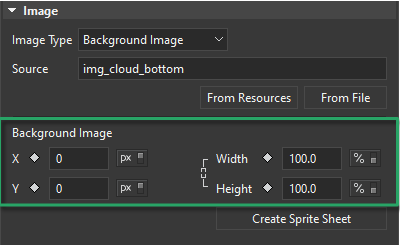
Animate Background in Saola Animate 3
It’s simple to create an animated background for a more realistic animation. It can be done by creating a motion path or changing background image properties.