
ActivePresenter 10
An AI-powered eLearning authoring tool that streamlines your course creation. An all-in-one eLearning solution to create training videos, software simulations, educational games, and interactive slide-based lessons.

uPresenter
Next-Generation Interactive eLearning Platform
Create interactive presentations, quizzes, and dynamic learning experiences with real-time collaboration, seamless public sharing, and powerful reporting features.

Saola Animate 3
Create HTML5 animations and interactive content which run on any platform and device without coding skills.

Learn, share, and get support

Read latest tutorials and tips

Learn & ask our support experts

Connect & share with user community
Latest from our blog
Screencasting & eLearning

How to Work with Transitions and Object Animations in ActivePresenter 10.5
Master ActivePresenter 10.5 animations and transitions. Learn to use this elearning authoring software to build engaging content fast.

Interactive Software Simulations: 7 Steps to Onboard Faster in 2026
Master interactive software simulations for corporate onboarding with this expert 7-step guide. Learn how to use ActivePresenter to create realistic, no-code training experiences that cut ramp-up time and boost learner engagement — free to try today.
What’s New in ActivePresenter 10.5: Smarter AI, Enhanced Interactivity & Design Efficiency
Explore the latest features of Active Presenter 10.5 and enhance your skills with new tools and functionalities.
HTML5 Animation
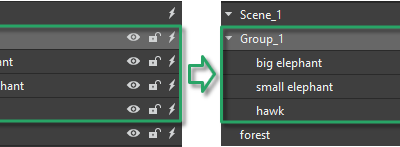
Group Elements in Saola Animate 3
When working with elements, Saola Animate allows you to group multiple elements into one. Thanks to that, you can work with them as a single one.

Export Projects to HTML5 in Saola Animate 3
Apart from exporting projects to video formats, you can also export your project to HTML5 output that allows users to view and interact with World Wide Web content. This tutorial presents how to export projects to HTML5 in Saola Animate 3.
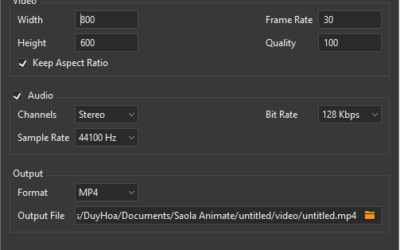
Export Projects to Video Formats in Saola Animate 3
While HTML5 output gives you the ability to interact with the content, the video format is great for demonstration purposes since it doesn’t require user’s interactions. Today’s tutorial will show you how to export projects to video formats, which is a very new feature offered in Saola Animate 3.